[deleted post]
Upgrading NEX4000 to NEX4100 - Work in Progress
Posted Jul 05, 2015 · 23:43 UTC#302
Goodluck to you guys. Ive got a 4000nex and its so close to working. The only thing not working is bluetooth which you already know. If you need me to test something just let me know.
Posted Jul 06, 2015 · 03:30 UTC#303
OK. I really need that SD now. I've bricked my device. After deodex, for some reason it said it was upgrading to a different version. Now it just sits at pioneer loading screen.
So based on that picture. It looks like you were doing a cross upgrade to the new 1.03 for the x100 series units.
To put it into context the x000 units are currently at 1.08 and the x100 units are at 1.03.
I'm curious what firmware you dedoxed and then what modifications you tried.
Posted Jul 06, 2015 · 17:06 UTC#304
I am excited by Adam Outler here, I am not sure that the majority here know the quality of his work on XDA is outstanding (I am a long time XDA user).....I hope you guys can get this going so my NEX4000 can be use with Android Auto!! I will test if that is needed, just let me know!!
Edited Jul 06, 2015 by caanda45
Posted Jul 06, 2015 · 17:33 UTC#305
+1
Posted Jul 07, 2015 · 00:46 UTC#306
yeah i'm not afraid to be a guinea pig on a 4000 upgrade
Posted Jul 07, 2015 · 04:04 UTC#307
My bigee is that I need BT to work, other than that I would be all over this...
Posted Jul 07, 2015 · 17:42 UTC#308
@whatisbypass, where did you upload the sd card image, I would be curious to look at it as well
Posted Jul 07, 2015 · 19:01 UTC#309
Android AUTO Full Working in AVIC NEX5000?
Is It TRUE?
I can test here (f960 is the same HU), but can i roll back if update crashes?
Posted Jul 07, 2015 · 19:48 UTC#310
Android AUTO Full Working in AVIC NEX5000?
Is It TRUE?
I can test here (f960 is the same HU), but can i roll back if update crashes?
Unless something changed in the past few days, yes, it is fully working except for Bluetooth audio (both calls and streaming). And since Android Auto uses BT for all of its audio, it's more or less worthless to most people. Recent developments on this thread are giving a ray of hope though...
Edited Jul 07, 2015 by EditorDZ
Posted Jul 08, 2015 · 04:20 UTC#312
Unless something changed in the past few days, yes, it is fully working except for Bluetooth audio (both calls and streaming). And since Android Auto uses BT for all of its audio, it's more or less worthless to most people. Recent developments on this thread are giving a ray of hope though...
Someone post it
held the pin-hole reset button for 5-seconds, the HU rebooted and Android Auto connected. Now I'm going to work on the stinkin' start up screen.
after reset bluetooth back to function?
now the thing is: how to solve bluetooth issue?
I hope you can solve it and bring android auto to it

Posted Jul 08, 2015 · 04:45 UTC#313
I got around to testing. I took the stock update and ran the above script with
/AVIC.sh /home/adamoutler/Downloads/15MY_FW-Update_v1.03_16G_20150318\ \(2\).zip 5100 150I then copied the resulting AVIC5100NEX folder to an SDCard and popped it into the radio. The update took just fine.
I was not able to connect Android Auto (which depends on bluetooth) after the update and multiple restarts of the phone and head unit. I held the pin-hole reset button for 5-seconds, the HU rebooted and Android Auto connected. Now I'm going to work on the stinkin' start up screen.
Verified: headers on 8100 are the same as the 5000.
Adam, maybe I misread it when you posted, but are you saying that you have bluetooth audio working with Android Auto, running x100 software on an x000 unit? If yes, could you guide us lesser geniuses to how we can achieve this holy grail? I have an 8000. Thanks!!
Posted Jul 08, 2015 · 15:59 UTC#314
Great progress with this guys, I have a NEX4000 and willing to help test as well. Android auto would be great if it is indeed fully working.
Posted Jul 09, 2015 · 16:14 UTC#316
I'm starting to worry. Everyone I gave links to sd card image began to be silent

Send-me it too
Posted Jul 09, 2015 · 17:47 UTC#317
@whatisbypass is the .rar an image to restore or is something inside of it?
Posted Jul 11, 2015 · 16:39 UTC#320
Something we are missing here is a map.. I'm using a 150version (x1xx series) firmware. I will ignore the version. I'm trying to create the start of a scatter chart here. Add more information as it is discovered... Actual partition names, locations in /dev/block, EMMC layouts.. that sort of thing. Eventually we will blow this thing wide open for modification, but we have to start by mapping it out.
common name - associated ver file - location in update
boot.img - BOT.VER - BOOT/BOT.PRG
bootloader - BTL.VER - n/a
UNKNOWN - BT.VER GPS/GPS.PRG
userdata - DAT.VER - USERDATA/DAT.PRG
UNKNOWN - DTV.VER - DTV/DTV.PRG
UNKNOWN - ERY.VER - RECOVERYEASY/ERY.PRG
UNKNOWN - GPS.VER - GPS/GPS.PRG
UNKNOWN - OPN.VER - PG150OPN/OPN.PRG
system.img - PLT.VER - PLATFORM/PLT.PRG
recovery.img - REC.VER - RECOVERY/REC.PRG
UNKNOWN - WWR.VER - WWR/WWR.PRG
UNKNOWN - SNAPSHOT.VER SNAPSHOT/SNAPSHOT.PRG
HIBENDIR HIBENDIR (Special partition)
The update apparently has unused files in the BLUETOOTH folder. BTHBTL.PRG, BTHSAF.PRG, and BTHUDP.PRG
Now, for you "x0xx" people.. Please direct your attention to the BT and GPS lines. Apparently the same image is placed on the BT and GPS... which would explain why BT stops working on your system after flashing the image. We need to get the old BT image emplaced.
I am downloading the sdcard now. I haven't had time to work with it yet. I've got 10 8-gb SDs on order from amazon for $5 each. They should be here on Sunday (according to tracking).
I was looking at the information to figure out why, after upgrading my NEX8100 from 1.03>1.03, the next time it said 1.08>1.03. Some data on the device must have been overwritten with improper versioning. So lets look at the image header..
defaultheader="00010801010000000100000000000000504A313430504C5402100000FFFFFFFFFFFFFFFFFFFFFFFFFFFFFFFFFFFFFFFFFFFFFFFFFFFFFFFFFFFFFFFFFFFFFFFFFFFFFFFFFFFFFFFFFFFFFFFFFFFFFFFFFFFFFFFFFFFFFFFFFFFFFFFFFFFFFFFFFFFFFFFFFFFFFFFFFFFFFFFFFFFFFFFFFFFFFFFFFFFFFFFFFFFFFFFFFFFFFFFFFFFFFFFFFFFFFFFFFFFFFFFFFFFFFFFFFFFFFFFFFFFFFFFFFFFFFFFFFFFFFFFFFFFFFFFFFFFFFFFFFFFFFFFFFFFFFFFFFFFFFFFFFFFFFFFFFFFFFFFFFFFFFFFFFFFFFFFFFFFFFFFFFFFFFFFFFFFFFFFFFFFFFFFFFFFFFFFFFFFFFFFFFFFFFFFFFFFFFFFFFFFFFFFFFFFFFFFFFFFFFFFFFFFFFFFFFFFFFFFFFFFFFFFFFFFFFFFFFFFFFFFFFFFFFFFFFFFFFFFFFFFFFFFFFFFFFFFFFFFFFFFFFFFFFFFFFFFFFFFFFFFFFFFFFFFFFFFFFFFFFFFFFFFFFFFFFFFFFFFFFFFFFFFFFFFFFFFFFFFFFFFFFFFFFFFFFFFFFFFFFFFFFFFFFFFFFFFFFFFFFFFFFFFFFFFFFFFFFFFFFFFFFFFFFFFFFFFFFFFFFFFFFFFFFFFFFFFFFFFFFFFFFFFFFFFFFFFFFFFFFFFFFFFFFFFFFFFFFFFFFFFFFFFFFFFFFFFFFFFFFFFFFFFFFFFFFFFFFFFFFFFFFFFFFFFFFFFFFFFFFFFFFFFFFFFFFFFFFFFFFFFFFFFFFFFFFFFFFFFFFFFFFFFFFFFFFFFFFFFFFFFFFFFFFFFFFFFFFFFFFFFFFFFFFFFFFFFFFFFFFFFFFFFFFFFFFFFFFFFFFFFFFFFFFFFFFFFFFFFFFFFFFFFFFFFFFFFFFFFFFFFF"
The key here is this string of characters "50 4A 31 34 30 50 4C 54". This is hex for PJ140PLT which is the versioning information. PJ140 is the Pioneer platform J version 140, and the PLT partition. Each partition has its own 3-letter identifier.
defaultheaderver="A55A5AA5C00000000001080101000000010000002C000000FFFFFFFFFFFFFFFFFFFFFFFFFFFFFFFFFFFFFFFF010000000100000050004C004100540046004F0052004D000000000000000000000000000000000000000000000000000000000000000000000000000000000000000000000000000100000050004A0031003400300050004C0054002E005000520047000000000000000000000000000000000000000000000000000000000000000000"
The same style of information is in this, but I believe it contains the 1.08 right here... 540046004F0052004D
I'm still trying to figure out why my deck was bricked by that last update. I'm waiting on SDCards. I'm downloading the SD Image currently. I'm still looking at the firmware. I have a wife and kids and full time job as well, so I don't have a ton of time but I will keep this updated.
@bass_rock, any chance you could make an update to the script to handle resigning various partitions? Currently PLT is hardcoded. I'd like it if, when you get a chance, you could update to handle any partition through update. We need, maybe a set of scripts or, something that would handle rewriting any sort of image.. So that way our "x0xx" image buddies can play with "x1xx" versions after we figure out the differences in the SDCard.
Posted Jul 11, 2015 · 23:54 UTC#321
@AdamOutler I get what you are saying about the bluetooth. However I am not sure what files you would like the script to modify, and what version information.
Posted Jul 12, 2015 · 00:45 UTC#322
Also just tried a cross-upgrade with the old GPS prg and the GPS ver file. It upgraded but still no bluetooth audio.
Posted Jul 12, 2015 · 18:29 UTC#323
I'm starting to worry. Everyone I said about sd card image began to be silent
Don't worry - be happy 
 pioneer nextgen from 8100 firmware update 1.03 works!


Tnx for sd image
Edited Jul 12, 2015 by Lucca
Posted Jul 12, 2015 · 19:26 UTC#324
I just picked up 10 sdcards so I would be able to make 10 different custom ROMs. I need the original unencrypted SDCard image.
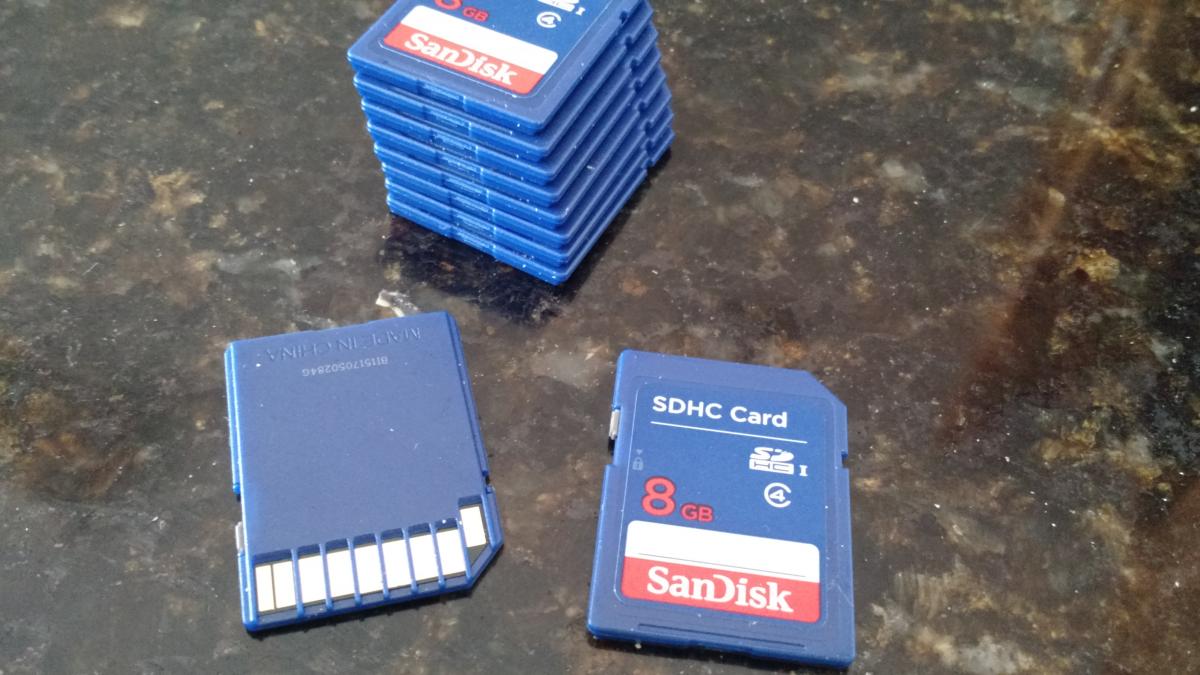
Edited Jul 12, 2015 by AdamOutler
Posted Jul 12, 2015 · 19:38 UTC#325
Also just tried a cross-upgrade with the old GPS prg and the GPS ver file. It upgraded but still no bluetooth audio.
Use the old kernel and the old BT partitions. They would need to be resigned. If you can resign a kernel, I can work on some things that will allow us to log to the SDCard. After you remove the header from the kernel you can use a tool to separate the kernel, ramdisk, and kernel parameters. Then the ramdisk can be mounted and we can see what's going on. I'd like to add in a "dmesg>/extsdcard/log.txt or something to the /init.rc file . I don't know what the partitions look like just yet but we could get a better idea from the recovery's /etc/recovery.fstab, or the normal fstab on the boot partition. The easyrecovery appears to be a boot.img format as well. Either way we need logs and this is how we get it. I'd know a lot more about how to attack this if I had the full SDCard image.