Search Archive

X930BT has new update, but bluetooth no longer functions correctly

By wascapsfan · Dec 30, 2016in Hacks/Mods💬 35 posts👁️ 18,798 views
Page 2 of 2
Posted Jan 03, 2017 · 17:54 UTC#26

I guess I have to assume that both of my PRG (PRG0 & PRG1) files have the 6.0??


I'm dying to get this sorted out once and for all.

Sounds like it. Did you install 6.0 more than once?I don't know how that could happen.  I didn't think it would do anything if the version is the same, but maybe not.

I highly recommend backing up everything at USER and below. Use an 8GB SD. Just select USER and Copy, then go to the SD and Paste.

This is both as a precaution and to allow easier comparisons to the files. 


BTW, are you initiating the BT pairing from the headunit or the phone? In one case you make the phone discoverable and look for it from the headunit BT settings menu. But you can also do it the other way. IDK if it makes a difference, but worth a try. I had similar issues a few years ago but I don't remember what fixed it. But I still always let the HU boot and connect to the phone before using any BT audio or Pandora app. That always seemed to work.


BTW, both the HU and the phone have settings for BT audio and phone. Make sure they are both ON on both sides..

Edited Jan 03, 2017 by RonS
Posted Jan 03, 2017 · 20:33 UTC#27

Ron,


You are so great.. Thank you so much for EVERYTHING.

I only installed the 6.0 once.

I will try this when I get home and report back.

Posted Jan 03, 2017 · 22:26 UTC#28

OK.. It appears that both PRG0 and PRG1 are exactly the same on the sd card.

I'm not sure how that happened, as I only did one upgrade.

Is it possible for me to remove PRG0 (or PRG1), and add a different update to one of them??

If so, which one would I use.....I have the 3.001 and 3.002 downloaded.. I have 2013 maps and 2015 maps

I also have AVIC Z130 zip also

Edited Jan 03, 2017 by wascapsfan
Posted Jan 03, 2017 · 23:27 UTC#29

If you plan on doing anything, keep that backup SD. I know there is a way to use testmode to "force write" different versions. You can try researching that, but I have no experience with it. I don't think you can just copy the files from a previous version into one of the PRGn directories.

I've exhausted my knowledge on this. Maybe someone else can help. Good luck. 


Oh, those 3.00x things are just patches for bug fixes. So they are missing major pieces of the 3.0 software,

Edited Jan 03, 2017 by RonS
Posted Jan 04, 2017 · 04:21 UTC#30

Thank you for all of your assistance

Posted Jan 06, 2017 · 23:10 UTC#31

UPDATE!!


So I reinstalled the 3.32 BT and suddenly the Bluetooth audio is working, and I mean EVERYTHING.  AHA, Pandora, and phone music...

Relieved.  Yesterday the system remembers everything and I don't have to do anything but hit play on my phone music.

Today I am driving and enjoying a little Pink Floyd and I stop at Home Depot.  I come back out and the unit will not pair again with the phone.  The password code keeps popping up.  Finally it realizes the password code,but again I cannot check the media audio, nor can I connect via bluetooth from the HU..

Is this thing haunted???  Just when I was really enjoying it..

Darn..........

Posted Jan 21, 2017 · 20:43 UTC#32

SOLVED.....Woohoo

Posted Nov 12, 2017 · 17:45 UTC#33

I updated to the 6.0 with the 2015 maps, but now my One plus 3 can no longer connect to the X930BT.  

I used 

Then extract the files, copy UPDATE, FIRMWARE, and CardInfo.CIF to the root of a freshly formatted FAT32 SD, and insert it into your unit.


Any ideas??  


Thanks in advance

Never mind :) sorry for the noise

Edited Nov 12, 2017 by kufelt
Posted Feb 16, 2018 · 07:23 UTC#34
On 21-1-2017 at 9:43 PM, wascapsfan said:

SOLVED.....Woohoo

Hi wascapsfan,

can you share your fix with me please?
Ever since I got my car second hand the bluetooth was not working so I am interested in knowing how you got the thing going again.

Posted Nov 03, 2023 · 02:56 UTC#35

I know this is ancient (electronic) history, but, this might help someone....

I've followed the bluetooth drama of wascapsfan for a long time.  It had me reluctant to perform the firmware BT firmware update to 3.32.  I had an iphone 7, and bluetooth pairing worked after doing the application update to application version 4.46 many years ago.

I did none of the map updates because I just found the mapping via Google maps, then apple's maps easier - and verbal real-time navigation prompts eventually got nearly perfect on Apple.

Recently got the iphone 15 and BT pairing no longer worked. Tried all the pairing permutations and resets, reboots, battery tricks, but no luck.

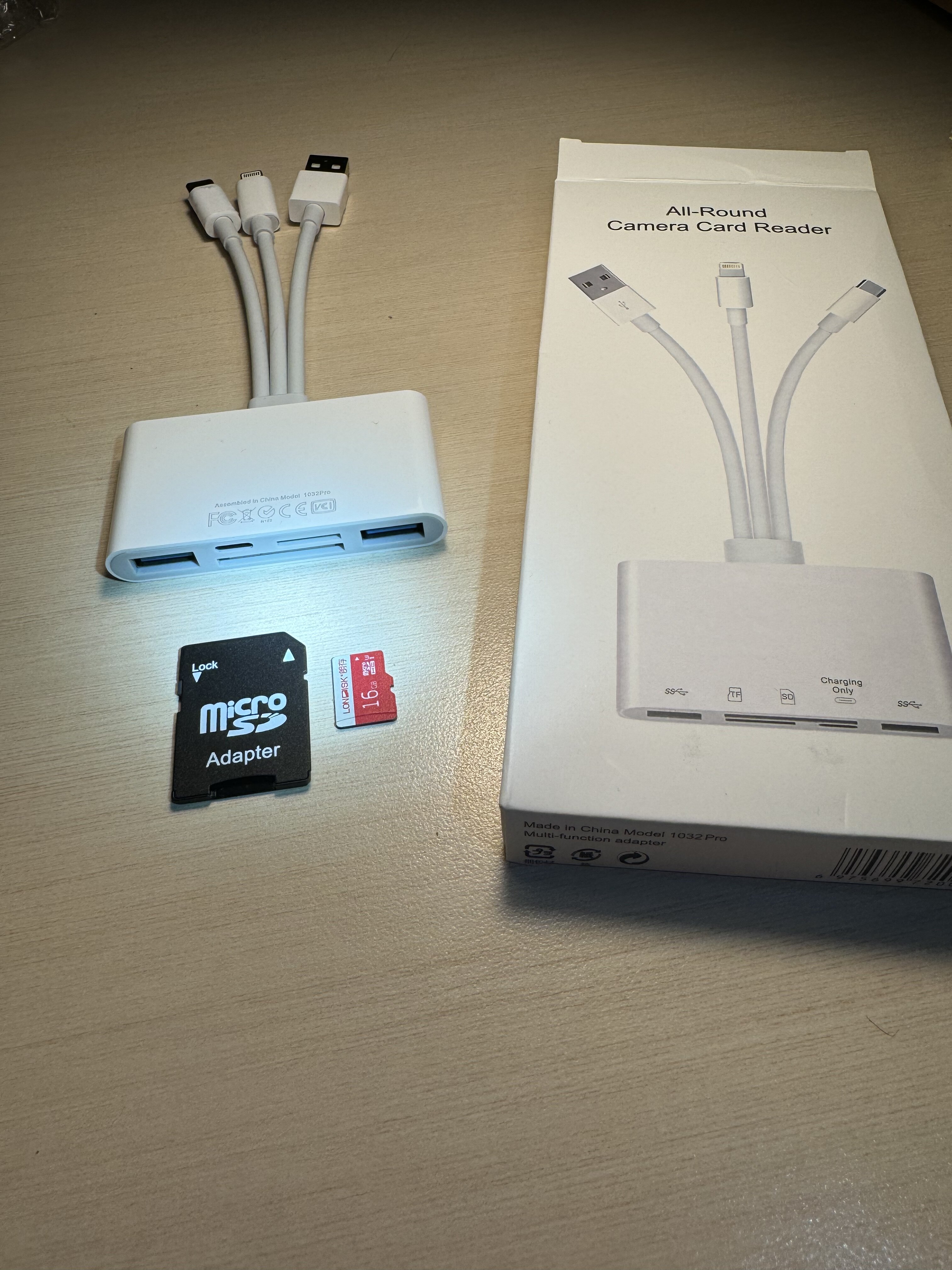
So, got a microSD (again) and followed the steps for the BT update. (FAT32, 16 GB)

Slight difference, my HU is X940BT.

Viola, worked perfectly, much improved pairing speed, no more hit and miss attempts, IMG_8597b.thumb.jpg.fe95448cf8fe7ae622d5442fd303dcc2.jpgall the phone stuff worked perfectly as well.  As old as this HU is, this renewed my appreciation for it. Need to get a lightning to USB-C adapter for a hard wired connection / charging, but now I wish I'd upgraded the BT firmware long ago. lol

My days of being an early adopter of new tech are kind of over, now I'm all about keeping old tech alive. :) Many thanks to the incredibly helpful and patient masters, enthusiasts, etc. on these boards.

IMG_8600.jpg

Edited Nov 03, 2023 by Greenbone
Page 2 of 2