Search Archive

HOW TO: Add US Speedcams W/Warnings

By gjas18 · Sep 16, 2008in Hacks/Mods💬 64 posts👁️ 25,233 views
Page 3 of 3
Posted Nov 20, 2008 · 21:20 UTC#51

So on "Simple" warning, is there no audible alert? I only had an on-screen warning.


It'd be really nice to just have one single spoken alert instead of a continuous beep.


It gets really annoying when you're listening to music and you're actually at the red light waiting for it to go green and all you hear is, beep....beep....beep...beep...

Posted Nov 21, 2008 · 01:44 UTC#52

Are there any speed cameras and redlight cameras files for canada, if so does anyone on the forum have then to share.

Posted Nov 21, 2008 · 01:45 UTC#53

Are there any speed cameras and redlight cameras files for canada, if so does anyone on the forum have then to share.

Posted Nov 23, 2008 · 22:11 UTC#54

Here are the most updated database from trapster, as 11/22/2008, this time, I expanded the coverage to include USA (Including Alaska, and Puerto Rico) Canada, and Mexico.


Let me know how they work for you


Note: the data base is as good as more people collaborate on adding, modifying and verifying more camera locations. so help out at www.trapster.com

trapster-speed-0_US_CAN_MX_11-22-08.txt

trapster-redlight_US_CAN_MX_11-22-08.txt

Posted Nov 24, 2008 · 12:43 UTC#55

I noticed that there are some camera databases already on the forum, and probably, people is wondering which one should i use, which one is better, more complete, etc. Well I took the TXTs of other databases that i found on this forum and emailed them to trapster, they said they are going to merge the files into the trapster data base avoiding duplicated locations


Files submitted:


1 - posted by BorisM, coming from http://www.gps-data-team.com/poi/united_states/safety/


2- posted by VBLUE42 based on POI-Factory)


Hopefully they process them quickly. :D

Posted Nov 24, 2008 · 20:29 UTC#56

Just installed these files and everything look great except that someone seems to have gone crazy in my area Confused I don't think I'll ever be able to listen to music again...


I'm only aware of two red light cams by my work, one is missing the other is marked as a speed cam which I don't believe they use around me. Everything else is a moving speed cam (I'm guessing someone saw a cop somewhere around there).


Either way thanks a lot for all the work and I'll be playing around with it for a while.

Posted Nov 24, 2008 · 21:07 UTC#57

mtbjoe, i noticed that myself. the problem appears to be with the "possible hidden police location = mobile cameras" probably people is creating points wherever they see a cop (wich is silly), BUT THAT IS WHY WE NEED TO PUT OUR TWO CENTS AND HELP EDITING THE CAMERAS ON OUR AREAS, so the data base becomes more reliable.


For next update, i will try to separate the database in three files:

1 - Static speed cameras

2 - Red-light cameras

3 - Possible hidden police locations = mobile cameras


So, you could choose which one to install according to your needs.

:)

Posted Nov 24, 2008 · 23:15 UTC#58

If you intereted on changing the default "DOG" warning sound, here are some siren wav files. some of them are really cool.


http://www.tnaccess.com/users/seahawk/siren.htm

Posted Nov 26, 2008 · 02:03 UTC#59

As promised, here are the most up to date files from trapster Covering USA (Alaska and Puerto Rico), Canada, and Mexico.


This time i separated the database on three files:

1 static cameras.

2 redlights

3 mobile


It was noticed that there is to many mobile cameras (probably due to people creating locations points every time they see a cop around), Anyways, now you can install only the files that suit your needs...


Thanks mtbjoe for the suggestion.


Note: In order to separate the data base I'had to use a sort function which split the files, for this reason i need your help to verify that the points are where they suppose to be and the coordinates didn't get messed up (I checked few random points, but there is not ways i can verify 33K+ points

:shock: ). if you find discrepancies, let me know.


Enjoy! :D

Trapster_files_11-25-08.zip

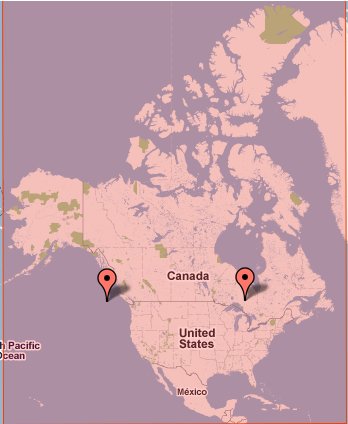
post-24295-12872756347616_thumb.jpg

Posted Dec 29, 2008 · 08:35 UTC#60

Is there a way to alert you of an incoming speeding camera / red light with a sound with the trapster files?

Posted Jul 22, 2009 · 18:05 UTC#62
I finally got the speed warning working, i guess it doesn't work over "fly over" mode, but when I'm actually driving, it DOES WORK.


I got the speed camera database from http://www.trapster.com in csv, it is a really good database, very accurate at least on my area. It is daily updated by the own users, positions get voted so they increase the level of confidence of that camera type/position, anyways i think it is a good database and really easy to convert to IGO format.


By the way if anyone wants the file that i converted from Trapster, let me know. :wink:


The file include cameras from all over the mainland 48-states of US, i have only verified my area and it is looking very accurate over here.


This is user collaboration based database, this means users add, modify, delete camera position and type (static, redlights, possible hidden police points, etc)


I changed the classification to comply with the igo format (speed camera = '1' static, redlight = '3' redlight cameras, and hidden police points = '5' mobile cameras)


this data base is as good as many user collaborate to build it, so, people start creating your FREE account and lets build a nice speedcamera database for our AVIC...


I'll try to convert/update the database as soon as i can, since the site is constantly updating.


Installation:


- copy both txt files to the /IGO/content/speecamera/ folder on you avic, while you are in testmode. (they are already converted to IGO format)


- Restart the unit. it will take a little longer to start up (only the first time) since the unit has to build its own data based on the content of txts (it will do it by itself, so nothing to do here, just wait about 2-4mins)


- test if you can see the camera on the map.


Note: I have only tested the location on my are and looks good, let me know how it looks for your area?


Hey forb, do you have the most up to date trapster file converted? I would like to try this on my x910bt.

Posted Jul 23, 2009 · 02:54 UTC#63

You don't have to go into testmode just put the text file on your SD Card in \poi\speedcam.


Creating a trapster file really easily from the database a couple of replace all commands and you have a new database file.

Posted Jul 23, 2009 · 13:21 UTC#64
You don't have to go into testmode just put the text file on your SD Card in \poi\speedcam.


Creating a trapster file really easily from the database a couple of replace all commands and you have a new database file.


What do you mean "a couple of replace all commands"? Please explain.

Page 3 of 3