Ok guys, I am getting the logos made for the new XM Sirius merger chan titles...
For example.. Flight 26 is now "The Pulse"
as some of you have seen, our icons wont show up.
You have two options. Both involve you burning DL DVD's.
To start, RIP a image of your main (or both) Nav discs onto your computer.
Option 1) I can send you an updated IMAGETBL.DAT that you replace the current one on the Nav disc DVD's. This will show the old logo. if there is one... there are no logos for howard stern yet.
For example, even though the station is now "The Pulse" it will show a Flight 26 logo... This is nice if you like the old logo's. Personally, I dont like the new 'RawDog' comedy logo... XM Comedy is much better..
This option will require some more time on my end, I need to finish working on this file...
Option 2) (Requires option 1)
Go to each XM Channel site and download the JPG file
(SEE LINK AT BOTTOM) Just change where it says 49 to what ever channel number you want
Save the JPG, open it in photoshop, Everywhere its white, change it to RGB value of 206, 198, 206. And fill in. The AVIC D3 will change anything WHITE to BLACK. This grey is the same color grey the AVIC uses, so it will blend in... once again, if you leave it white, it will invert the color to black.

After you convert everything to that grey, change the size of the image to
136x40
Save the image as a BMP file in 32bit mode.
Convert the BMP to PIM, and save it as DPS***.PIM (Replace *** with the 3 digit chan ID aka 049)
and place it in the XMDPS folder on the Ripped image of the DVD
if you are happy... burn the disc and give it a shot...
Where to find chan logos
http://xmradio.com/images/channels/logos/main/49.jpg
Attached: XMNew1.zip = My version of Chan 26, Chan 46, Chan 49, Chan 48
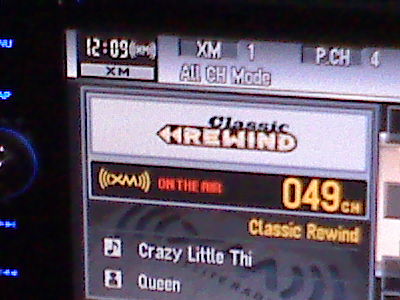

 . Take several hours to fix this and make your customers happy.

