Search Archive

data.zip combined keeper22 and lilngineer & Building fil

By 1fastrsx · Jan 04, 2009in Hacks/Mods💬 174 posts👁️ 38,533 views
Page 5 of 7
Posted Feb 20, 2009 · 16:07 UTC#101

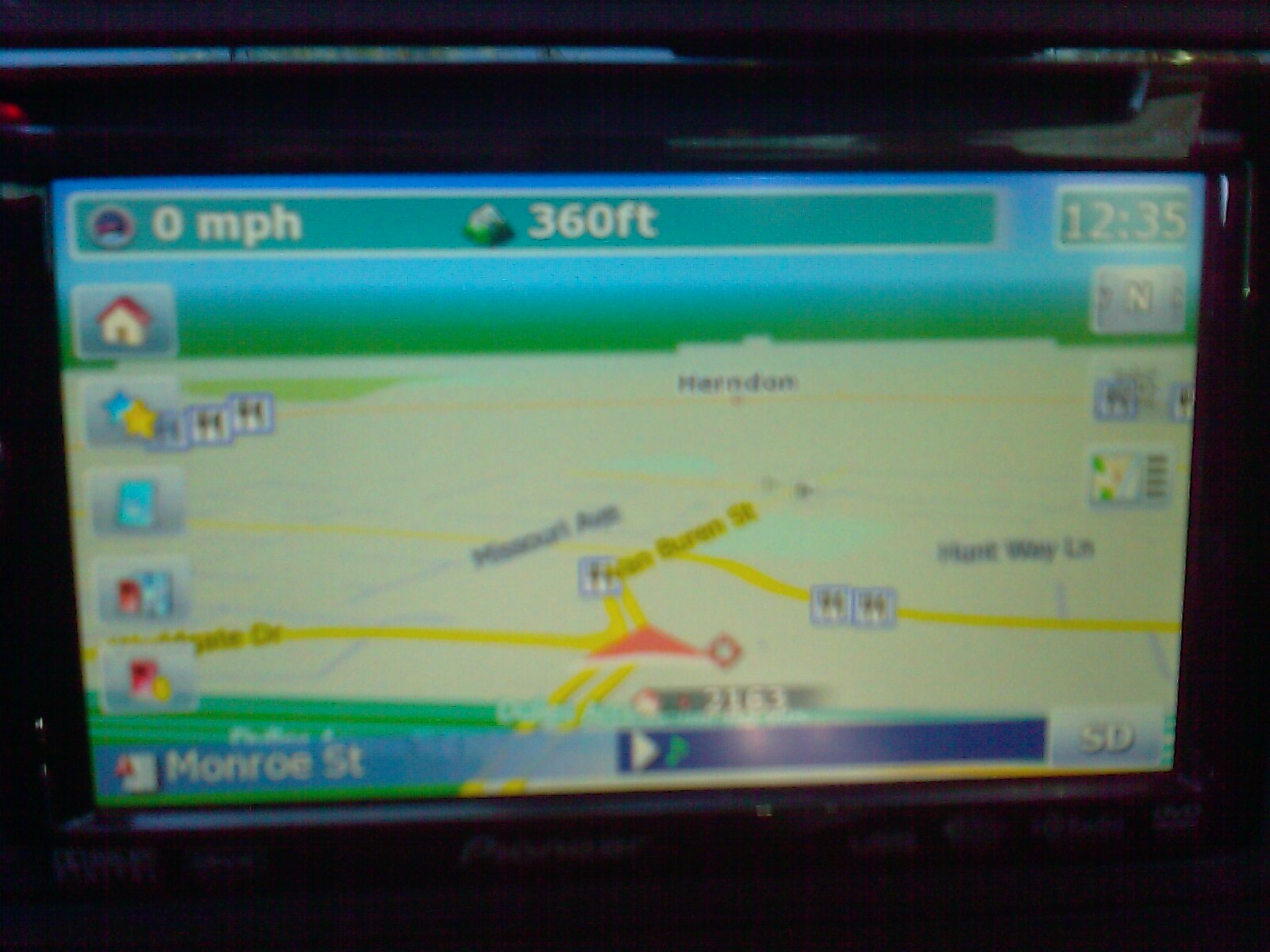
Alright, after playing with it, here's what I'd like to change, if anybody could help me with what I need to change in the navigatemap file, I'd appreciate it:


1. I'd like to get rid of the MSN traffic icon and the Favorites icon. I've already done this, but I'm left with two blank blue squares. I'd like to get rid of these, and have it show the top 3 squares or remove the top/bottom and show the middle 3, if this makes any sense.


2. For the bar at the top (when not navigating) I'd like to have a "/ SPEEDLIMIT" (where it's the speed limit of the road) next to the speed you're traveling so I know how fast I'm going, and what the speed limit is. Also, I want to move the elevation information over a little so I have more room for all of this.


3. If I could squeeze the same "/ speedlimit" in with the mph in that little box on the bottom left WHEN navigating, that'd also be awesome.


I read that the speedcam mod was already in this data.zip. What does it take to enable it and get it working? Finally, I shouldn't have any issue doing the custom POI icon mod with this data.zip should I?
Posted Feb 20, 2009 · 17:31 UTC#102

Its is a nice Data.Zip but i gave two questions


1: There is no TMC infromation displayed anymore. I changed the $tmc2.sp to $tmc.sp but still no go. anybody an idea?

I have a eu 90BT model.


2: I really like the 3d with sky look but when i navigate is still see only streets.. is there a way to lock the view?


let me know

Posted Feb 20, 2009 · 18:08 UTC#103
Its is a nice Data.Zip but i gave two questions


1: There is no TMC infromation displayed anymore. I changed the $tmc2.sp to $tmc.sp but still no go. anybody an idea?

I have a eu 90BT model.


2: I really like the 3d with sky look but when i navigate is still see only streets.. is there a way to lock the view?


let me know


TMC I'm not sure about. For the other one you could try adding

3d_default_tiltlevel= to the [map] section of SYS.TXT -- might work...

Posted Feb 21, 2009 · 23:30 UTC#104

milkegedge, you rock!


I bought my F90BT after lurking in these forums, and I've stayed here looking for hacks. The combination you provided is awesome. Thanks to you and everyone here for all the hard work you do!

Posted Feb 22, 2009 · 06:14 UTC#105

Awesome mod!!! This what the map view should have looked like all along. The house numbers and everything else are great.


Can anyone tell me how to get rid of or change the lettering outline on the white street names that are on the night maps? With the white outline the letters are too close together and appear "fuzzy" and hard to read in comparison to street names that have contrasting outline colors around the lettering.

Posted Feb 22, 2009 · 06:24 UTC#106

What is the z value when setting up buttons? Is that the transparency? If no, how do you set transparency?


Also, what program do you guys use to modify or create image files for icons/buttons/backgrounds? Any preferred?


Ceger

Posted Feb 22, 2009 · 15:26 UTC#107
Its is a nice Data.Zip but i gave two questions


1: There is no TMC infromation displayed anymore. I changed the $tmc2.sp to $tmc.sp but still no go. anybody an idea?

I have a eu 90BT model.


2: I really like the 3d with sky look but when i navigate is still see only streets.. is there a way to lock the view?


let me know


OK found some solutions.


1: TMC signal works for the european model. Changed this is in sys.txt


[device]

type="PIONEER746EW"


[interface]

skin="ui_pioneer"

default_day_color="COLORSCHEME~Pioneer Red Day"

default_night_color="COLORSCHEME~Pioneer Red Night"

tmc_events_icon_set="$tmc.spr"

small_tmc_events_icon_set="$smalltmc.spr"

show_kml_type=0

maxzoom2d=6000000

SYS.TXT

Posted Feb 22, 2009 · 16:43 UTC#108

Is it possible to have TMC on a unit bought in the US (that is used in Europe)?

Posted Feb 23, 2009 · 03:44 UTC#109
Awesome mod!!! This what the map view should have looked like all along. The house numbers and everything else are great.


Can anyone tell me how to get rid of or change the lettering outline on the white street names that are on the night maps? With the white outline the letters are too close together and appear "fuzzy" and hard to read in comparison to street names that have contrasting outline colors around the lettering.


By either using a different color scheme or by editing one yourself...

Posted Feb 23, 2009 · 03:46 UTC#110
What is the z value when setting up buttons? Is that the transparency? If no, how do you set transparency?


Also, what program do you guys use to modify or create image files for icons/buttons/backgrounds? Any preferred?


Ceger


Z value is the "vertical" coordinate of an element (what is is over/under on screen).


There is an "alpha" property that might set transparency, but I've not seen it used in too many places. Usually it is handled by alpha layer in the bitmap itself.

Posted Feb 23, 2009 · 03:47 UTC#111
Is it possible to have TMC on a unit bought in the US (that is used in Europe)?


Very unlikely... US units have either MSN Direct receiver or none at all, no TMC receiver.

Posted Feb 24, 2009 · 17:51 UTC#112

I made some modifications to this scheme.


- I changed the left side icons to look like the right side ones with transparency

- Removed the backgorund image the icons sat on, allowing for a more consistent display and for the icons to be more to the left edge.

- Modified the MPH section above while not navigating to show current speed / Posted Speed mph when the road you are on has posted speed limit info.

- Modified the speed section in the lower left when navigating to do the same.

- Change MSN Traffic icon to MSN Gas since you can get traffic page by clicking on current street icon in lower left.


If you want to add this modification, the attached zip has the new navigation ui file and new icons. Copy the icons to the ui_pioneer\800_480 folder and the ui file to the ui_pioneer\800_480\ui folder in the DATA.zip file.


Enjoy.


-K

Modifications.zip

post-958-12872757230875_thumb.jpg

Posted Feb 24, 2009 · 19:44 UTC#113

For those asking about a screenshot with speed limits...


I would have to be driving on a road with speed limit known while taking the picture; difficult to do.


If your current speed was 57 and the posted speed limit was 55, it would read as 57/55mph as opposed to 57mph. It is nothing more complex than that.


Ceger

Posted Feb 25, 2009 · 21:14 UTC#114
I made some modifications to this scheme.


- I changed the left side icons to look like the right side ones with transparency


-K


Just wanted to say these icons are great, I wanted to do exactly the same but my graphic skills are not existent! You sure have saved me a lot of time.


Thanks for sharing.

Posted Feb 26, 2009 · 04:00 UTC#115

just uploaded a new zip file with some new features. See the first post.

Posted Feb 27, 2009 · 06:34 UTC#116

Sweet, thanks. Do I replace the data.zip with the new one? Or just paste it in the same folder? Thanks


just uploaded a new zip file with some new features. See the first post.
Posted Feb 27, 2009 · 14:42 UTC#117
just uploaded a new zip file with some new features. See the first post.


Getting an unknown compression error when trying to remove password. When trying to directly extract it, it never asks for a password.


Ceger

Posted Feb 27, 2009 · 14:48 UTC#118

it worked fine for me. I used winrar at home and work to unzip the new one, but at work, I had to upgrade my winrar version (old one wouldnt work).

Posted Feb 27, 2009 · 14:57 UTC#119
it worked fine for me. I used winrar at home and work to unzip the new one, but at work, I had to upgrade my winrar version (old one wouldnt work).


That did the trick. Thanks.


Ceger

Posted Feb 27, 2009 · 15:00 UTC#120

No problem. Was wondering if you saw my question in the speedcam thread? Do we need "speedcam_enabled = 1" in our SYS.TXT because for the life of me, I dont see it in this one. And I could have sworn it was stated in this thread that the data.zip had it enabled by default.

Posted Feb 27, 2009 · 16:01 UTC#121
No problem. Was wondering if you saw my question in the speedcam thread? Do we need "speedcam_enabled = 1" in our SYS.TXT because for the life of me, I dont see it in this one. And I could have sworn it was stated in this thread that the data.zip had it enabled by default.


You can just add it yourself. BorisM is really the go to person for that stuff. I just basically took whatever mod data.zip I wan't to use and then copied in the place and setting ui files from the main zip in the "turn on Speedcam feature" thread. Don't use the files from BorisM's later in the thread as those are specific to items he is playing around with.


Then copy the speedcam.txt file into content/speedcam folder and it all should work.


Ceger

Posted Feb 27, 2009 · 16:55 UTC#122

Is there any reason you would know of for the route info button not moving to where I specify? Since I am using a modified version of the original file in the first post, I tried moving the icon to y=190, but it looks like it remains in its older position while all other icons move to where I assign on the y coordinate. And yes, I updated all three entries in that location to the same y coordinate.


Bizarre!


Ceger

Posted Feb 27, 2009 · 17:04 UTC#123
Is there any reason you would know of for the route info button not moving to where I specify? Since I am using a modified version of the original file in the first post, I tried moving the icon to y=190, but it looks like it remains in its older position while all other icons move to where I assign on the y coordinate. And yes, I updated all three entries in that location to the same y coordinate.


Bizarre!


Ceger


Isn't that the button that is also being moveв around by script code? Search for the name of the button across script files (ones in common directory) and you should find where its location is being updated...

Posted Feb 27, 2009 · 17:09 UTC#124
No problem. Was wondering if you saw my question in the speedcam thread? Do we need "speedcam_enabled = 1" in our SYS.TXT because for the life of me, I dont see it in this one. And I could have sworn it was stated in this thread that the data.zip had it enabled by default.


You can just add it yourself. BorisM is really the go to person for that stuff. I just basically took whatever mod data.zip I wan't to use and then copied in the place and setting ui files from the main zip in the "turn on Speedcam feature" thread. Don't use the files from BorisM's later in the thread as those are specific to items he is playing around with.


Then copy the speedcam.txt file into content/speedcam folder and it all should work.


Ceger

Ok. I was just worried that maybe I shouldnt add that "speedcam_enabled = 1" into this data.zip's SYS.TXT file, for fear of screwing up something. I'll go ahead and add it, and copy that SYS.TXT file over, and hopefully have all sorts of speed cam warnings on my drive into Chicago today!

Posted Feb 27, 2009 · 19:17 UTC#125
No problem. Was wondering if you saw my question in the speedcam thread? Do we need "speedcam_enabled = 1" in our SYS.TXT because for the life of me, I dont see it in this one. And I could have sworn it was stated in this thread that the data.zip had it enabled by default.


You can just add it yourself. BorisM is really the go to person for that stuff. I just basically took whatever mod data.zip I wan't to use and then copied in the place and setting ui files from the main zip in the "turn on Speedcam feature" thread. Don't use the files from BorisM's later in the thread as those are specific to items he is playing around with.


Then copy the speedcam.txt file into content/speedcam folder and it all should work.


Ceger

Ok. I was just worried that maybe I shouldnt add that "speedcam_enabled = 1" into this data.zip's SYS.TXT file, for fear of screwing up something. I'll go ahead and add it, and copy that SYS.TXT file over, and hopefully have all sorts of speed cam warnings on my drive into Chicago today!


You shouldn't need to add anything to the files I posted if you want the speedcam to work. The speedcam is controlled in the warnings menu of the navigation settings. Once you turn it on and off there it set's the appropriate variable so your additional line just forces it but is not needed.

Page 5 of 7