Search Archive

Apple Theme Completed!!

By imBasketCase · Mar 07, 2009in Hacks/Mods💬 164 posts👁️ 39,381 views
Page 3 of 7
Posted May 04, 2009 · 03:32 UTC#51

Thanks! Havent loaded it on my unit, will do that tomorrow, but looked at the file. Looks really good. Some changes I would make but I'll have to wait and see it working.


You said basketcase gave you a template or something to make this theme? Can/would y'all share it? I'd be interested in playing around with it. 8)

Posted May 04, 2009 · 07:21 UTC#52
Thanks! Havent loaded it on my unit, will do that tomorrow, but looked at the file. Looks really good. Some changes I would make but I'll have to wait and see it working.


You said basketcase gave you a template or something to make this theme? Can/would y'all share it? I'd be interested in playing around with it. 8)


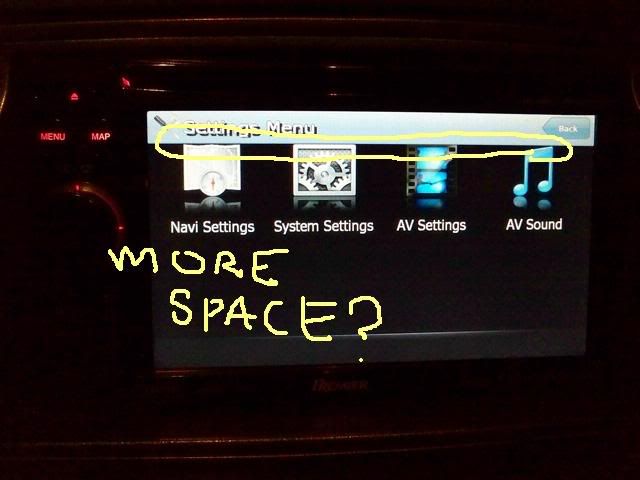
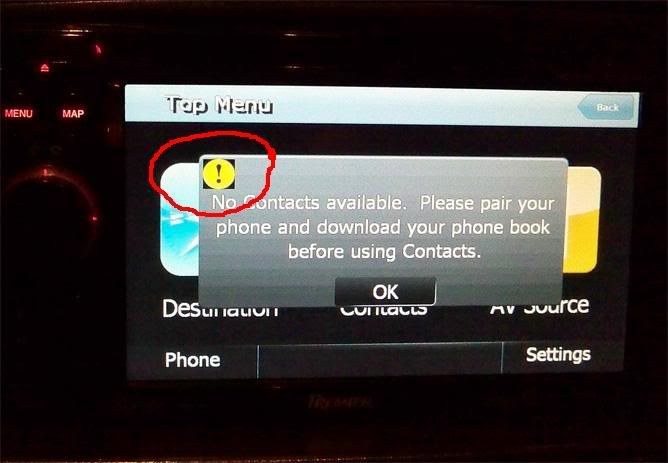
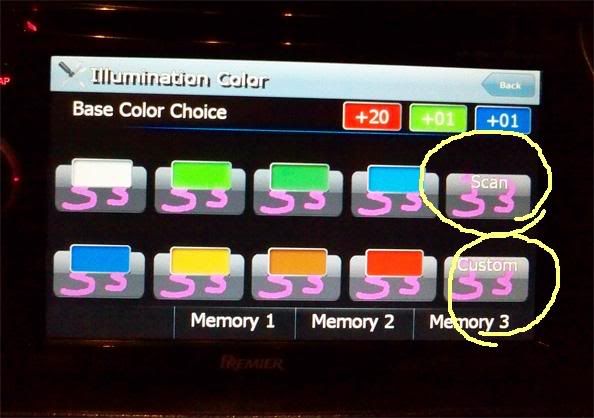
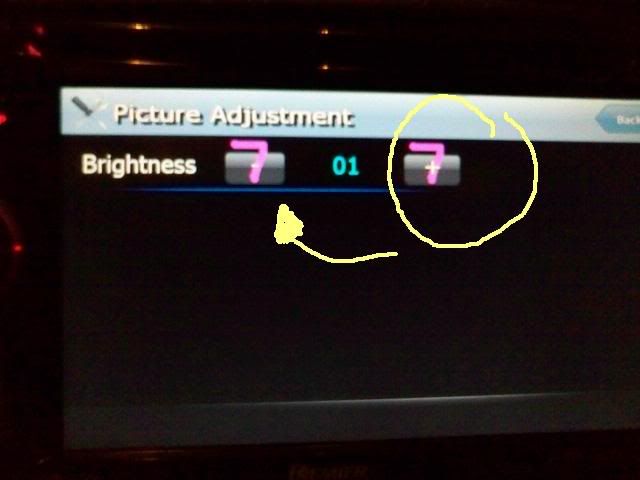
your basically looking at it. I took his file... the updated blue apple theme, and i changed everything that was blue. done it all by hand with photoshop, using color balance, and hue/saturation. I made some revisions too:


Untitled-2.jpg

kdk_0008.jpg

kdk_0018.jpg

Untitled-1-1.jpg

Posted May 04, 2009 · 15:10 UTC#53

Ok, put it on this morning. 95% Perfection. Love it!!


Now the problems. :mrgreen:


1 - The overall top red bar. I think it could be more red like the buttons. It's a more orange-ish compared to the rest.

2 - You used the folder image that GUGA used on his theme. Problem is the the background of that image is black. Your button for the image is red. So it has a black square on it. Know what i mean?

3 - I think there should be some kind of line/division when viewing preset channels or a song list when playing a CD etc.


Everything else looks great from what i saw. Nice job! And thanks for all the work you 2 have put into this. 8)

Posted May 04, 2009 · 16:48 UTC#54
Ok, put it on this morning. 95% Perfection. Love it!!


1 - The overall top red bar. I think it could be more red like the buttons. It's a more orange-ish compared to the rest.

8)

I haven't installed it yet but good to hear that it's orange-ish because thats what I was looking for.

Posted May 04, 2009 · 16:58 UTC#55

I'm putting in some custom Destination and Contacts pic's that LonestarRob made for me then I'll be installing it.

You guys are awesome thanxx.

Posted May 04, 2009 · 18:52 UTC#56

Please can someone post the red theme,I tried to download it but the link does not work

Thank you

Posted May 04, 2009 · 20:09 UTC#57
Ok, put it on this morning. 95% Perfection. Love it!!


Now the problems. :mrgreen:


1 - The overall top red bar. I think it could be more red like the buttons. It's a more orange-ish compared to the rest.

2 - You used the folder image that GUGA used on his theme. Problem is the the background of that image is black. Your button for the image is red. So it has a black square on it. Know what i mean?

3 - I think there should be some kind of line/division when viewing preset channels or a song list when playing a CD etc.


Everything else looks great from what i saw. Nice job! And thanks for all the work you 2 have put into this. 8)


Its slightly more reddish-orange i know that, lol i only said that it would be a type if red of shade of red (I know this will make Fen911 happy). Also with the top bar, if you change it, the buttons on top when in FM mode (EQ, and FUNTION), they turn pinkish. It matches inside my car pretty nice. As for number 2... i dont understand what you mean specifically so your gonna have to take a pic and leave notes on it like I did cause i only used like 2 or 3 buttons from GUGA max. i dont remember using his file extensively at all since his changes are pretty minor, mostly icons and whatnot.


Also i know the puffy buttons for the FM and AM presets and etc are missing, thats what i have been hassling and haggling Basketcase about, I want those buttons cause i dont know how to make em. LOL


let me know when you get it jeflac


*edit* and i almost forgot....


I love you all
Posted May 04, 2009 · 21:31 UTC#58
As for number 2... i dont understand what you mean specifically so your gonna have to take a pic and leave notes on it like I did cause i only used like 2 or 3 buttons from GUGA max. i dont remember using his file extensively at all since his changes are pretty minor, mostly icons and whatnot.


Cant take a pic so did this quick in photoshop. This is more or less what it looks like in your theme. Black background on the folder image. Needs to be transparent or something. 8)

Posted May 04, 2009 · 23:17 UTC#59
As for number 2... i dont understand what you mean specifically so your gonna have to take a pic and leave notes on it like I did cause i only used like 2 or 3 buttons from GUGA max. i dont remember using his file extensively at all since his changes are pretty minor, mostly icons and whatnot.


Cant take a pic so did this quick in photoshop. This is more or less what it looks like in your theme. Black background on the folder image. Needs to be transparent or something. 8)


my goodness.. your right. what an eye sore. I will try to tackle that one tonight, thats gonna be hard cause i dont know how to get alpha channels unless i paste it over an existing one.

Posted May 05, 2009 · 00:37 UTC#60
Ok, put it on this morning. 95% Perfection. Love it!!


Now the problems. :mrgreen:


1 - The overall top red bar. I think it could be more red like the buttons. It's a more orange-ish compared to the rest.

2 - You used the folder image that GUGA used on his theme. Problem is the the background of that image is black. Your button for the image is red. So it has a black square on it. Know what i mean?

3 - I think there should be some kind of line/division when viewing preset channels or a song list when playing a CD etc.


Everything else looks great from what i saw. Nice job! And thanks for all the work you 2 have put into this. 8)


Its slightly more reddish-orange i know that, lol i only said that it would be a type if red of shade of red (I know this will make Fen911 happy). Also with the top bar, if you change it, the buttons on top when in FM mode (EQ, and FUNTION), they turn pinkish. It matches inside my car pretty nice. As for number 2... i dont understand what you mean specifically so your gonna have to take a pic and leave notes on it like I did cause i only used like 2 or 3 buttons from GUGA max. i dont remember using his file extensively at all since his changes are pretty minor, mostly icons and whatnot.


Also i know the puffy buttons for the FM and AM presets and etc are missing, thats what i have been hassling and haggling Basketcase about, I want those buttons cause i dont know how to make em. LOL


APPLE THEME::: reposted

http://rapidshare.com/files/229186875/Image.res.html


let me know when you get it jeflac


*edit* and i almost forgot....


I love you all
I got it ,Thank you superman

Posted May 05, 2009 · 01:40 UTC#61

my goodness.. your right. what an eye sore. I will try to tackle that one tonight, thats gonna be hard cause i dont know how to get alpha channels unless i paste it over an existing one.


You could just find another folder icon. Theres plenty of high quality folder icons on the internet. :wink:

Posted May 05, 2009 · 16:37 UTC#62

Hey superman, is there a template or some other way to tell what image is which? Playing around with stuff, want to see what i can come up with. Only want to work on the screen for the SD card when playing music. But i dont know what images to change for that screen. :oops:

Posted May 05, 2009 · 19:36 UTC#63

Will this theme work with the EU F900?


Also reading through the thread i'm kinda confused what the latest version is and how it'll actually look. Could anyone help out with pics etc...?


Thanks


Andy

Posted May 06, 2009 · 12:09 UTC#64

I'm working on an orange like theme. Its very time consuming and I don't know if it will work but I'm giving it a try. I'll keep you posted.

Posted May 06, 2009 · 12:46 UTC#65

It would be much easier and less cluttered if we posted the themes in the "Graphic Design/Themes" subforum.

viewforum.php?f=44

Posted May 06, 2009 · 12:57 UTC#66
Hey superman, is there a template or some other way to tell what image is which? Playing around with stuff, want to see what i can come up with. Only want to work on the screen for the SD card when playing music. But i dont know what images to change for that screen. :oops:


to tell you the truth, its a LOT of trial and error on my part. Edit it and assume which is which, you can see the general picture, shape, size and location.


and about that 1 picture... i dunno if lone star is taking care of that or not but i hope he fixes it, i got a little busy so i havent looked at it yet.


As for the lastest version, I have not made revisions yet, i just posted the same thing up since there was a file download limit. ill let you know if i i make revisions.


Finally on eU900... im not sure. look around but i think it works.

Posted May 06, 2009 · 13:17 UTC#67
Will this theme work with the EU F900?


Also reading through the thread i'm kinda confused what the latest version is and how it'll actually look. Could anyone help out with pics etc...?


Thanks


Andy


Look at page 1 for the blue, and stick with the original blue not updated. Then for reddish... look at page 3. its a totally new look for your avic. the buttons are puffy out instead of caved in.

Posted May 06, 2009 · 18:28 UTC#68

and about that 1 picture... i dunno if lone star is taking care of that or not but i hope he fixes it, i got a little busy so i havent looked at it yet.


Wait, am i supposed to be doing something? :lol: Fix that folder image? Ok, i'll try to get to it.


I've been editing your red theme. Coming along ok. Changing all the gray to carbon fiber. 8) Still dont know where some of the images go/are. I'll change 3-4 images and go test it and they're nowhere to be found. :(:?

Posted May 06, 2009 · 20:23 UTC#69
Will this theme work with the EU F900?


Also reading through the thread i'm kinda confused what the latest version is and how it'll actually look. Could anyone help out with pics etc...?


Thanks


Andy


Look at page 1 for the blue, and stick with the original blue not updated. Then for reddish... look at page 3. its a totally new look for your avic. the buttons are puffy out instead of caved in.


Ok thanks, i'll give the blue theme a try tomorrow.

Posted May 07, 2009 · 23:46 UTC#70

Work in progress. :D Almost finished with the color, now for the tweaking. LOL

Posted May 08, 2009 · 03:33 UTC#71

Anyway to get rid of the clock, maybe make it black so its hidden? I have a clock on my dash so would like to get rid of that one. It's too small for me to see anyway, and i already removed the one from the map screen.

Posted May 08, 2009 · 04:32 UTC#72

What a great job man! it really looks like Apple all the way.


Is it possible to only get the iPod interface?

Posted May 08, 2009 · 05:02 UTC#73
Anyway to get rid of the clock, maybe make it black so its hidden? I have a clock on my dash so would like to get rid of that one. It's too small for me to see anyway, and i already removed the one from the map screen.


exact opp for me, i would rather have a bigger more visable clock!!!!

Posted May 08, 2009 · 09:13 UTC#74
Anyway to get rid of the clock, maybe make it black so its hidden? I have a clock on my dash so would like to get rid of that one. It's too small for me to see anyway, and i already removed the one from the map screen.


yeah when you open up the files.. you will see numbers, black them out. or in your data zip... i think you can opt it out.


its easier to black it.

Posted May 08, 2009 · 15:39 UTC#75

hi imBasketCase


I love the Blue Apple theme you created, but would rather have the iPhone Maps icon for desinations instead of the Safari icon.


Would you be able to help me out, and post a new .zip ?


Thank you kindly

Page 3 of 7