Search Archive

Diaftia's Hybrid mods V2.3 - UPDATED: 01/14/10

By diaftia · Dec 01, 2009in Completed Mods/Themes💬 1,194 posts👁️ 195,795 views
Page 3 of 48
Posted Dec 04, 2009 · 15:32 UTC#51
can you turn off illustrated text and let me know if the problem persists?


Hi Diaftia,

I just tested this, and: IT IS RUNNING !!! (with showing next street).

In my case this "Illustrated text" is only a street-number without a street-name. That must be the reason.


Ok, you are the second person this has fixed it for. I think I am going to have to set this to off by default with a warning script that prompts the user about potential memory issues with the setting.


Are you on a 700?

Posted Dec 04, 2009 · 16:59 UTC#52
Hi.Just tried out your mod and i really like it.When i tried to simulate/fly over i got an out of memory error message and i had to restart the unit.It happened about 3 miles into the simulation.Any ideas please.I would like to keep this on if i can.Thank you.


Update


Turned off full spoken voice warning for speed cameras and unit completed 2 simulated routes with no problem.Could this be it?Will try again with spoken warning back on.


hmm... I know IDT had problems with the spoken warnings rebooting his unit. Found out that the audio files for the spoken warning were causing it. I am pretty sure it was the male audio files and not the female ones though. Can you turn them on and the illustrated text off and let me know if it does it? Then, if it still does it, turn spoken warnings off and let me know if it does it.


OK,latest update.All simulations carried out on the HU.

Spoken warnings-ON for all tests

Illustrated text ON -out of memory error

illustrated text OFF-Simulation completed OK

illustrated text back ON-Out of memory error at same place on simulated route

illustrated text back OFF-Simulation completed OK


I will continue running tests throughout tonight and report back with results.

Posted Dec 04, 2009 · 17:16 UTC#53
Are you on a 700?


No, I use the europeen B900BT. But I've tested with the PC-Emulator

Posted Dec 04, 2009 · 22:36 UTC#54

I've been trying to alter a couple of things to make this mod more UK friendly.I have managed to change the colours on the motorway sign posts(Highway?) from green to blue,and also changed the speed limit box to a red circle.Trouble is the numbers are not in the middle of the circle and i can't find how to either move the circle down or the figures up.Can anyone help please?

Posted Dec 04, 2009 · 23:36 UTC#55
I've been trying to alter a couple of things to make this mod more UK friendly.I have managed to change the colours on the motorway sign posts(Highway?) from green to blue,and also changed the speed limit box to a red circle.Trouble is the numbers are not in the middle of the circle and i can't find how to either move the circle down or the figures up.Can anyone help please?


ovalball - to change the location of the speed sign and speed sign text, you need to alter the scripts800_480.ui file too. They're currently locked in based on the locations there.


Find this and alter from there. No matter what you put in navigate map file it won't move as you've discoved. The script in the scripts file was created to have the on/off settings for that sign. Change the else_run x locations sprSL1 is the bmp and the other is the text.


       	runif vFullScreenSpeed "0" 'sprSL1.x 800, txtSL1.x 800'
else_run 'sprSL1.x 725, txtSL1.x 731' 	


What did you change to get the blue sign to show? Did you use my method? Maybe you can give the info to merten3000.


EDIT **** Files to change to blue roadsigns in below post.

Posted Dec 05, 2009 · 00:57 UTC#56

The file I had posted on page 2 was wrong. Here is the correct file to change the overhead road signs to blue.


You can either 1) extract the files in the zip and place them in the common folder and re-zip your data file, or 2) reomove the ui_pioneer folder from the attached zip and drop it in your apl2 folder (the same place your your data.zip goes in).


I also darkened the blue color. It does look better than this crappy picture.

signpost template bmp & ini.zip

post-24694-12872760331862_thumb.jpg

Posted Dec 05, 2009 · 01:07 UTC#57

I just installed this to try to re-create the memory error, plus to change the roadsigns to blue for merten3000. I started with all the features turned on, and simulation at many different speeds. In the picture above notice the simulate speed is 5157 mph.A few minutes earlier I had a signal and the speed voice was announcing the speed of the test speed camera I set up during simulation. The road signs were on as well as the text scrolling on the current street. At the moment it's running really smooth on my 500. Bear in mind that I do not have a radio tuner nor was I playing any music through the sd slot.


I installed the zip after removing the .DS_Store files and I also found two other files in the zip that began with a (.) that I removed prior to installing. I ran the provided sys.txt with the only change to it being the selection of the unit I'm running. Hope this helps others. I'll run it a bit more tomorrow.

Posted Dec 05, 2009 · 02:23 UTC#58
I just installed this to try to re-create the memory error, plus to change the roadsigns to blue for merten3000. I started with all the features turned on, and simulation at many different speeds. In the picture above notice the simulate speed is 5157 mph.A few minutes earlier I had a signal and the speed voice was announcing the speed of the test speed camera I set up during simulation. The road signs were on as well as the text scrolling on the current street. At the moment it's running really smooth on my 500. Bear in mind that I do not have a radio tuner nor was I playing any music through the sd slot.


I installed the zip after removing the .DS_Store files and I also found two other files in the zip that began with a (.) that I removed prior to installing. I ran the provided sys.txt with the only change to it being the selection of the unit I'm running. Hope this helps others. I'll run it a bit more tomorrow.

It is awesome all the testing that you are doing with this mod. So far I have not had any memory errors with this mod at all. The only difference that I did between this mod and the Nov 5th mod was that I had speed warnings enabled in the first mod. I dont know if that caussed the memory errors or not, but it is unlikely that a voice file caused this. The .DS_Store files are just taking up space but should cause no issues in any program. This is Apples way of putting their footprint in any files that is used in their computers for memory and storage purposes. Another reason that I am not a Mac fan!

Posted Dec 05, 2009 · 05:46 UTC#59
I've been trying to alter a couple of things to make this mod more UK friendly.I have managed to change the colours on the motorway sign posts(Highway?) from green to blue,and also changed the speed limit box to a red circle.Trouble is the numbers are not in the middle of the circle and i can't find how to either move the circle down or the figures up.Can anyone help please?


ovalball - to change the location of the speed sign and speed sign text, you need to alter the scripts800_480.ui file too. They're currently locked in based on the locations there.


Find this and alter from there. No matter what you put in navigate map file it won't move as you've discoved. The script in the scripts file was created to have the on/off settings for that sign. Change the else_run x locations sprSL1 is the bmp and the other is the text.


       	runif vFullScreenSpeed "0" 'sprSL1.x 800, txtSL1.x 800'
else_run 'sprSL1.x 725, txtSL1.x 731' 	


What did you change to get the blue sign to show? Did you use my method? Maybe you can give the info to

merten3000.


EDIT **** Files to change to blue roadsigns in below post.


Many thanks for your help.Regarding the sign posts i just changed the code for the colours as you described.On the speed sign mod,do i just change one of the figures(say the 725 to 731)will this lower the position of the bmp?

Posted Dec 05, 2009 · 07:58 UTC#60

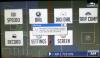
Got MSN error again on No MSN version.


It says FFUI Error.

FFUIERROR: Unknow object identifier Identifier=[ui_QuickMenuButtonMSN] Script "[unnamed]" command 5


As you should be able to see by the picture this was on the Extras screen.


I was on the main Nav screen without a route, pressed the folder icon (so that I could get to settings), pressed the Extras button then went to press the Settings button. The error popped up just as I was pressing the settings button. I am no sure if I pushed the settings button correctly or hit the screen just below the settings button because my hand slid slightly below Settings button then I saw the error pop up.


------------------------------------------------------------------------------------------------------------------------------


I got the Time with the Date on the off screen using the info from N-S-E-W. I can post a pic and my settings later.


I have not figured out a way to get the day of the week displayed yet. I see settings for date format in the setting_800_480.ui file. I played with them a bit but don't yet understand what everything is doing to know if I can change the date format. My current date format is MM/DD/YYYY. My thinking is that if there is a way to change the regional setting for date format then it could be changed to DDDD, MMM/DD/YYYY. This would allow it display the date on the off screen like this, Friday, DEC/04/2009. since it is getting the date format from the system setting that is set in the regional settings. Any thoughts on this?


DD = Two digit date like 12

DDD = Abreviated day like Fri for Friday

DDDD = Full day like Friday


MM = Two digit date like 12

MMM = Abreviated month like Dec for December

MMMM = Full month like December


Here is the info from the setting_800_480.ui file:


I also want to change the Pioneer Blue Night screen to have the same color as the Pioneer Blue Day screen except with the night skyline. I have not looked at the files yet to see what I need to change.
post-32782-12872760339856_thumb.jpg

Posted Dec 05, 2009 · 09:17 UTC#61
The file I had posted on page 2 was wrong. Here is the correct file to change the overhead road signs to blue.


You can either 1) extract the files in the zip and place them in the common folder and re-zip your data file, or 2) reomove the ui_pioneer folder from the attached zip and drop it in your apl2 folder (the same place your your data.zip goes in).


I also darkened the blue color. It does look better than this crappy picture.


Woohoo...


I finally have blue signposts again!!!


Thnx a million NSEW!!!

Posted Dec 06, 2009 · 01:37 UTC#62

Hey Alex! Nice job as always. Although I voted for the small button menus - I think I actually like this build better. I do have a stupid question I have been meaning to ask.What exactly do the red vs. blue themes change? I have changed my theme to Pioneer Red Day/Night, but can't see a single thing that has changed.


Thanks again.


Jim

Posted Dec 06, 2009 · 05:02 UTC#63
Hey Alex! Nice job as always. Although I voted for the small button menus - I think I actually like this build better. I do have a stupid question I have been meaning to ask.What exactly do the red vs. blue themes change? I have changed my theme to Pioneer Red Day/Night, but can't see a single thing that has changed.


Thanks again.


Jim


One thing I noticed on the red theme vs the blue theme is the map color for red is more of a gray tone whereas on the blue theme the map color is white. I don't know what else changes.


I actually like the original 3.0 Pioneer Blue Day theme with the Blue Bar across the top.

Posted Dec 06, 2009 · 18:01 UTC#64

I am getting the same FFUIERROR, when I first push an extra button.


Also, I hit reset to try to fix an audio issue I have. I turned the ipod input to 1 and all it fine there, but for whatever reason my sirius radio icon is blacked out and I have no access to it. Anybody know what I need to do to activate it? Thank you.


Les

Posted Dec 06, 2009 · 18:50 UTC#65
I am getting the same FFUIERROR, when I first push an extra button.


Also, I hit reset to try to fix an audio issue I have. I turned the ipod input to 1 and all it fine there, but for whatever reason my sirius radio icon is blacked out and I have no access to it. Anybody know what I need to do to activate it? Thank you.


Les


I see the problem with the button. I will get that fixed and put a new version up today.


The Sirius is not related to my mods. I have never seen that happen. Sorry I cant help there. Usually, if its connected it shows up. Have you checked after rebooting?

Posted Dec 06, 2009 · 18:57 UTC#66
Hey Alex! Nice job as always. Although I voted for the small button menus - I think I actually like this build better. I do have a stupid question I have been meaning to ask.What exactly do the red vs. blue themes change? I have changed my theme to Pioneer Red Day/Night, but can't see a single thing that has changed.


Thanks again.


Jim


From what I can tell its just the colors of the roads and such. Its pretty subtle. The only changes in the schemes from me are to support the multiroute road colors. if you use the default schemes they are all green rather than colored to the route type.

Posted Dec 06, 2009 · 19:40 UTC#67

Ran this for 80 miles yesterday, with and without a route. No error messages for me. I'm going back to the zip I was using before, so I won't be able to test for a while.

Posted Dec 06, 2009 · 19:42 UTC#68
The file I had posted on page 2 was wrong. Here is the correct file to change the overhead road signs to blue.


You can either 1) extract the files in the zip and place them in the common folder and re-zip your data file, or 2) reomove the ui_pioneer folder from the attached zip and drop it in your apl2 folder (the same place your your data.zip goes in).


I also darkened the blue color. It does look better than this crappy picture.


Woohoo...


I finally have blue signposts again!!!


Thnx a million NSEW!!!


No problem, glad you got the blue signs working. I forgot to put some transparency in the bmp I posted, hope you don't mind.

Posted Dec 06, 2009 · 22:59 UTC#69
The file I had posted on page 2 was wrong. Here is the correct file to change the overhead road signs to blue.


You can either 1) extract the files in the zip and place them in the common folder and re-zip your data file, or 2) reomove the ui_pioneer folder from the attached zip and drop it in your apl2 folder (the same place your your data.zip goes in).


I also darkened the blue color. It does look better than this crappy picture.


Woohoo...


I finally have blue signposts again!!!


Thnx a million NSEW!!!


No problem, glad you got the blue signs working. I forgot to put some transparency in the bmp I posted, hope you don't mind.


Stupid question, but do I need some kind of special program to edit some of the BMP-files because most of them give me errors when trying to open them in photoshop CS4...

Posted Dec 06, 2009 · 23:03 UTC#70
Ran this for 80 miles yesterday, with and without a route. No error messages for me. I'm going back to the zip I was using before, so I won't be able to test for a while.


Thanks for running it and testing it out. BTW, put it into full screen mode to get the backgroundless interface that you like.

Posted Dec 06, 2009 · 23:05 UTC#71

Stupid question, but do I need some kind of special program to edit some of the BMP-files because most of them give me errors when trying to open them in photoshop CS4...


Yes, you need to convert them to standard BMP's with the iPAQ image viewer before editing them.


http://www.rc-dev.com/i3t/

Posted Dec 06, 2009 · 23:07 UTC#72


Stupid question, but do I need some kind of special program to edit some of the BMP-files because most of them give me errors when trying to open them in photoshop CS4...


A bunch of us use this one from here: http://www.rc-dev.com/i3t/


Convert the image to aRGB and edit from there. If they were RLE bmp's convert them back. You just want to convert back to same format it was before.

Posted Dec 06, 2009 · 23:10 UTC#73
Ran this for 80 miles yesterday, with and without a route. No error messages for me. I'm going back to the zip I was using before, so I won't be able to test for a while.


Thanks for running it and testing it out. BTW, put it into full screen mode to get the backgroundless interface that you like.


I used the opaque setting. It was fine. Nothing against your zip, it's just I like to tinker too much. I was a thick hair away from getting themechanger working. Went through the IGO startup, but hung on the skyselection screen.

Posted Dec 07, 2009 · 00:13 UTC#74

Diaftia,

Great work on the mods. I installed them yesterday and tested them out for a little while today. I noticed an overlap with the lane guidance and highway signs. Is this in the navigatemap_800_480? If so I can just change the X coordinates.


Sorry it's a little blurry, I was driving.


SNC00059.jpg

Posted Dec 07, 2009 · 03:43 UTC#75

I like this mod. I have a question about the top bar, where the time and the compass are. My avic installed in my car is verry low and have a trouble seeing the top bar. Is there a way to make the bar a little bigger and set the time and compass lower?


Thanks.

Page 3 of 48