Search Archive

Abb's NAV Mod V2.75 for 'Chrome Theme' - Upd. July 7 '10

By abb1 · Mar 23, 2010in Completed Mods/Themes💬 719 posts👁️ 85,531 views
Page 7 of 29
Posted Apr 15, 2010 · 13:00 UTC#151
hmm, chuck are you having the same issue? I'll have to check what font I have on there, I may have loaded abbs font and never deleted the old ones.

there is no need to delete fonts. If it ever asks to overwrite them, just say 'yes', but aside from that, just leave them

Posted Apr 15, 2010 · 14:47 UTC#152

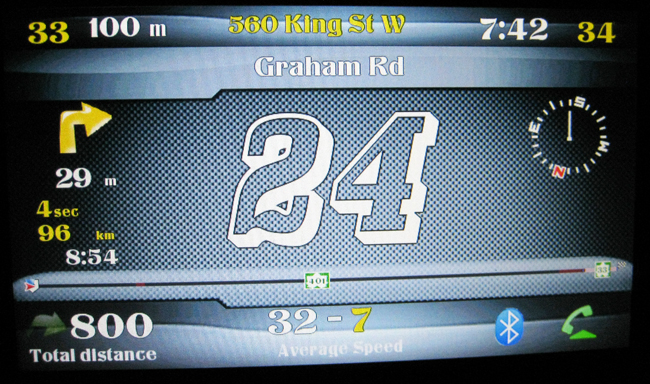
Here is a screen shot. Don't know how you guys take such clear screens, my camera hates me.

post-30594-12872762272379_thumb.jpg

Posted Apr 15, 2010 · 18:19 UTC#153

You know what NissanFrontier, I didn't observe that behavior because we're located North of the Border, so we are using metric system. Instead of having "ft", we simply have "m".


But I will check when the info screen the distance is over 1000 m (under 2 KM the AVIC shows "m").


Will post ...

Posted Apr 15, 2010 · 18:50 UTC#154
You know what NissanFrontier, I didn't observe that behavior because we're located North of the Border, so we are using metric system. Instead of having "ft", we simply have "m".


But I will check when the info screen the distance is over 1000 m (under 2 KM the AVIC shows "m").


Will post ...


Good point. It really isn't a big deal to me, just was giving abb a mild bug feedback after initial install.

Posted Apr 15, 2010 · 19:09 UTC#155
You know what NissanFrontier, I didn't observe that behavior because we're located North of the Border, so we are using metric system. Instead of having "ft", we simply have "m".


But I will check when the info screen the distance is over 1000 m (under 2 KM the AVIC shows "m").


Will post ...


Good point. It really isn't a big deal to me, just was giving abb a mild bug feedback after initial install.

I think that I have fixed this for you. I sent you the file by PM. Please let me know if all is fixed. Thanks!

Posted Apr 15, 2010 · 23:36 UTC#156

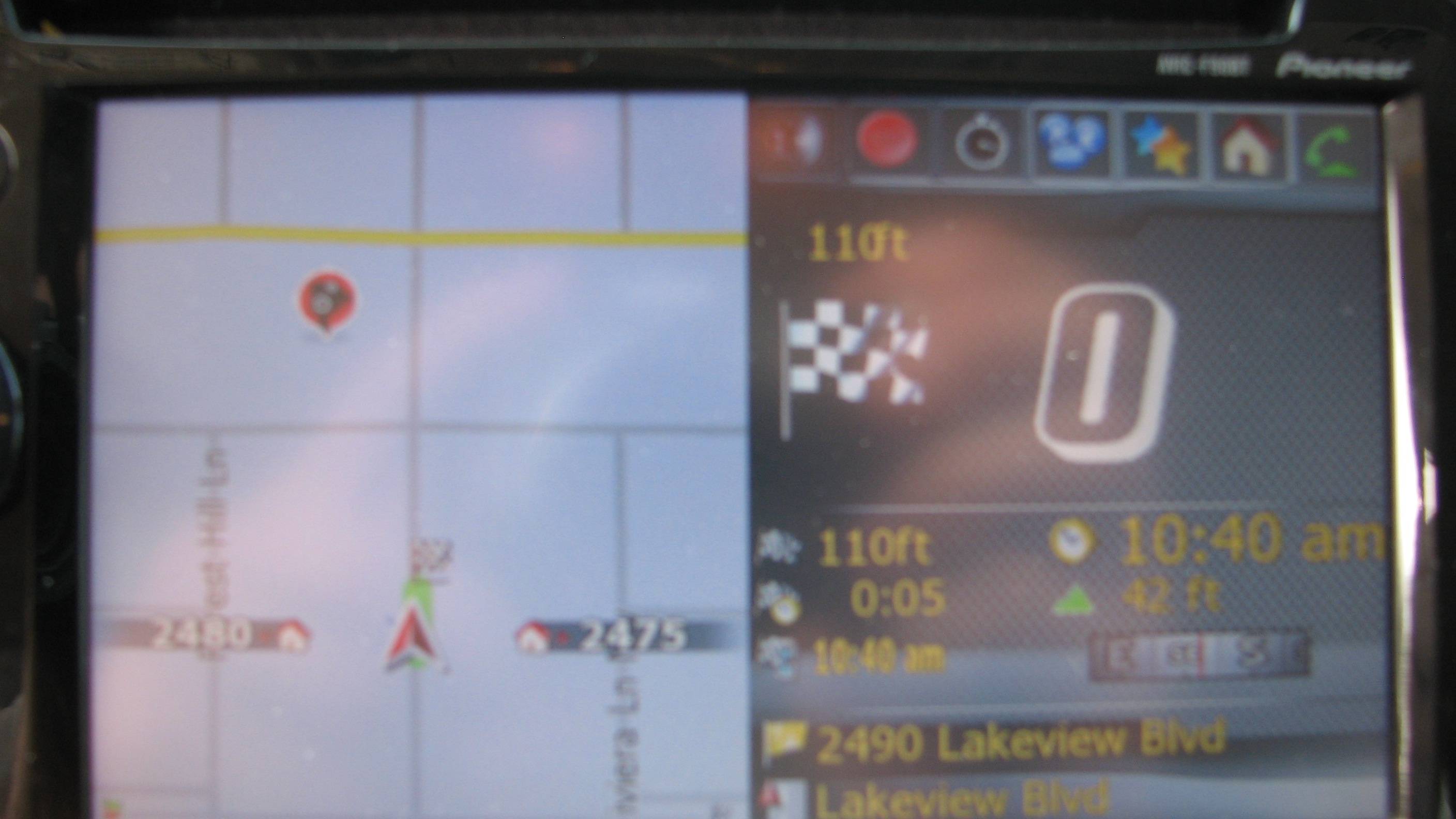
abb, that worked. thanks. i didn't want you to wait all weekend, so i did it tonight. and thanks for the macro tip, never knew how to take close range shots lol.

post-30594-12872762278861_thumb.jpg

Posted Apr 15, 2010 · 23:50 UTC#157

Good for you. I checked and it works fine for "m" ... guess Abb forgot a space before the "ft" or something :mrgreen: .


Hey Abb, after all those days using the Mod, while the Time display is beautifully seated, I really like to bring back the standard Current Speed box (white) in the non-navigation screen, and put it just on top of the Elevation box (or under it), instead of the text display vis-a-vis the Time display.


What do you think?

Posted Apr 16, 2010 · 03:18 UTC#158
Good for you. I checked and it works fine for "m" ... guess Abb forgot a space before the "ft" or something :mrgreen: .

Nah, it was just a mistake in the script. Didnt notice it because it did not affect metres, just 'ft'. I will add the fix to the next update which should be up shortly

Posted Apr 16, 2010 · 03:22 UTC#159

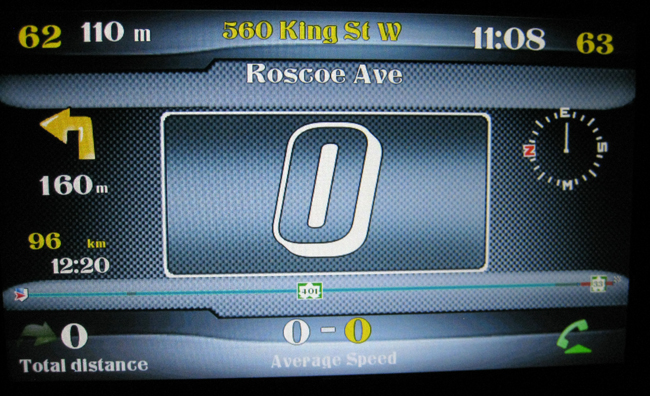
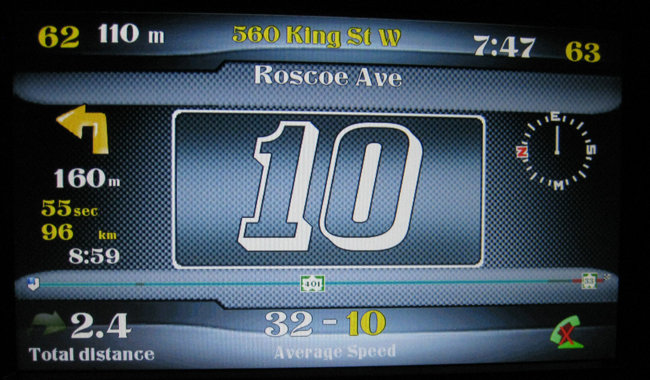
I need your opinions. Which speedo do you like better, the new or the old? Here are shots of both:

post-32106-12872762286503_thumb.jpg

post-32106-12872762287588_thumb.jpg

Posted Apr 16, 2010 · 03:30 UTC#160

new

Posted Apr 16, 2010 · 03:32 UTC#161

Hmmm, personally I prefer the old one, without the border gives me a sense of freeness, if I could say.


I never see the bluetooth logo; is this new?


Hey Abb, after all those days using the Mod, while the Time display is beautifully seated, I really like to bring back the standard Current Speed box (white) in the non-navigation screen, and put it just on top of the Elevation box (or under it), instead of the text display vis-a-vis the Time display.


What do you think?

Posted Apr 16, 2010 · 03:43 UTC#162
Hmmm, personally I prefer the old one, without the border gives me a sense of freeness, if I could say.


I never see the bluetooth logo; is this new?

No, that is an old photo of a beta version. The bluetooth used to phone home directly. That is now combined in the phone button by a 'longclick'


Hey Abb, after all those days using the Mod, while the Time display is beautifully seated, I really like to bring back the standard Current Speed box (white) in the non-navigation screen, and put it just on top of the Elevation box (or under it), instead of the text display vis-a-vis the Time display.


What do you think?

Nah, my whole focus on this mod was to get rid of all the clutter and have an open navigation that is clutter free with all the features and then some. It is not that hard to put the box in, you just have to make the adjustments in 'navigatemap_800_480.ui'. I left the speedbox still in the '800_480' folder

Posted Apr 16, 2010 · 05:43 UTC#163

I like the new speedo with the border. :)

Posted Apr 16, 2010 · 19:06 UTC#164

I love all the beautiful work I see on this site, but I dont even know how to begin making my F90BT use any of these things, is there anyone out there in Orlando that can help me with a "hands on!!"

Posted Apr 16, 2010 · 19:41 UTC#165
It is not that hard to put the box in, you just have to make the adjustments in 'navigatemap_800_480.ui'. I left the speedbox still in the '800_480' folder


Thanks Abb, Anyway ... :cry:

Posted Apr 16, 2010 · 21:04 UTC#166
I love all the beautiful work I see on this site, but I dont even know how to begin making my F90BT use any of these things, is there anyone out there in Orlando that can help me with a "hands on!!"

It is a lot easier than it looks to install the mods. Read through this forum and use the search button for specifics. Your two main files are 'image.res' and 'Data.zip' you just download them and

replace the existing files. It is that simple. You need the latest version of 'testmode' to put it on your SD card and that is it. Do some reading and you will understand better than to ask a question, because asking a question and explaining it will be like Greek to you. It is simple!

Posted Apr 17, 2010 · 00:12 UTC#167

Here are some sneak pics of the 1.5 update which has several fixes and some graphical changes such as a new speedo and new bars at the bottom of the NAV screen to match my chrome theme.

post-32106-12872762289182_thumb.jpg

post-32106-12872762290645_thumb.jpg

Posted Apr 17, 2010 · 00:42 UTC#168

Abb, very nice. Is your night scheme and others be part of the release?

Posted Apr 17, 2010 · 02:03 UTC#169
Abb, very nice. Is your night scheme and others be part of the release?

I dont know, I am still deciding as it could open the doors to a lot of headaches. These schemes will only work for mine and DPDursts mod. Diaftias and IDT's mods will not work with these schemes as their mods are not made to accept modded schemes outside of IGO. In other words, when you change mods and dont delete the schemes, you will have error messages and your NAV will not start. In other words, these schemes work awesome, but if you change mods (other than DPDurst's) you will have to delete my schemes as they will not work in other mods

Posted Apr 17, 2010 · 02:08 UTC#170

In this case, you will better off NOT to include them. If you want to share, just post them separately so interested people will make their own setup, so you don't have to support them.


Instructions are already presented somewhere in this forum, but instead of searching, people are asking ...


Releasing the update anytime soon?

Posted Apr 17, 2010 · 02:15 UTC#171

Releasing the update anytime soon?

Yeah, it is done! I just need to finish testing tomorrow, take pictures and then I will post it, hopefully tomorrow!

Posted Apr 17, 2010 · 03:05 UTC#172

hello abb I have used all your modes and I am grateful to you for all the effort , I believe that your schemes can be used with idt or dpdurst ,if we copy the ui_ igo folder to the data zip of the sking that we want to use, correct me if I am wrong.Thank you

Posted Apr 17, 2010 · 07:48 UTC#173
hello abb I have used all your modes and I am grateful to you for all the effort , I believe that your schemes can be used with idt or dpdurst ,if we copy the ui_ igo folder to the data zip of the sking that we want to use, correct me if I am wrong.Thank you

You are right, but most people dont know how to do that, or they make mistakes in doing that. It is not hard though. You also need MY GFX folder in place. DPDurst already has the ui_ igo folder in place, it is Diaftia that does not.

Posted Apr 17, 2010 · 23:52 UTC#174

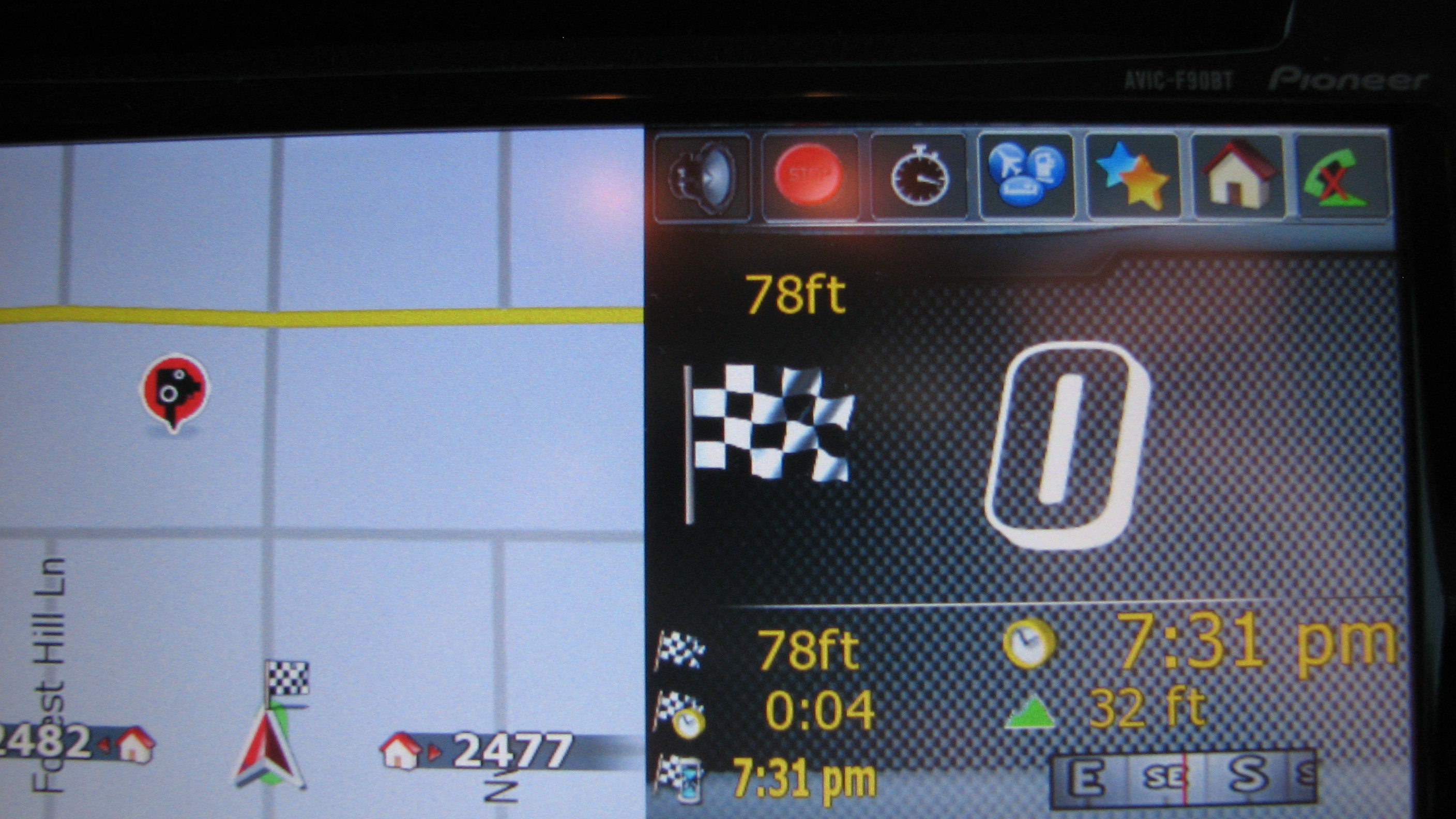
I need your thoughts on this. In this update, I have gotten rid of the AV (at the bottom of the screen) totally. To bring it back up, just hit the button and it will be back up again, but from boot, it will not show. The reason that I have done this is that the AV bar hides the street name if it is long making it a nuisance, and there again, it is just unnessesary clutter. Just hit the AV button to bring it up if you want. Another thing that was anoying was that if I shut it off,and then went to a different screen such as the trip computer or Speedo, it would come right back up again. I will use it regardless as there are not to many Rice Str. here in Canada, most are long street names being hidden by the AV bar. This way it is out of the way, but can be brought up whenever you want.

Tell me your feelings on this as if you do not want this, I can just put up 'the always AV on' version and keep this one for myself.
Posted Apr 18, 2010 · 01:48 UTC#175

Personally, I would love the existing layout. It is true what you say, but most of the time, we don't use NAV for everyday's routes, so we don't look at the map for street name, I would rather see the current AV mode and song name. If during NAV, I wouldn't mind to press the AV button to hide the AV mode.

Page 7 of 29