Hey Abb, no offense at all 
From the result of the smartzoom poll, it seems that you are the only one who hate smartzoom! 
Cheers!
Hey Abb, no offense at all
From the result of the smartzoom poll, it seems that you are the only one who hate smartzoom!
Cheers!
Hey Abb, no offense at all
From the result of the smartzoom poll, it seems that you are the only one who hate smartzoom!
Cheers!
Nope, there's three of us  , mind you, out of thousands of members, only 20 voted, that's it. That just tells me that everyone is on the same page. I don't hate smartzoom, I just don't have any use for it, and unfortunately with only 20 people voting, the rest of the members are in compliance with my thoughts
Nope, there's three of us
Okido! But I had learned that this is called statistics, which should be representative of a general pool of population, even only a fraction of them have voted (like real-life survey). 
Okido! But I had learned that this is called statistics, which should be representative of a general pool of population, even only a fraction of them have voted (like real-life survey).
Yeah, theoretical, it sounds right, but unfortunately, it is not, and that is why I dont hold much out for the results of most polls. it is like this, Those that are NOT interested, will not vote. Reason being, why bother going on a web site and voting for something that you do not care about? Chances are that you will just ignore it. One of my tech forums has regular polls. I only vote in the ones that interest me, the others I dont even look at. So looking at statistics, there have been a total of 17 people out of several thousand that are for the 'smartzoom'! That is NOT GOOD! That tells me that most people dont care about it one way or the other, especially considering the fact that your thread had 1,745 Views, and only 17 people voted in favor. That is called 'statistics' 
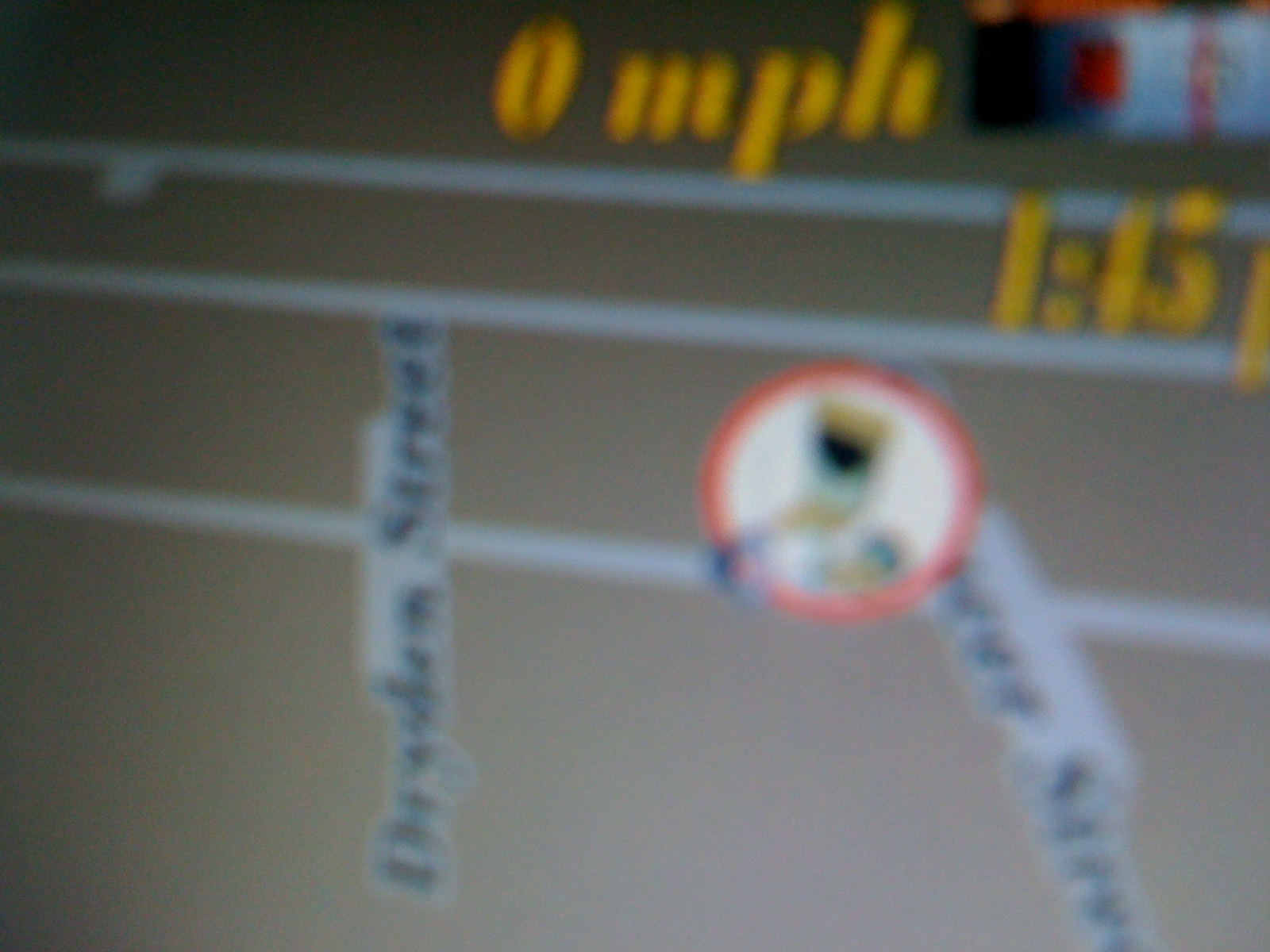
OK Thanks.UK version works fine except one strange thing.When it first boots up it has a speed camera icon next to my home address that has never been there before.Also when i press any other button it goes away,only to return on next reboot!!Strange but I can live with it 
OK Thanks.UK version works fine except one strange thing.When it first boots up it has a speed camera icon next to my home address that has never been there before.Also when i press any other button it goes away,only to return on next reboot!!Strange but I can live with it
It was not there in previous mods, right?
I will check! There are lines of code that were commented out as UK address (left and right side switched comapred to US address??? I don't know why), I enabled that code and maybe that is the problem. I will return it to the previous state.
It was not there in previous mods, right?
I will check! There are lines of code that were commented out as UK address (left and right side switched comapred to US address??? I don't know why), I enabled that code and maybe that is the problem. I will return it to the previous state.
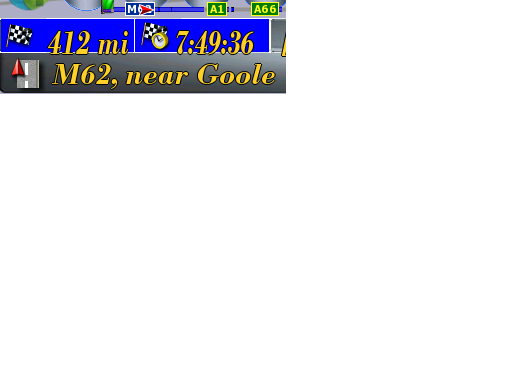
Chuck.I am really trying to do a bit of modding because I want to try to put a bit back to the forum instead of relying on others(like you and Abb)I have tweaked a couple of things but i am struggling to get the numbers (Time to destination and distance to destination)moved up a bit so that they are in the boxes and not sticking out the bottom as in the attachment.Any chance you can help me along a bit.I have tried for hours but no change.Thanks in advance
Motte,
If you are reading this poste, I just want to thank you for the transparency layers that you have done on the buttons and alike. They are truely very nice and render the interface more professional, especially on top of Abb's Chrome background.
I consider strongly include those BMP in my next update to share with other members.
Congratulations again my friend!
If you have other good ideas, please do share.
Chuck.
Chuck.I am really trying to do a bit of modding because I want to try to put a bit back to the forum instead of relying on others(like you and Abb)I have tweaked a couple of things but i am struggling to get the numbers (Time to destination and distance to destination)moved up a bit so that they are in the boxes and not sticking out the bottom as in the attachment.Any chance you can help me along a bit.I have tried for hours but no change.Thanks in advance
If you use JPG instead of BMP when inserting image, it will be much smaller in size .
It is my pure pleasure to help you out, as much as I can find time. With my situation, I doubt that I can hang around for a long time, so I will release something that I really like, then will just retire from the scene!
So if you can drop it and take the torch to continue, it will be just one word: GREAT for the rest of the community.
For the (x,y) that you are requesting, look at NavigateMap.ui, and search for the script "sc_routeinfo_navi". As you can see, the offset happened because you have change the fonts, so to adjust the coordinate, just adjust the y coordinate in the following code:
txt_NMRText1_num.x 52
txt_NMRText1_num.y 395
txt_NMRText1_unit.x 102
txt_NMRText1_unit.y 395
txt_NMRText2_num.x 180
txt_NMRText2_num.y 395
txt_NMRText2_unit.x 230
txt_NMRText2_unit.y 395
txt_NMRText3_num.x 1000
txt_NMRText3_num.y 400
txt_NMRText3_unit.x 1000
txt_NMRText3_unit.y 400
You can see that Text3 are set to x=1000 (max is 800), so it is out of the screen because there is no field for Text3 (selectable under Map Visual/Display Info).
In the next script "sc_routeinfo_infoscreen", those settings applied to the same fields, except that they are for the nav split screen.
Good lucks!
chuck88 Thank you for the compliments that always pleases
I am happy to have done a service to you 
(Do not forget the Mapmonde Europe For the version europe) 
Good evening motte
If you use JPG instead of BMP when inserting image, it will be much smaller in size
It is my pure pleasure to help you out, as much as I can find time. With my situation, I doubt that I can hang around for a long time, so I will release something that I really like, then will just retire from the scene!
So if you can drop it and take the torch to continue, it will be just one word: GREAT for the rest of the community.
For the (x,y) that you are requesting, look at NavigateMap.ui, and search for the script "sc_routeinfo_navi". As you can see, the offset happened because you have change the fonts, so to adjust the coordinate, just adjust the y coordinate in the following code:
txt_NMRText1_num.x 52
txt_NMRText1_num.y 395
txt_NMRText1_unit.x 102
txt_NMRText1_unit.y 395
txt_NMRText2_num.x 180
txt_NMRText2_num.y 395
txt_NMRText2_unit.x 230
txt_NMRText2_unit.y 395
txt_NMRText3_num.x 1000
txt_NMRText3_num.y 400
txt_NMRText3_unit.x 1000
txt_NMRText3_unit.y 400
You can see that Text3 are set to x=1000 (max is 800), so it is out of the screen because there is no field for Text3 (selectable under Map Visual/Display Info).
In the next script "sc_routeinfo_infoscreen", those settings applied to the same fields, except that they are for the nav split screen.
Good lucks!
Chuck.THANK YOU!!I was close I had actually changed the Y positions on the split screen instead.Now everything is good so I can carry on tweaking.Thank you once again for your help.
Hi Chuck,
The subfolder "Themechanger" is not in the folder "Extension." Is it possible?
Hi Chuck,
The subfolder "Themechanger" is not in the folder "Extension." Is it possible?
Yeah, I removed it since I don't find use of it. Did you ask this because it has to be there for some reason?
Thanks.
Yeah, theoretical, it sounds right, but unfortunately, it is not, and that is why I dont hold much out for the results of most polls. it is like this, Those that are NOT interested, will not vote. Reason being, why bother going on a web site and voting for something that you do not care about? Chances are that you will just ignore it. One of my tech forums has regular polls. I only vote in the ones that interest me, the others I dont even look at. So looking at statistics, there have been a total of 17 people out of several thousand that are for the 'smartzoom'! That is NOT GOOD! That tells me that most people dont care about it one way or the other, especially considering the fact that your thread had 1,745 Views, and only 17 people voted in favor. That is called 'statistics'
We have 4 more people voted, which is good sign after our debating!
Yes or no, others please join in.
Typical smartzoom operation pictures are found here: SMARTZOOM PICTURES.
Yeah, I removed it since I don't find use of it. Did you ask this because it has to be there for some reason?
Thanks.
Chuck,
In the file "Sys" are a few lines:
[3dcar]
work_dir = "\ My Flash Disk \ APL2 \ iGo"
mortscript = "\ My Flash Disk \ APL2 \ iGo \ Extension \ Themechanger \ MortScript.exe"
In the last line, referred to the subfolder "Themechanger" and "Themechanger" does not exist.
The "Scan List" in "Choose vehicle" does not work for me.
How do I get to work?
Thanks
Chuck,
In the file "Sys" are a few lines:
[3dcar]
work_dir = "\ My Flash Disk \ APL2 \ iGo"
mortscript = "\ My Flash Disk \ APL2 \ iGo \ Extension \ Themechanger \ MortScript.exe"
In the last line, referred to the subfolder "Themechanger" and "Themechanger" does not exist.
The "Scan List" in "Choose vehicle" does not work for me.
How do I get to work?
Thanks
I see, that is my mistake to remove that folder (only MortScript.exe under that folder)! 
So easy fix! All you have to do is to change the line in SYS.txt to (by removing Themechanger\):
[3dcar]
work_dir="\My Flash Disk\APL2\iGo"
mortscript="\My Flash Disk\APL2\iGo\Extension\MortScript.exe"
I will update the SYS.txt on my next update.
Please let me know.
Chuck,
I have done the following:
New folder called "ThemeChanger" under "Extension" and I put "MortScript" in that subfolder
iGo / Extension / Themechanger / MortScript
Everything works fine.
Yeah, what you have done is what was before for misterblue's 3DCars add-on.
I move the MortScript.exe to the Extension folder because I use it too when executing the user-customized script, and I don't want duplicate, so I will either put it back to ThemeChanger or modify the SYS.txt file to fixe the problem.
Thanks for pointing that out!
Hello
Mod is great. I would like to do some small changes in font & colours in navigatemap.ui. I managed to do this for speed indication but I can`t change the colour of displayed time.
;TIME
<TEXT txt_time template=xtxt x=700 y=85 z=100 w=95 font="tahoma" align="right" fontsize=40 color=#f8cc28 glowsize=1 textmodel_time="gps.current_time" formatmodel="local.short_timeformat" onrelease='' visiblemodel="gps.current_time.valid" dayperiod=1 USE_SEPARATED_SAFETY_MODE=0>
I changed color value but it is still "YELLOW". Is there anything else I have to change to get "BLACK" clock display?
Best regards for all You guys who worked on this fantastic mod.
Hello
Mod is great. I would like to do some small changes in font & colours in navigatemap.ui. I managed to do this for speed indication but I can`t change the colour of displayed time.
;TIME
<TEXT txt_time template=xtxt x=700 y=85 z=100 w=95 font="tahoma" align="right" fontsize=40 color=#f8cc28 glowsize=1 textmodel_time="gps.current_time" formatmodel="local.short_timeformat" onrelease='' visiblemodel="gps.current_time.valid" dayperiod=1 USE_SEPARATED_SAFETY_MODE=0>
I changed color value but it is still "YELLOW". Is there anything else I have to change to get "BLACK" clock display?
Best regards for all You guys who worked on this fantastic mod.
Thank you for your kind words.
In order to change ONLY the time string color from the current theme, you would also have to change in colors.ui, all lines containing txt_time.color:
From: txt_time.color #f8cc28
To: txt_time.color #000000
Good lucks.
OK Thanks.UK version works fine except one strange thing.When it first boots up it has a speed camera icon next to my home address that has never been there before.Also when i press any other button it goes away,only to return on next reboot!!Strange but I can live with it
ovalball,
You know what, I didn't manage to reproduce the problem with the UK setup.
Can you reproduce that everytime?
With the Emulator or in your car?
Can you also play with camera warning settings to see the result?
Anybody else?
Thanks.
Chuck.THANK YOU!!I was close I had actually changed the Y positions on the split screen instead.Now everything is good so I can carry on tweaking.Thank you once again for your help.
You could however run into offset problem once you change the font though  .
.
ovalball,
You know what, I didn't manage to reproduce the problem with the UK setup.
Can you reproduce that everytime?
With the Emulator or in your car?
Can you also play with camera warning settings to see the result?
Anybody else?
Thanks.
Chuck.Never does it in the Emulator but shows every time i boot up in the RV.If i touch the camera icon it then disserpears and doesn't return until next reboot.
Chuck.Never does it in the Emulator but shows every time i boot up in the RV.If i touch the camera icon it then disserpears and doesn't return until next reboot.
Can you send a pic?
Can you send a pic?
Sorry about the picture quality,hope you can get the idea.