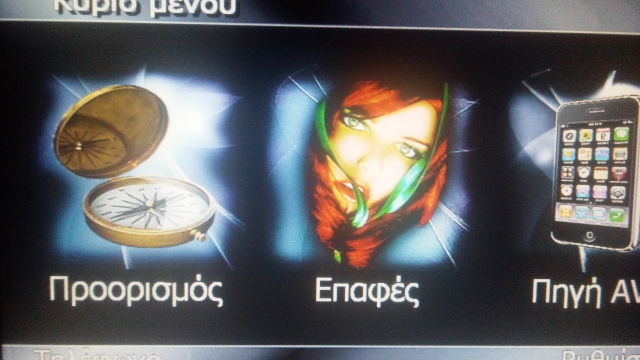
That is because the mod is made in english and not greek. When changing language, only the main script of the Avic will change language, NOT the mod. The only way of doing this is to go into the UI and change all the english language to Greek, which is a lot of work, but it can be done.
Abb's Chrome 'All-in-One' V5 - Feb 12/11
That is because the mod is made in english and not greek. When changing language, only the main script of the Avic will change language, NOT the mod. The only way of doing this is to go into the UI and change all the english language to Greek, which is a lot of work, but it can be done.
can you tell me the way this could be done?
thanks anyway!!
can you tell me the way this could be done?
thanks anyway!!
You have to go into ALL the UI files and convert any TEXT scripts to greek. It would take extremely long to do this ![]()
Quick question for anyone on the board, is there a way i can get the poi' s to show up on the map(v5), thanks. I tried everything ;(. Thanks
Have you gone through. Manage/pois/edit And then made the required changes to visibility etc eg satellite/far/near etc
Hi Abb. Another great mod. I have two questions....is it possible to go back to the generic arrow again? Also, for some reason the unit keeps rebooting when I select a destination from the main menu. Is that normal?
Use the 3DCars addon to reset (INIT.) the car icon.
How could the rebooting be normal?
Try to delete the "\My Flash Disk\USER\UserData\iGo" folder and try again.
You could first try to change the fonts tahoma.ttf and tahomabd.ttf in igo directory with the ones that has greek letters. I had the same problem with turkish letter. Just find the fonts you like, rename them as tahoma.ttf and tahomabd.ttf and overwrite the ones in igo directory.
Good suggestion, that could explain the squares as they are unidentified fonts. I never even thought of that!
It took me a long dig in the net to figure that some fonts don't have turkish characters. It's easy to add only 6 turkish letters to fonts using any font editor. Its just adding letters and copy paste some shapes. But it must be difficult to add whole greek characters. So it is easier to find one that has greek letters already.
work like a charm, Thanks
That is the feedback that I like to hear! Your welcome!
. I think that my easy install method has worked as there are very few installation issues in this thread and that is what I was hoping for. There is nothing worse than having a thread with 300+ posts of issues, mostly due to faulty installations.
Hello ABB1,
There is a small error of image enter the 746_32K_MN-000_24b and 746_32K_MN-001_24b
Error of sébrage (right and left)
Good day Jean-louis
Hello ABB1,
There is a small error of image enter the 746_32K_MN-000_24b and 746_32K_MN-001_24b
Error of sébrage (right and left)
Good day Jean-louis
I dont understand? What error? One image is the background and the other the bottom bar. They work good, can you post a pic with the error? thanks
ABB1
Here are photos It is necessary to look at the sense of the sébrage:
Other idea for the image 746_32K_MN-000_32b The white reflection makes her illegible
good day Jean-louis
Wow Jean-Louis, that's attention to detail. Good Find. Now that you pointed that out, I know I will see it every time. Thanks!! ![]()
Holly crap! What language your guys are talking. I don't understand at all ... maybe because I don't have this mod installed. ![]()
Anyone gives me some insights? I want to learn ... ![]()
I'm a little lost too...
I am not alone, thanks! ![]()
Hey Abb!
Great Job! No issues installing! Thanks for all the hard work!
Hey Abb!
Great Job! No issues installing! Thanks for all the hard work!
Your Welcome!! Thank you for the feedback!!
Does this work with FX 3.1?
Yes, just follow the installation instructions AFTER you have FX3.1 installed
Excellent work! no trouble installing and even after running for 2 weeks. Quicker than last mods.
Only one question:
Is there any way to make "split nav" screen a default one? I mean when system boots up, it will show "split nav" or when I press Map button, it shows Split Nav screen?
Many many thanks. Abb, you made this investment worthwhile. When this unit was new installed, it had so many reboots and was very slow almost hated it.
Any one know if there are new tele atlas maps available? I guess I got 2010/2009 ones.