Search Archive
🔒 Locked

[X930BT] - Password Recovery (obsolete)

By djmixman · Nov 08, 2011in Hacks/Mods💬 326 posts👁️ 449,934 views
Page 12 of 14
Posted Sep 12, 2016 · 18:49 UTC#276

Thank you for the detailed step by step "IAMSUPERBLEEDER" this was so helpful and if you truly just follow these steps guaranteed to work....and on the side note you need to extract the items from the zipped folder (I tried it both ways it has to be without the original zip only contents of the folder opened)...Saved me money from sending it back to pioneer.


Okay, let's simplify this a little more; might help some others. Pictures have always helped me out in situations like this, so let's do this.

Working with an X930BT in this how-to. Read all of these instructions all the way through before attempting it.

First off, you'll need a micro SD card; size isn't extremely important, the size of the files you'll be putting on it are less than 14mb, just choose one that your unit can support if it has a size limitation. In this instance I used a 32gb the first time around, but I'll be using a 16gb in the photos below; again, it really doesn't matter as long as it's at least 14mb, and I think the smallest you can get is 2gb now anyway and they're only like $5, lol.

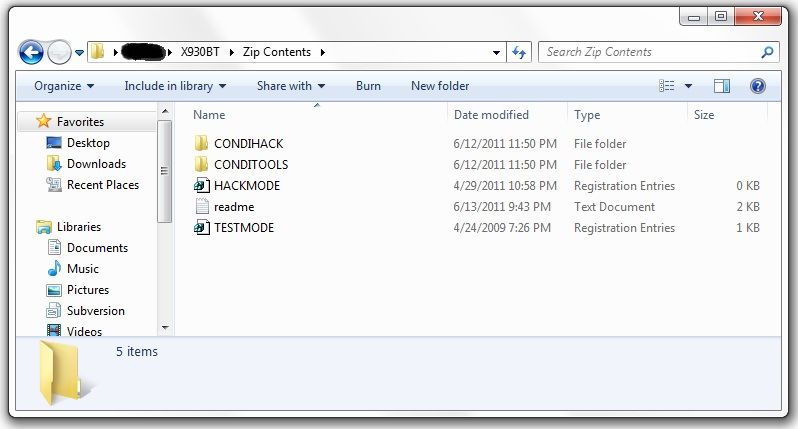
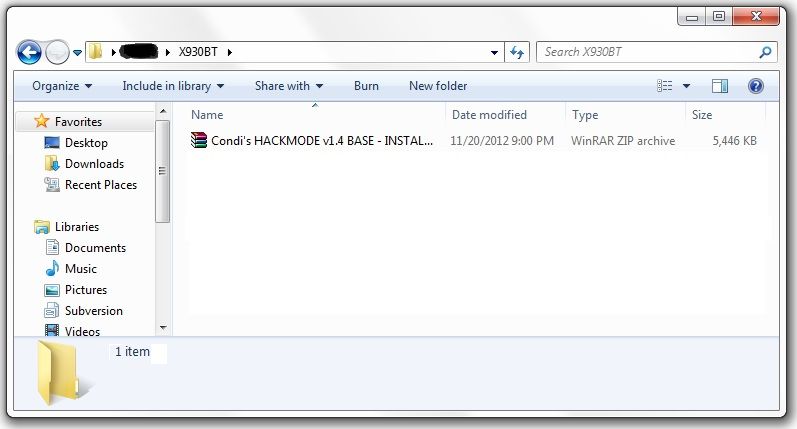
Next, you'll need to download the files required to booth the unit into testmode. In the original post there's a link to another thread which has about 5 different download links in it, and I know that can get confusing... The one you want is the HACKMODE v1.4 BASE. Click on that link and you will download the .zip file containing the files you need. Once the download is complete, unzip the contents onto your micro SD card.

The .zip file is password protected and when you go to extract the files it will prompt you for the password. The password is "avic411" (without the "" obviously...)

The files should be place in the root of the card, not in another folder on the card. I'm not sure if it's required (although it probably is) but have nothing else on the card at the time. The only thing that should be on the micro SD card are the files located in the .zip that you downloaded.

ss1.jpg

ss2.jpg


At this point, it's time to make your way to the password protected unit with the micro SD card you just place the files above into.

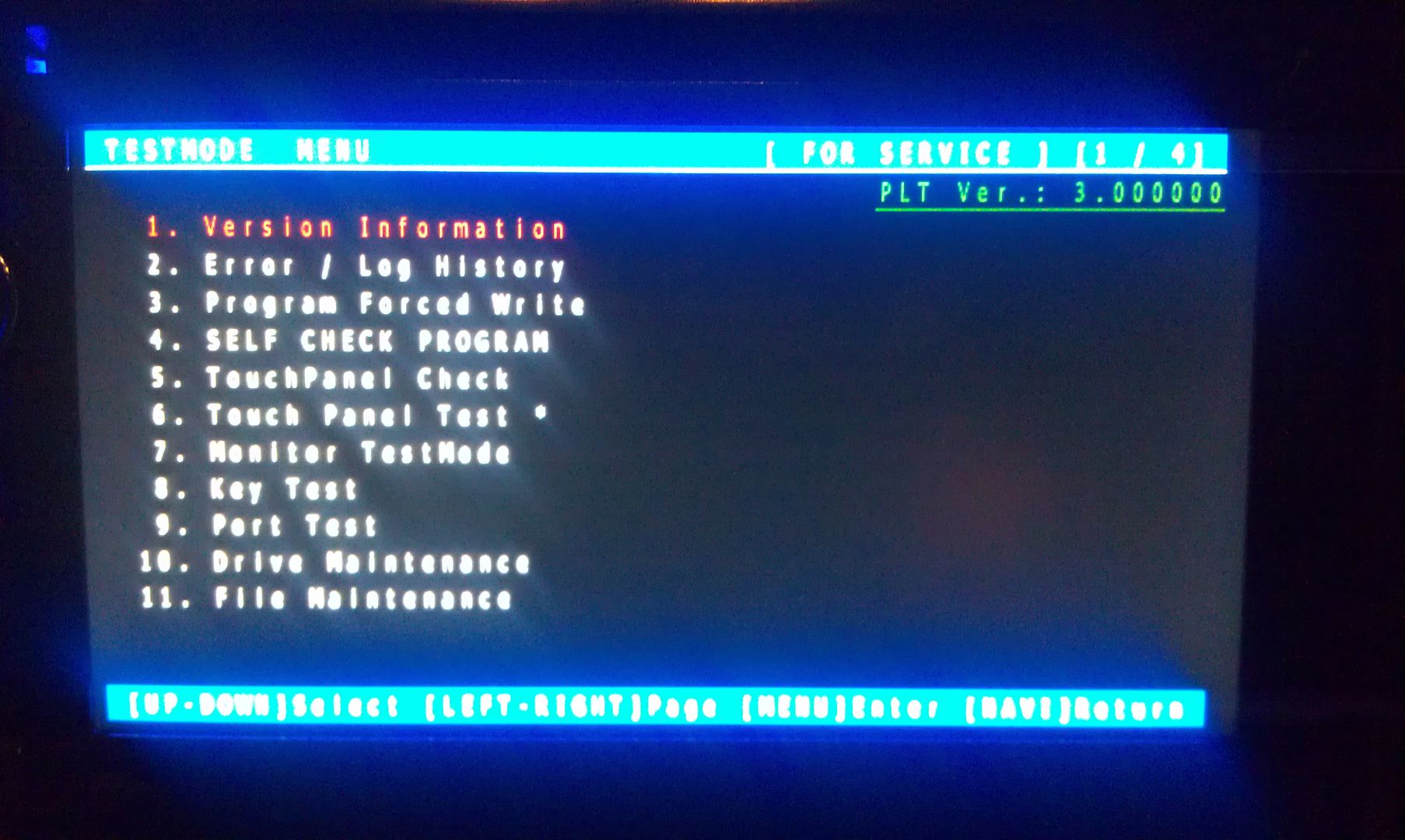
With the unit powered off (key in the OFF possession, or just no power supplied if your doing this out of the vehicle), load the card into the device. Power the unit on and wait for it to boot, at which point it should boot into testmode.

IMAG1547.jpg


Once in testmode, on an X930BT, and I would imagine it would be the same for all of the X9X0BT series, the only buttons and actions that will be needed to navigate the screens are the following:

*HOME - escape/cancel/go back
*MODE - enter/select
*Volume down (left) - move selection on screen down
*Volume up (right) - move selection on screen up


I CANNOT STRESS HOW STRONGLY I RECOMMEND THAT YOU DO NOT MESS WITH ANY OTHER FILES IN HERE IF YOU DO NOT KNOW WHAT YOU ARE DOING!!! IT IS VERY EASY TO BRICK YOUR UNIT USING TEST MODE!!! I TAKE NO RESPONSIBILITY IF YOU SCREW THINGS UP; YOU ARE DOING THIS AT YOUR OWN RISK!!!


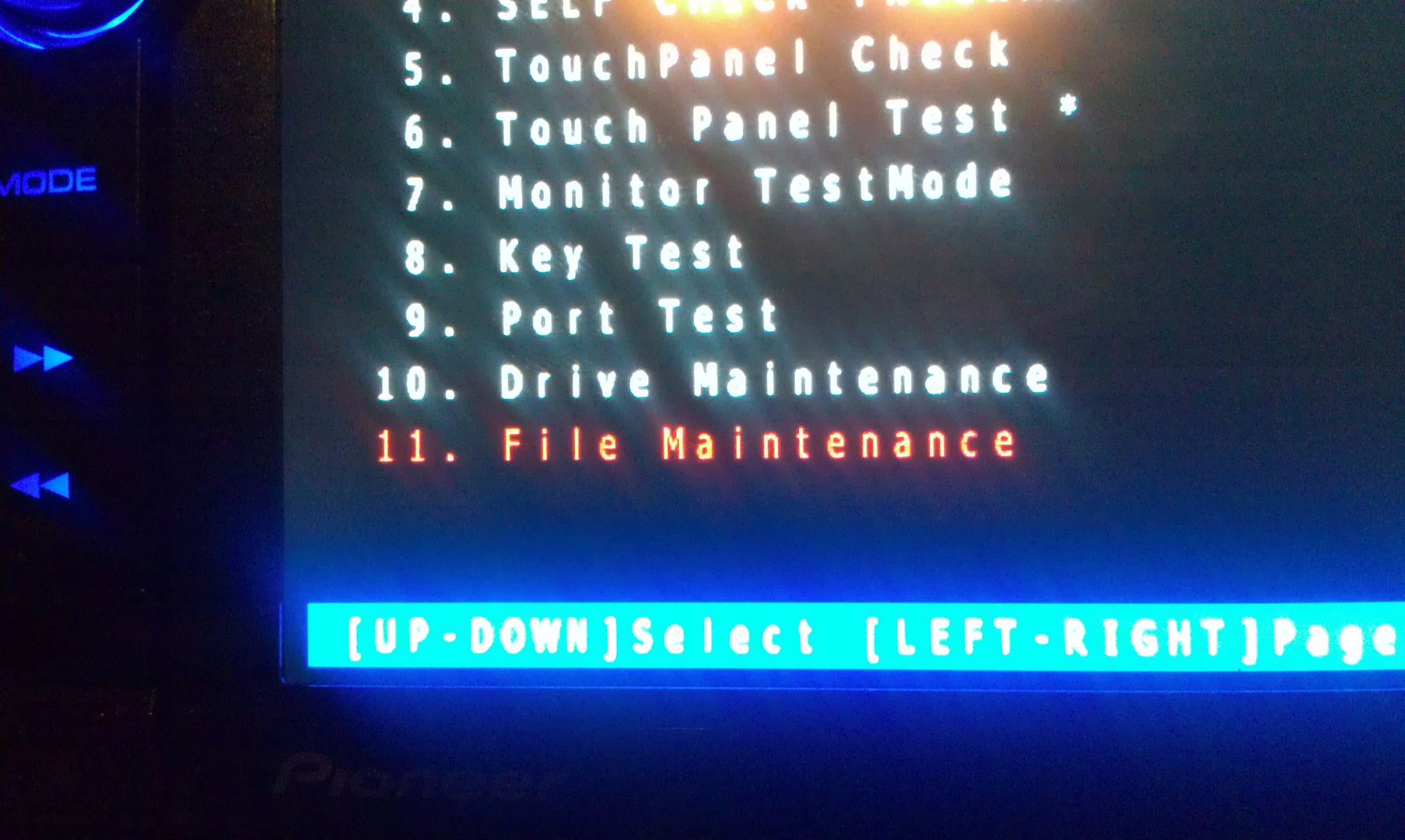
Move the selection on the screen down to #11, File Maintence

IMAG1548.jpg


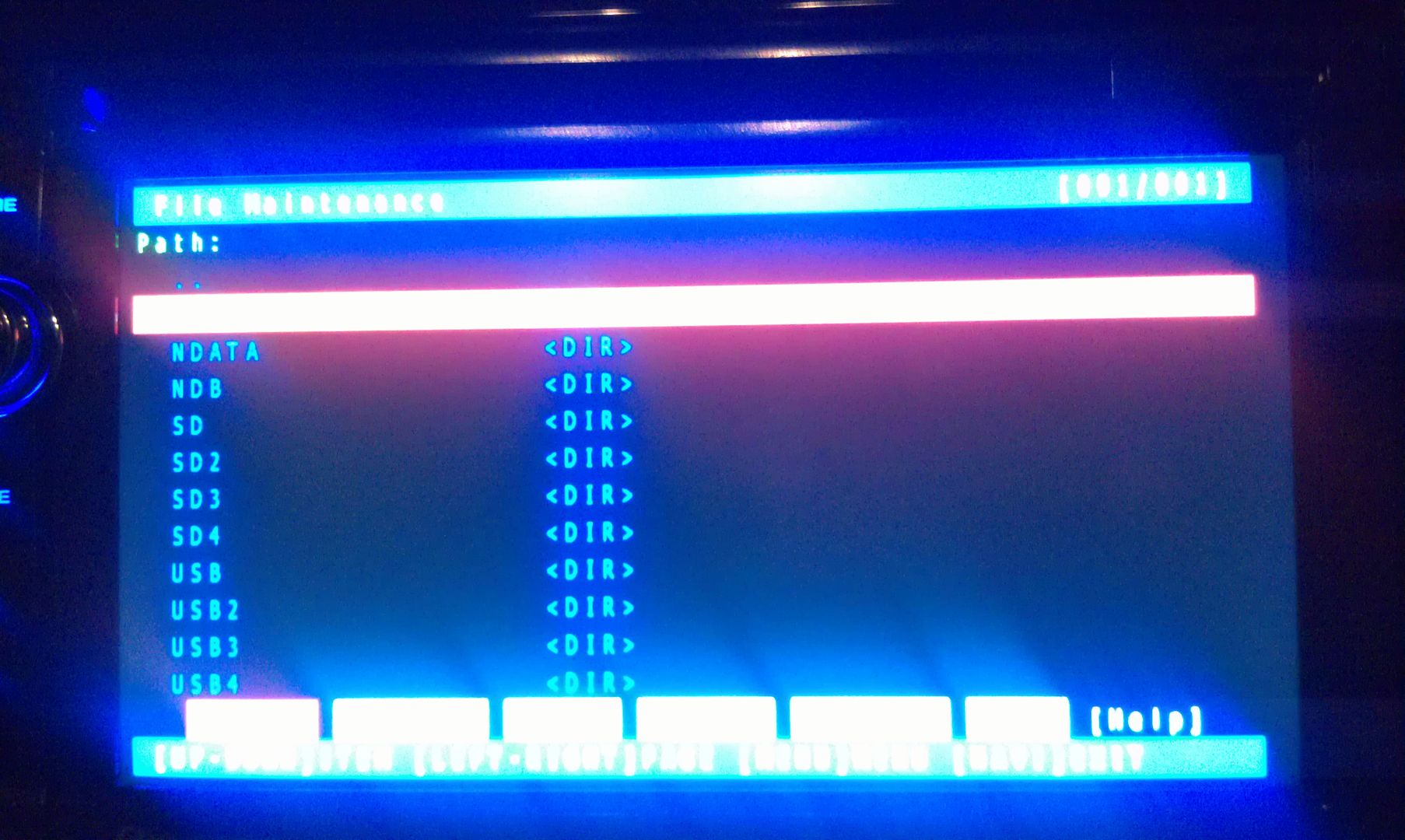
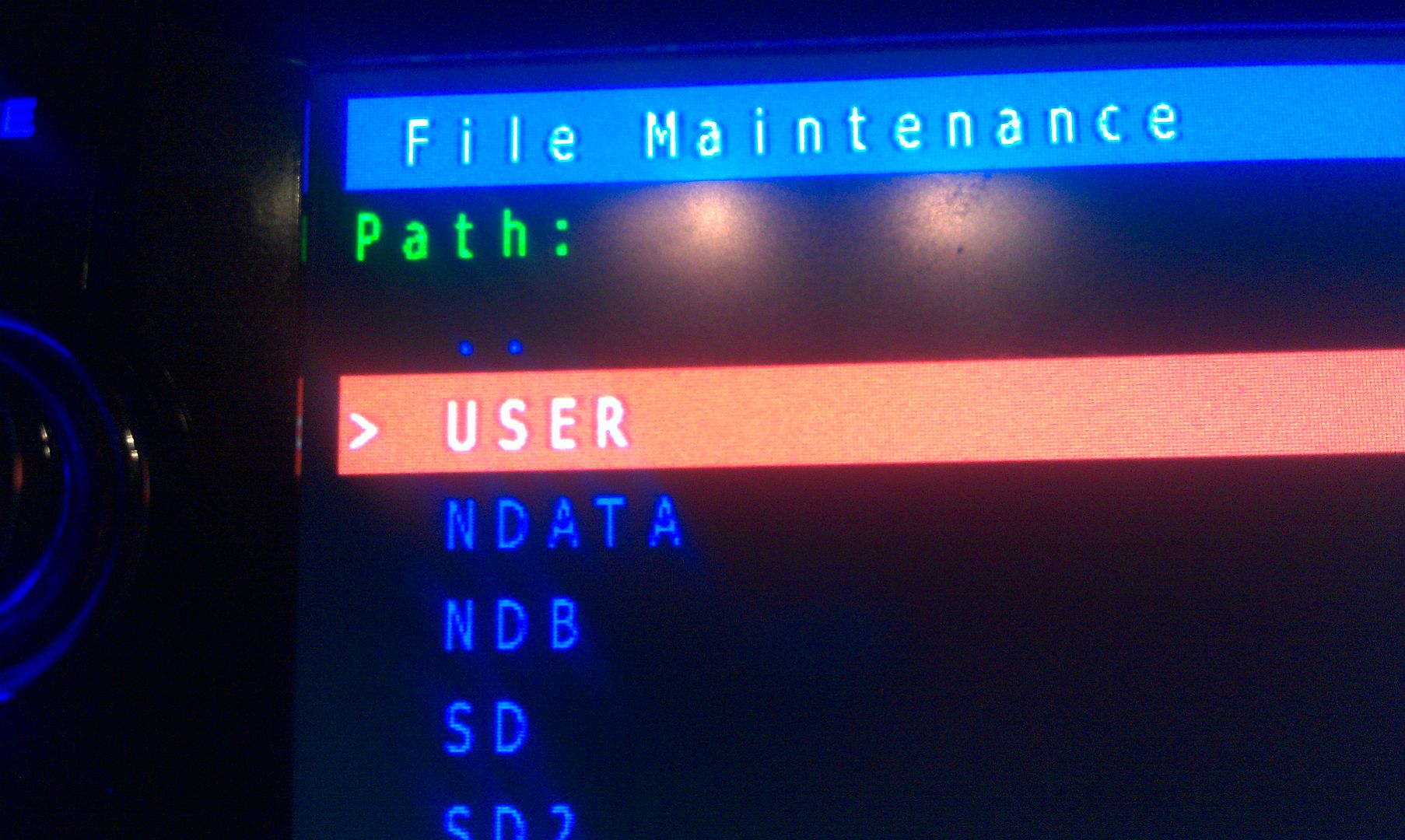
Press MODE and you will enter the File Maintence screen

IMAG1549.jpg


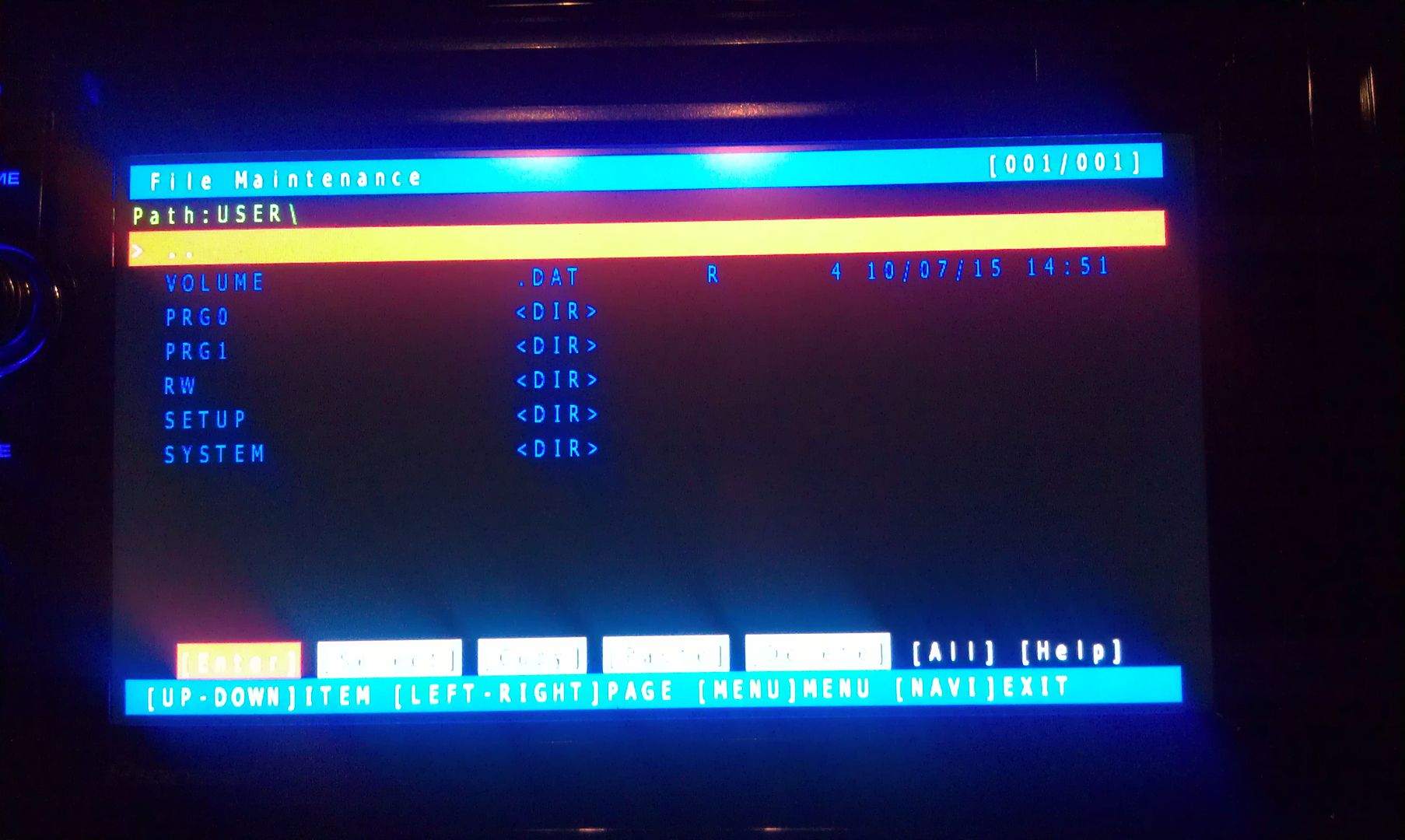
Now select User and open it

IMAG1550.jpg

IMAG1551.jpg


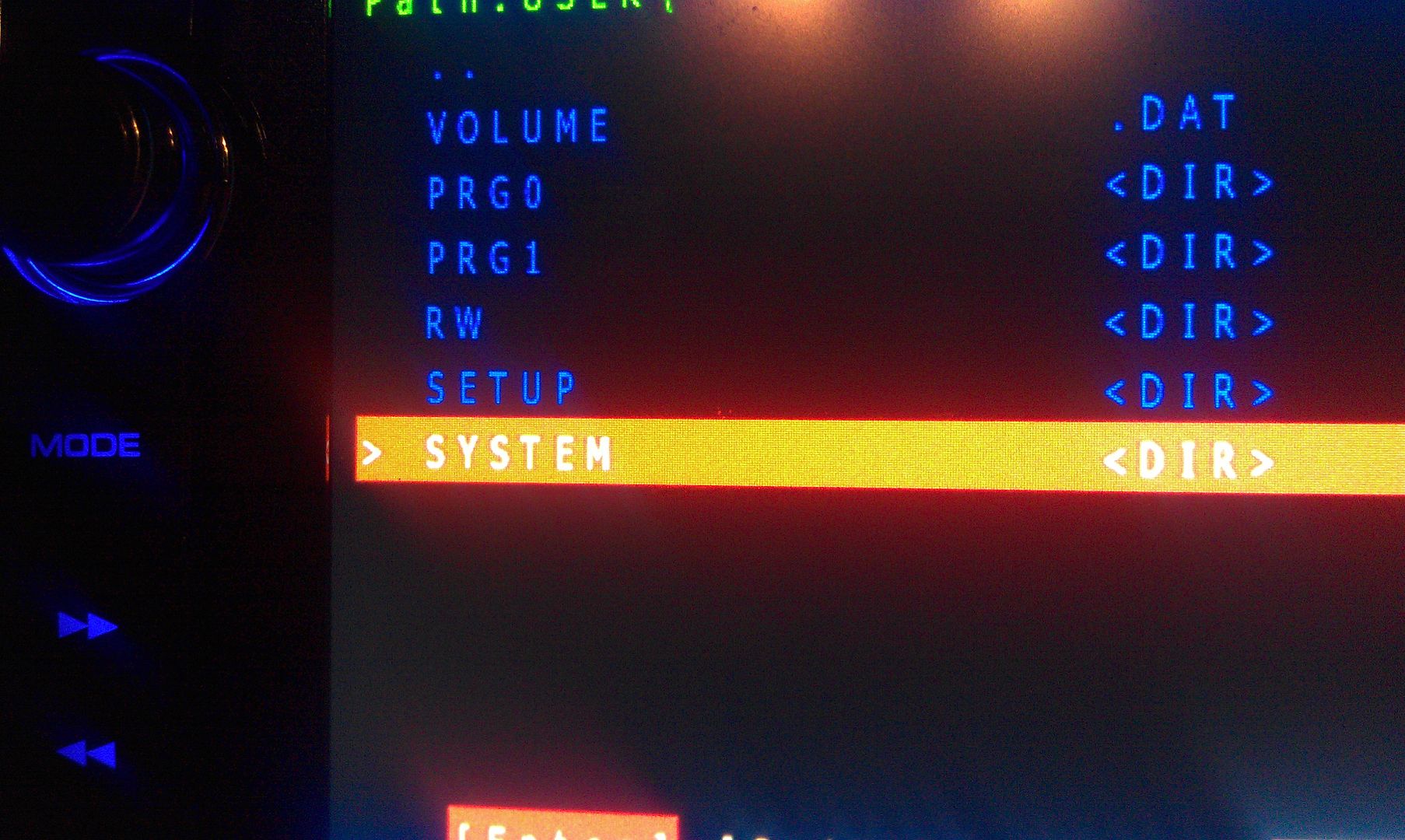
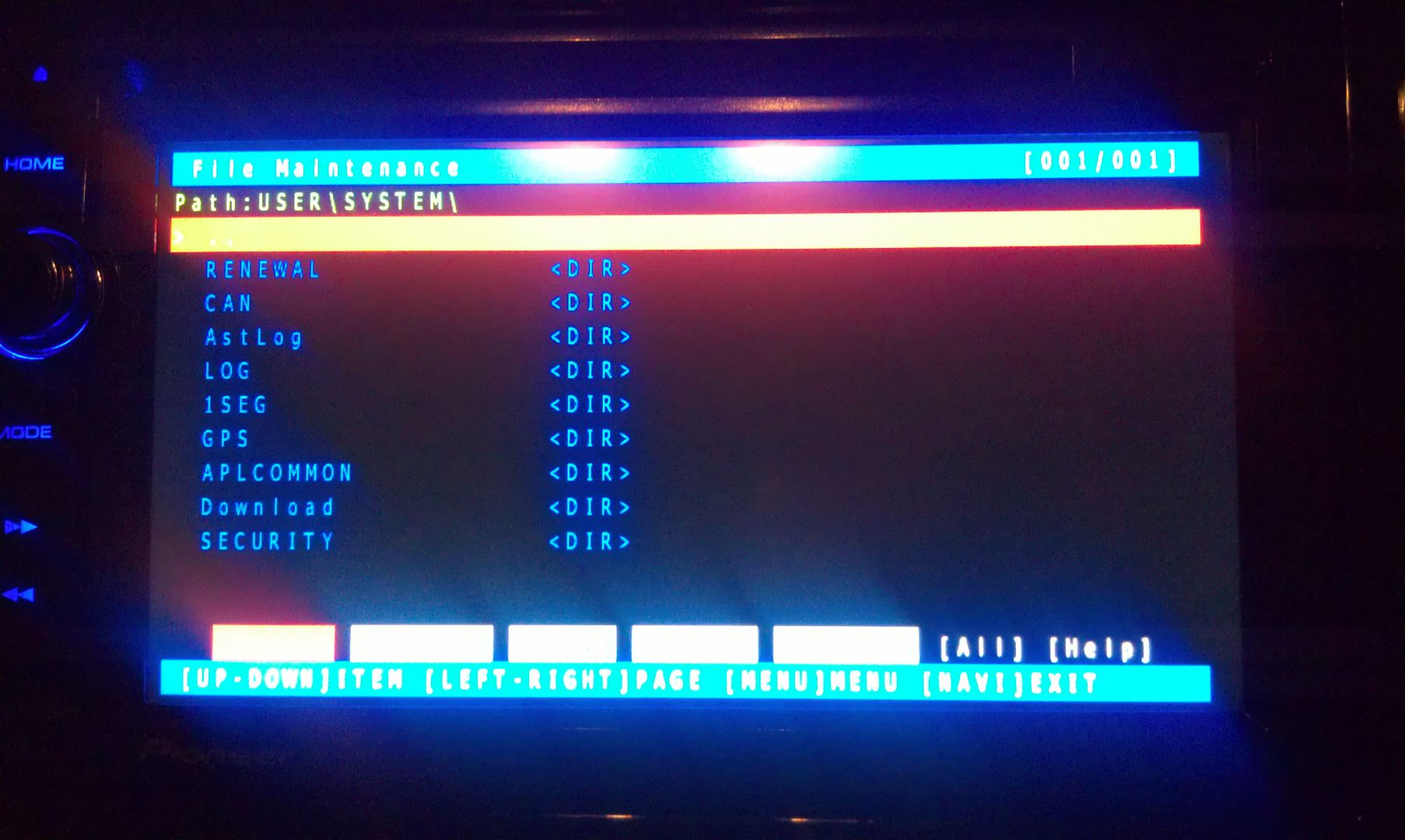
Now select System and enter it

IMAG1552.jpg

IMAG1553.jpg


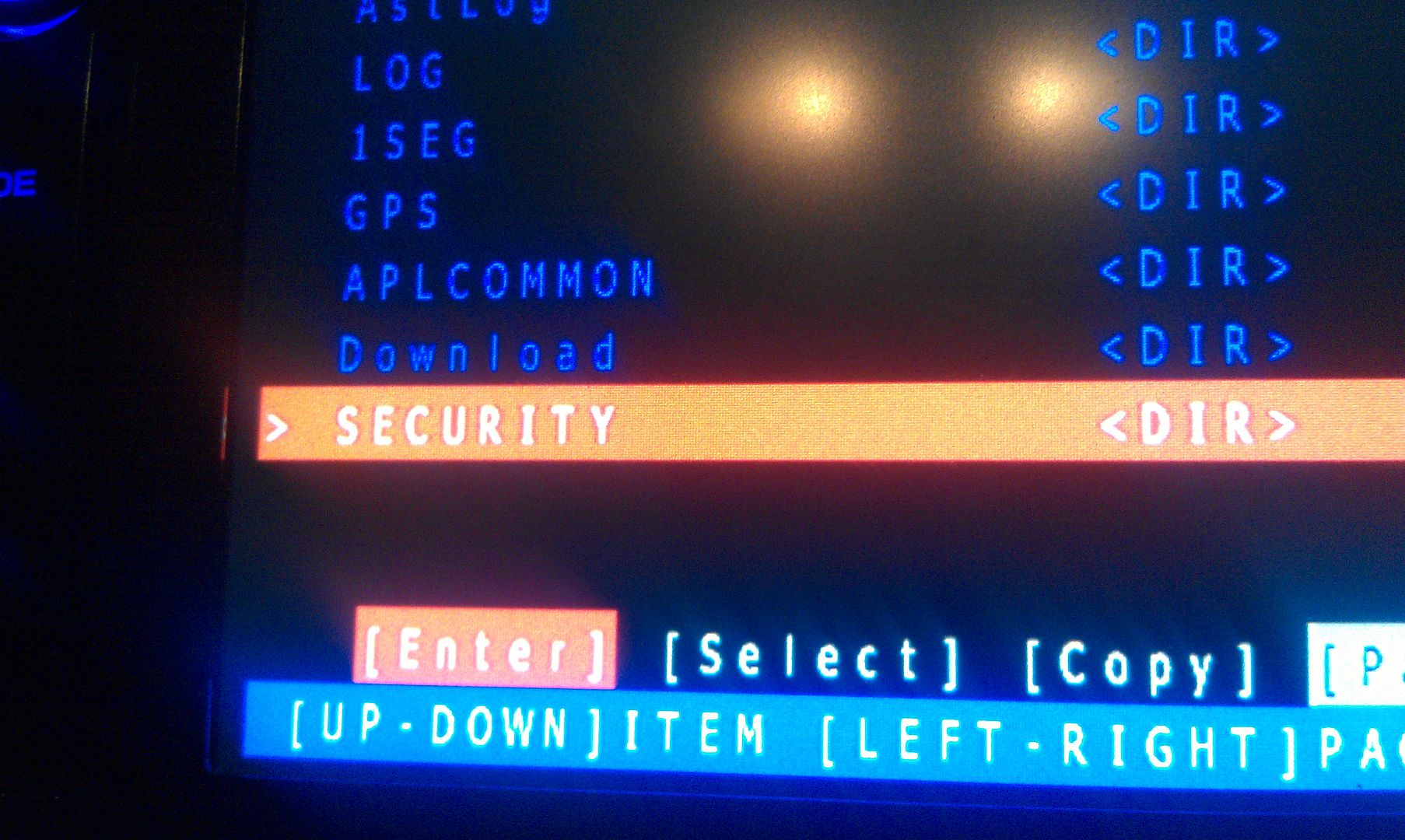
Now go to security and enter it

IMAG1554.jpg

IMAG1555.jpg


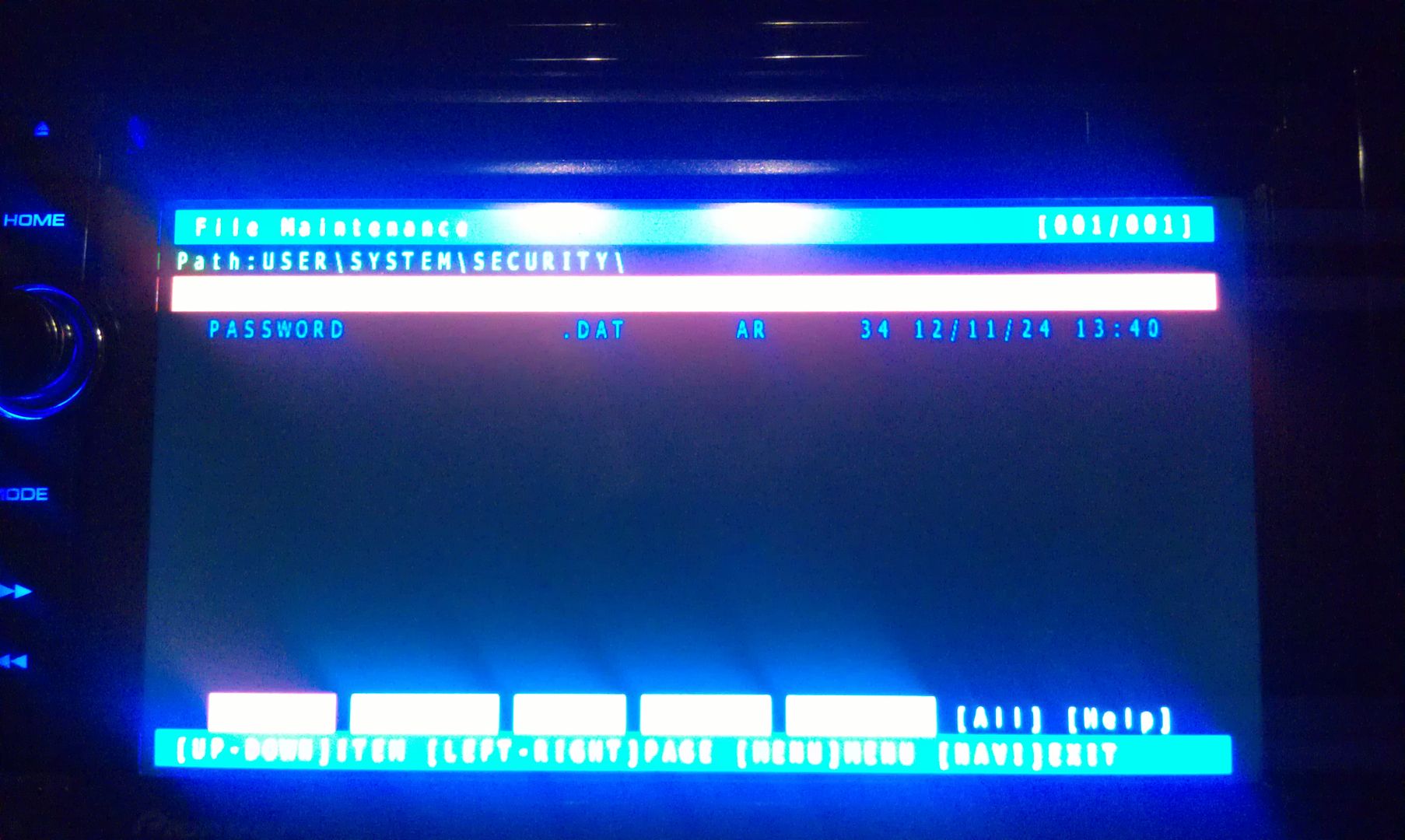
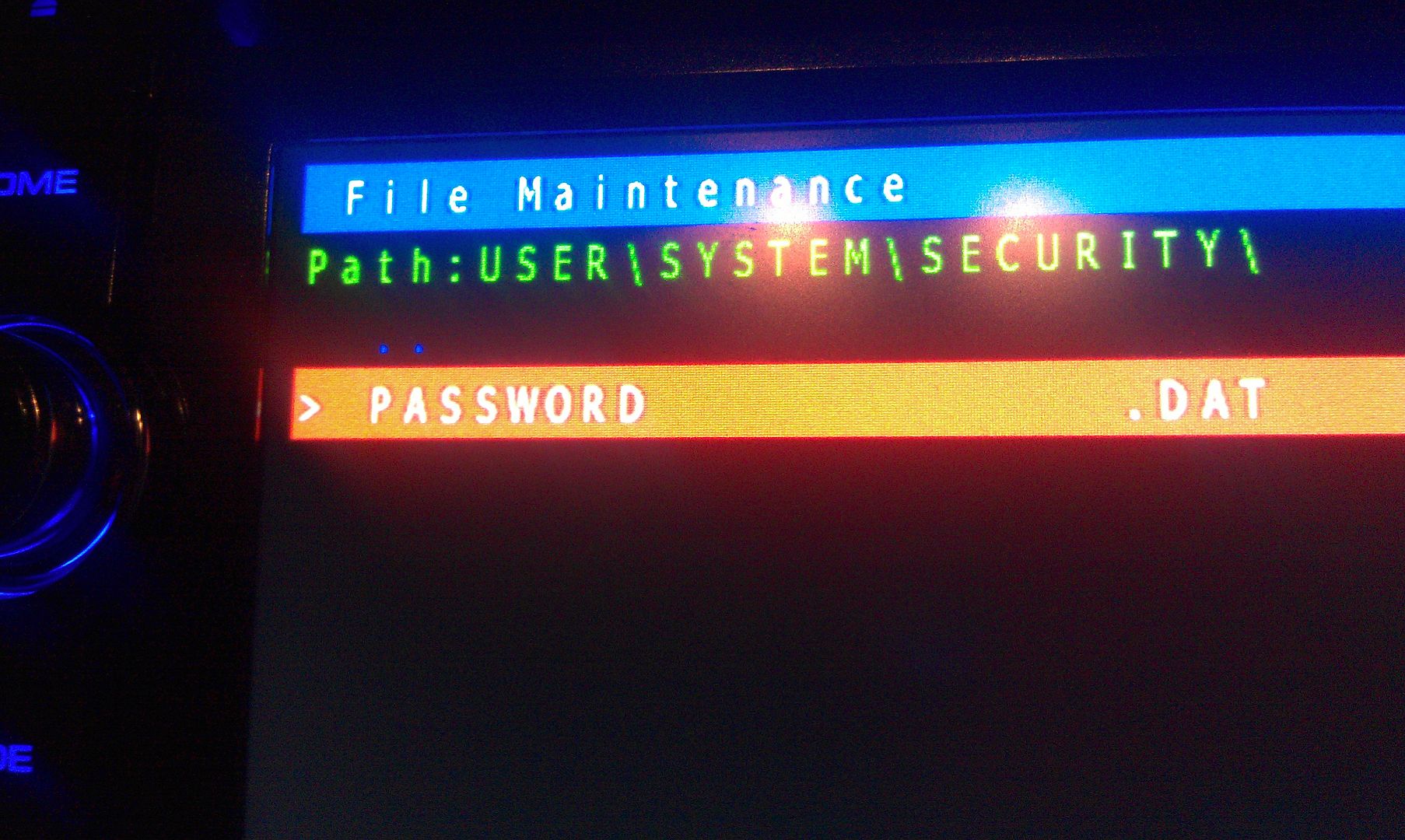
The only thing on the screen at this point is Password, so enter it

IMAG1556.jpg

IMAG1557.jpg


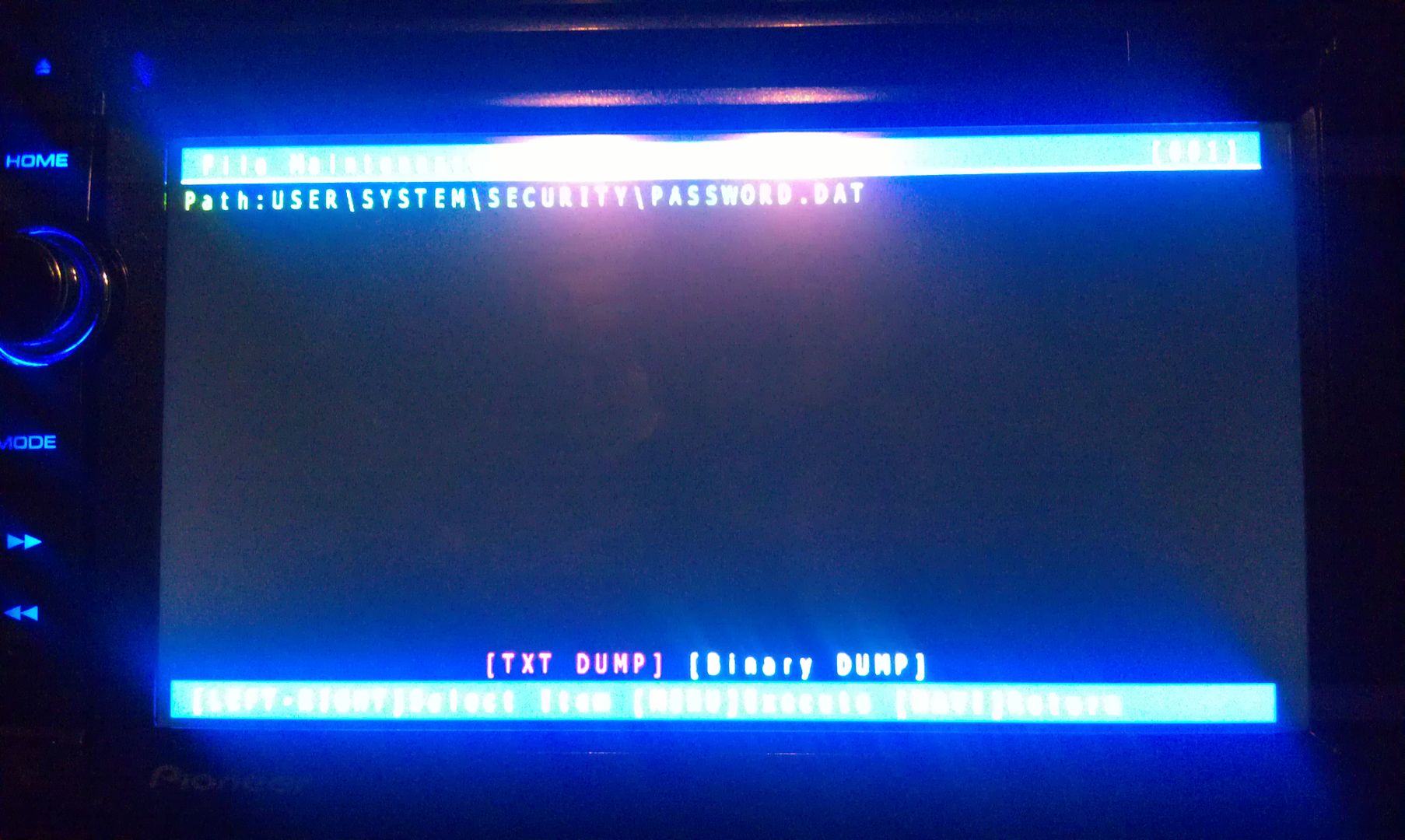
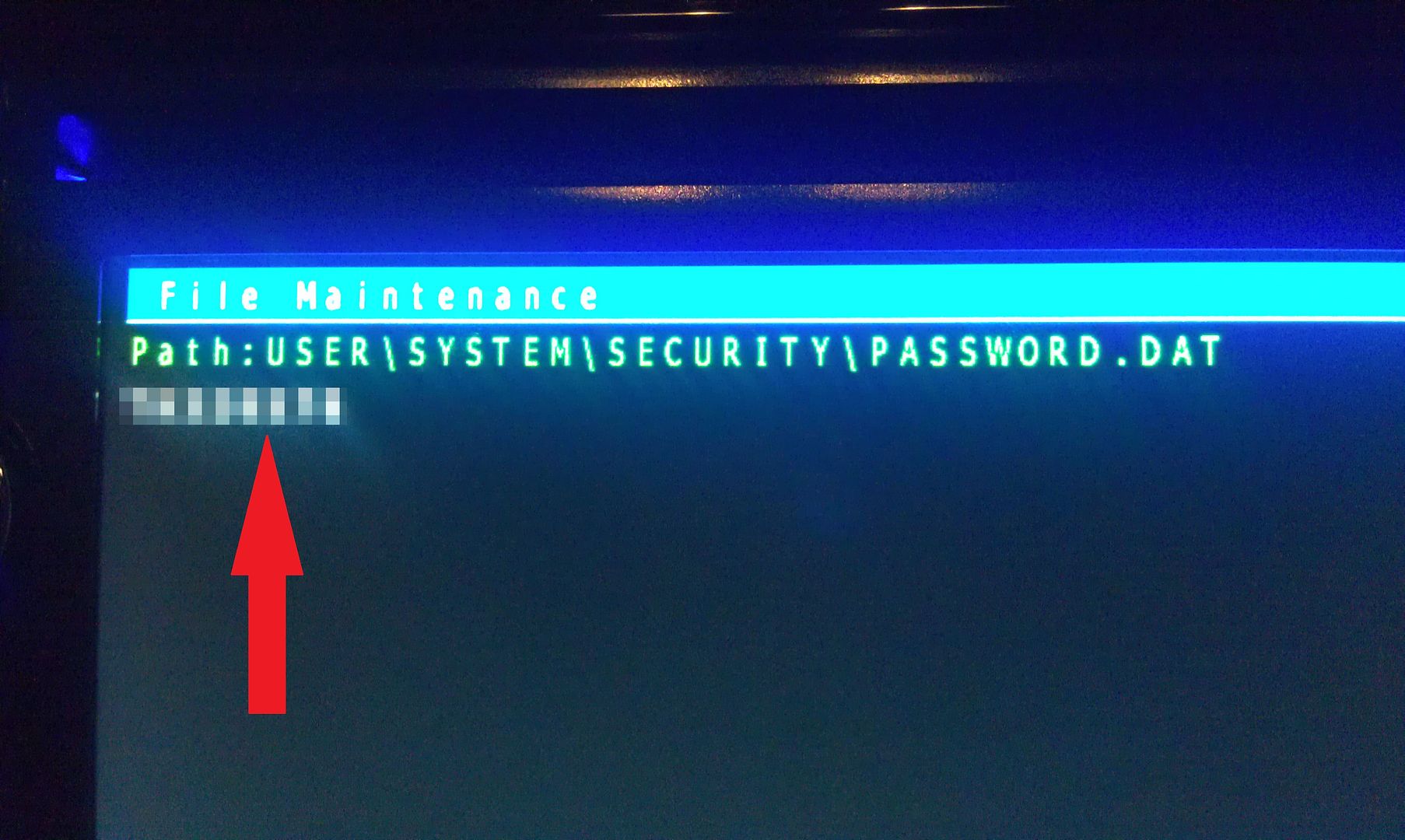
There is only option on this screen that you you are concerned with here, a text dump. You do not have to move the selection around, just press MODE to perform the text dump, and VIOLA, the password that the unit is locked with is displayed near the top left of the screen!

(I've blurred my password out here for obvious reason)

IMAG1559.jpg


Write this password down (unless is something you can remember), then just back out of all the menus using the HOME key until you get the the first screen, at which point you can power the unit off and remove the SD card. With the card removed, power the unit back up and enter your recovered password when prompted, and enjoy :)

If you're not going to remember the password you just recovered, I'd suggest changing it. Take a look in the owners manual for those instructions.


Hope that helps everyone a little more!


by the way, I think this thread should become a sticky...
Posted Sep 26, 2016 · 18:25 UTC#277

Thanks.  Nice software.

Posted Oct 13, 2016 · 16:10 UTC#278

Im doing this on a Mac, is this still going to work? 

Also, after I put in the password "Avic411" it also wants a password for "Hackmode.Key"


Any advice?

Savering

Posted Oct 13, 2016 · 16:25 UTC#279

Any advice?

Savering

Yes. Do not install anything - especially Hackmode. You'll have a 50% chance of bricking your unit. Search for supertestmode and extract testmode.key from the zip. Put that on your SD and insert into the headunit. Then follow the instructions in post 276 starting with the "Testmode" photos.


My only other improvement is to just delete PASSWORD.DAT and be done with it. Why bother recovering the forgotten password?  This whole thread proves how useless it is. Plus a thief will break into your car and steal the headunit with or without a password set. There's no external indication that it is password protected (if you can call it that).

Edited Oct 14, 2016 by RonS
Posted Oct 13, 2016 · 18:26 UTC#280

Yes. Do not install anything - especially Hackmode. You'll have a 50% chance to bricking your unit. Search for supertestmode and extract testmode.key from the zip. Put that on your SD and insert into the headunit. Then follow the instructions in post 276 starting with the "Testmode" photos.


My only other improvement is to just delete PASSWORD.DAT and be done with it. Why bother recovering the forgotten password?  This whole thread proves how useless it is. Plus a thief will break into your car and steal the headunit with or without a password set. There's no external indication that it is password protected (if you can call it that).

Bingo! this worked out great! Thanks, again for the help.


Savering

Posted Oct 20, 2016 · 13:26 UTC#281

any solution to password lost in avh-x8650bt??????

Posted Nov 03, 2016 · 02:25 UTC#282

How do I get the down load

Posted Dec 12, 2016 · 10:19 UTC#283

ah nevermind i'm an idiot. for the people with my problem. wipe your sd card and load the all files in the zip to it. insert to unit and boot up car, then it will bootup in hackmode or whatever, then just follow the steps.


just worked for me so happy!!! i was so close to the original p/w.

Posted Dec 12, 2016 · 10:20 UTC#284

ah nevermind i'm an idiot. for the people with my problem. wipe your sd card and load the all files in the zip to it. insert to unit and boot up car, then it will bootup in hackmode or whatever, then just follow the steps.


just worked for me so happy!!! i was so close to the original p/w.

Posted Dec 12, 2016 · 11:15 UTC#285

am henry from nigeria it worked thanks alot you need a hug am greatful thanks

Posted Dec 12, 2016 · 11:27 UTC#286

hi i need help please i dont remember my password in AVH-4000NEX ??? this working for me??


Original Software !

pls follow the post below its verry easy

Posted Jan 03, 2017 · 00:28 UTC#287

I had to clean off my battery terminals and forgot my password apparently. ( swear I have the right one) .  I've ran the perl script and created my testmode_a.key and have placed it on a fat32 formated usb, however... I can't get the faceplate to open up to be able to insert said usb...


any help is appreciated.  I don't want to have to remove the device from my truck.  Just want to gain access to SD or USB port.  Before you ask, I have tried the pin to the right of the eject button.  All it seems to do is cycle the device into post and boot, and then ask for the password again.


(NEX 4200)


I'm a database administrator with production databases on RHEL 7 and HPUX so I think I can make my way around an andriod device ok with a little help from smart people about the pioneer.


Posted Jan 15, 2017 · 14:55 UTC#288

Did everything as above, have the password 

cannot enter it screen is locked ? Is there a way to remove the password ?

Posted Jan 15, 2017 · 15:08 UTC#289

Did everything as above, have the password 

cannot enter it screen is locked ? Is there a way to remove the password ?

If you don't have the parking brake bypassed, you must have it wired correctly (as in the manual) and set it in order to enter the password. AFA removing the password, just delete that file that you dumped in order to retrieve it.

Edited Jan 15, 2017 by RonS
Posted Jan 21, 2017 · 21:44 UTC#290

work great on my pioneer avic-x950bh.

Posted Jan 21, 2017 · 22:50 UTC#291

Password recovery

Posted Jan 21, 2017 · 23:03 UTC#292

I understand the reluctance peo]le might have to helping in ]assword recovery. You wouldn't know if the stolen or legitimately owned. I don't remember who helped me but I'll give a thanks again.


My situation was legit in that I never rember have put in a password. When my vehicle battery died, the radio locked out. It seams like a scam that pioneer charges for the service when an innocent new owner does not realize they missed a step in the setup. I searched through the manual before and after I was helped with the recovery and still don't know where I went wrong. I'm all set now and I've had to reset the unit several times since due to power issues but now have the password memorized.


Once again a big THANKYOU.

Posted Feb 07, 2017 · 08:36 UTC#293

Thanks so much. I recently did this to find the password for my x930bt as i bought my car private party and encountered this problem once i had to disconnect my battery. previous owner would make me meet up with him whenever i needed it... asshole. Anyways, it worked! thanks. 

Posted Mar 03, 2017 · 18:20 UTC#294

How did you find a way


Maybe I can help. I found a way to recover the password without any hack (Avic X930Bt), and it should work with any model which has a password and only if you can enter to the system.. This is no bull, or spam. Will post pics when time is avail. PM me if interested.

Posted Mar 08, 2017 · 01:18 UTC#295

Hello, I had a new battery put in my Subaru BRZ and then my Pioneer unit needed a password. Since I bought the car used, I had no idea what it was. Thank you to everyone providing the detailed step by step instructions. It worked like a charm! My car stereo works again and I wrote down the password.


Thank you!

Posted May 08, 2017 · 23:31 UTC#296

THANK YOU! Just bought a used Scion xB and the previous owner had forgotten the password. Downloaded the package, popped in the SD card and it worked perfectly.

Posted May 13, 2017 · 20:37 UTC#297

Maybe I can help. I found a way to recover the password without any hack (Avic X930Bt), and it should work with any model which has a password and only if you can enter to the system.. This is no bull, or spam. Will post pics when time is avail. PM me if interested.

Posted May 13, 2017 · 20:39 UTC#298

I have a X930Bt and changed my battery and now I am locked out because I can't remember my password. I have entered everything but the kitchen sink. Any help you could give me would greatly be appreciated.

Posted May 14, 2017 · 00:08 UTC#299

I have a X930Bt and changed my battery and now I am locked out because I can't remember my password. I have entered everything but the kitchen sink. Any help you could give me would greatly be appreciated.

Do not install anything - especially Hackmode. You'll have a 50% chance of bricking your unit. Search for and download to your PC  supertestmode.zip and extract testmode.key from the zip. Put that on your FAT32 SD and insert into the headunit.


This procedure erases any password in X and Z series headunits. The basic steps are:

  • Put SD into HU
  • Boot into Testmode
  • Go to File Maintenance
  • Navigate  to USER\SYSTEM\SECURITY
  • Delete PASSWORD.DAT
  • Remove the SD
  • Restart the unit

As I have noted in many posts, don't password protect your unit. It won't stop a thief and will just be a big PITA in the future.

Edited May 15, 2017 by RonS
Page 12 of 14