I have AVIC-X930BT, I used 4gb micro SD card, After putting the SD card and power it up, It told me on the screen (This SD Card cannot be used on this device) wonder why??????
Was it formatted using FAT32?
I have AVIC-X930BT, I used 4gb micro SD card, After putting the SD card and power it up, It told me on the screen (This SD Card cannot be used on this device) wonder why??????
Was it formatted using FAT32?
Do not remember, witch better?
I believe fat32
Do not remember, witch better?
I believe fat32
It's not a question of which is better, it's a question of support. The X930BT does not support NTFS so your media (SD card, USB stick, etc.) has to be FAT32.
Like shown in the movie, there's no "user" folder to look for the password file... where this file is placed then?
Like shown in the movie, there's not any "User" folder... where should we look for this folder in order to reach the password file?
Hello all! Long time lurker, first time poster! Hopefully this post will help some people out.
I just bought a used 930 off craigslist and low and behold there is a password..
I've been searching around for the past few hours trying to figure out away to clear/reset the password on this unit.. This is what I came up with..
1a) Send the unit off to pioneer and spend the xxx amount of money --OR--
--WARNING: I AM NOT RESPONSIBLE FOR WHAT YOU DO!!--
1b. Go here: http://avic411.com/i...dated-13062011/
a. Grab the test mode files and load it up on the sd card and head over to the head unit..
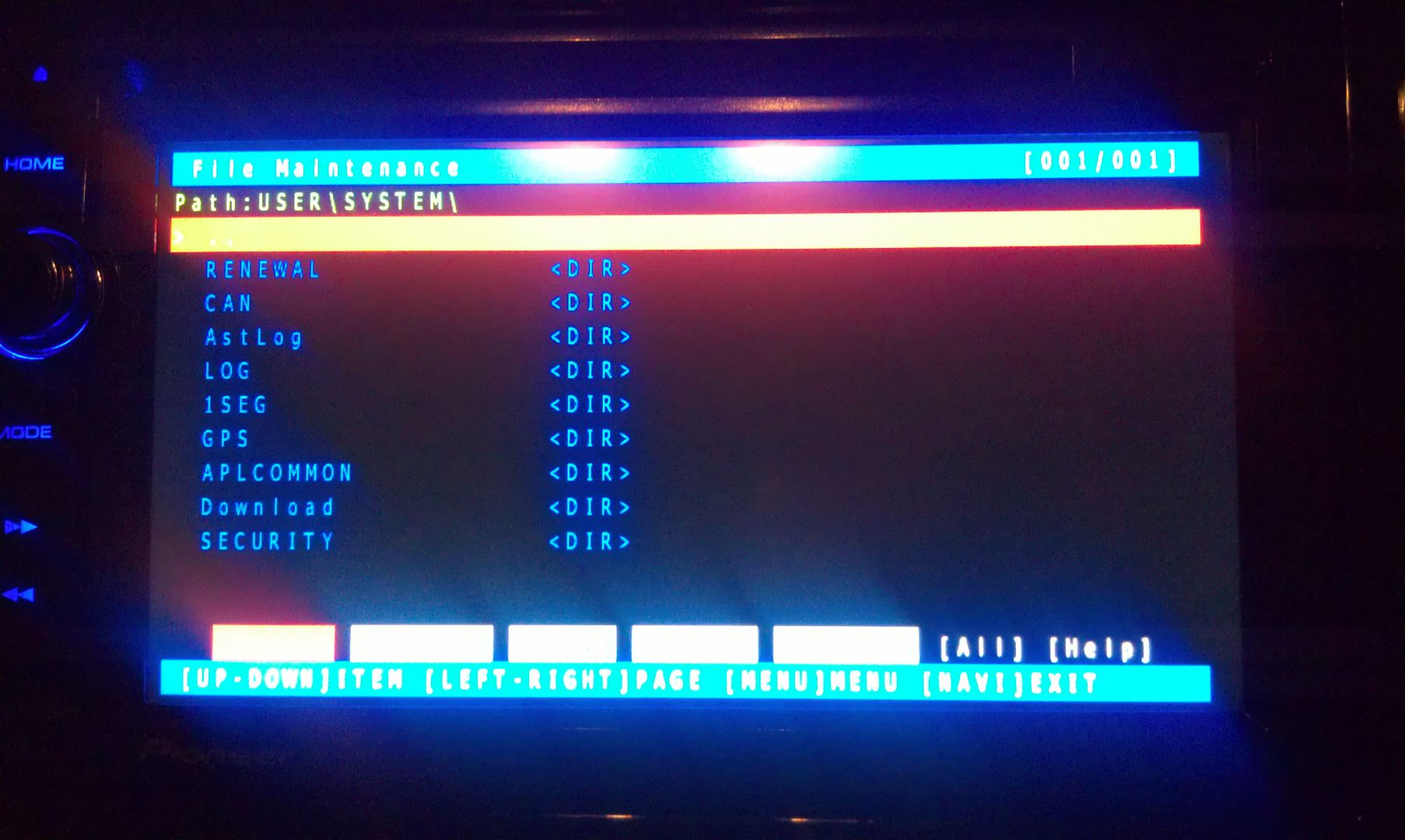
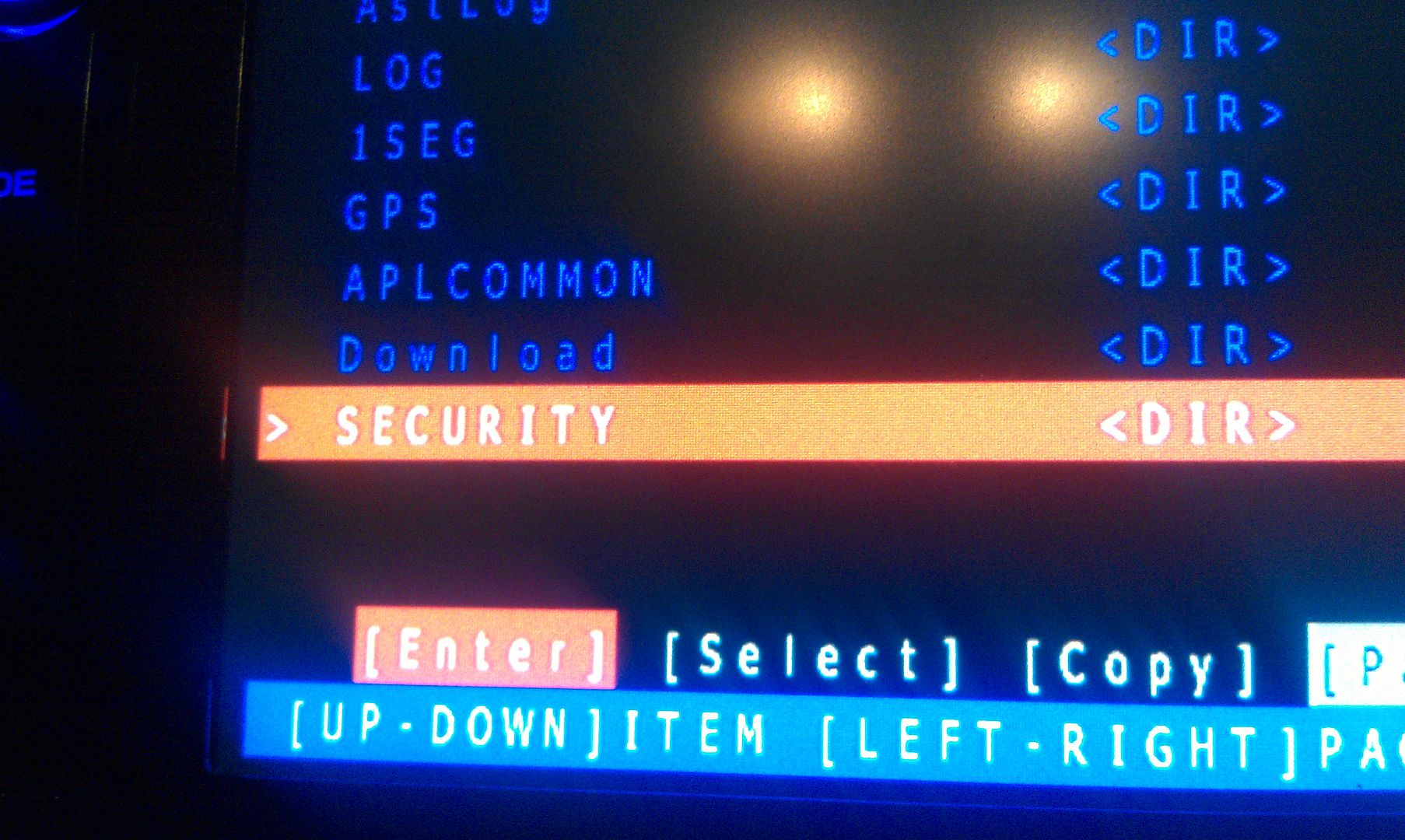
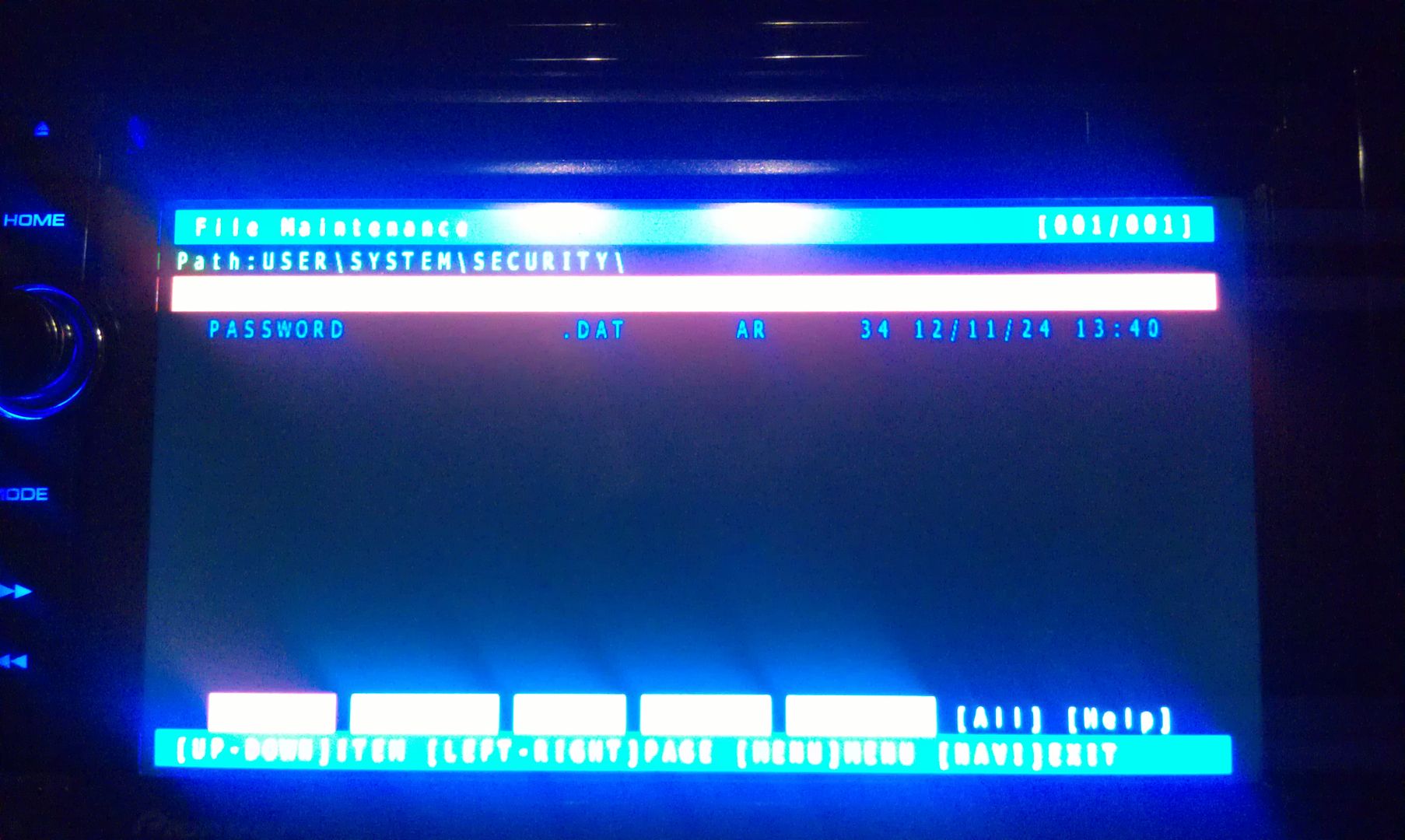
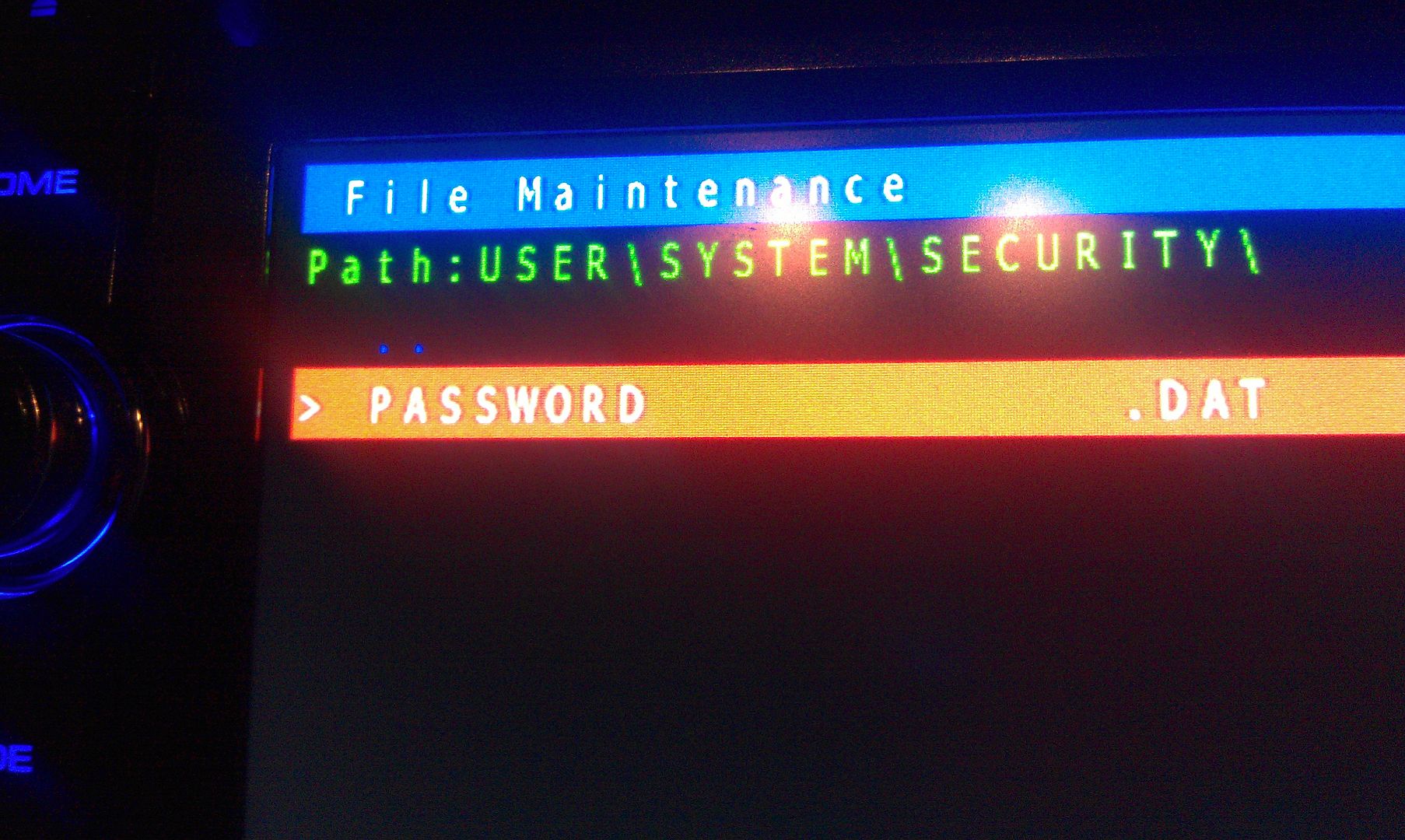
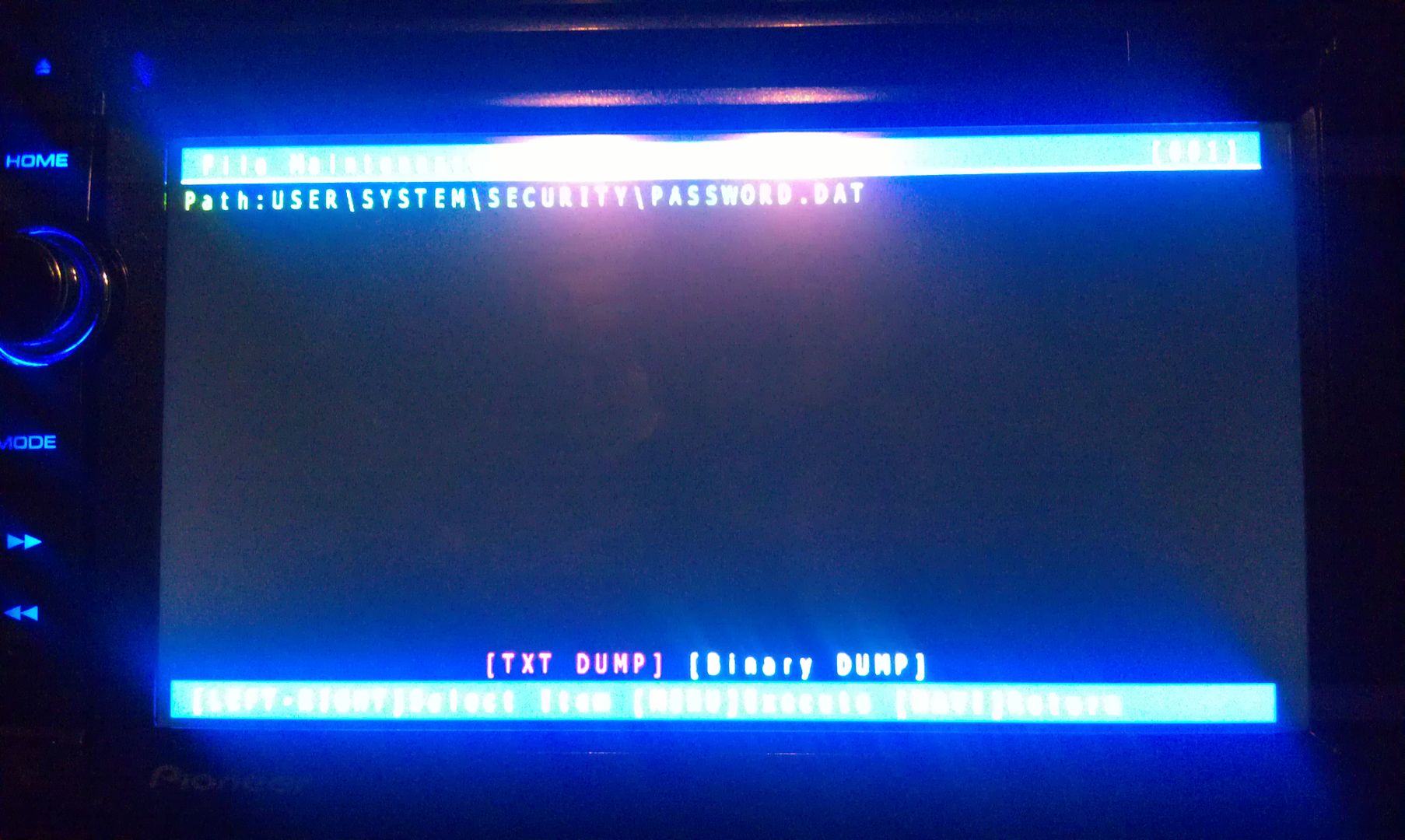
b. Insert card and load up test mode.. Go to the file manager -> User -> system -> security -> password and do a Text dump of this file.. (thanks to user: odskaggs2 for the hint!)
c. write down the what is on the screen.. This is the password!!! =D
That's it!
(P.S. I almost did'nt post this, but I figured if someone wants my head unit, what good will it be to me if I have a password or not? It's gone either way.)
- Mods, please delete this post if its against TOS. Otherwise... Sticky?
-- Edit: Also please move this to troubleshooting if you feel it would be better there.
Step By Step Guide by "IAmSuperBleeder" here: http://avic411.com/index.php?/topic/32929-x930bt-password-recovery/?p=259263
Like shown in the movie, there's no "user" folder to look for the password file... where this file is placed then?
Like shown in the movie, there's no "user" folder to look for the password file... where this file is placed then?
Impossible. The user folder is in the root directory. There has to be one or your unit will not work at all.
hey can someone please send me the password.dat file? I suddenly deleted mine.
hey can someone please send me the password.dat file? I suddenly deleted mine.
Why would you want someone else's password? If I'm not mistaken, deleting PASSWORD.DAT unlocks your unit. If you want to re-lock if, just set a new password.
But really, locking a HU is useless. A Thief will still steal it since he doesn't know it is locked. And it will only take him a couple minutes to do what you did.
Why would you want someone else's password? If I'm not mistaken, deleting PASSWORD.DAT unlocks your unit. If you want to re-lock if, just set a new password.
But really, locking a HU is useless. A Thief will still steal it since he doesn't know it is locked. And it will only take him a couple minutes to do what you did.
I mistakenly deleted it and nothing's popping out after i put my car into ACC or ON, just the blue background. I just need a password.dat file for the password prompt to open then I'll enter the file. Please help lol 
I mistakenly deleted it and nothing's popping out after i put my car into ACC or ON, just the blue background. I just need a password.dat file for the password prompt to open then I'll enter the file. Please help lol
I think you've got bigger problems. I don't have that file on mine (not password locked) and it still works perfectly. Sure you didn't also delete something else?
I think you've got bigger problems. I don't have that file on mine (not password locked) and it still works perfectly. Sure you didn't also delete something else?
I think so, too. I may have pressed something a while ago. Do you know if there is a way to hard reset the system? Thanks.
Do you know if there is a way to hard reset the system? Thanks.
A hard reset won't help if important files are missing, From another thread I got the impression you installed Condi's Hackmode. That's a good way to brick your system. Years ago I quit trying to help undo the damage that hack causes. You might try installing the 2015 update. It might refresh missing system files.
Just did it tonight works just fine for how old the file is. Thank You.
Okay, let's simplify this a little more; might help some others. Pictures have always helped me out in situations like this, so let's do this.
Working with an X930BT in this how-to. Read all of these instructions all the way through before attempting it.
First off, you'll need a micro SD card; size isn't extremely important, the size of the files you'll be putting on it are less than 14mb, just choose one that your unit can support if it has a size limitation. In this instance I used a 32gb the first time around, but I'll be using a 16gb in the photos below; again, it really doesn't matter as long as it's at least 14mb, and I think the smallest you can get is 2gb now anyway and they're only like $5, lol.
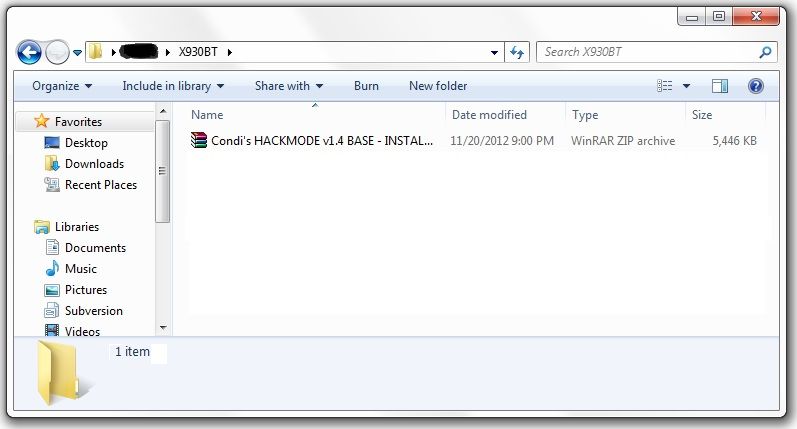
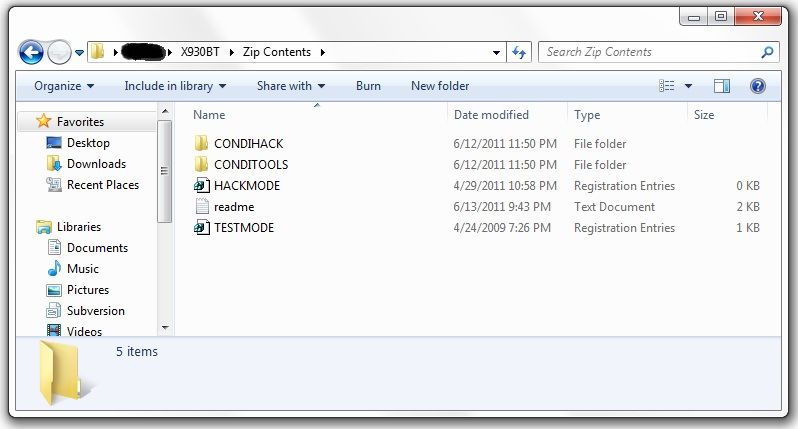
Next, you'll need to download the files required to booth the unit into testmode. In the original post there's a link to another thread which has about 5 different download links in it, and I know that can get confusing... The one you want is the HACKMODE v1.4 BASE. Click on that link and you will download the .zip file containing the files you need. Once the download is complete, unzip the contents onto your micro SD card.
The .zip file is password protected and when you go to extract the files it will prompt you for the password. The password is "avic411" (without the "" obviously...)
The files should be place in the root of the card, not in another folder on the card. I'm not sure if it's required (although it probably is) but have nothing else on the card at the time. The only thing that should be on the micro SD card are the files located in the .zip that you downloaded.
At this point, it's time to make your way to the password protected unit with the micro SD card you just place the files above into.
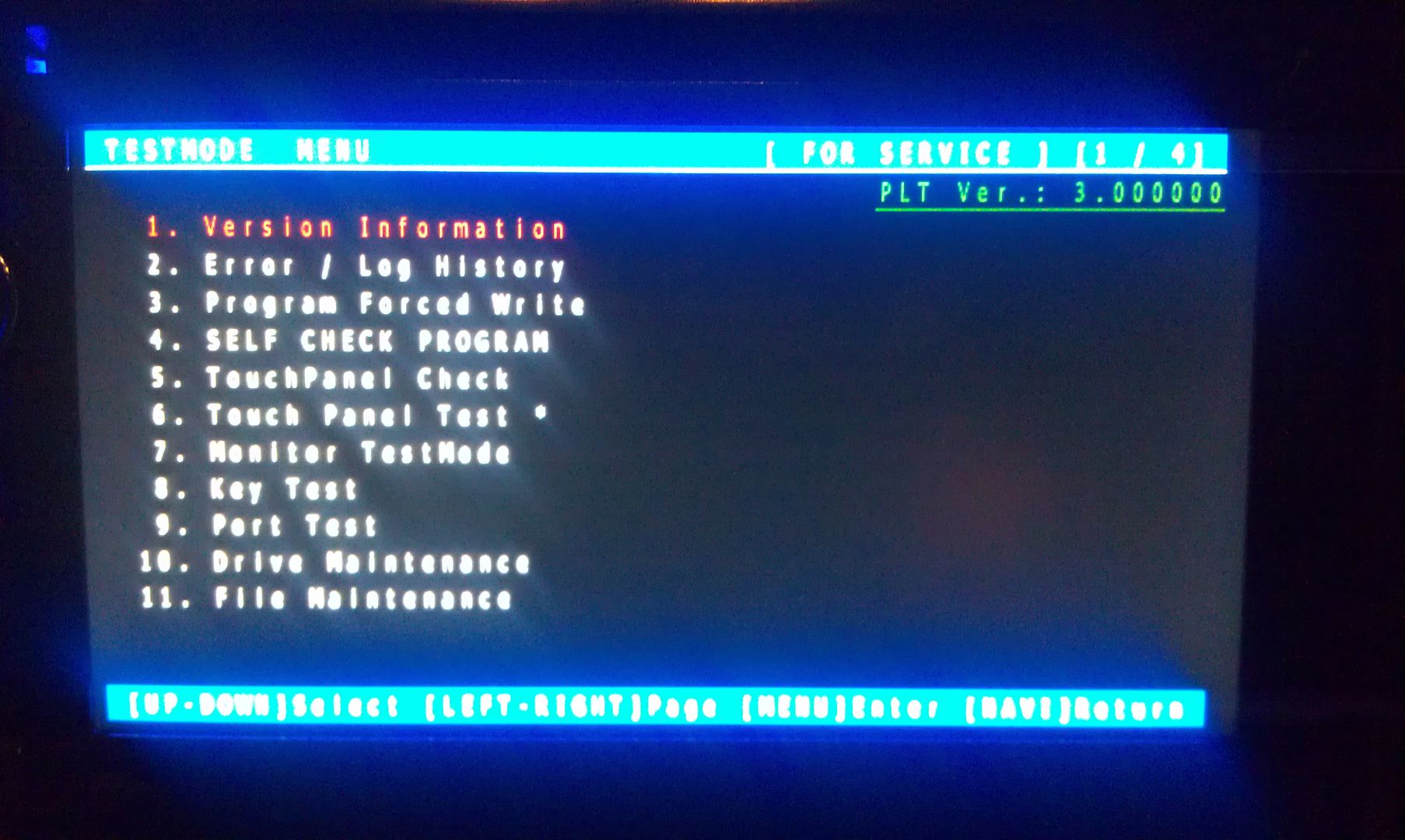
With the unit powered off (key in the OFF possession, or just no power supplied if your doing this out of the vehicle), load the card into the device. Power the unit on and wait for it to boot, at which point it should boot into testmode.
Once in testmode, on an X930BT, and I would imagine it would be the same for all of the X9X0BT series, the only buttons and actions that will be needed to navigate the screens are the following:
*HOME - escape/cancel/go back
*MODE - enter/select
*Volume down (left) - move selection on screen down
*Volume up (right) - move selection on screen up
I CANNOT STRESS HOW STRONGLY I RECOMMEND THAT YOU DO NOT MESS WITH ANY OTHER FILES IN HERE IF YOU DO NOT KNOW WHAT YOU ARE DOING!!! IT IS VERY EASY TO BRICK YOUR UNIT USING TEST MODE!!! I TAKE NO RESPONSIBILITY IF YOU SCREW THINGS UP; YOU ARE DOING THIS AT YOUR OWN RISK!!!
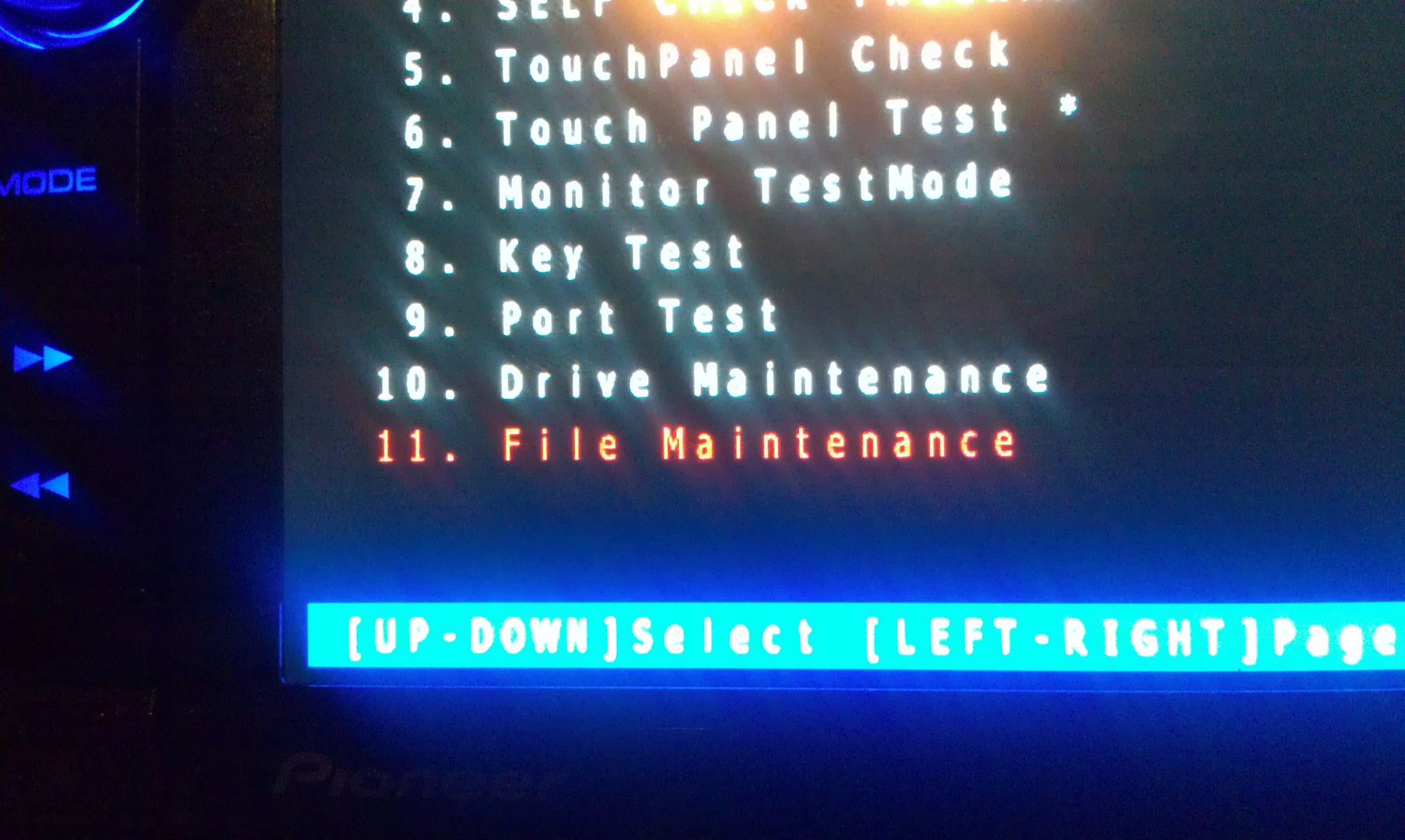
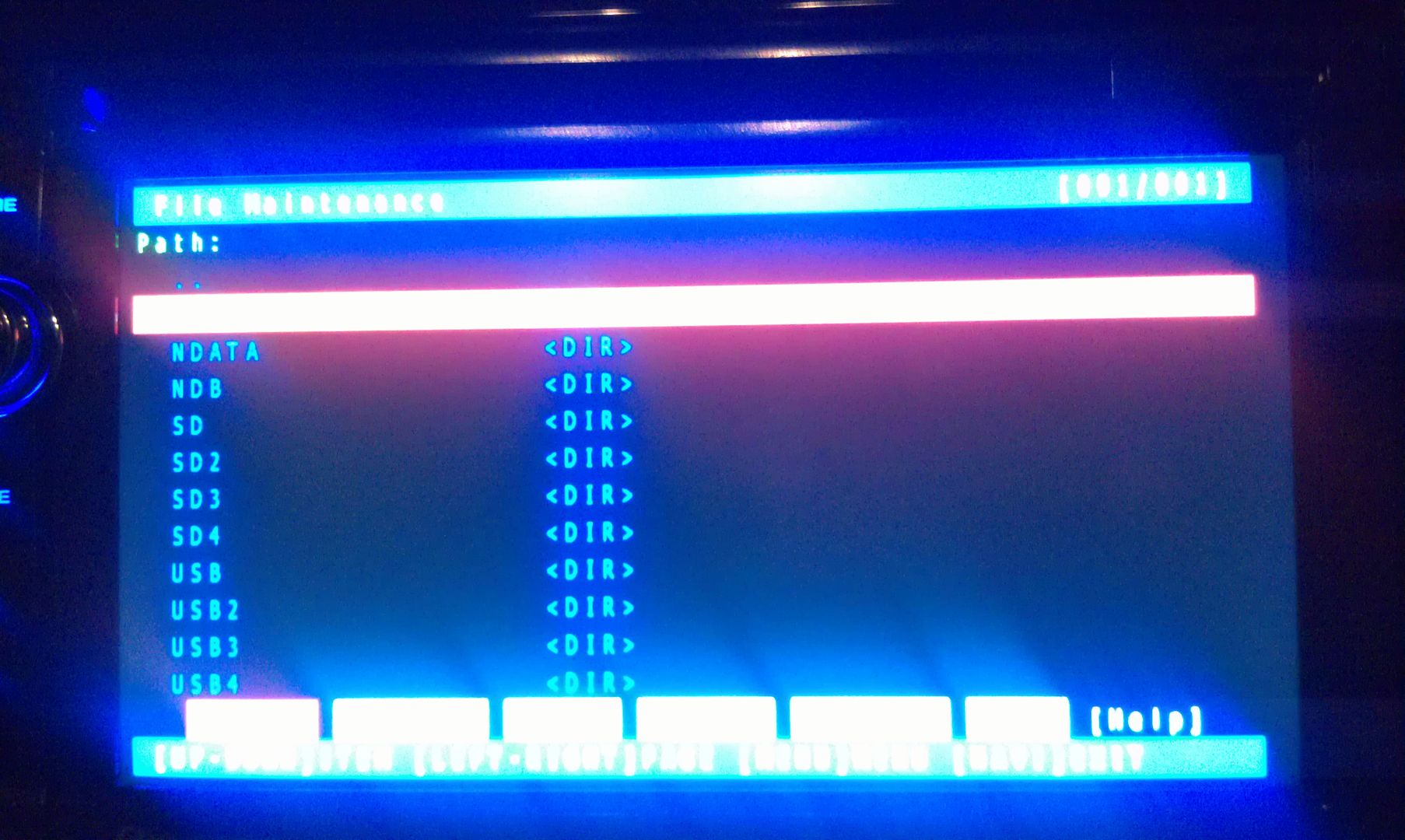
Move the selection on the screen down to #11, File Maintence
Press MODE and you will enter the File Maintence screen
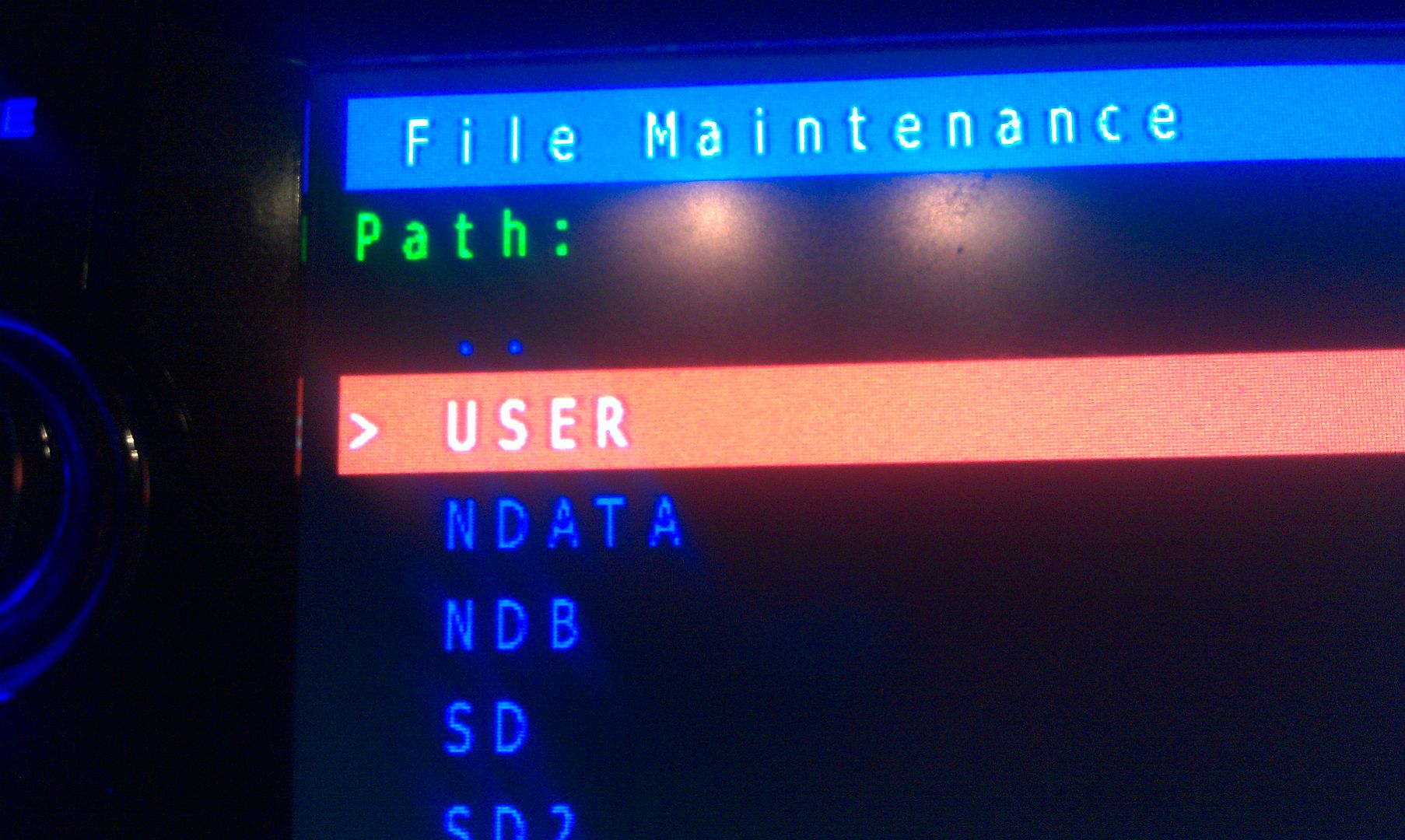
Now select User and open it
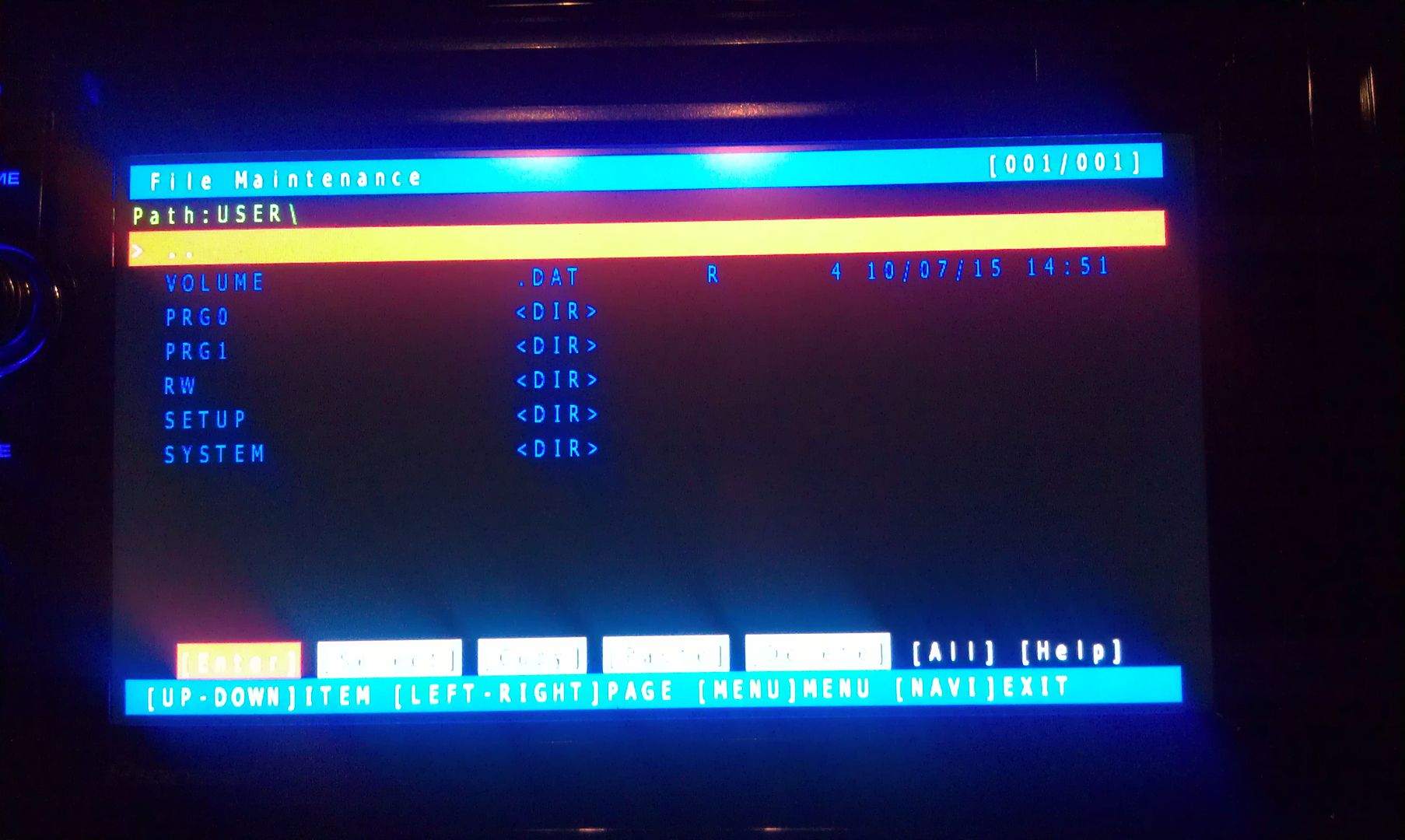
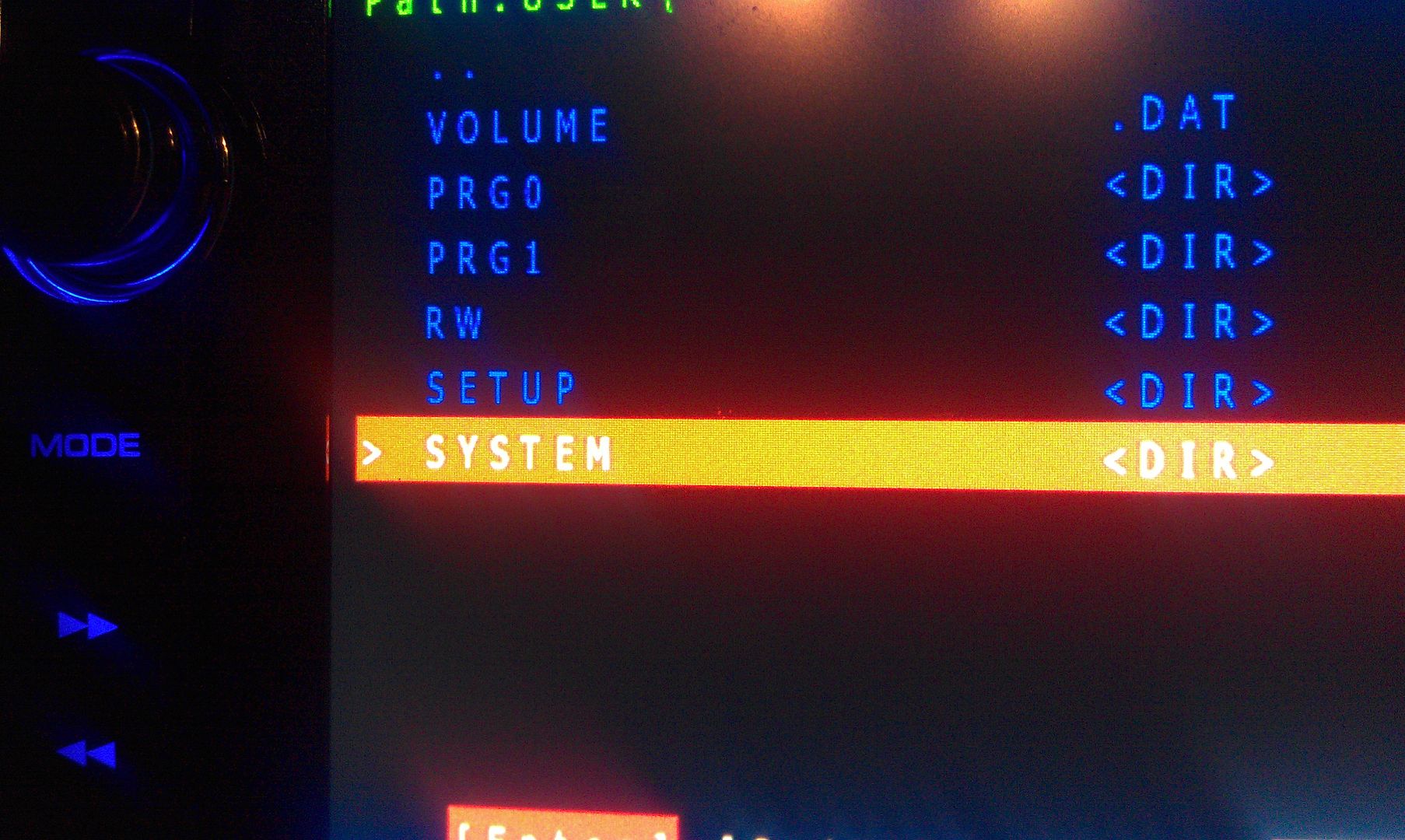
Now select System and enter it
Now go to security and enter it
The only thing on the screen at this point is Password, so enter it
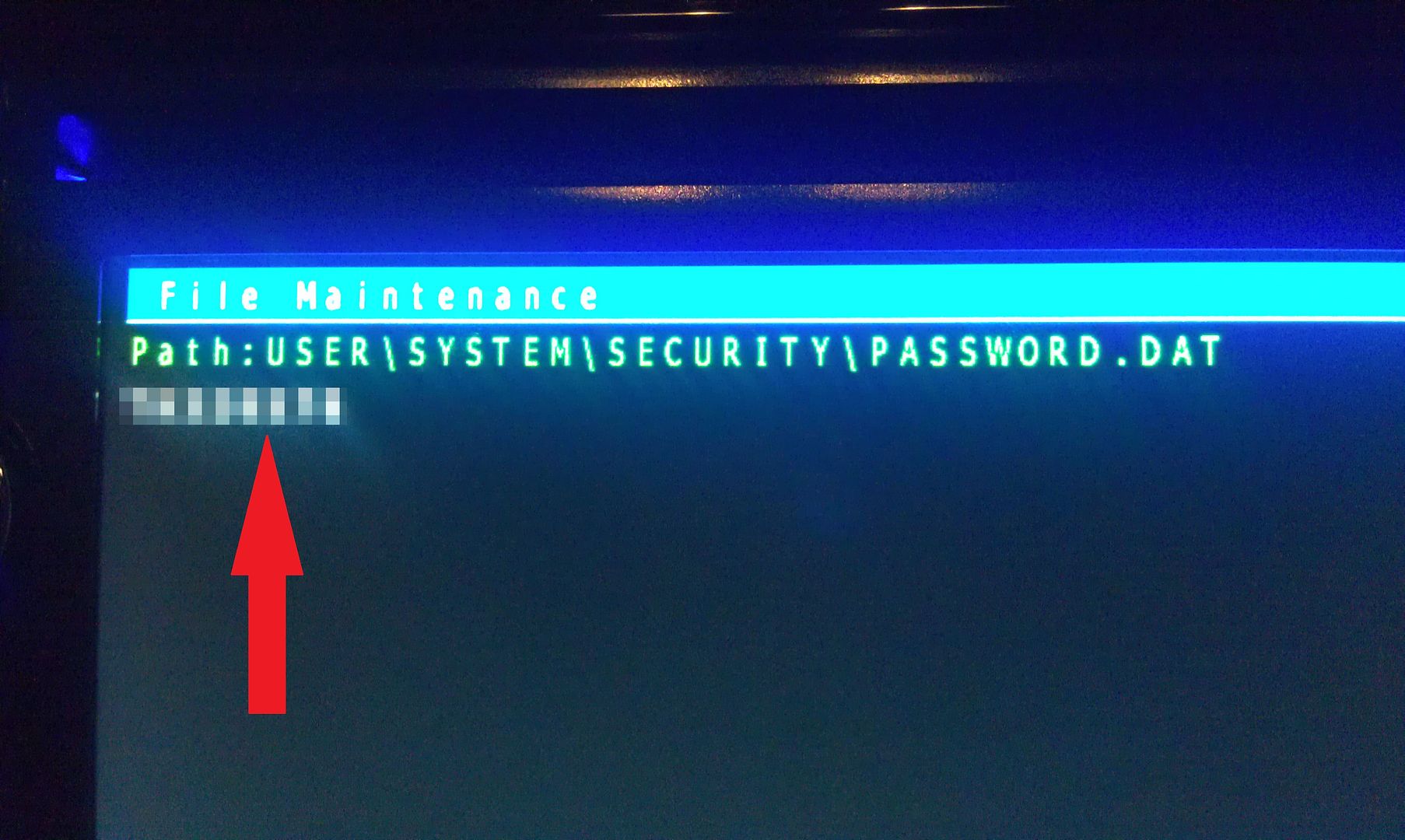
There is only option on this screen that you you are concerned with here, a text dump. You do not have to move the selection around, just press MODE to perform the text dump, and VIOLA, the password that the unit is locked with is displayed near the top left of the screen!
(I've blurred my password out here for obvious reason)
Write this password down (unless is something you can remember), then just back out of all the menus using the HOME key until you get the the first screen, at which point you can power the unit off and remove the SD card. With the card removed, power the unit back up and enter your recovered password when prompted, and enjoy http://avic411.com/public/style_emoticons/#EMO_DIR#/smile.png
If you're not going to remember the password you just recovered, I'd suggest changing it. Take a look in the owners manual for those instructions.
Hope that helps everyone a little more!
by the way, I think this thread should become a sticky...
The Hackmode v1.4 Base had been removed. Do you where I can locate?
The Hackmode v1.4 Base had been removed. Do you where I can locate?
No, it hasn't been removed. Use the link in http://avic411.com/index.php?/topic/32929-x930bt-password-recovery/page-4&do=findComment&comment=259263
The Hackmode v1.4 Base had been removed. Do you where I can locate?
No, it hasn't been removed. Use the link in http://avic411.com/index.php?/topic/32929-x930bt-password-recovery/page-4&do=findComment&comment=259263
But isn't it totally unnecessary? Just go into TestMode using supertestmode key.
Just bought an 2008 AUDI A4 2.0T S-Line
Had it 21 days and had to take it back to the dealership for repairs. Plastic piece cracked that had something to do w the coolant system leaking antifreeze. Anyway they disconnected the battery fixing the leak and now I have another problem. The after market head unit that is in the car don't work and is asking me for a password. Turns out its a pioneer AVIC-X930BT. I read the above post and I was wonder if the reset process is the same for my head unit. I need some help I know the above post are from a couple years back but I need some help/info to troubleshoot this problem.
Get supertestmode.zip and put it onto a 4gb or 8gb microsd card formatted fat32 with the 16k allocation size selected.
Then follow these steps from the first post in this thread.
a. Grab the test mode files and load it up on the sd card and head over to the head unit..
b. Insert card and load up test mode.. Go to the file manager -> User -> system -> security -> password and do a Text dump of this file.. (thanks to user: odskaggs2 for the hint!)
c. write down the what is on the screen.. This is the password!!! =D
Also, there are very good pictures showing the process HERE but do not use condi hack, it will brick your unit. You only need supertestmode key. The pictures show how to navigate the menu.
On 2/17/2016 at 11:38 AM, BlakeStone said:Get supertestmode.zip and put it onto a 4gb or 8gb microsd card formatted fat32 with the 16k allocation size selected.
Then follow these steps from the first post in this thread.
a. Grab the test mode files and load it up on the sd card and head over to the head unit..
b. Insert card and load up test mode.. Go to the file manager -> User -> system -> security -> password and do a Text dump of this file.. (thanks to user: odskaggs2 for the hint!)
c. write down the what is on the screen.. This is the password!!! =D
Also, there are very good pictures showing the process HERE but do not use condi hack, it will brick your unit. You only need supertestmode key. The pictures show how to navigate the menu.
Let me slightly elaborate on this. Get the zip, then extract Testmode.key. Put it on the SD card.
Also an alternate suggestion: to totally remove the password protection, delete the password file mentioned above. Then reboot. It should not ask for a password. Password protection serves no purpose.
Hey Folks,
New member, old story. Changed my battery and then needed a password. Called Pioneer and had some obtuse jerk tell me that I will have to tear the AVIC-930BT unit out of my dash, mail it to California, and for a mere $80.00 US (approximately $500 Can), get it exorcised. Shipping, exorcism, and aggravation would have come to more than the I could stomach. I took a chance on the Hackmode and it worked flawlessly. I say "took a chance" because I am technologically challenged. No, actually, technologically disabled would better describe my level of expertise. And yet, with your graphic instructions, I did it. Many, many thanks. You see, I travel 300 kilometers, out on Monday, back on Friday, for my job, with nothing to listen to but the truck's squeaks, creaks, and groans. Oh, and yes, those damn voices in my head. So, dragging this short story out, even longer, I owe you, and many musicians, my tenuous grasp on sanity. Or at least, what passes for sanity in rural Alberta, Canada. So, once again, much obliged.
Ren
same story for me, battery rechaplaced, and cant remember the password. Thx to
IAmSuperBleederi managed to get the password.
So many many thanks
I was able to recover my password! Worked like a charm. Genius. Can't thank you enough!!
Need link to reset my x930bt