Or - you could read back a few posts.Need link to reset my x930bt
Posted Mar 16, 2016 · 21:01 UTC#251
Or - you could read back a few posts.Need link to reset my x930bt
can I download from cellphone
Do I have to download on a home computer or laptop
it worked!! Tried to download with a Mac and had to use a PC. Saved time and money, thanks
Works great! Thanks! I bought a car that had an AVIC-X930BT in it. Everything worked as it should with the Hackmode v1.4. It showed me the Password that I knew it was all along. Anyway, the car had sat for quite awhile and perhaps the batt voltage was low causing a malfunction and causing the unit not to accept the password? I tried to enter the correct password and it told me it was incorrect 20x . That is why I pursued this method. After the the second time it worked. Weird. I know.
Thanks again.
Don't use a MAC to do this. A PC does it much easier (WinZip) the Mac programs that perform archiving don't work as well or at all. I was using El Capitan.
Thank you. Just unlocked my F930BT.
i just tried this with my 930bt and its telling me my micro SD card isnt compatible for the headunit.
i bought my truck with this head unit, and liked my other pioneer better so i swapped into the truck im selling, but its asking me for the password
any ideas?
Huge thanks to IAmSuperBleeder for the detailed instructions. Bought a second hand Seat Exeo a couple of months ago and I've just had to remove the battery to unblock the bulkhead drains. The previous owner couldn't remember what he'd set as the password and you've just saved me a fortune as I would have had to remove the factory fitted 930BT from the car and send it to Pioneer. Once again. many, many thanks. 
i just tried this with my 930bt and its telling me my micro SD card isnt compatible for the headunit.
i bought my truck with this head unit, and liked my other pioneer better so i swapped into the truck im selling, but its asking me for the password
any ideas?
Try using a small capacity micro SD card (around 4 - 16GB) and make sure it's formatted to "MS-DOS (FAT)", It's just worked perfectly for me.
Hey thanks for this thread. Special thanks to IAMSUPERBLEEDER for the step by step. Thanks again.
Thank you for this recovery procedure 3 minutes start to finish ,had a harder time finding a micro sd card than doing the hack.
thanks again
I need the password for "HACKMODE.KEY". I thought it was avic411 but it's definitely not that. Can someone please point me in the right direction? I have the pioneer avic-x930bt
Hey new here is this the right test mode key for a avic f900bt...because im.having trouble getting it to boot on test mode thanks in advace..if is not can someone point me to the right direction thanks again..
Hi there!!!
Directions worked perfectly! I got the password, but it won't work. any tips?
Okay, let's simplify this a little more; might help some others. Pictures have always helped me out in situations like this, so let's do this.
Working with an X930BT in this how-to. Read all of these instructions all the way through before attempting it.
First off, you'll need a micro SD card; size isn't extremely important, the size of the files you'll be putting on it are less than 14mb, just choose one that your unit can support if it has a size limitation. In this instance I used a 32gb the first time around, but I'll be using a 16gb in the photos below; again, it really doesn't matter as long as it's at least 14mb, and I think the smallest you can get is 2gb now anyway and they're only like $5, lol.
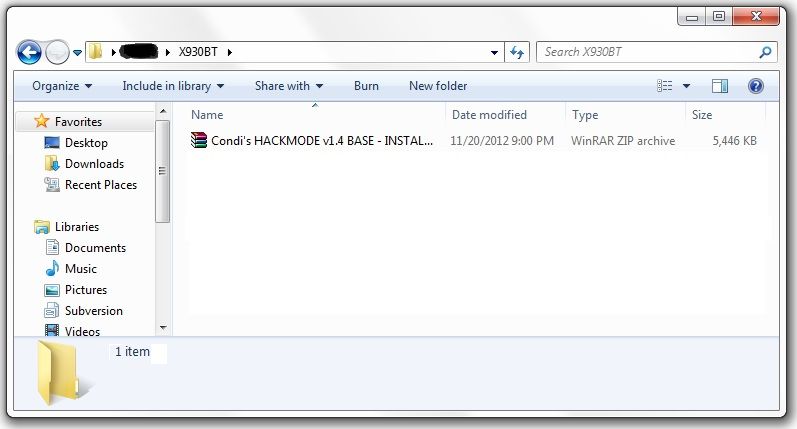
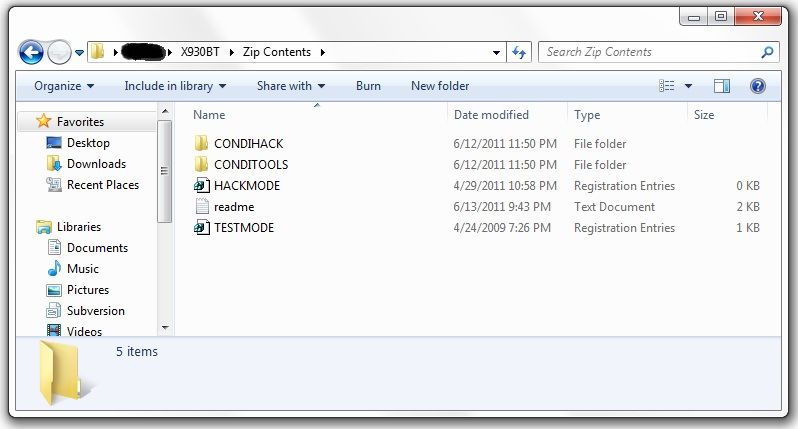
Next, you'll need to download the files required to booth the unit into testmode. In the original post there's a link to another thread which has about 5 different download links in it, and I know that can get confusing... The one you want is the HACKMODE v1.4 BASE. Click on that link and you will download the .zip file containing the files you need. Once the download is complete, unzip the contents onto your micro SD card.
The .zip file is password protected and when you go to extract the files it will prompt you for the password. The password is "avic411" (without the "" obviously...)
The files should be place in the root of the card, not in another folder on the card. I'm not sure if it's required (although it probably is) but have nothing else on the card at the time. The only thing that should be on the micro SD card are the files located in the .zip that you downloaded.
At this point, it's time to make your way to the password protected unit with the micro SD card you just place the files above into.
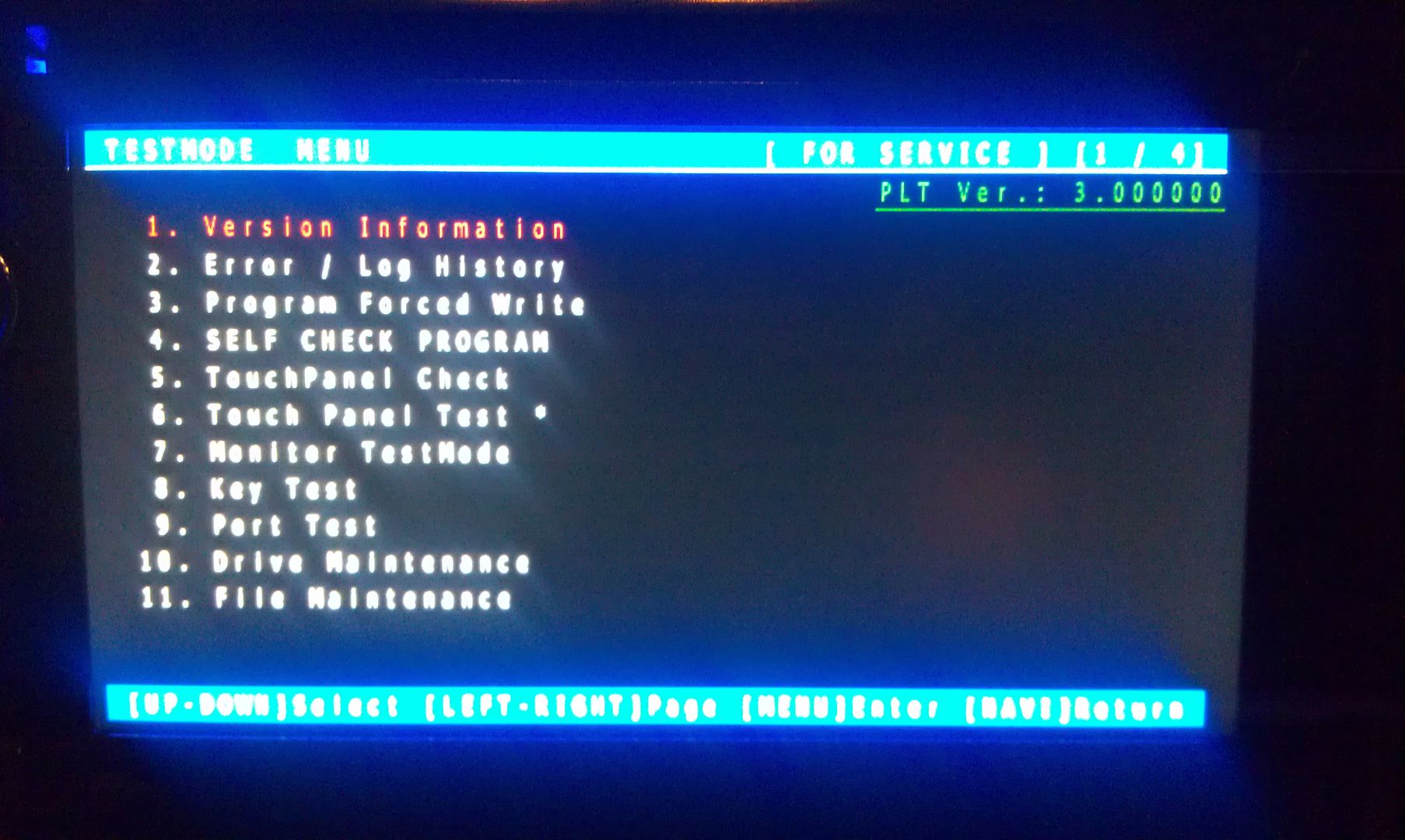
With the unit powered off (key in the OFF possession, or just no power supplied if your doing this out of the vehicle), load the card into the device. Power the unit on and wait for it to boot, at which point it should boot into testmode.
Once in testmode, on an X930BT, and I would imagine it would be the same for all of the X9X0BT series, the only buttons and actions that will be needed to navigate the screens are the following:
*HOME - escape/cancel/go back
*MODE - enter/select
*Volume down (left) - move selection on screen down
*Volume up (right) - move selection on screen up
I CANNOT STRESS HOW STRONGLY I RECOMMEND THAT YOU DO NOT MESS WITH ANY OTHER FILES IN HERE IF YOU DO NOT KNOW WHAT YOU ARE DOING!!! IT IS VERY EASY TO BRICK YOUR UNIT USING TEST MODE!!! I TAKE NO RESPONSIBILITY IF YOU SCREW THINGS UP; YOU ARE DOING THIS AT YOUR OWN RISK!!!
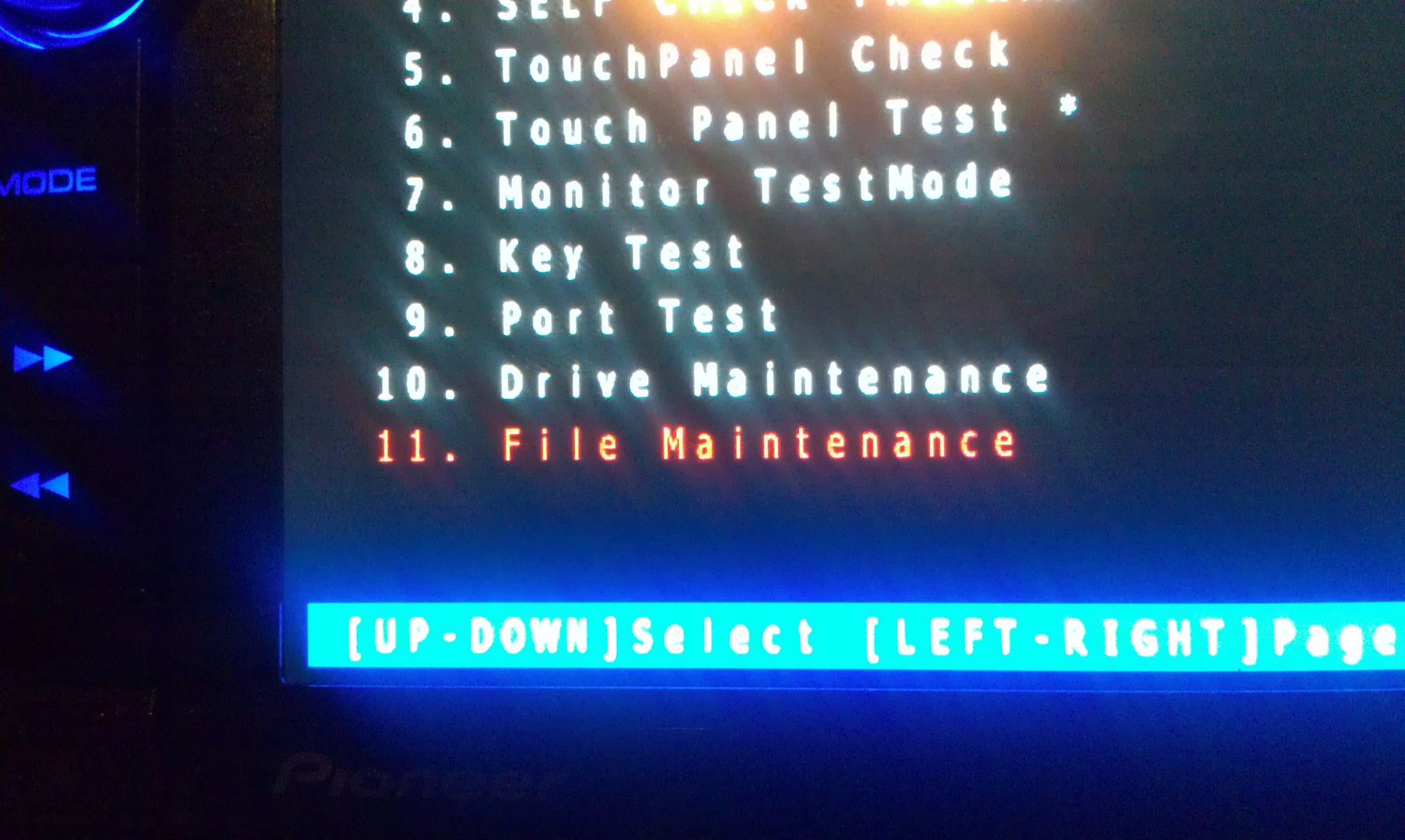
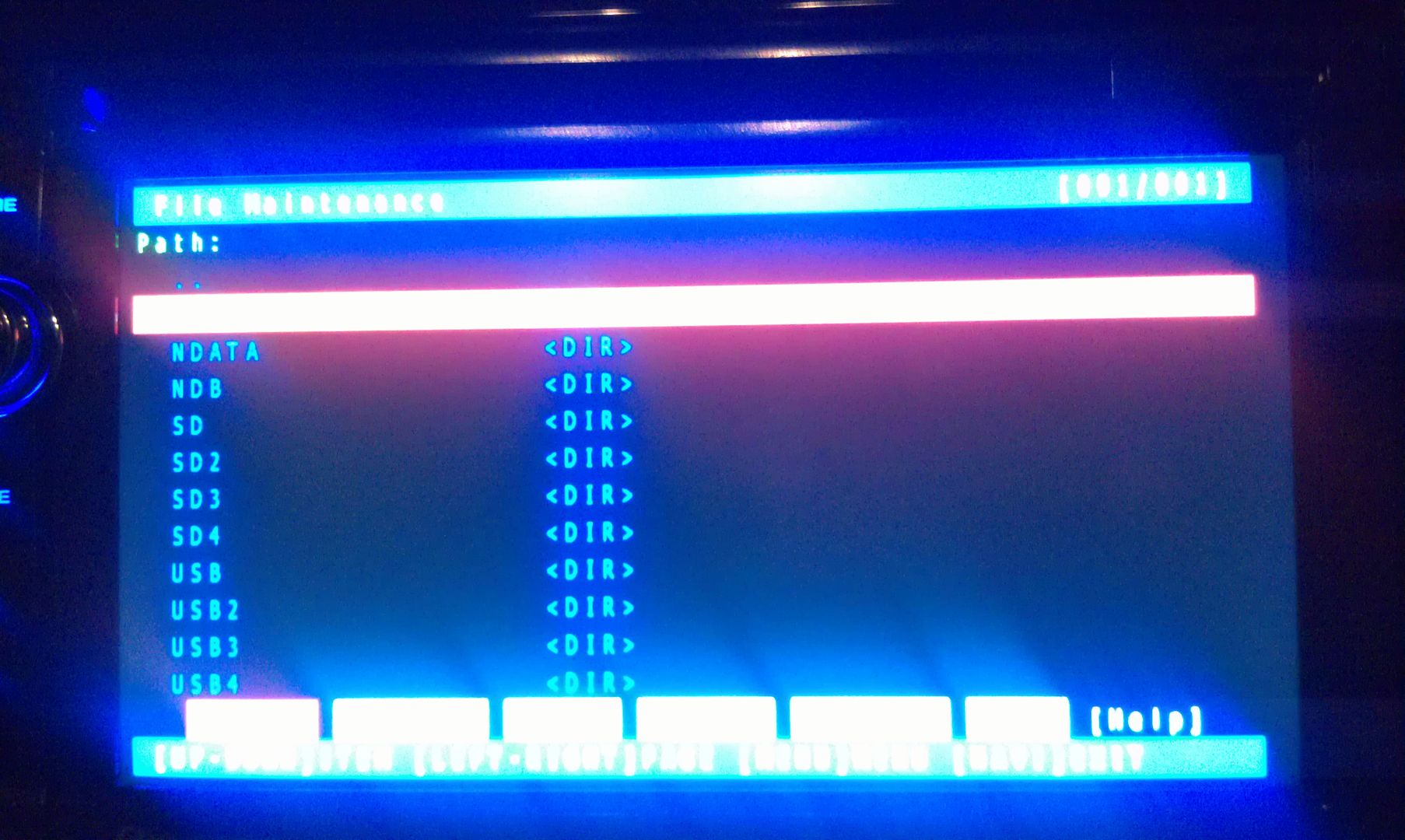
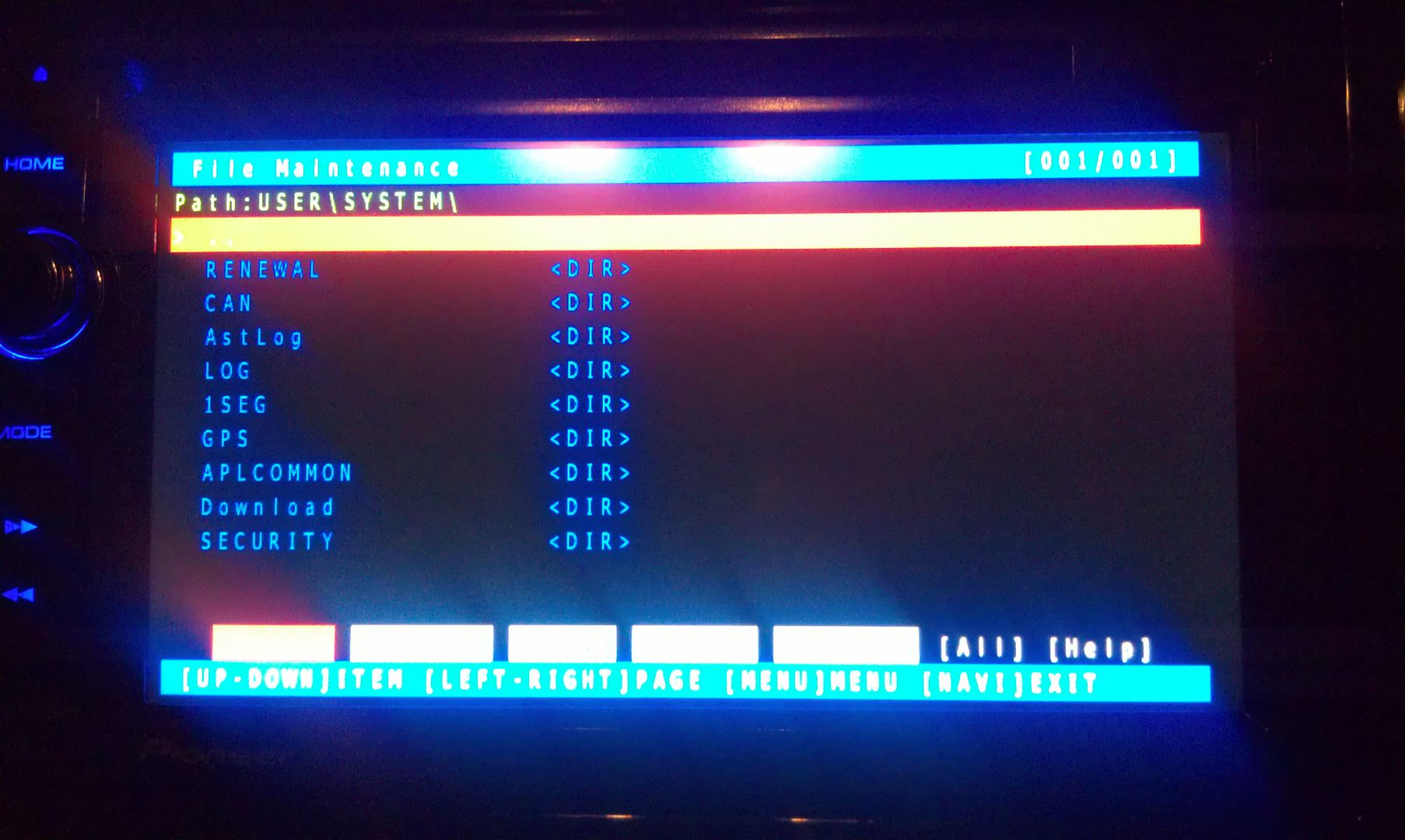
Move the selection on the screen down to #11, File Maintence
Press MODE and you will enter the File Maintence screen
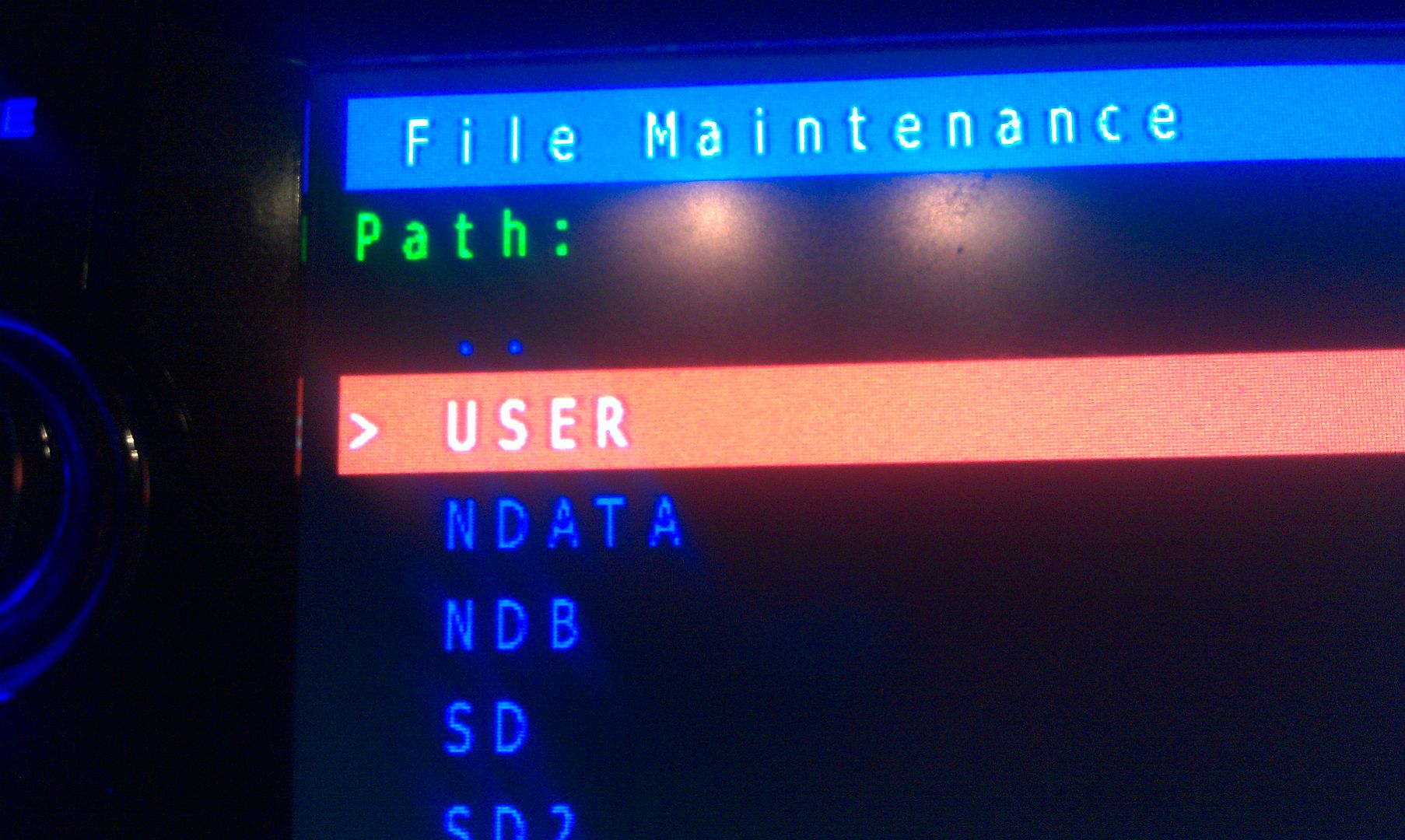
Now select User and open it
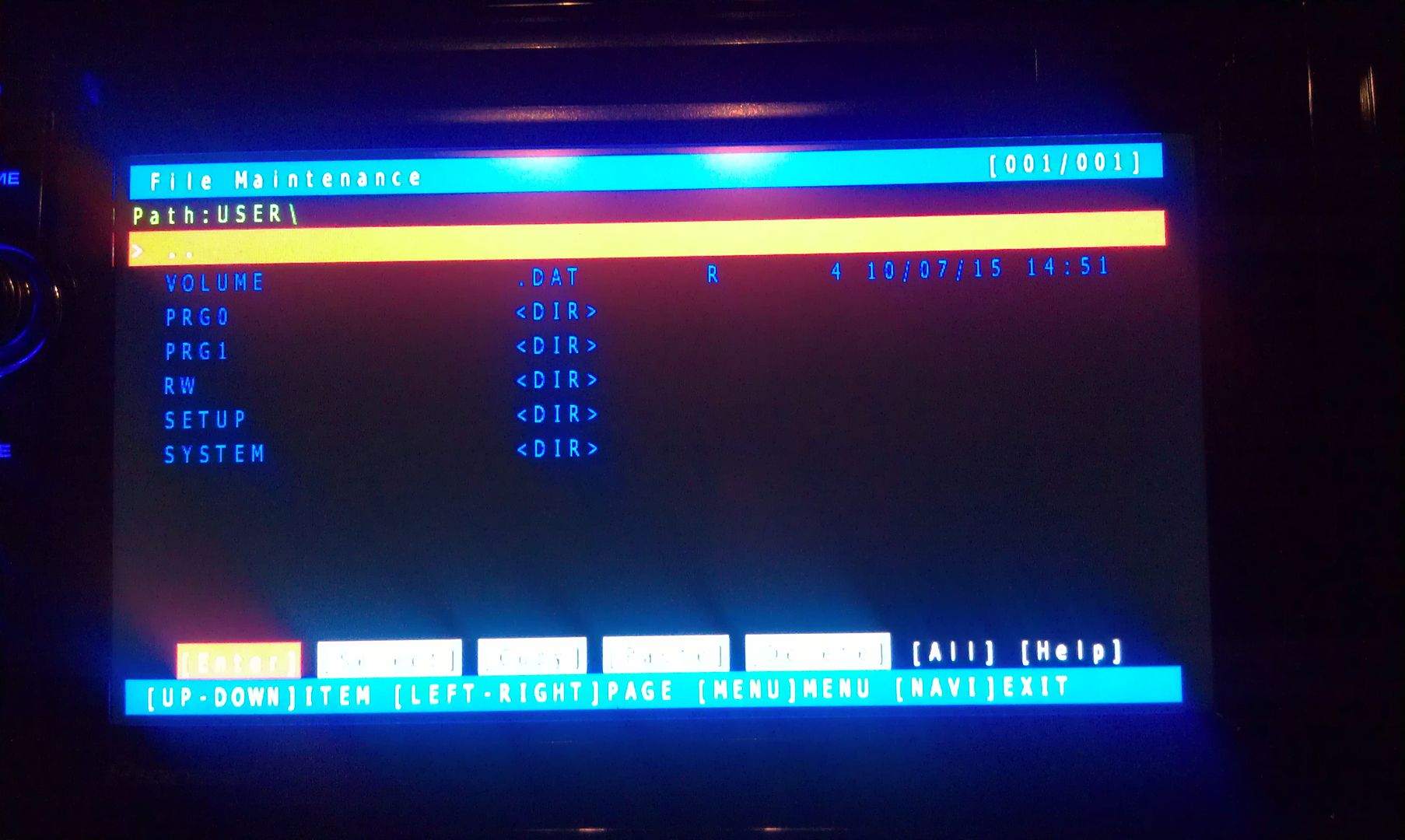
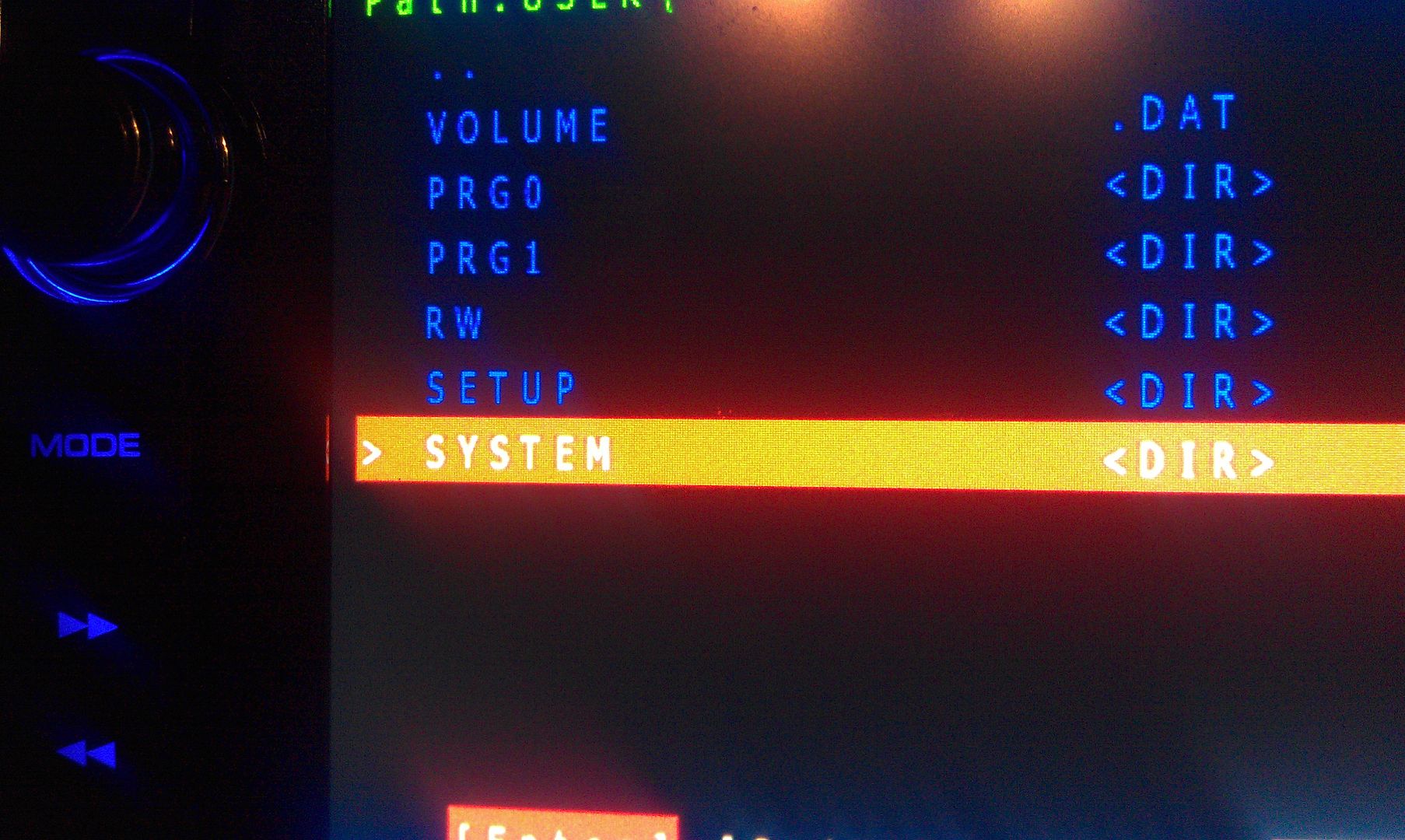
Now select System and enter it
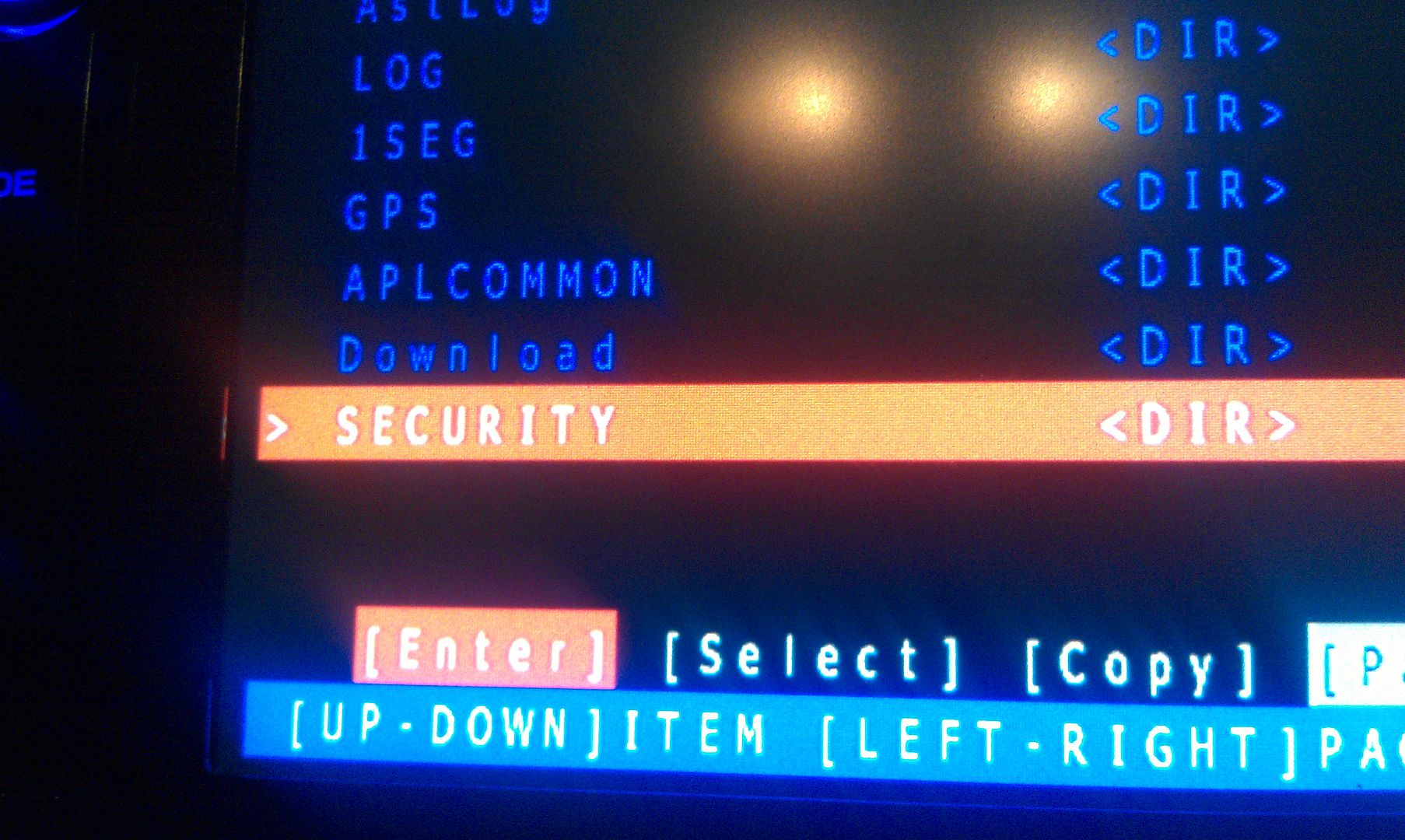
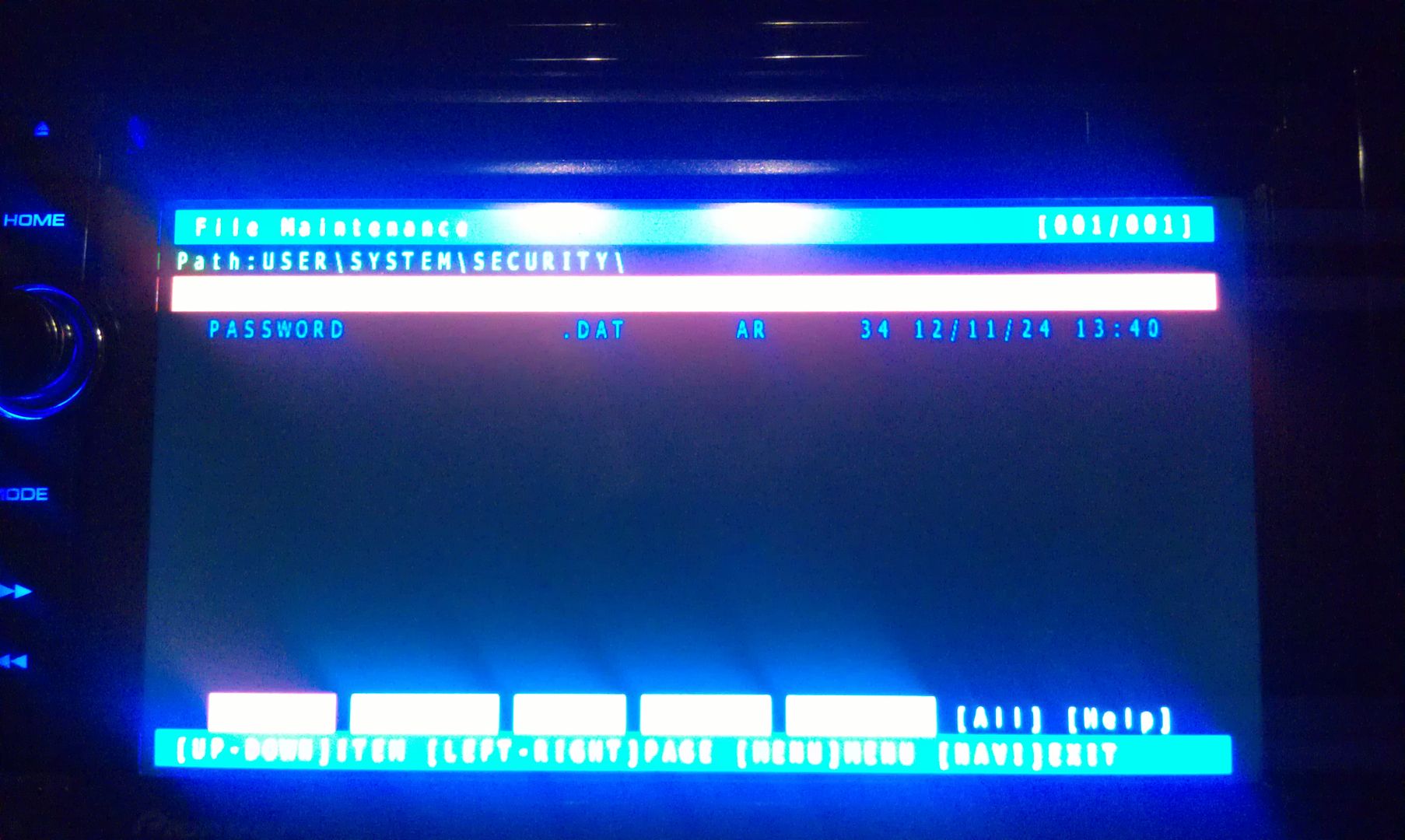
Now go to security and enter it
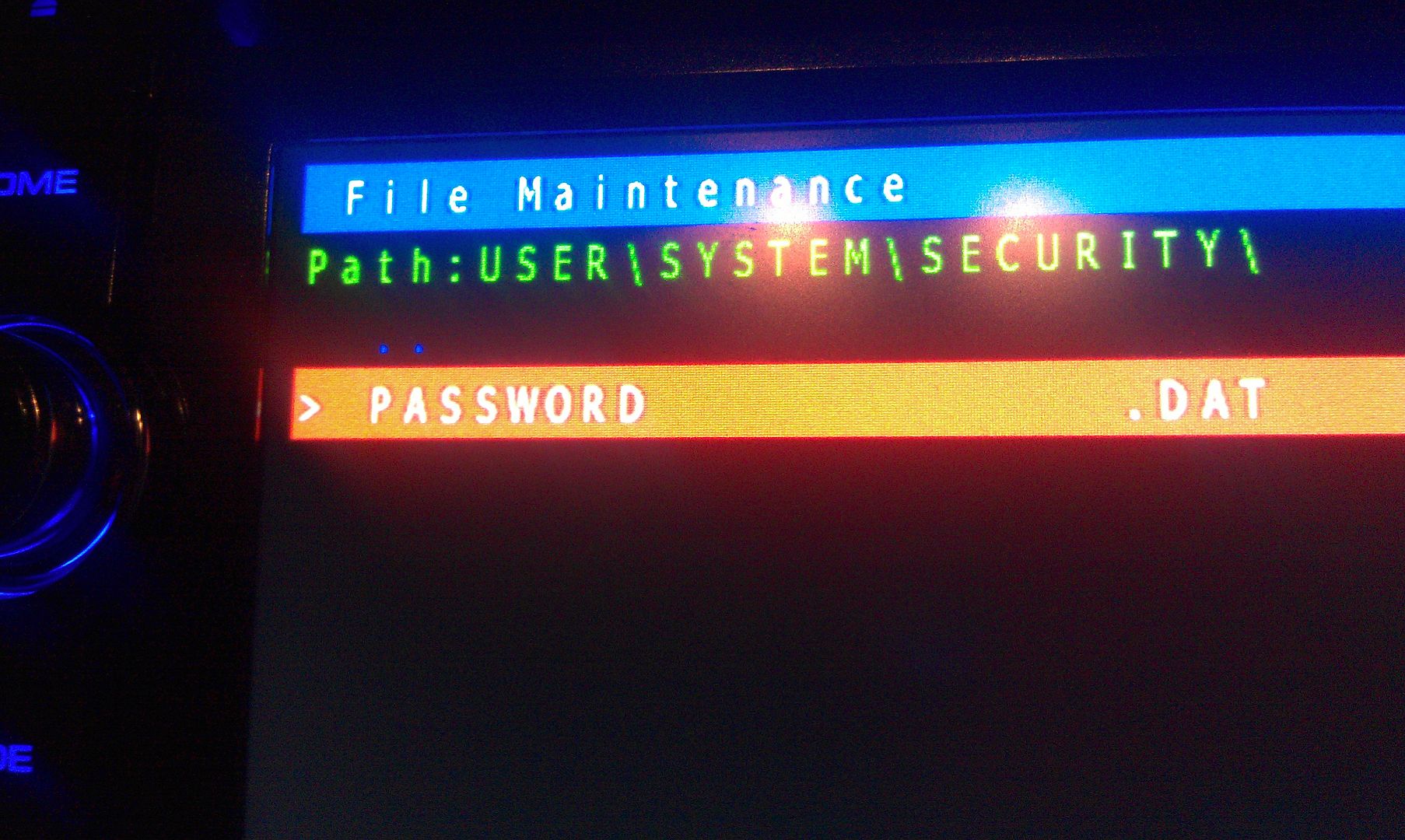
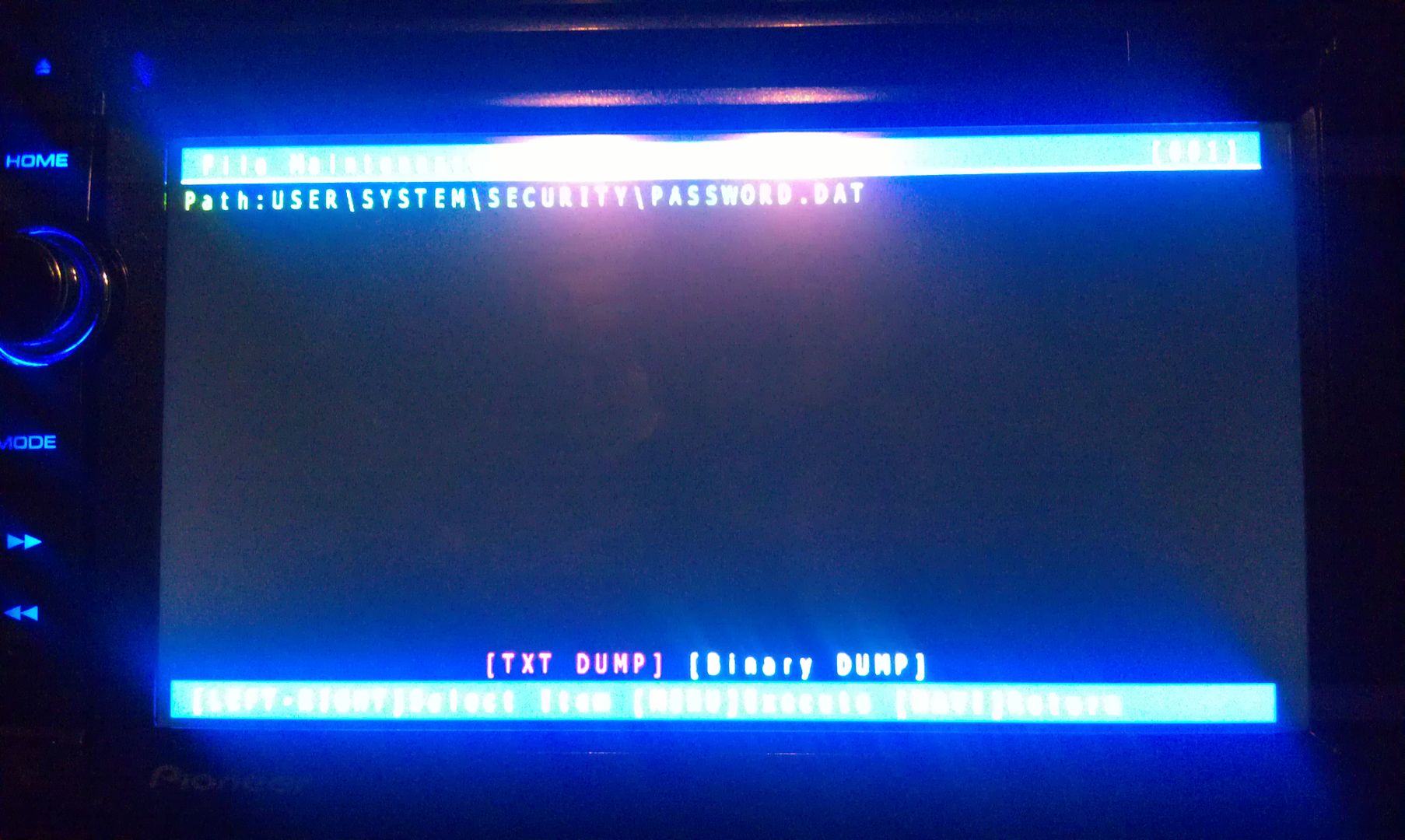
The only thing on the screen at this point is Password, so enter it
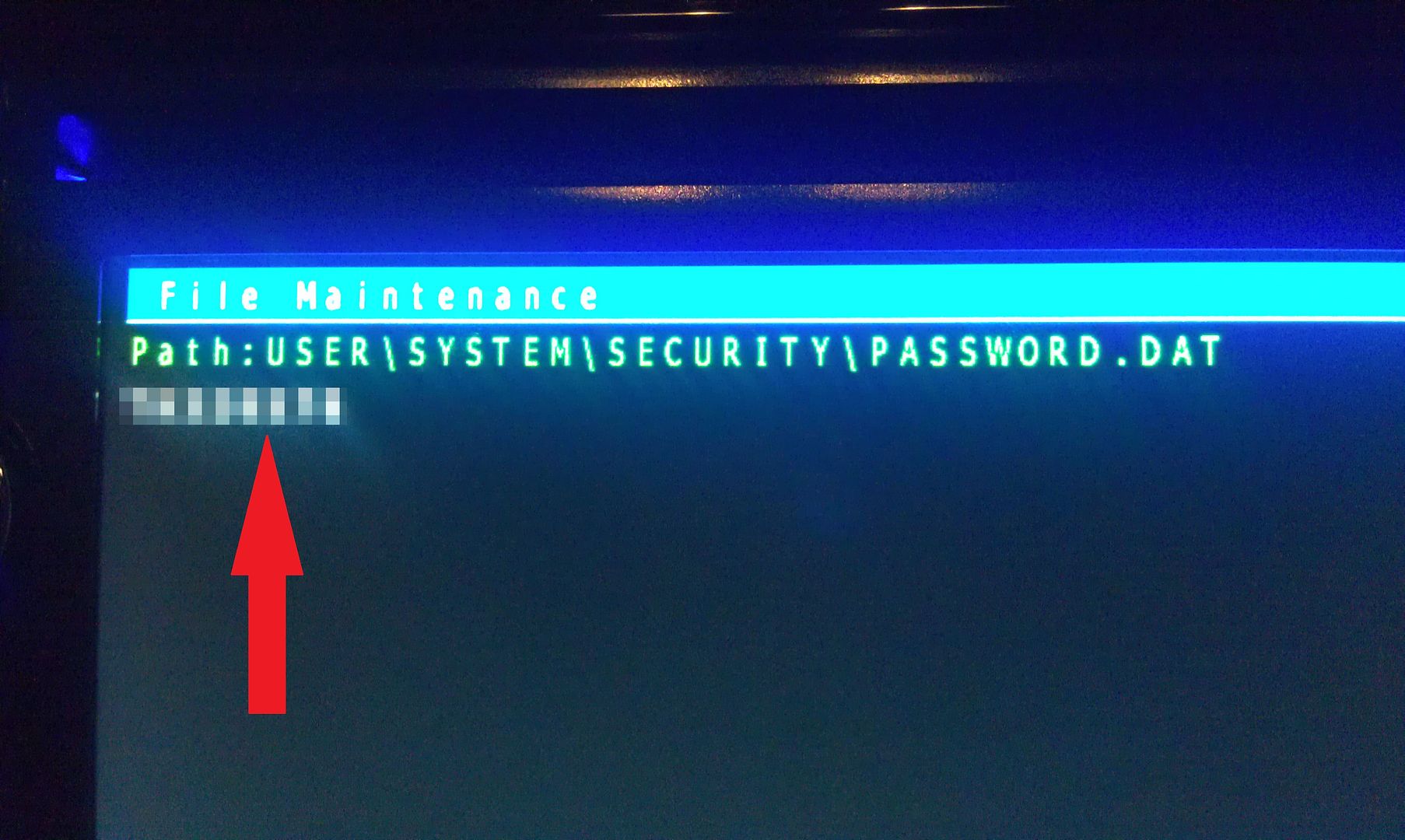
There is only option on this screen that you you are concerned with here, a text dump. You do not have to move the selection around, just press MODE to perform the text dump, and VIOLA, the password that the unit is locked with is displayed near the top left of the screen!
(I've blurred my password out here for obvious reason)
Write this password down (unless is something you can remember), then just back out of all the menus using the HOME key until you get the the first screen, at which point you can power the unit off and remove the SD card. With the card removed, power the unit back up and enter your recovered password when prompted, and enjoy
If you're not going to remember the password you just recovered, I'd suggest changing it. Take a look in the owners manual for those instructions.
Hope that helps everyone a little more!
by the way, I think this thread should become a sticky...
When i try to do this it does not go into the test screen, it asks if i want to enter hackmode, which i do, but from there i can see nothing to indicate what i am meant to do now. what am i doing wrong?
It's because your not supposed to use hackmode. It's a dangerous tool that has bricked many users units. You only need testmode. It's still dangerous if you push the wrong buttons, but not an automatic thing like hackmode is.
Then just delete the file password.dat and you won't need to figure out if there are spaces at the end of the password or something like that.
Would you have any idea on how to recover the password on an AVH-X8650BT? I had to change the battery in my car and now I have the problem of being locked out of my device by a password that I do not remeber setting.
I'm sure it's the same process for your unit. You just need to find a testmode.key that works with it. The one I linked works on a lot of units, but I'm guessing not yours.
A Big Hats Off to IamSuperBleeder. My company purchased a used Ambulance from a Local Fire Company and we converted it to a Service Truck, The Ambulance has the X930BT Head and we replaced the Battery for the truck not knowing to keep the radio powered nor did we know it had a password so when we installed the new battery...wham...Password needed and we didn't have it. Used the Hack and retrieved the password. Radio is Back working. Thanks Guys.
Anyone have an issue with it not accepting the sd card? Is it a specific card I need to use or will any micro sd work
Wow it worked! Thanks for the help!
X930BT-Password Recovery
Back in March 2016 I bought from Crutchfield a AVH-4100VEX. I installed it and it worked till last monday when installed electric radiator fans. Disconnected battery to be safe and wired fan controls. Fans work great! Radio is now asking for a password. I've tried all password I would have used, no luck. I don't think I put in a password on install. I need help! I think ìts stupid to have to send it accross the country to get this reset
hi i need help please i dont remember my password in AVH-4000NEX ??? this working for me??
Original Software !
This hack is awsome and save me from buying a new unit!
Best regards from Calgary.
it was way easier than I made it out to be. Just make sure you unzip the file before you put it on the sd card. My wife thanks you for her radio back.