Search Archive

2012 US/CAN Maps - CNSD-310FM/UC upgrade (updated to supereasymethod - beta)

By pionara · Sep 20, 2012in Hacks/Mods💬 645 posts👁️ 199,662 views
Page 14 of 26
Posted Dec 15, 2012 · 18:31 UTC#326

Is it stable in TestMode? If so,it is an application/system software problem (which is likely since it happened after the upgrade). I'd try copying the \USR\PRGx and System directories off of the upgrade SD (or makbe extract the RAR again and us a different SD). The TestMode interface is kinda tricky - and you might want to back up \USER and \System first.


Actually, pionara is the guy you want here. Haven't seen him posting in a while. You might PM him. He may know if there is a log file that shows what's failing.

Posted Dec 15, 2012 · 18:43 UTC#327

Is it stable in TestMode? If so,it is an application/system software problem (which is likely since it happened after the upgrade). I'd try copying the \USR\PRGx and System directories off of the upgrade SD (or makbe extract the RAR again and us a different SD). The TestMode interface is kinda tricky - and you might want to back up \USER and \System first.


Actually, pionara is the guy you want here. Haven't seen him posting in a while. You might PM him. He may know if there is a log file that shows what's failing.


I didn't do anything with TestMode, was I supposed to? I thought following pionara's supereasy method bypassed using TestMode. I ran Condi's automatic RenewallFLib installer, then did the upgrade. Last night I tried reinstalling the upgrade twice and it's stable during that. I just reformated my card and reloaded the files to give it another go.


UPDATE: Well much to my surprise (and relief), doing a longer battery pull fixed the issue. It's no longer stuck in bootloop and I was able to successfully update the BT firmware and everything seems to be working great now. Thanks to everyone that made the upgrade possible and RonS for helping me out :mrgreen:

Edited Dec 15, 2012 by Paul1965
Posted Dec 17, 2012 · 15:39 UTC#328

Will try this tonight. I hope COMCAST doesnt get upset with me downloading a 2012 map torrent...

Posted Dec 17, 2012 · 15:41 UTC#329

Lets see how this goes.

Posted Dec 17, 2012 · 15:42 UTC#330

Just did it on my X930BT without a single hiccup :)


Downloaded the update via torrent and unzipped it's contents into a folder. Downloaded the updated VERINFO.DAT file and put it in the \Update directory of the unzipped files, replacing the previous file in the folder. Then placed the 3 files on the SD car; FIRMWARE folder, Update folder, and CARDINFO.cif


Powered the unit up, popped in the SD card, and within about 5 seconds it picked it up and asked to start the update.
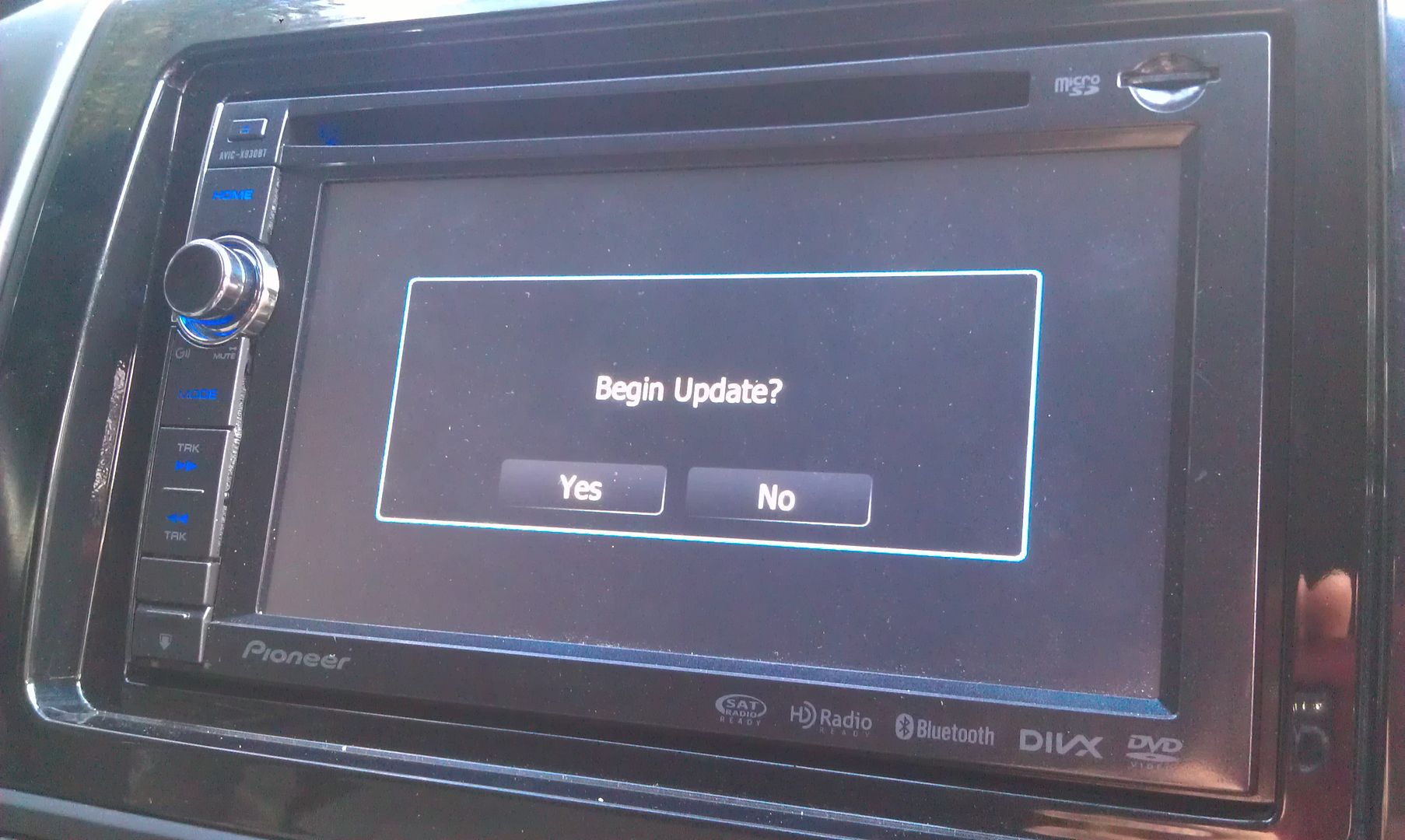
 

IMAG1597.jpg


That update process took about 20 minutes
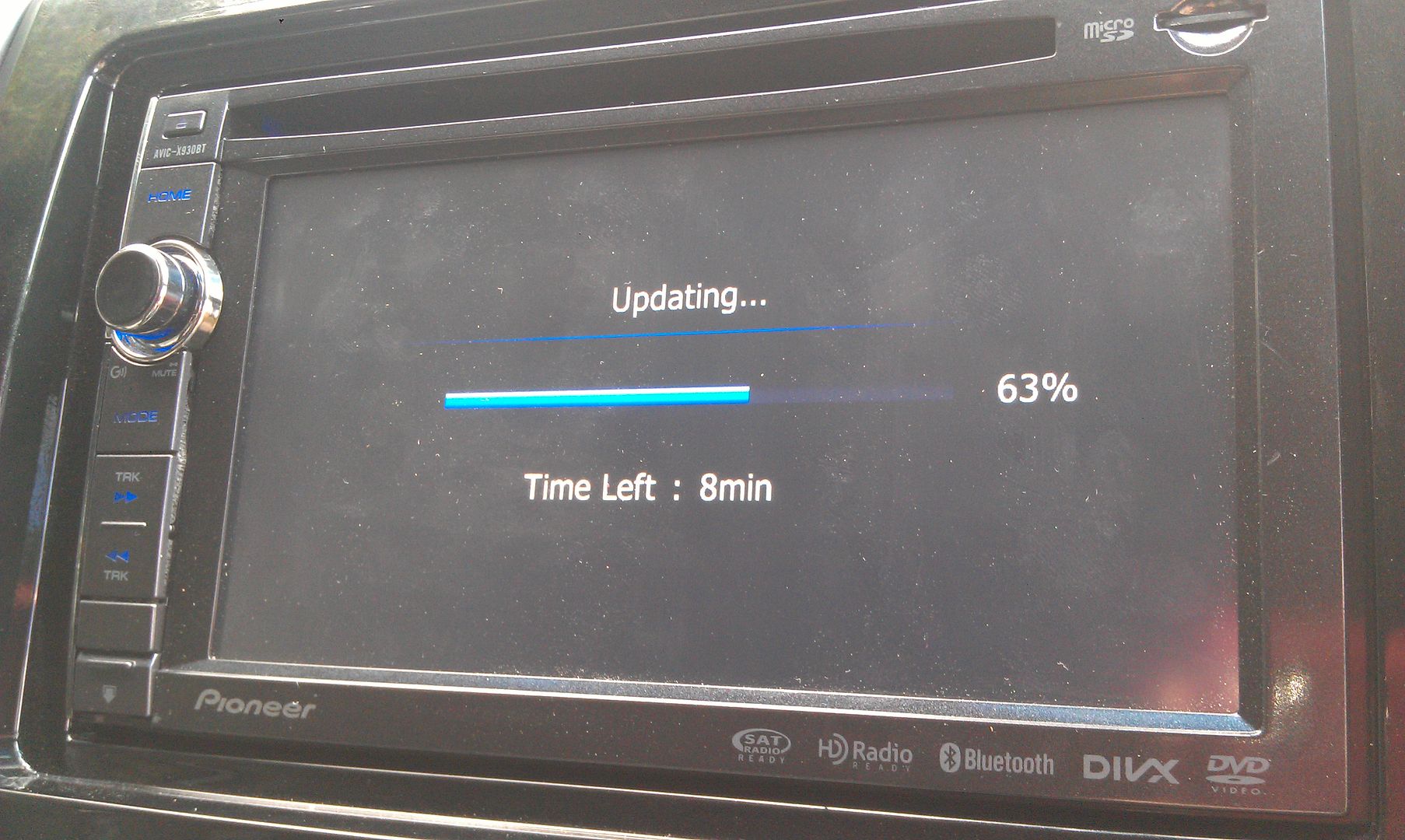
 

IMAG1587.jpg


Once that's done the unit reboots and finishes updating
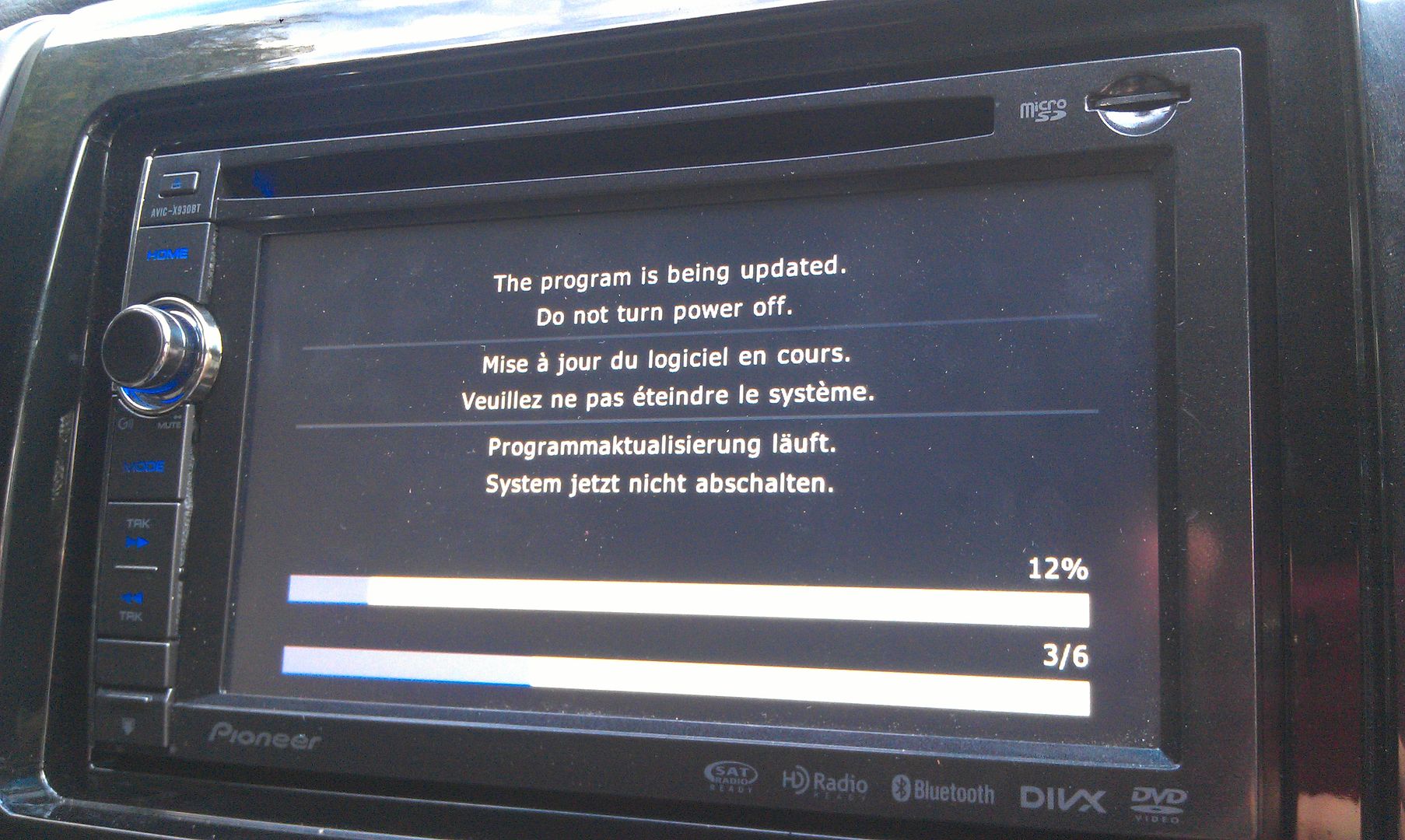
 

IMAG1592.jpg


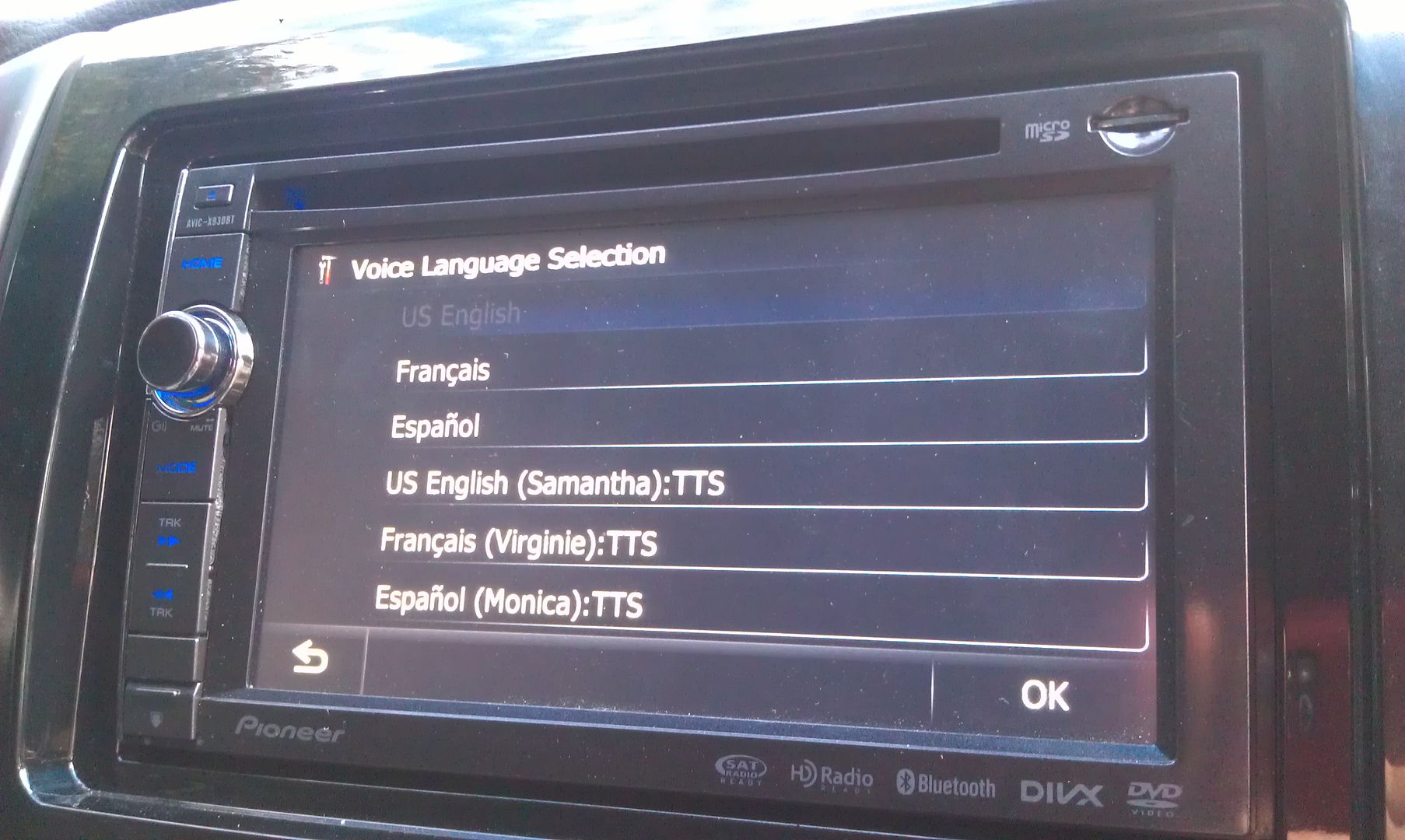
After that, you're greeted with language setup options
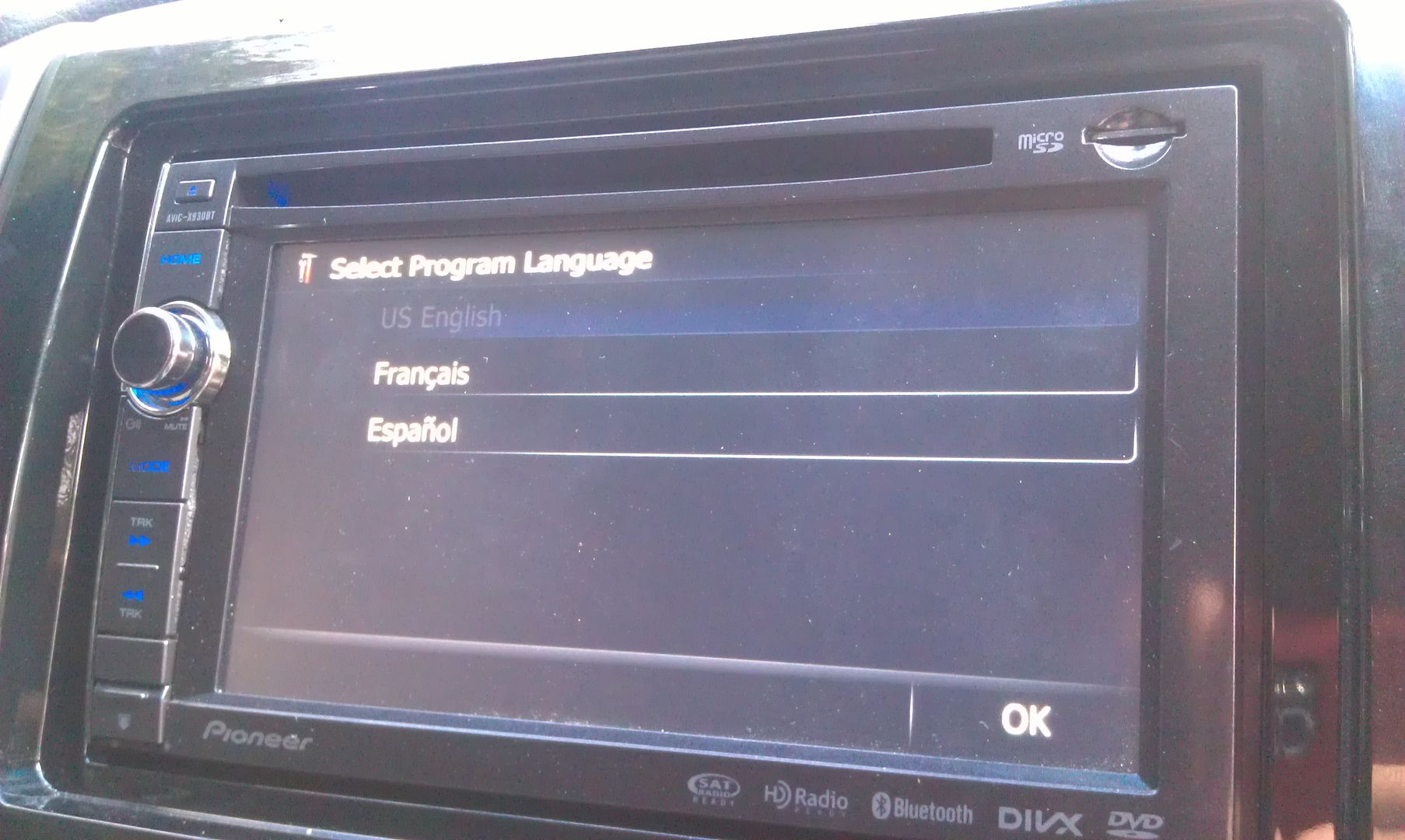
 

IMAG1594.jpg


IMAG1595.jpg


Once that's done, the update is complete!


By the way, if you're using a custom start up splash screen (as I am), you will not see any 2012 Pioneer splash screen for confirmation, because you're custom one is still going to show, so don't freak out when that doesn't show up upon the unit rebooting, lol.


After you go through the language setup, it's going to ask to do the update again. If you don't want to sit there for another 20 minutes, hit no...


IMAG1597.jpg


To update the bluetooth firmware, go into your settings menu
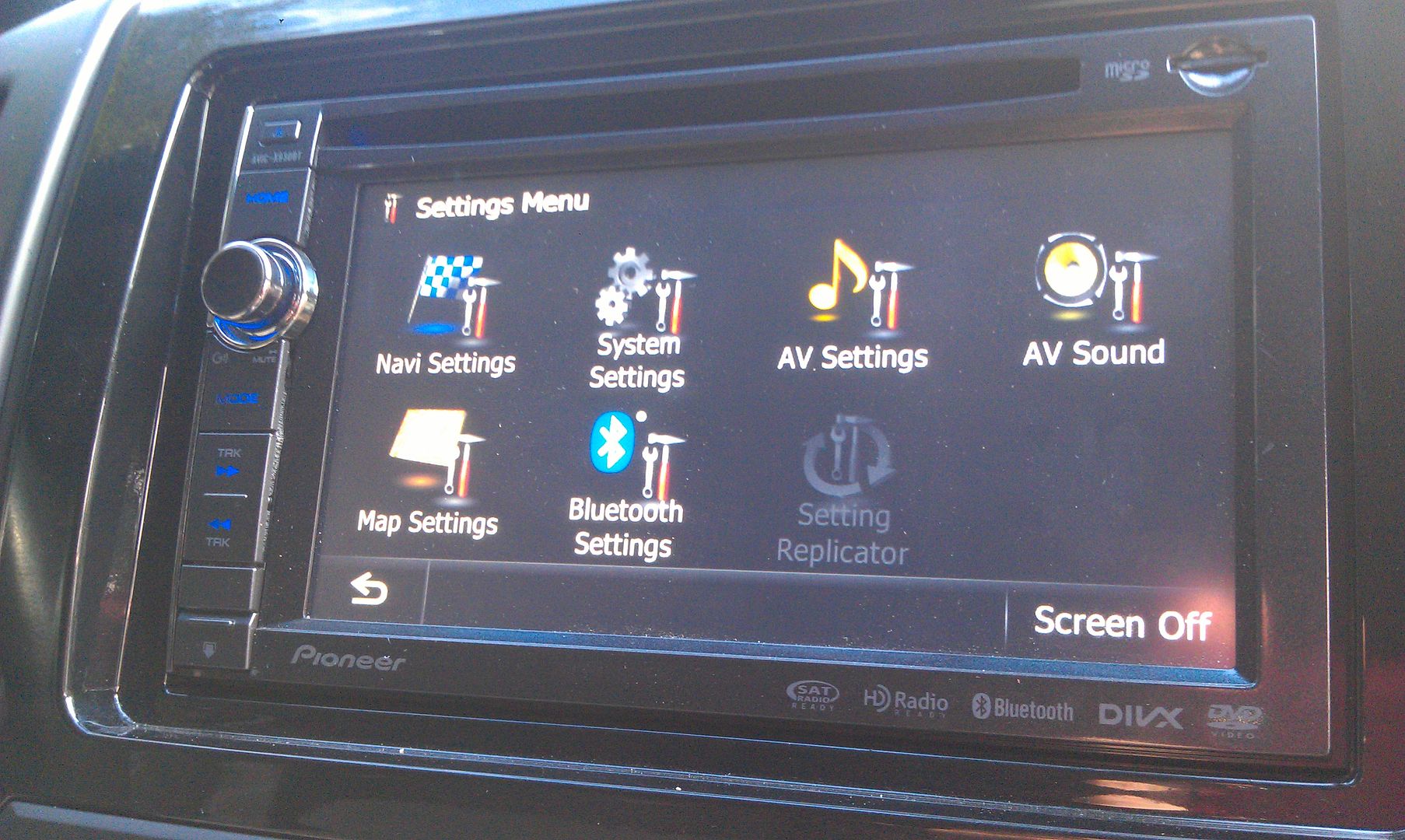
 

IMAG1598.jpg


Go into the bluetooth settings menu, and scroll to the bottom where you'll find the firmware update option
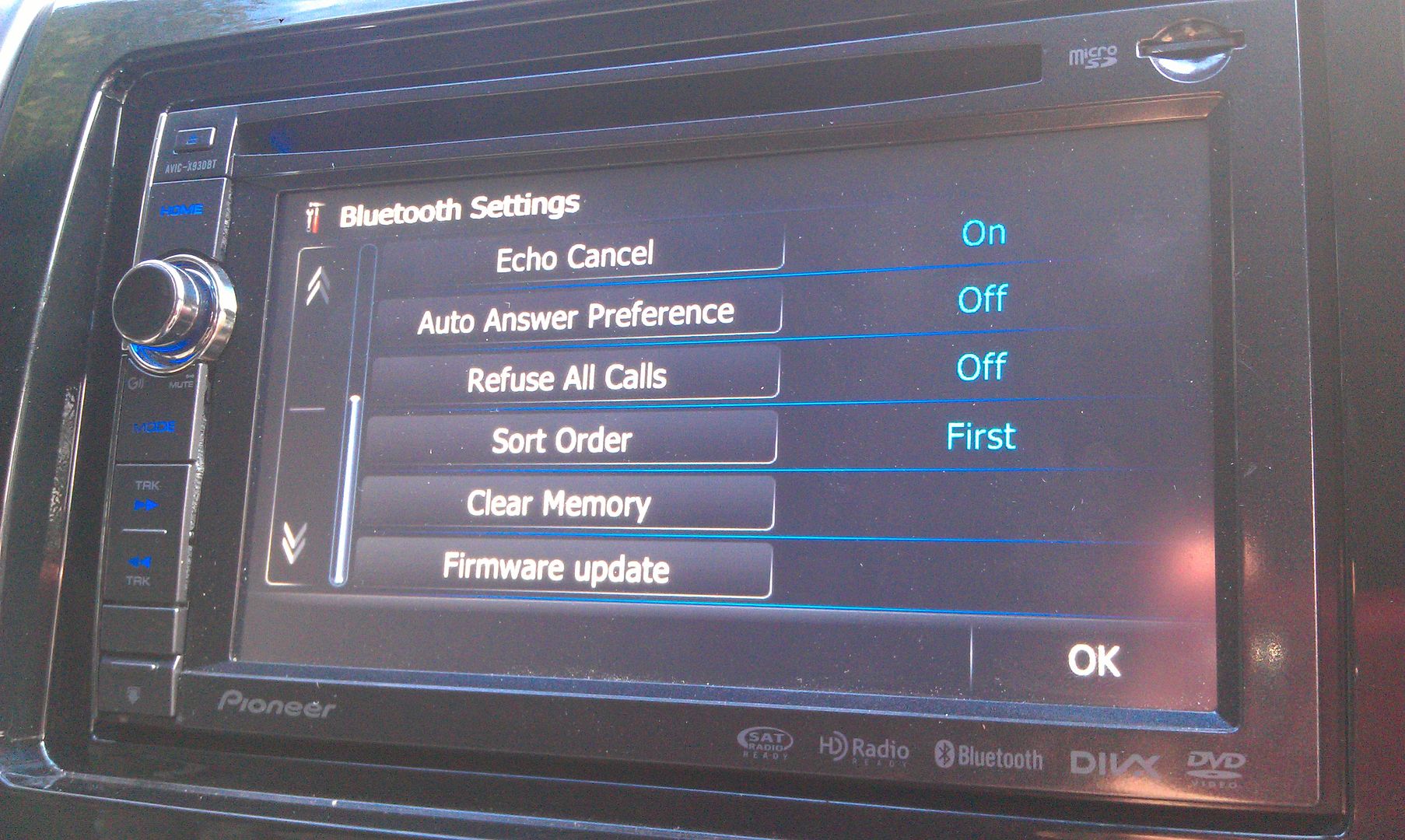
 

IMAG1599.jpg


Press it and it'll show you your current firmware and under that will be the option to update it
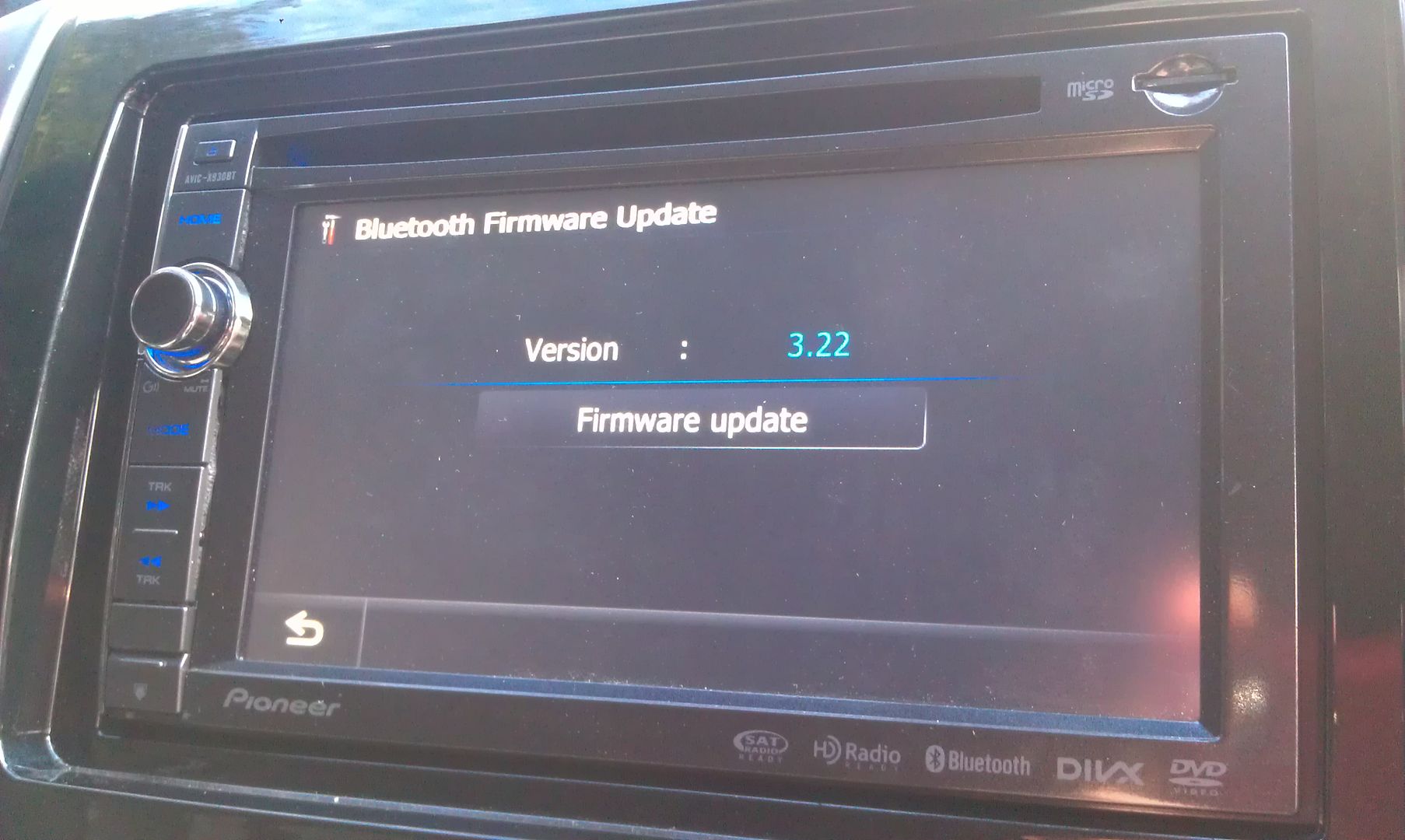
 

IMAG1600.jpg


Once that's pressed, you're prompted with one more confirmation of the update showing you version info of what you're currently running and what's going to be installed
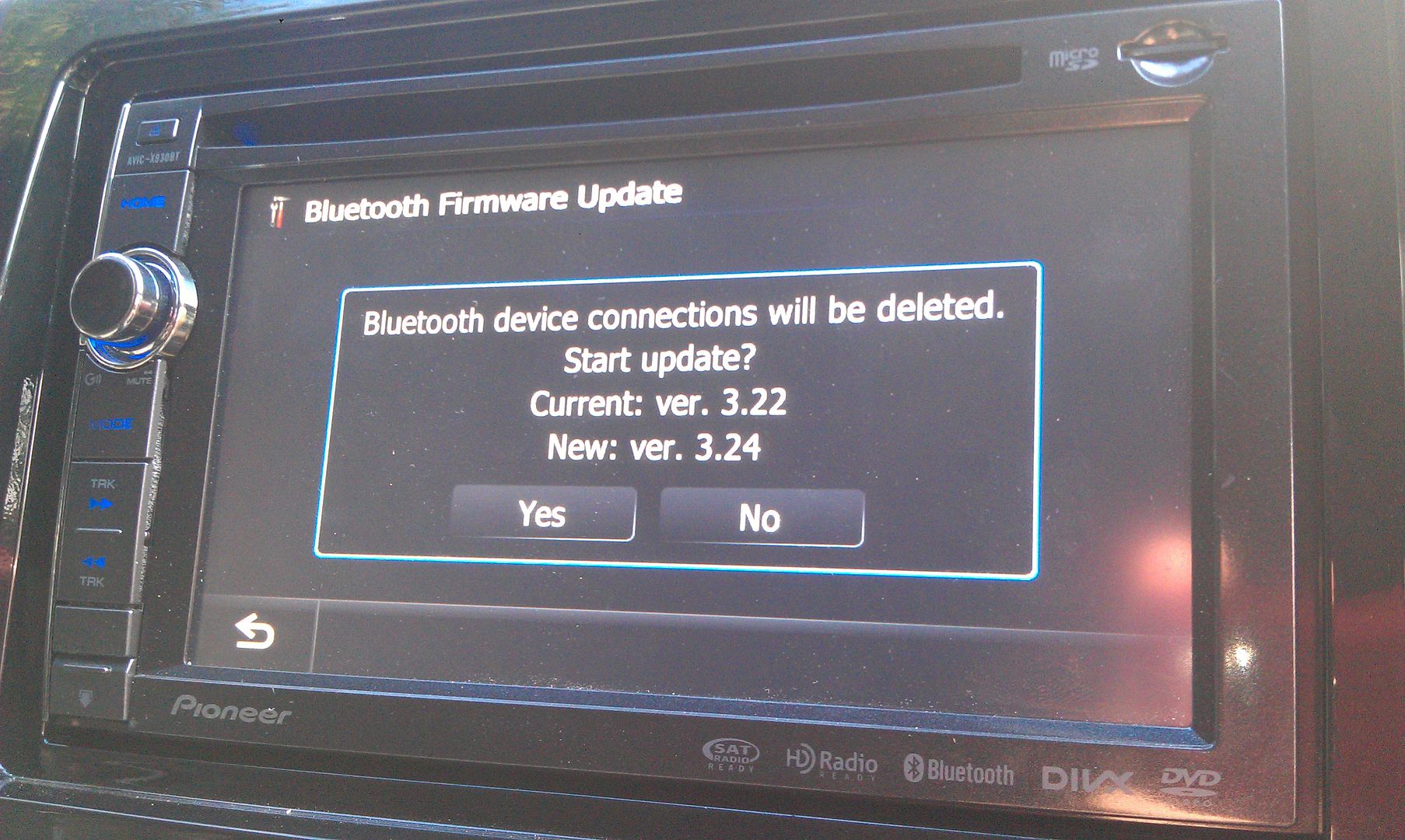
 

IMAG1601.jpg


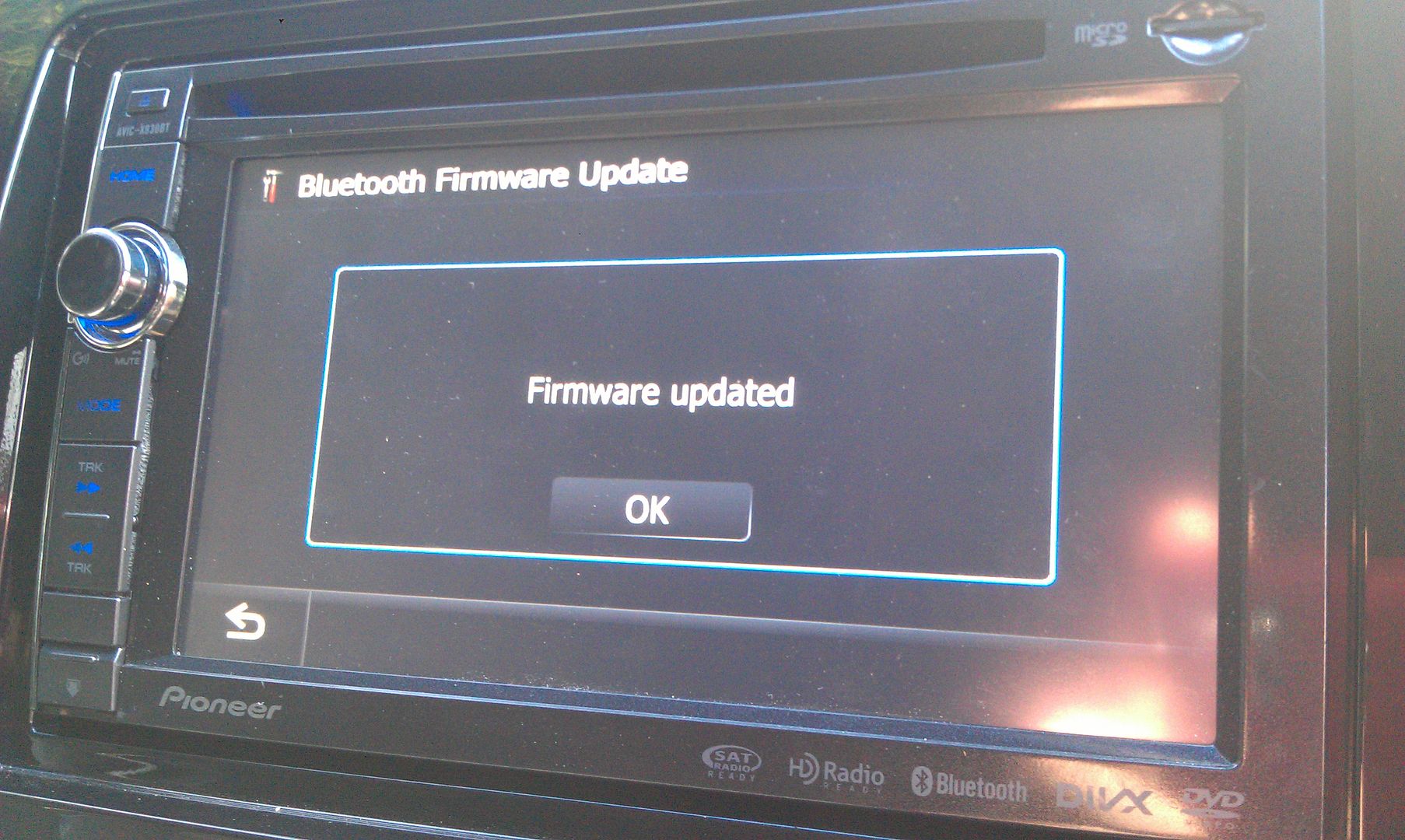
Hit yes and wait for it to update; takes about 3 or 4 minutes to complete
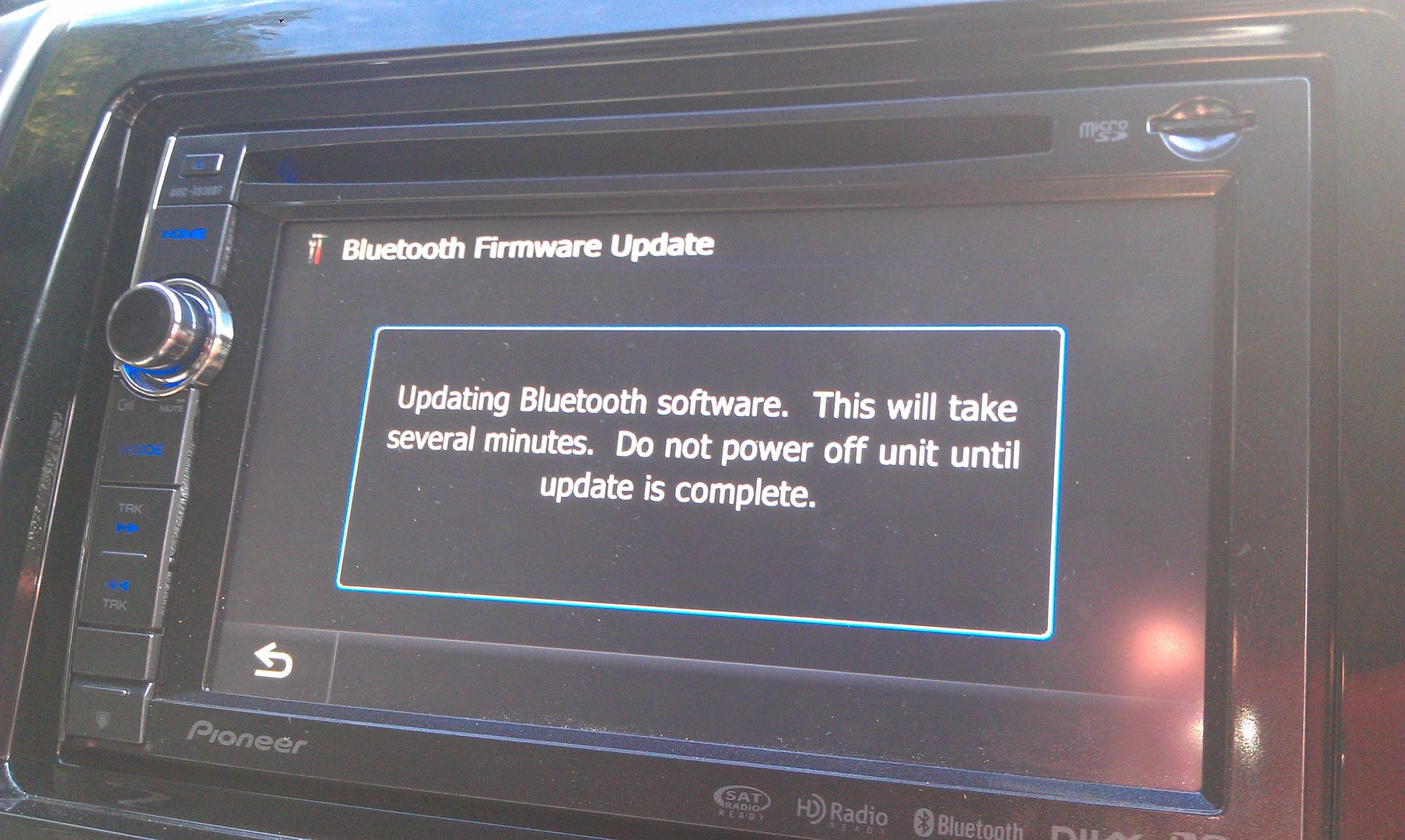
 

IMAG1602.jpg


IMAG1603.jpg


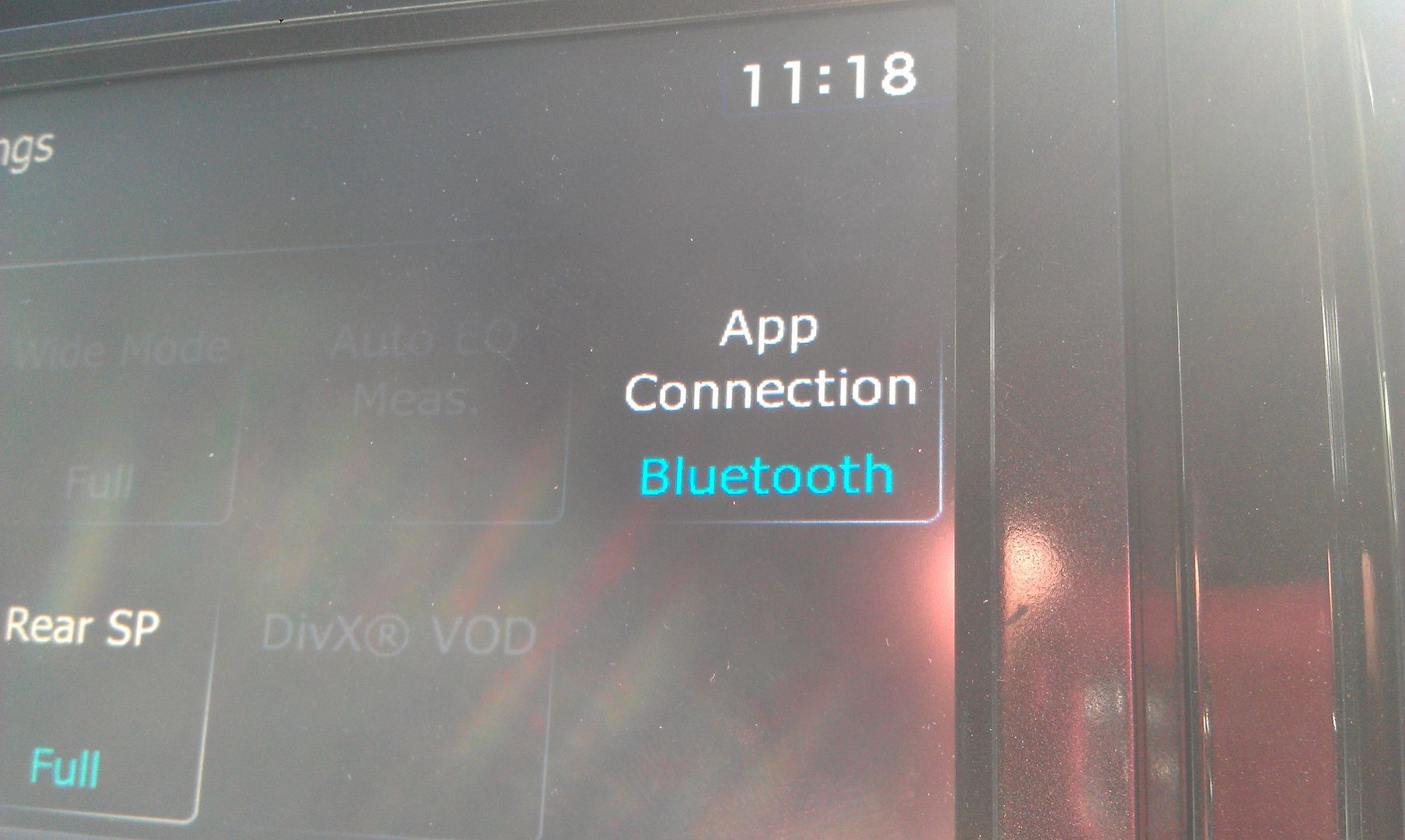
Once that's done, you'll have the new app connection option for bluetooth or wired connection :)
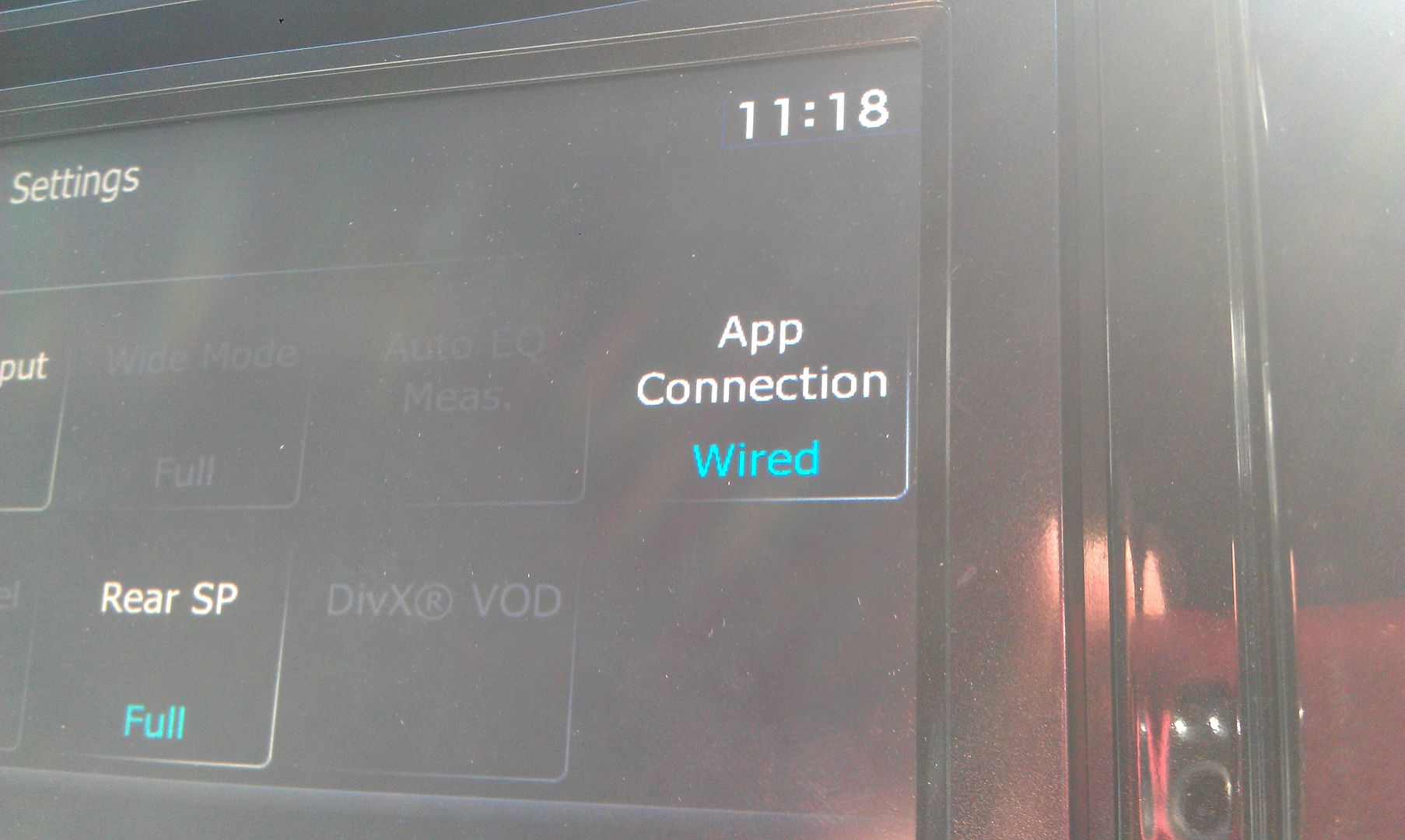
 

IMAG1604.jpg


IMAG1605.jpg


Pair to your Android phone (which you will have to do over again since you updated the bluetooth firmware which erased any stored phones) and you'll get a new list of options in you sources!
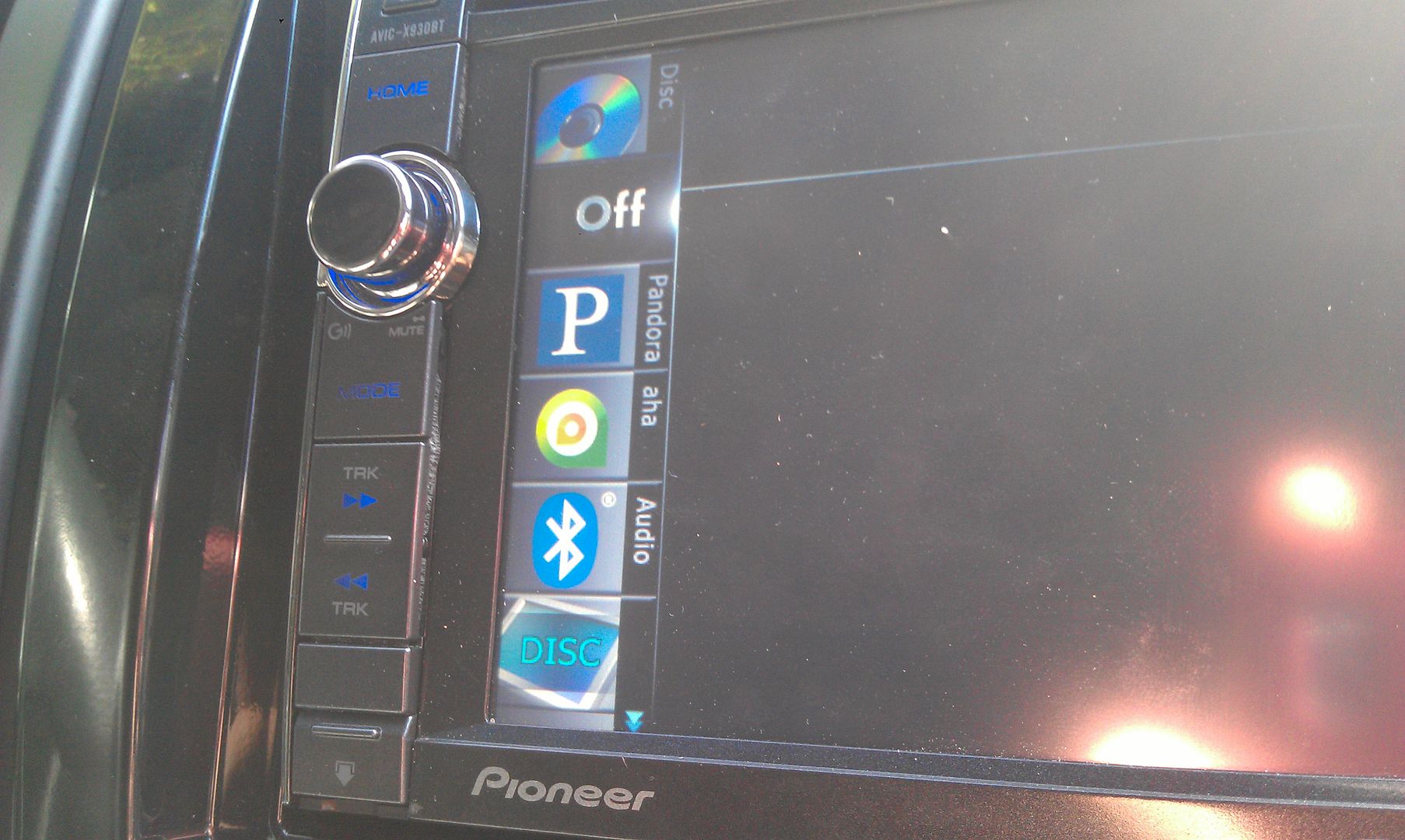
 

IMAG1607.jpg


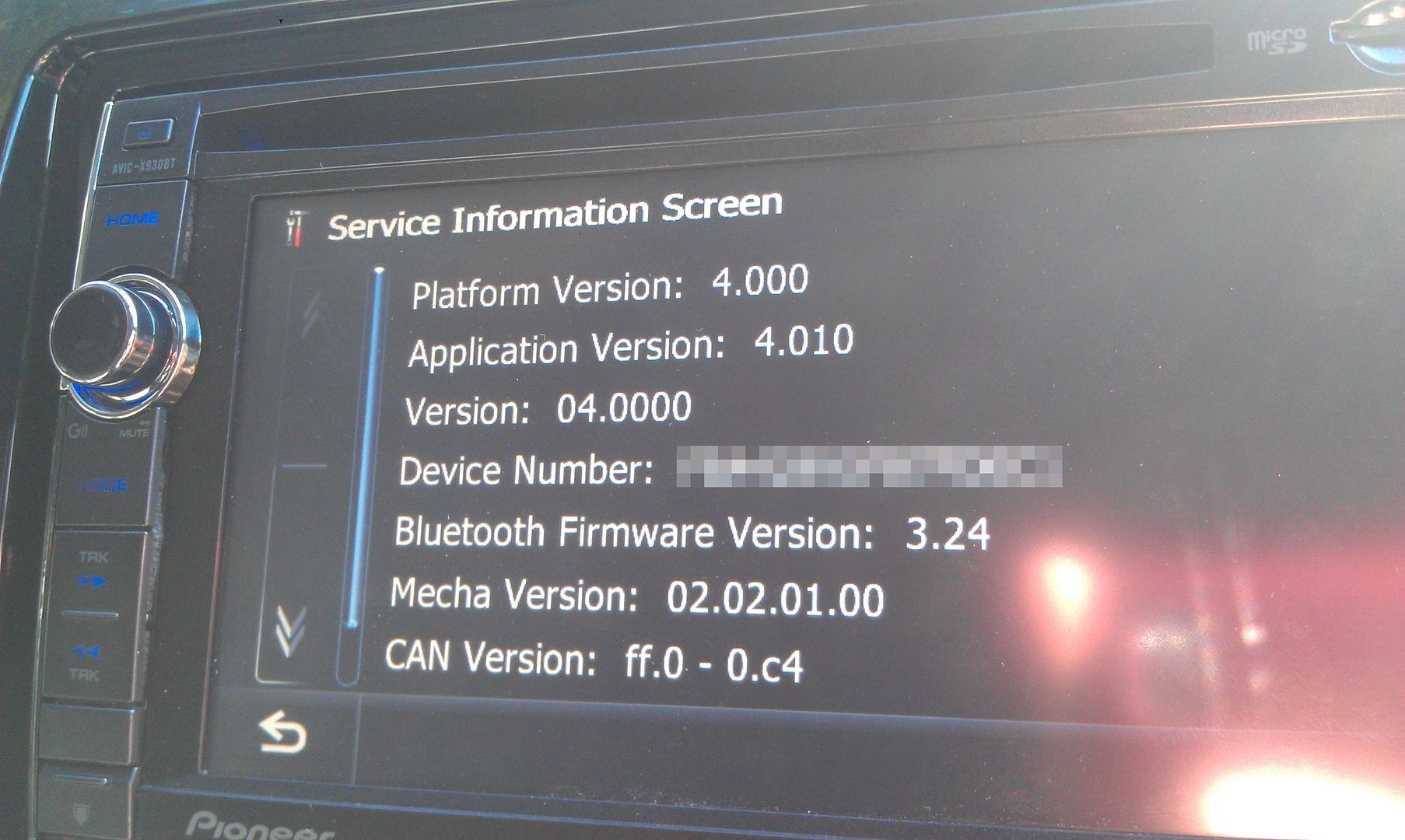
And for final proof of the successful update :D


IMAG1606.jpg


Thanks for all the info and help everyone has given; this forum rocks!


What do you mean by keep bluetooth on?? prior to updating...

Posted Dec 17, 2012 · 16:08 UTC#331

What do you mean by keep bluetooth on?? prior to updating...

He means make sure BT is ON in the BT settings menu before you try updating the BT firmware (after the CNSD310FM update). If it is OFF, your BT Firmware Update button will be disabled, so you won't be able to install it.

Edited Dec 28, 2012 by RonS
Posted Dec 17, 2012 · 17:41 UTC#332

I see. So I downloaded the "Pioneer 2012 US-CAN Map Upgrade" File and got the following files:


1. 2012 Upgrade.rar

2. CARDINFO.cif

3. Readme.txt

4. "RenewallFlib-AUTO-" FOLDER


Under this FOLDER I get:


1. readme.txt

2. RenewallFlib.dll

3. ScriptExec.ini

4. TESTMODE.KEY


Is this the correct file?


ALso I need the VERINFO.DAT file as well???

Edited Dec 17, 2012 by Remha
Posted Dec 17, 2012 · 18:33 UTC#333

I see. So I downloaded the "Pioneer 2012 US-CAN Map Upgrade" File and got the following files:


1. 2012 Upgrade.rar

2. CARDINFO.cif

3. Readme.txt

4. "RenewallFlib-AUTO-" FOLDER


Under this FOLDER I get:


1. readme.txt

2. RenewallFlib.dll

3. ScriptExec.ini

4. TESTMODE.KEY


Is this the correct file?


ALso I need the VERINFO.DAT file as well???

Read post #1 in this thread. No need for RenewallFlib or TestMode.key. Don't make this harder than necessary

Posted Dec 18, 2012 · 04:10 UTC#334

OK I TOO have 3.37 GB and 220 files with 21 folders...


IS THIS WRONG?

Posted Dec 18, 2012 · 13:37 UTC#335

I got all 3 files... (NO RenewallFlib-AUTO-" FOLDER) on my SD card.


Last question before I pull the trigger...


CARDINFO file on sd card is FINE (I have an AVIC-x930bt) and I don't overwrite this file?


The only file I overwrite on the sd card is the VERINFO.DAT.


Anyone?

Posted Dec 18, 2012 · 13:44 UTC#336

Give it a try. If Cardinfo is wrong for your current software version - it wont do the upgrade. It won't hurt anything. That would be the clue to try a different one.

Posted Dec 18, 2012 · 18:29 UTC#337

Cool. Will pull the trigger tonight and post results. Thank you again everyone for the time spent on this. I just wanted to run pandora in my car!

Posted Dec 19, 2012 · 04:45 UTC#338

SUCCESS! IT WAS THE SMOTHEST THING EVER!. No problems!


RUNNING 4.0 on an avic-x930bt!!!


I GOT PANDORA VIA BLUETOOTH ON A DROID!!!!

Posted Dec 23, 2012 · 16:09 UTC#339

I've been meaning to do this for a long time, and finally spent a few hours last night going from a virginal z110bt to 4.0. I want to thank you all for making this possible -- you guys rock! I have one small issue, however:


When I go to AV sound settings, everything is greyed out. Did I do something wrong? Should I try to re-update? Everything else seems to be working.


UPDATE: Problem fixed. Okay, so I'm a little embarrassed, but I now realize that between the z110bt and 4.0 that Pioneer added separate and independent EQ for each input source (instead of a global EQ.) What will they think of next?! :-P

Edited Dec 23, 2012 by ki078
Posted Dec 24, 2012 · 21:48 UTC#340

Thank you everyone who has contributed! This was extremely easy and smooth to upgrade my x930bt. Makes it feel like a new radio now! Pandora / Aha works great with my Galaxy S3. If only we could run Waze and other apps on it...

Posted Dec 27, 2012 · 15:42 UTC#341

Hello.

I have a Pioneer f920bt I installed everything according to the instructions in the first post and update and update end of sucess(?) in system information i have version 4.0 but when i turn radio in startup window is written the maps are from the year 2011 and in this model Pioneer so it should be ?


I'm sorry for the mistakes :)

Posted Dec 27, 2012 · 21:25 UTC#342

Hello.

I have a Pioneer f920bt I installed everything according to the instructions in the first post and update and update end of sucess(?) in system information i have version 4.0 but when i turn radio in startup window is written the maps are from the year 2011 and in this model Pioneer so it should be ?


I'm sorry for the mistakes :)

That's normal and the question has been asked before. The upgrade installation doesn't change the file you have currently selected as a splash screen - so yours is still showing whatever file you had before. The splash screen is just a jpeg (or bmp - forgot which) file. I use a custom one.

If it bothers you, and you don't feel like using a custom one - just go to the Settings/System Setting/Splash Screen and select the image that says 2012 (or maybe 2011? - like I said, I use a custom one).

Edited Dec 28, 2012 by RonS
Posted Dec 28, 2012 · 08:23 UTC#343

wow 23 pages, I'm tired from reading this lol. Anyone want to help me out with quick steps for a native Z130bt on 3.001? I'm going to sleep now but I want to try to crack this one tomorrow. I know I need a different cardinfo file... where do I get that? (maybe its in here and I skipped it by accident... page #?) also I'm looking for the update files... good place to find them? A little confused right now but I think it'll clear up after I sleep and then re-read this thread tomorrow... (why does sleep always have to ruin the day? lol)


EDIT: sorry!!! just read page 21 again... I'll give it a go... im downloading the file from piratebay through utorrent. hope its the right one! lol.


EDIT: jeez im tired... i just read a few other pages over again, this seems realy easy, getting the files on SD cards now, going to run it in the am. sorry for my special post haha.

Edited Dec 28, 2012 by nycibbyryder
Posted Dec 28, 2012 · 14:39 UTC#344

I know I need a different cardinfo file... where do I get that?

Don't assume you need a different one. The SD image I had was for a Z130 -> Z140 upgrade, so it should work. If it doesn't do anything when you insert the SD, then try another CardInfo.


EDIT: sorry!!! just read page 21 again... I'll give it a go... im downloading the file from piratebay through utorrent. hope its the right one! lol.


You only need to read post #1. The rest is noise. Much is obsolete. Others are Off Topic or make it sound more complicated than it is.


I don't know for sure whether Piratebay's copy is the same one which was contributed by a member here. So it might be the one for Z110/Z120 upgrades. AFAIK the only difference (at least the only one that matters) is the CardInfo file.


SO give it a try - won't hurt anything. BTW, the biggest danger is if you loose power during the upgrade. That can, and has, bricked headunits. Make sure your battery is charged, in good condition, and there is no possiblility your car's onboard circuitry will time-out and shut-off the radio. Some cars will allow the radio to stay on for 15-20 minutes after the ignition is off, or until the door is opened and closed. Make sure your ignition is left On (or in Acc mode).


Good luck. I bet it goes smoothly.

Edited Dec 28, 2012 by RonS
Posted Dec 28, 2012 · 18:38 UTC#345

I couldnt get to work either. I was using a mac im trying it on another windows pc i have hope thats the issue.

Posted Dec 28, 2012 · 22:29 UTC#346

Ok so I'm in the car now, running so I know it has constant power. How long does the first sd card take? It says dll replaced successfully but it's not doing anything. Has been 5 mins.


I used a 2 gb class 2 sd card I had laying around, full formatted (not quick) with FAT system.

post-55684-0-17401600-1356733896_thumb.jpg

Edited Dec 28, 2012 by nycibbyryder
Posted Dec 28, 2012 · 22:37 UTC#347

Anyone???? I can hold the eject button and it'll open but I'm still on that screen... What do I do? Leave it until something happens or do I pull it and put in SD CARD #2?

Posted Dec 28, 2012 · 22:41 UTC#348

Ermmm... Still on that screen...

Posted Dec 28, 2012 · 23:37 UTC#349

Ermmm... Still on that screen...

You aren't following instructions (post #1). Start over.

Edited Jan 16, 2013 by RonS
Posted Dec 29, 2012 · 01:13 UTC#350

Ermmm... Still on that screen...


you have someting wrong on your card. That screen should not come up.


I just updated mine this afternoon following the steps in post 1 to a T and everything worked without a hitch.


Go back and try again.


remember, you only need one card and the card only needs Cardinfo.cif, Update folder, and firmware folder... nothing else.


just use the correct version of the cardinfo.cif (since it appears you are using a z110) and replace the verinfo.dat with the updated version (this can be found in the update folder)


all you need is in post 1 and I can understand your frustration, I dont tinker with these things like others so I have to read, re-read, and read again before it all clicks.


best of luck.

Page 14 of 26