just noticed the "replacing" EZRIDER.EXE
i deleted mine and wonder if that made the difference ???
just noticed the "replacing" EZRIDER.EXE
i deleted mine and wonder if that made the difference ???
I am also interested, if the firmware (f930bt) update has been included in this one and if it will be possible to use the AppRadio functions
that is true??
Like other users I can't decompress these files. Tried different programs for the job but no luck. What's the procedure? Do they need to be merged before decompressing?
i have repacked and uploaded files if anyone is having trouble extracting
should be good for everyone now i hope
dont forget to come back and tell everyone (me included) how you got it to work
dont forget to come back and vote on the op's poll and say thanks !!!!
downloadlink;
https://rapidshare.c...neer.part03.rar;
https://rapidshare.c...neer.part07.rar;
https://rapidshare.c...neer.part06.rar;
https://rapidshare.c...neer.part05.rar;
https://rapidshare.c...neer.part01.exe;
https://rapidshare.c...neer.part08.rar;
https://rapidshare.c...neer.part04.rar;
https://rapidshare.c...neer.part09.rar;
https://rapidshare.c...neer.part02.rar;
havent got these to work yet i'm on firmware 3.00 maps 2.00
so come back and tell us !!!!
please note the links above are maps ONLY
NO FIRMWARE
these links contain the exact same files as the original posters files.
Great, thanks. Definitely going to give it my best try. I'll report back..
Thank you,the new folders are working fine in my AVIC F910BT
Just a remark:dont erase the old license file but complete it with the contain of the new one!
Congratulations!
Thank you,the new folders are working fine in my AVIC F910BT
Just a remark:dont erase the old license file but complete it with the contain of the new one!
Congratulations!
well done !!
wish i could get it to work on mine !!!
will have another go at the weekend
New rar-compressed files works, thanks.
Tried to install the new maps:
1. Not enough space on the flash drive - removed some maps and voices and squeezed it in.
2. Unit starts up, everything seems ok - but no MAPS.. 
3. Only Albania, Andorra, Austra, Belaruze and Belgium maps are registered.
4. Removed these maps and left only a few ones that I need, but then the list in settings is just empty.
5. Removed old LICENSE folder and insertes the one from this update, result: unit goes in to reboot loop.
6. Combining old and new LICENSE folder: only the above mentioned maps are available.
Is it a problem with the license? What should I do?
Thank you,the new folders are working fine in my AVIC F910BT
Just a remark:dont erase the old license file but complete it with the contain of the new one!
Congratulations!
Hi trapier
Did you copy the content of new LICENSE folder in to your old LICENSE folder? Or complete in some other way? Can't access the maps as described above, must be a problem with the License?
doch
going to try this again at the weekend and will let you know if i have any joy
to be honest i love the version i have now !!
Dear friends,
I have a 4.01 version that works in f700, f900 and f910bt. It has the latest maps from Bento, buildings, licenses... you don't even have to change the ezrider.exe since it is already done. What I am NOT going to do is opening a rapidshare account just for this. Do not have time...
What I can do is giving you access to my zip file to ONE of you, with the only condition that this ONE puts this files into rapidshare for me. Please, send me a PM if you want to do this so everyone can get his f900bt working.
Best to you all!!
Hello trulf have sent you pm.
Great offer from trulf 
Are you uploading davenfish?
uploading to RS now
will post links when i get back in about 2hrs
thanks to trulf
top man !!!!
thanks to trulf
https://rapidshare.com/files/54252845/BACKUP%204.01.rar
dont forget to come back and let us all know how you get on
Great work.
Will download tomorrow.
Did it work on your unit?
still not sure on the exact process of upgrading to be honest
tried tonight and it didnt work
realised that i chose the " wince format" option and dont think i need to
just reloading fx3 and maps 2 back on now
i will suss it it !!!!
or someone will tell me what im doing wrong !!
Dear friends.... You shouldnt do a fresh upgrade of your system if you are not sure of what steps you should follow!!!
At least, you should have read the posts of upgrade to 3.0 before trying!
Anyway... Once you unzip my file, you should put all the files in JUST ONE SINGLE 2gb SD card. In that SD card you have 3 steps to follow:
1. Testmode folder: it is necessary to access to the Windows Explorer and delete, copy, edit folders (for example, once every month you want to upgrade your speedcam file)
2. Winceimg (2 files in the root of your SD card). This is the most important part... You should be able to upgrade your wince to last version in order to make igo work perfectly (dont be lazy and go to step 3 by saying 'lets check if my system works without upgrading'... 99% chances are that it will not work!
3. Data files: you should copy all the files in the flash disk of your f900bt. So once you have upgraded wince and formatted your flash disk, you will use testmode to acess windows explorer and you will do the same that in your computer: copy all from SD data folder and paste it on the internal F900bt flash disk. As it is described in many posts (upgrade to 3.0 should be your first reference), it will tell you to wait 140 min, but later on goes down to 20-25 min.
Two advices: keep your car with the engine running so you don't run out of batteries, and use a 2gb SD card, 4gb or 8gb SD cards have been reported to give some problems (not always... But why taking the risk?)
Good luck!!!
thank you for your help trulf
just to clarify then
1. Turn unit on. When the pioneer logo comes up,
Step 4.1: press and hold the menu, map, eject buttons at the same time and hit the reset button.
Step 4.2: Once you hit the reset button, you will hear a pop sound from your speakers.
Step 4.3: Then the DVD/CD drive will load. When you hear this let go of the eject button but continue to hold menu and map buttons.
This will bring you to a blue screen where you will have to enter the service combination.
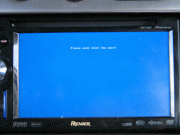
Step 4.4: Press the volume knob in this sequence and you will see * signs for each push: Up, Up, Down, Menu, Left, Right.
Step 5: Put in your SD 1 card with the WinCEIMG files.
Step 6: Select Update CE
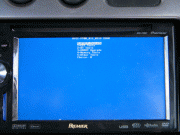
Step 7: Select Update SD Format (This will clear your FlashDrive)

Step 8: Wait till it says restart in the bottom center. This will take about 2-3 minites to install.

Step 9: Remove your SD 1 (WinCE) from the AVIC.
Step 10.0: Insert the SD 2 (TestMode V2.3) into the AVIC and hit the reset button.
Step 10.1: Once WinCE boots up, double Click on My Device at the top left of the screen. Sorry for the blury screen

Step 11.0:
Step 11.1: Open Storage Card Folder/Icon. ( Icon will pop in on the left)
Step 11.2: Click edit at the top of the window & select all. With all the items selected. Go back to the top & click edit & copy. Close the folder.
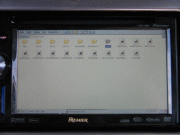
Step 12: Click back into My Device & open My Flash Disk. Click edit at the top & go to paste. A window will pop up & ask you to overwrite files. Click Yes.
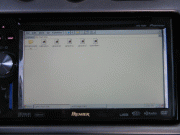
(Should take about 20-30min)
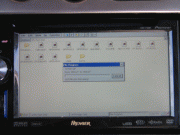
Step 13: Press and hold restart and eject for 5 seconds.
and that should be it ??
only thing that makes me wonder about formatting the flash disc is the SDMLC_NN746_EW_sn00aa0f file writing process
but then again what do i know !!!
Just in case someone didnt get it right.... I will paraphrase the upgrade 3.0 explanation, but updating it for backup 4.01 file. PLEASE, BACKUP YOUR SYSTEM USING TESTMODE AND KEEP IT IN A SAFE PLACE IN YOUR COMPUTER, JUST IN CASE SOMETHING GOES WRONG AND YOU HAVE TO COME BACK TO THE ORIGINAL FILE!!!
Once your own backup is done....
Step 1: Download the backup 4.01 file posted by davenfish
Step 2: Unzip the files to your computer and then copy all the files to a FAT formatted SD card (2gb my best choice, otherwise, you can have one with the testmode, another one with winceimg and a third one with the data for flsh disk. In case of several sd cards used, Sd cards can be switched when needed, no need to restart).
Step 3: Turn unit on. When the pioneer logo comes up, press and hold the menu, map, eject and the reset button at the same time. When you hear a pop sound from your speakers, let go of the eject button but continue to hold menu and map buttons. This will bring you to a blue screen where you will have to enter the service combination. Press the volume knob in this sequence and you will see * signs for each push: Up, Up, Down, Menu, Left, Right.
Step 4: Put in your SD card now (if you put it on before this point, testmode will start impeding your acess to the service blue screen).
Step 5: If you did all well, you should be in front of a BLUE screen, similar to those of MS-Dos. Now, Select Update CE.
Step 6: Select Update SD Format
Step 7: Wait till it says restart in the bottom center.
Step 8: Restart your system by pressing the reset button in the front panel. Since our 2gb SD card is still in, as soon as it restarts will jump to our testmode... And therefore, we can access windows explorer to access our flash disk (make sure you go to edit properties of windows explorer and select unhide files, as you can leave some folders or files uncopied!).
Step 9: Once testmode boots, open explorer and copy the contents of the data folder for flash to the "My Flash Disk" Drive.
(Should take about 20min even though at first it says like 140min)
Step 10: Since my backup file has already the right data.zip and ezrider.exe, you shouldnt touch anything else! Not even license folder.
Step 11: Once the copy of files is done, extract your Sd card and restart your system. It should come to a screen where you have to select language, voice, etc. I have tried for Spanish and English Uk voices and there is no problem at all.
Step 12: Enjoy your new 4.01
Good luck!
I will add later how to update to the new 3.0.1
Davenfish...
Do not worry about formatting your system as long as you backed up your original file (make sure you are copying all the files by assuring unhide files is selected!).
Follow my steps if you have only 1 Sd card, although your explanation is great for the 3 sd cards method.
Enjoy!
Ps: in my last message, last sentence wasmtalking about 3.01 upgrade.... It was my fault to not delete it (it was copied from the 3.01 upgrade system quote) so dont pay attention to that last sentence! It is my mistake! Sorry!
Very well explained and detailed guidelines.
Lately I've been doing a lot of up- and downgrading on my system. Right now I'm on the ver. 4.01 hybrid from pionara. My problem is that the system can't recognize the maps from Bento. Also tried with ver 3.01 with hacked ezrider but same result. So I'm going to try with your complete backup.
Just installed the backup files from trulf. It works fine, thanks!
It's not the NAVTEQ2012 maps as in Bento's original post however. It's 2010.6 maps, exactly the same as in the official cnsd-300fm update. But that's still a lot better than the 2009 maps I was on after I restored the unit from a reboot loop due to corrupted files.
How old are the speedcam data in your backup files trulf?
Hi Doch...
Happy the files worked fine!!
I am surprised the maps are 2010, since I downloaded them from Bento's... maybe it was a previous version than the one posted now.
Regarding my speedcam data, it is a file only for Spanish speedcams (downloaded from Robser, the best cams for Spain). Leave that folder empty, and do your own speedcam.txt with the speedcams of your country (I'm sure you will find places where you can obtain the information). The other files are generated automatically once the F900 reads the txt file.
Enjoy!!!