Glad to see your a mac gal. 
Posted Aug 21, 2008 · 05:36 UTC#26
Glad to see your a mac gal.
Wow this really works!!! Awesome thank you Stephanie. I wonder if we can take away the zoom level and toggle the destination times as well! The dest times box (you can toggle on/off with the full-screen cockpit option in the settings) needs to save the option after you cut power--which it doesn't now. Also thank you skicrave for the color picker tool, now I can change the clock to match my buttons and dial! Can't wait to see what's next...

does it mater that you're using Mac and i'm using Windows? Haven't got around to getting myself a Mac yet 
does it mater that you're using Mac and i'm using Windows? Haven't got around to getting myself a Mac yet
As far as I can tell, the thing that matters is that you can't unzip the file data.zip, mess with the contents, then re-zip it. It might be that the way the Mac archives the file is not compatible, or there might be some other funky thing going on. But because you need to use explorer to tinker with the inside of the zip file without unzipping it, you need to do this in Windows.
I've been running Windows in Parallels on my Mac for this purpose; if there's a native Mac way to 'open and explore' a zip without unzipping it, I don't know what it is.
can anybody add the data.zip here? im trying to download the update to get it so i can prepare everything but it wont download. i got both the testmode and no boxes zips no problem but the update is giving me a hard time. thanks in advance!
Here's my data.zip file, this has the boxes removed, but no other changes (at least, not that I can remember). It was tested and working as of last night.
http://www.felesmagus.com/stuff/data.zip
Cheers!
stephanie, you're a godsend now all i do is overwrite the data.zip in the unit?
stephanie, you're a godsend
Correct -- although I strongly suggest you keep a backup of your original data.zip, or leave a backup of it on the unit.
In the lower right corner of the screen there's a little keybordish icon, tap that then tap the word Keyboard to bring up the onscreen keyboard.
Then tap the data.zip file that's already on the unit. If suffixes are off, it'll just show up as DATA
The tap the file menu, then tap Rename
Then use the onscreen keyboard, add something like -BAK to the end of the name, so it's data-bak.zip
Then copy the new data.zip into the nav unit. This way if for whatever reason it borks, you only have to rename the data-bak.zip to get out of trouble.
Cheers!
Any pics of the it running with a route mapped but no boxes?
OK Stephanie, i followed your directions up to:
16. Navigate back up, now go into My Flash Drive then APL2 then iGo
17. Find your existing data.zip file and select it
..and then im stumped...this is what my iGo looks like
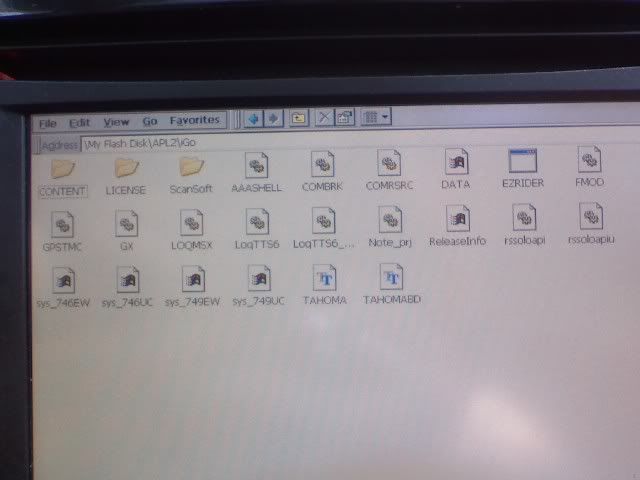
the only thing i saw that said data is the one with the windows icon. i did find this however in "My Flash Disk"
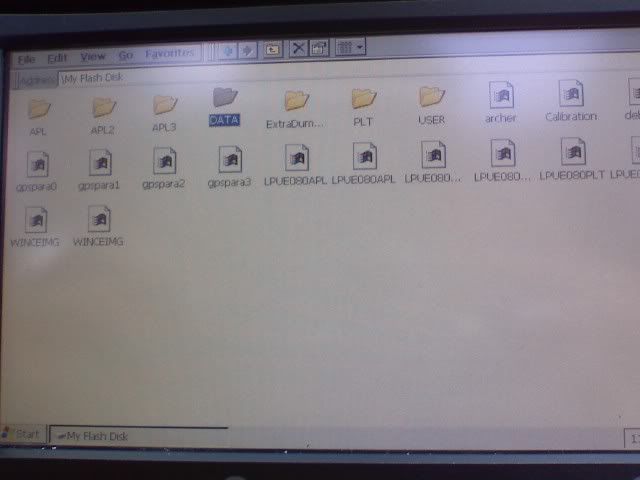
is that the folder we're meant to rename? im sorry for the noobish questions but i'm nervous already about screwing something up and id rather be safe than sorry.
Rename the file in the first screen shot. You don't have extensions turned on, so the .zip isn't showing up, but that is the correct file. Just change it's name to DATA-bak, and then copy and paste the version she uploaded into that directory.
Any pics of the it running with a route mapped but no boxes?
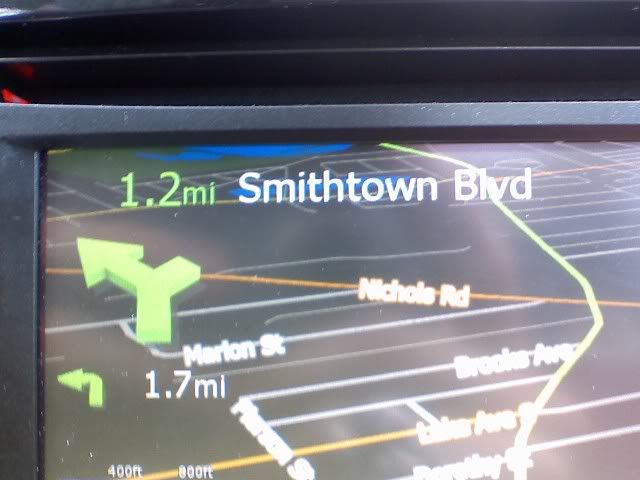
Here's a pic I took today - I'm going to go back to the drawing board and revisit the alternate method I was investigating, as this method seems to lose the big arrow icons. They're probably trying to squeeze into the 1 pixel box... I didn't notice last night that the big arrows weren't appearing.
Cheers!

Follwed the instructions and here the results...Thank you Stephanie and Skicrave for helping me
Oh Stephanie, btw, the first color for the clock is the fill and the second is the outline. i meant to have red numbers, but i actually like how this way came out.
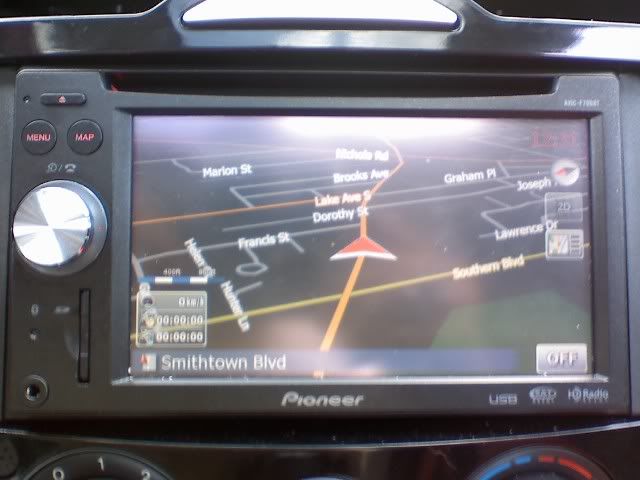
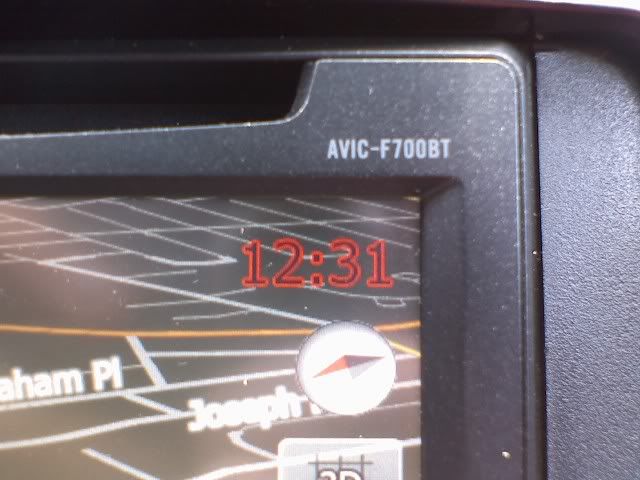
i couldnt help but notice in one of the directories, the file for the Tahoma font is there.....is it possible to change the font as well????
Yep, should be possible to change the font, although the TTF file may need to be installed if they don't come in CE automatically (or if they were removed by Pioneer to thin down the install).
I wonder if we can apply an outline color to the guidance instructions at the top of the screen as well?
CatchMeIfYouCan631, thanks for the tip about the clock text! I see in your last picture, you have the directional arrows appearing. I didn't see those on mine... do those arrows only appear when you're in 3d mode? I use 2d exclusively, so I assumed that I'd done something wrong when the arrows didn't show up.
Edited to add: The outline colour should be something that can be added. I am thinking it's the glowsize parameter that indicates if an outline is added. The fonts are in the zip file so I'd guess you could replace them with another font and see what happens.
Yep, should be possible to change the font, although the TTF file may need to be installed if they don't come in CE automatically (or if they were removed by Pioneer to thin down the install).
does CE need a special text file to work with it? otherwise i think is as easy as pasting the text file where Tahoma is and where you see the word Tahoma in the texts, just rename it the new font...no?
CatchMeIfYouCan631, thanks for the tip about the clock text! I see in your last picture, you have the directional arrows appearing. I didn't see those on mine... do those arrows only appear when you're in 3d mode? I use 2d exclusively, so I assumed that I'd done something wrong when the arrows didn't show up.
no problem stephanie. unfortunatly i didnt check how it is in 2D (not fond of north only) but the first chance i get ill check the 2D and see if its there or not
Those font files seem to be normal ttf files. I just tested them and my Mac recognizes them as standard ttfs and offered to install them. It would be easy enough to copy another ttf into the iGo directory and change the font name in one of the ui files to see what happens. Or even easier, just rename the tahoma files as backups and drop in a new font file, renamed as the tahoma.
I'll do that next time I'm in the car, and see what happens.
CatchMeIfYouCan631, thanks for the tip about the clock text! I see in your last picture, you have the directional arrows appearing. I didn't see those on mine... do those arrows only appear when you're in 3d mode? I use 2d exclusively, so I assumed that I'd done something wrong when the arrows didn't show up.
Edited to add: The outline colour should be something that can be added. I am thinking it's the glowsize parameter that indicates if an outline is added. The fonts are in the zip file so I'd guess you could replace them with another font and see what happens.
Stephanie, the arrows only appeared in 3d mode on my unit, even before I use your fix to hide the boxes.
Stephanie, the arrows only appeared in 3d mode on my unit, even before I use your fix to hide the boxes.
LOL -- in that case, the flippin' "hide" stuff I posted in like the 5th message might have been all that was necessary -- when the arrows didn't appear then, I figured that the arrows were hidden inside the mising box elements. Never occured to me that maybe you don't get those arrows, in 2D mode. D'oh!
And all the rest of the time with the fussing and file manipulation... ah well, I'm learning as I go. I'll do some more testing after work and see if I can make it happen that much more easily.
if there's a native Mac way to 'open and explore' a zip without unzipping it, I don't know what it is.
I dont know of one either, Jason H might though if you want to Pm him.
I dont know of one either, Jason H might though if you want to Pm him.
There isn't one, un-archive and re-compress is the only option. I'm going to play around with that this afternoon, as I need to be able to do this from my Macbook Pro in the car (or bring my AVIC in and hook it up to my power supply).
The problem I ran into when I tried the un-archive, edit, and re-compress on the Mac was that the nav unit flat out refused to accept the file. I tried changing the name, all uppercase, all lowercase, etc, and nothing seemed to work. Using the explorer thing to just edit the contents of the file without unzipping has worked just fine, so I haven't gone back to the unzip/rezip method.
I wonder if that's why the new TTS voice files I installed weren't recognized when I tried to select them in the voice menu?
I'll give it a try using some files I downloaded off of a PC.
Follwed the instructions and here the results...Thank you Stephanie and Skicrave for helping meOh Stephanie, btw, the first color for the clock is the fill and the second is the outline. i meant to have red numbers, but i actually like how this way came out.
i couldnt help but notice in one of the directories, the file for the Tahoma font is there.....is it possible to change the font as well????
CatchMeIfYouCan631, is this night mode you're using. My night mode shows brown sometimes lime green background and I hate it. How did you get yours to show black? Also the words show up blurry in my night mode, compared to the day mode.
Nice find!