Search Archive

Progress: Blue Boxes and Contacts

By Stephanie · Aug 20, 2008in Hacks/Mods💬 270 posts👁️ 43,696 views
Page 3 of 11
Posted Aug 21, 2008 · 21:00 UTC#51

i took the pix from my phone, thats why it looks so dark. its really a very very dark brown. and yes, it is night mode.


i dont want to go off topic but i was messing around with the menus, and came across "full screen cockpit" and "manage track logs". what are they?

Posted Aug 21, 2008 · 21:04 UTC#52

We can change the colors of most things in the configuration file, so it shouldn't be too hard to adjust the skin for day or night.

Posted Aug 21, 2008 · 21:21 UTC#53
We can change the colors of most things in the configuration file, so it shouldn't be too hard to adjust the skin for day or night.


Cool, I'll keep looking, I hate the blurry words and the brown background. If I can change it to look black the better. :? Maybe when can even find a way to make the Arrow smaller.


On another note, if you look under Data.zip\config there is a keybind.txt, that should be able change the bindings. For example, instead pushing the button for voice command it could be a mute key if you so desire.

Posted Aug 21, 2008 · 21:34 UTC#54

I just finished trying all the other things I could think of, all the alternatives as far as dealing with those boxes. The only thing that (for me at least) is consistant and takes care of everything, is the one I posted earlier in the long step-by-step. The data.zip file that I linked to in an earlier post is the best option, from what I've seen.


Some new stuff to add: I have replaced the tahoma.ttf and tahomabd.ttf with two ttf files I had on my Macintosh and they worked. I used chalkboard and chalkboard bold; I just renamed them to match the original files. Now everything in the gps program is in the 'chalkboard' font, even street names and some stuff in the menus. It's kind of fun. I'd suggest using a font that is very legible if you do this. The main thing is, you can change the fonts. I haven't tested adding fonts, i.e. adding a new font then updating the ui file with the new font name, so I can't say if that would work. But you can definately replace tahoma with something else.


Cheers!

Posted Aug 21, 2008 · 22:15 UTC#55
Contacts first because it was successful.


Problem: Every time I tried sending one or two contacts from my phone, the F700 took all of them. In my phone I'll have or three numbers for a given name. The F700 would list the same name over and over, with no way to tell which number was under which icon without actually calling them!!!! GRRRR. I wanted to edit them so I could just say stuff like Mom - Home or Mom - Cell and I only wanted the half dozen I need, not every last flipping one that is in my phone.


Solution: Boot the F700 to testmode, go to My Flash Drive/User/UserData/Phonedata/PhoneBook?????????.db and copy that file to your SD card. Move the SD card to your computer and use SQLight 3.x to edit the database as much as you want, then back to the SD card and back to the F700. Presto! I have the entries I want, in the order I want, named the way I want. Yay!


I thought I would add a little to this post... I copied my Phonebookxxx.db file to my computer, but SQLite is a command line program and was not very user friendly. So I went out and found something much simpler to use.


http://sqlitebrowser.sourceforge.net/index.html


This program has a GUI and you can add/remove/edit contacts in a method similar to Access.


I have already put my corrected phonebook file back on my F700 and it worked beautifully.


Happy modding...

Posted Aug 21, 2008 · 22:24 UTC#56
i took the pix from my phone, thats why it looks so dark. its really a very very dark brown. and yes, it is night mode.


i dont want to go off topic but i was messing around with the menus, and came across "full screen cockpit" and "manage track logs". what are they?


Full screen cockpit is the destination times box. By turning this option to "on" (hence making it a full screen cockpit) in the navi settings, it hides the box, but only until power is cut off. Upon reboot it reverts to having the setting turned "off" which displays the box. What would be ideal is to keep that box hidden until a destination is plotted. If we could do that AND get rid of the zoom level bar above it (which is useless and impossible to read anyway) we would have a very nice clean-looking nav screen.

Posted Aug 21, 2008 · 23:06 UTC#57
Cool, I'll keep looking, I hate the blurry words and the brown background. If I can change it to look black the better. :? Maybe when can even find a way to make the Arrow smaller.


and maybe change the color of it :wink: lol

Posted Aug 22, 2008 · 00:01 UTC#58

here's a site i always went to for different fonts incase anyone was interested in changing them. they have a pretty nice selection


http://simplythebest.net/fonts/

Posted Aug 22, 2008 · 04:21 UTC#59

Post up some pics with the map and new fonts!

Posted Aug 22, 2008 · 04:31 UTC#60

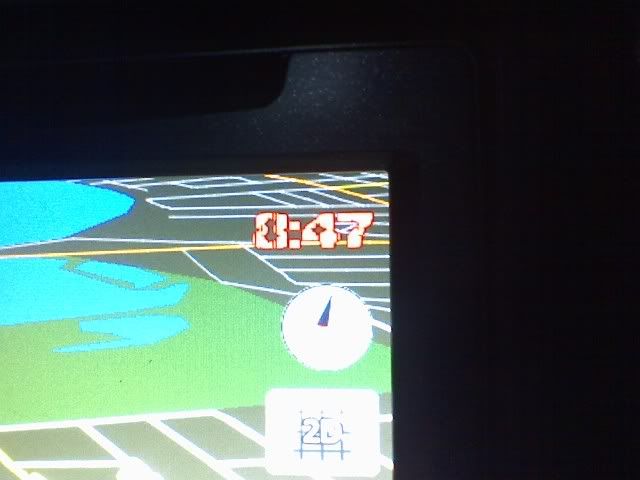
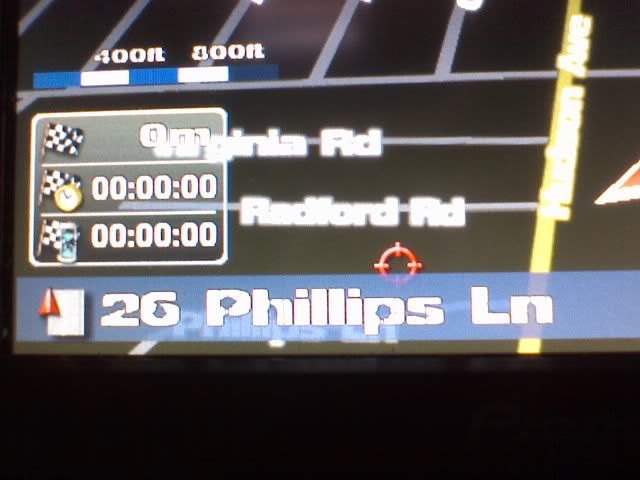
here you go lemonhead, just for you :D


newfont.jpg


street.jpg


the font is "Decrepit" from the link I provided. This only changes the font in map mode...Stephanie, how would you change the font throughout the rest of the unit?

Posted Aug 22, 2008 · 06:18 UTC#61

Thanks...for some reason I thought it would change all the fonts on the streets as well. I didn't think about the navi software being different.

Posted Aug 22, 2008 · 06:51 UTC#62
Thanks...for some reason I thought it would change all the fonts on the streets as well. I didn't think about the navi software being different.


it did change the streets dude. you can see it in the 2nd picture i posted

Posted Aug 22, 2008 · 11:57 UTC#63

Changing fonts for the other applications on the unit, will mean figuring out what the other applications are, how they present their UI, and where their font files are. It might be as simple as going into \Windows\fonts and replacing some font files.


Lunar-Eclipse, thanks for that link to sqlitebrowser -- that command line interface was a beast to navigate, the browser makes it so much easier.


I've been searching for the code for that zoom / scale bar, but haven't found it yet. I'd love to replace it with just a bit of text, like "scale: 2000ft" or something like that. I'd also like to move or remove the box with the three lines of 'info'... it's not all that useful and I find it a bit hard to read anyways. No luck yet, however.


I'd also love to remove that warning sceen you get every time you start up, but that might not be possible...

Posted Aug 22, 2008 · 13:05 UTC#64

This morning I tried adding a new font -- rather than just changing the 'tahoma' files, I added a third font and changed the navigatemap_800_480.ui file so the clock would use the new font.


It worked!


So if you want to have different fonts for the different elements, it seems to be quite doable. The ttf file goes in the iGo directory, then in the ui file just refer to it by the name of the file. I used the file sand.ttf and in the ui file, just called it sand.


Unfortunately it's not terribly legible, but having confirmed that this can be done, I can go back and pick fonts I really like.


Cheers!

post-21587-12872755094026_thumb.jpg

Posted Aug 22, 2008 · 14:39 UTC#65
This morning I tried adding a new font -- rather than just changing the 'tahoma' files, I added a third font and changed the navigatemap_800_480.ui file so the clock would use the new font.


It worked!


thats awesome steph, now we know we can use multiple fonts. The way i did it last night was i added the font to my SD card, and made 1 copy of it, one named TAHOMA and one TAHOMABD, then went to iGo, renamed the fonts TAHOMA-bak and TAHOMABD-bak, and pasted the new fonts in. Do you think eventually the fonts for the UI's for the AV sources and the menus can also be changed? i do have a question though, if i changed out the tahoma fonts, why didnt it affect anything but the map font? are there more tahoma texts throughout the directories?

Posted Aug 22, 2008 · 15:13 UTC#66

When I changed the iGo tahoma font into the 'chalkboard' font, it changed everything that was iGo related - even the nav settings.


Right now I'm working on a custom skin for my map screen, stripping off a lot of stuff I don't need or want. I'll post another pic if it actually works...


The other stuff, AV stuff etc, are all separate programs. Even the bit that shows the current song name and AV source in the corner of the map screen, is coming from a different program. Those separate programs might be using the normal \windows\fonts for their fonts, or they might have their own font files like iGo does. Probably, each one will have to be 'hacked' (or at least, scrutinized) to customize them separately.


Having said that, I haven't looked into any other software yet, I've just been focusing on the iGo stuff for now. When I have time, I plan to do a full dump of the flash drive so I can scour it in comfort on a big screen. I started doing the file dump the other day but it said it'd take 30 mins and I didn't have that kind of time. Anyhow, sooner or later we'll know all the secrets of this thing.


Then Pioneer will release another firmware update and we'll be back to step one again! :wink:

Posted Aug 22, 2008 · 17:48 UTC#67

Stephanie, do you think the map cclor (changing brown to black) would be a second program, or should I continue looking in the iGo folder?

Posted Aug 22, 2008 · 18:20 UTC#68

The map colours are handled in a way which I think is strange. There is no simple file listing hex colour values etc. There is instead a BMP file of colour swatches, and then there are two other files which are used to determine which swatch is used for which type of map detail/terrain. I haven't looked too deeply into that, but I came across the info while googling some other stuff. If you google for igo change map colors you will probably find the info.


Edited to add: I'm pretty sure the bmp files are data.zip/gfx/day/texture.bmp for daytime maps and data.zip/gfx/night/texture.bmp for nighttime maps. You could perhaps just edit those bmp files, change the colours to whatever you wanted, then that might do the trick.

Posted Aug 22, 2008 · 18:29 UTC#69

hey stephanie you know what would be cool? if the little startup message can be edited. assuming its not an image, and rather a background (like the blue boxes) with a text so you can make it say like "Welcome Stephanie" instead of "please wait while..." and you can change the blue border to whatever color you want

Posted Aug 22, 2008 · 18:34 UTC#70
The map colours are handled in a way which I think is strange. There is no simple file listing hex colour values etc. There is instead a BMP file of colour swatches, and then there are two other files which are used to determine which swatch is used for which type of map detail/terrain. I haven't looked too deeply into that, but I came across the info while googling some other stuff. If you google for igo change map colors you will probably find the info.


Edited to add: I'm pretty sure the bmp files are data.zip/gfx/day/texture.bmp for daytime maps and data.zip/gfx/night/texture.bmp for nighttime maps. You could perhaps just edit those bmp files, change the colours to whatever you wanted, then that might do the trick.


Awesome....will give it a go, Thanks Stephanie.

Posted Aug 22, 2008 · 18:36 UTC#71

This is awesome....making me really excited to get a F900 :)

Posted Aug 22, 2008 · 19:18 UTC#72

Changing map colors is pretty simple. Go into the igo folder->content->schemes and grab one of the .zip files unzip it or explore it. (I did it by unzipping then rezipping it in OSX 10.5 just fine) Edit the files called color.ini and color3D.ini. All of the colors are in RGB values.


If you want an explanation of what some of the lines change go here http://www.navguide.net/igomiofan/color-maps/create-your-own-color-scheme/


Also when you edit the files make sure you change the name and specify if the map is day or night. The website above shows how to do this.

Posted Aug 22, 2008 · 20:08 UTC#73
If the file isn't there, then having someone else do a sync to initialize it should be fine. The ???? was for a bunch of crazy hex characters that are in the file name. Or I could provide the SQLite dump for an empty database, if you like? Then you could plug in your own values and go from there. The crazy hex characters should be the same as those for the recently-calls database file.


Caveat - I don't really know how to use SQLite, I just downloaded it and fumbled my way through this 2 hours ago... I can provide the empty dump file but not really much in the way of detailed instructions on what to do next.

OK. I just pulled the contents of the flash drive off and loaded it up on my computer. There is a phonebook database file for my phone even though I never actually got ay contacts to transfer over, which is good. So all I have to do is to edit that database file and addin all the contacts i need and I should be good to go!

Posted Aug 22, 2008 · 20:10 UTC#74
So all I have to do is to edit that database file and addin all the contacts i need and I should be good to go!


so then everytime you have to update your phonebook, be it adding or deleting a contact, you have to edit the database again?

Posted Aug 22, 2008 · 20:14 UTC#75
Thanks...for some reason I thought it would change all the fonts on the streets as well. I didn't think about the navi software being different.


it did change the streets dude. you can see it in the 2nd picture i posted


Ha you're right. My bad...

Page 3 of 11