Search Archive

Guide to .bmp files inside the Flash Disk

By CatchMeIfYouCan631 · Aug 25, 2008in Hacks/Mods💬 128 posts👁️ 36,497 views
Page 2 of 6
Posted Aug 29, 2008 · 16:40 UTC#26

oh did you copy that off your headunit? the whole flash disk? i was using the firmware update to get the file so the folder i said was wrong :)


in the update its under \F-Series Firmware Update\LPUE080\APL\image.res


check the APL2 folder on yours for image.res ill go check my headunit in a sec
Posted Aug 29, 2008 · 16:42 UTC#27

Look in:


My Flash Disk/APL/


and you should see image.res.

Posted Aug 29, 2008 · 17:00 UTC#28

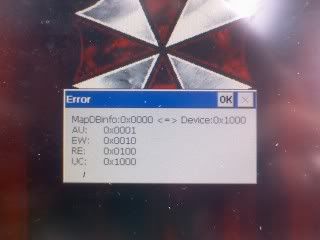
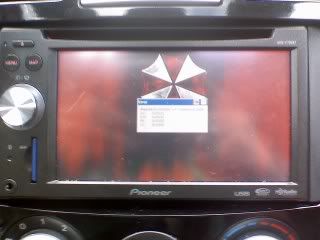
What the hell!?!? I just went to go into testmode to get a 2nd copy of the flash disk (for some reason the one I had only showed like half the files) and i get this:


errorscreen.jpg


error.jpg


It did this to me earlier but I extracted the testmode files and put them back in prior, so I figured maybe I had them in the wrong order, but then I downloaded my own testmode.zip that I posted here: http://avic411.com/forum/viewtopic.php?t=17542


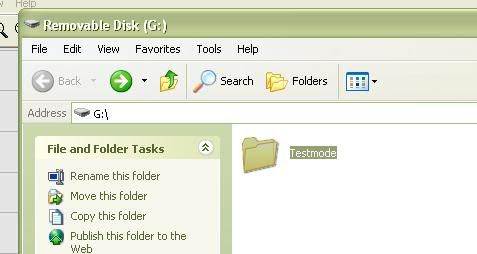
and I still get that message... same FAT32 Sd card I've been using and all i have in there is the testmode folder:


contents.jpg


so what the hell happened!?

Posted Aug 29, 2008 · 17:07 UTC#29

you must be missing one of the files thats why your getting that error


btw image.res is in My Flash Disk/APL/

i attached a original one

Testmode.zip

Image.Rar

Posted Aug 29, 2008 · 17:13 UTC#30

omg lol Thank you, guess I needed that Mitacap folder. Oh man I haven't been that panicked in a long time.. I owe you beers :D

Posted Aug 30, 2008 · 00:30 UTC#31

Thanks to Bman69..


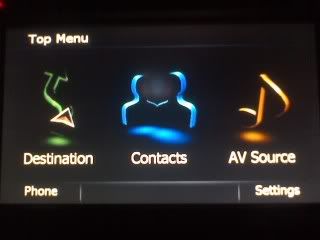
menu.jpg


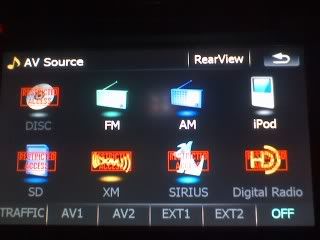
Instead of them being grayed out, they're now in color and say "RESTRICTED ACCESS"

restricted.jpg


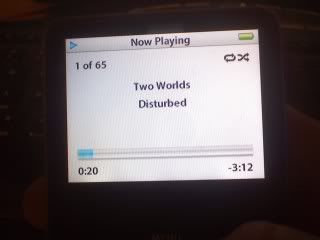
Just to show you all I have no artwork on my iPod..

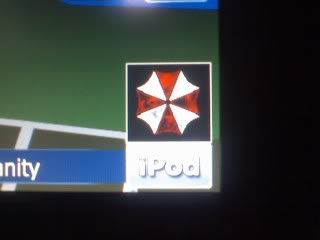
ipod.jpg

mapicon.jpg


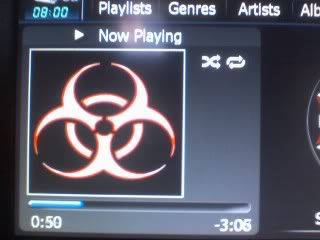
You can make the AV artwork different. And no more choppiness

biobig.jpg


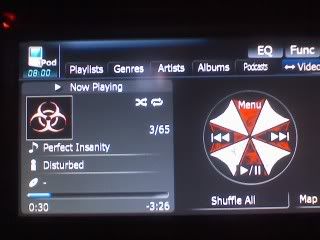
You can also edit the iPod wheel. The arrows have black color backgrounds though so I'm going to change those this weekend.

ipodscreen.jpg

Posted Aug 30, 2008 · 04:01 UTC#32

CatchMeIfYouCan631 I want to say thanks for being the first to test that and make a cool skin :) i dont have the time to do all that yet :( maybe sunday though but im very glad it all works good
Posted Sep 03, 2008 · 05:20 UTC#33

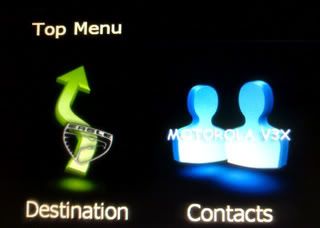
Thank to all the comments here and all the info.


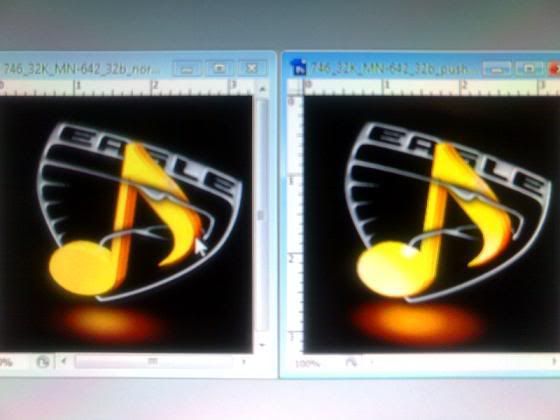
2008-09-02_2332.jpg


just a heads up thats a emblem off the car I drive. "Talon TSI"


Thanks All....

Posted Sep 03, 2008 · 12:07 UTC#34

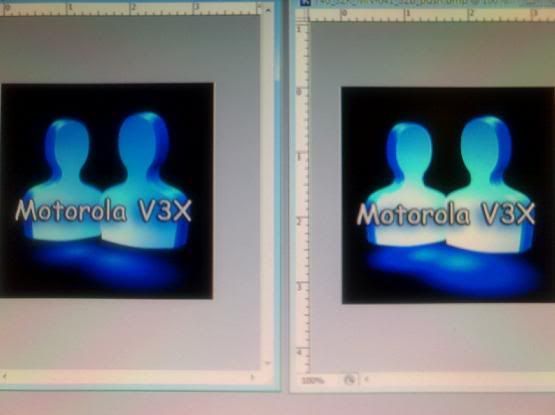
Nice mod HackZ. One thing I would recommend however, on the contact icon, maybe put a black outline on the text so it's much easier to read. The destination one looks sick :D

Posted Sep 03, 2008 · 13:04 UTC#35

Really good Idea. I was thinking of doing something like that Because I felt the same way.


So here it is.

2008-09-03_0751.jpg


Any Idea on what I can do with the Orange Music Sign.

Posted Sep 03, 2008 · 13:06 UTC#36

any aftermarket speakers/amps/subs? maybe a logo of the brand or maybe a unique looking note...I get most of my ideas and images from www.deviantart.com. There's a lot of great artists on there and they have pretty much anything you're looking for. That's where I got most of the artwork for my Umbrella Corp. theme.

Posted Sep 03, 2008 · 13:42 UTC#37

Yea I Love that site, I got alot of Ideas when I was learning how to use Photo Shop.


I wish I had any after market speakers or amps ect.. But none yet I just sold my Kickers when I got this car.


Thats y I have a hole Talon and the logo Thing going on. maybe I can get some sort of Turbo thing going on.


But I really like the Speaker Brand Idea, I got after market racing Parts,maybe I can do that.


I made this for for now so i keep my theme going

What do you think.


2008-09-03_0830.jpg

Posted Sep 03, 2008 · 13:44 UTC#38

That looks awesome. I wish I knew how to use PS lol. I'm trying to follow my theme and so something with the Contact .bmp's but I'm stuck as far as what to do..

Posted Sep 03, 2008 · 14:08 UTC#39

I know U have the Whole Resident Evie thing going, So Y don't you Do the name and model of your Phone but in a more evil style text-font.


Just tell me ur info on ur phone model an ur car make and model and I will see what I can come up with for you in Photo Shop.


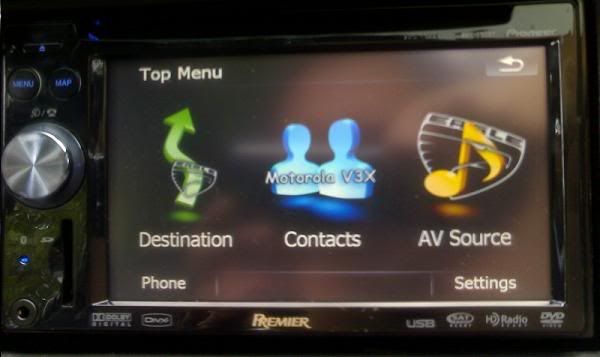
O heres what it looks like now I just uploaded my images, I am using a cell camera so its crap Pixels.


2008-09-03_0851.jpg


Now I am going to work on getting the sub menu looking right, XM, HD, SIRUS. All the things I cant quiet afford to pay for look enabled. lol

Posted Sep 03, 2008 · 14:10 UTC#40

wow dude that is nice

Posted Sep 03, 2008 · 14:17 UTC#41

Thanks A lot..... :P


thanks to every one on this forum that helps out in Hacking this stuff.

Posted Sep 03, 2008 · 14:26 UTC#42
I know U have the Whole Resident Evie thing going, So Y don't you Do the name and model of your Phone but in a more evil style text-font.


Just tell me ur info on ur phone model an ur car make and model and I will see what I can come up with for you in Photo Shop.


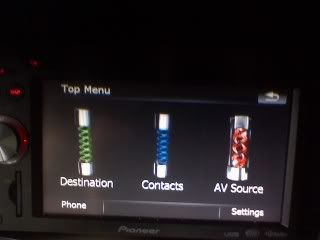
That looks awesome! My problem is I couldn't come up with something for the 6 contact pictures. I was thinking of using like certain experiments that were in the games/movies like the tyrant, nemesis, hunters, cerberis', etc, but I can really find any decent pictures of any of them. As far as the 3 icons in the MM, the Resident Evil font doesnt support numbers, only letters, and I really didnt want to put the make/model in the whole theme. But for that I think I'm going to use the T-Virus Vial, since the actual virus is a blue liquid (contacts), and the antivirus is a green liquid (destination), and I found a red one that somebody made so I can use that as my AV source.

Posted Sep 03, 2008 · 14:55 UTC#43

Yea man that T cell thing is a brilliant idea. I wish you the best of luck doing it, I am sure when ur done it will be amazing. Make sure to post it.


O and heres a one out of the 6 .bmp of a contact. Figure this will help inspire u or something.


746_32K_MN-754_32b.jpg


If you want the .PSD for photo shop let me know

Posted Sep 03, 2008 · 21:07 UTC#44

Sweet. :D


virus.jpg

Posted Sep 04, 2008 · 05:03 UTC#45

That came out great. I am happy it worked out for you.


I was going to ask you " i know this is not the thread for this"


but did any one ever get the speed cam thing working that thread got confusing to me.

Posted Sep 04, 2008 · 12:10 UTC#46

Yes I personally got it to work, but there are no traps listed in my area :cry::cry:

Posted Sep 04, 2008 · 16:23 UTC#47

do u think you can write a short step by step.

Posted Sep 04, 2008 · 16:30 UTC#48

I would but i don't exactly know how to embed it into the actual unit, I put them onto my SD card. I know there is a HOWTO somehwere in the hacks/mods and the speedtraps are in a .zip file broken down into west US, central US, east US, and Canada.

Posted Sep 04, 2008 · 18:55 UTC#49

mhmm I will give it another shot. I cant even get it to work out of my SD card..


thanks

Posted Sep 15, 2008 · 16:25 UTC#50

Well, I've been looking a bit more at the files and found out some more .bmps and what they are. I plan on restoring the whole unit back to default, the Umbrella theme really isn't cutting it anymore. For you Audi A6 owners, the end result will look like the A6 interface:


http://reviews.cnet.com/sc/32031692-2-300-DT3.gif


I will edit my first post with more additions for what each .bmp is that I know of as of date when I get home later today.

Page 2 of 6