Nice, I am looking to change my display a little to. But I have been a little tied up with the Navi tts voice mod. post ur finished display
Posted Sep 15, 2008 · 18:12 UTC#51
Nice, I am looking to change my display a little to. But I have been a little tied up with the Navi tts voice mod. post ur finished display
Man this just keeps getting better... Thanks to HackZ for all the great ideas... I liked your Eagle logo so much I adapted it for the mazda logo. And yeah.. I know...its not an HD DVD player...but I liked the looks of it! If any of you mazda peeps want my image.res file, let me know.
All I really want to do now is try to figure out how to change the words "Top Menu" anyone have any ideas?

Man this just keeps getting better... Thanks to HackZ for all the great ideas... I liked your Eagle logo so much I adapted it for the mazda logo. And yeah.. I know...its not an HD DVD player...but I liked the looks of it! If any of you mazda peeps want my image.res file, let me know.
All I really want to do now is try to figure out how to change the words "Top Menu" anyone have any ideas?
Mazda  I'd imagine it's in a script somewhere, since it's not a .bmp file, it;s probably someehere in the APL directory since that's where the images for most of the UI's are.
flyboyindy, upload your imageres i want you av source icon but im gonna edit it a bit 
on another note, i'm not 100% sure but I think the Top Menu name and AV Source text may be located in Main.cmf, which is inside MainRes.Res :/ test it and see
this is probably nothing but i found this
item3="This Navi product is intended solely as a driving aid. Review instruction manual and select route before driving. Navi is not a substitute for your attentiveness, judgment, and care while driving or moving your vehicle. Always observe safe driving rules and driving laws, and follow road signs even if they contradict Navi's instructions. By pressing OK key, you accept the license agreement in the instruction manual."
located in Av.cmf which is inside AVRes.res
also theres
item17="Viewing of front seat video source while driving is strictly prohibited. In order to view video source, please press OK to confirm that the vehicle is parked and that parking brake has been applied. Please see Operation Manual for more information regarding safe operation."
Thanks for the props ,
I like all your images as well.
If You Fugure out the Top Menu thing Let me know...
inside Av.cmf
Top Menu
flyboyindy, upload your imageres i want you av source icon but im gonna edit it a bit
lol... thats like saying... "I like your image, but not really"... send me your email address and ill send it to ya...its not letting me upload here at work for some reason 
And Catchme...yep... Mazda RX-8 to be exact =)
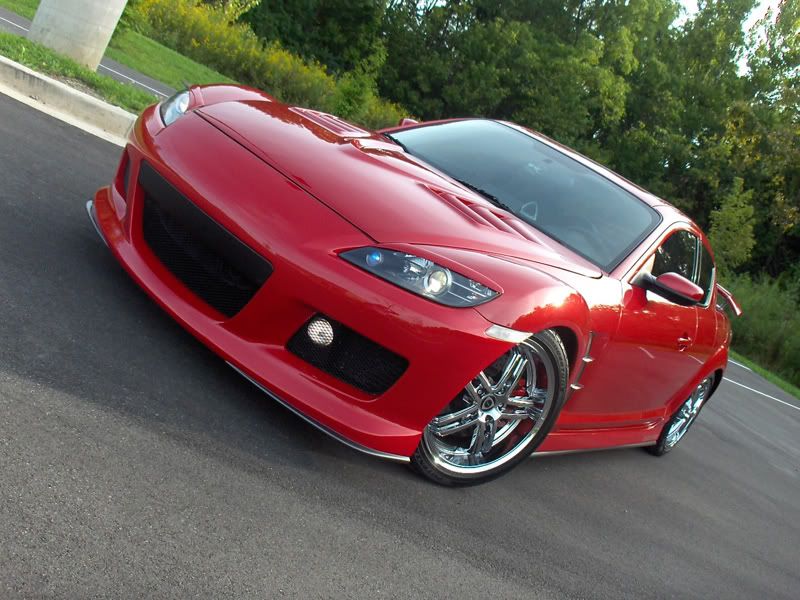
And Catchme...yep... Mazda RX-8 to be exact =)
Sweet.
**please remove duplicate post**
The possibilities are endless I guess...
Hey Catchme... Do you have the Corksport kit in your RX-8?


That looks sick. And yes I do, but I'm taking it out when metra releases their kit.
yeah...I called metra this morning...the initial preorders will ship next week. I guess the first 100 are shipping to installer.com...
Mine isn't even installed in my car....just hacking the hell out of mine till it gets here...
let me know if you want any of my bmps
Oh wow it's being shipped soon. Sweet. I like what you did but I have a theme in mind and I made some of the .bmp's last night, but stupid me accidently deleted my data-bak.zip while adding some new filesm so I need to get the backup from my fiance's 700, then restore the thing back to square 1, then begin the new theme. It's like the A6 interface with a futuristic twist.
just download the firmware update, its got the stock data.zip
Yes but it doesn't have the blue box fix. My fiance's is bone stock for the UI, and it has the blue box hack.
Oh wow it's being shipped soon. Sweet. I like what you did but I have a theme in mind and I made some of the .bmp's last night, but stupid me accidently deleted my data-bak.zip while adding some new filesm so I need to get the backup from my fiance's 700, then restore the thing back to square 1, then begin the new theme. It's like the A6 interface with a futuristic twist.
Sweet... Post some pics.. =) maybe ill want to steel some shit from you =P
I made a few more edits:
Didnt think that having the Sirius logo in three different spots looked too OEM, so I just removed it and replaced it with that sat logo. I also edited the av source button, wasnt too happy with that one, and i changed the globe logo to the Verizon Check Mark on the phone page.


Oh and editing the AVRes.Res file by replacing the "Top Menu" entries, just locks up the unit... Anyone else find anything yet?
flyboyindy, no it doesnt lock up the unit i did it but it does not work like i had hoped  , i looked for other places where it could be but havent turned up anything oh well i dont care much
Well, mine just locked at the start up screen.
Well, mine just locked at the start up screen.
Mine also locked up when i Tried to edit the Top Menu Text, froze at my spash screen. So i reverted and it booted right up. I used notepad to edit the Avres.Res file and basicallly replaced all Top Menu names in it. So i dont know whats causing it, ie invalid checksum or what. but it definatly did not like it.
I know im doing the repack right because my image.res works just fine.
The possible reason was discussed when they attempted to edit the text of the warning message. it's some kind of check that makes sure the text hasnt been tampered with. It may be easier to make bmps containing the new text you want it to say and then write a script to put it over the original text.
The possible reason was discussed when they attempted to edit the text of the warning message. it's some kind of check that makes sure the text hasnt been tampered with. It may be easier to make bmps containing the new text you want it to say and then write a script to put it over the original text.
True i wonder if there is a way to fake a crc on a file lol...
anyway check it out, i did some mods today. just minor but its better.
side note, you can use a certain color (its a pinkish) to get transparent icons going on, that way you can change the background and have it all look really good....
