so tell me if i get it right, i only have the faster.slower button, so does that mean that i only have to put
btnNMB_Faster.Hide
btnNMB_Slower.Hide
on the three files?
so tell me if i get it right, i only have the faster.slower button, so does that mean that i only have to put
btnNMB_Faster.Hide
btnNMB_Slower.Hide
on the three files?
so tell me if i get it right, i only have the faster.slower button, so does that mean that i only have to put
btnNMB_Faster.Hide
btnNMB_Slower.Hide
on the three files?
Yes... if you try to hide a button that does not exist, it will throw an error and quit (probably rebooting the unit)...
I think that would be your problem. I think that when the unit boots, the sc_ShowTopMenu script in the start.ui file gets executed. If you refer to undefined objects in your scripts, the unit hangs or gives an unknown object error message.
If you have only those two buttons defined, you should only use those buttons in the code. To be sure, you should check if those buttons are named exactly like that in your navigate_800_480.ui file. Otherwise you will still be referring to undefined buttons.
You can check my files in my previous post to see what I mean or you can try them all on your unit first to verify that they work if you're still not sure.
damn, still can't get it to work,
finally, had to go through all the ui files,
here's what i got,
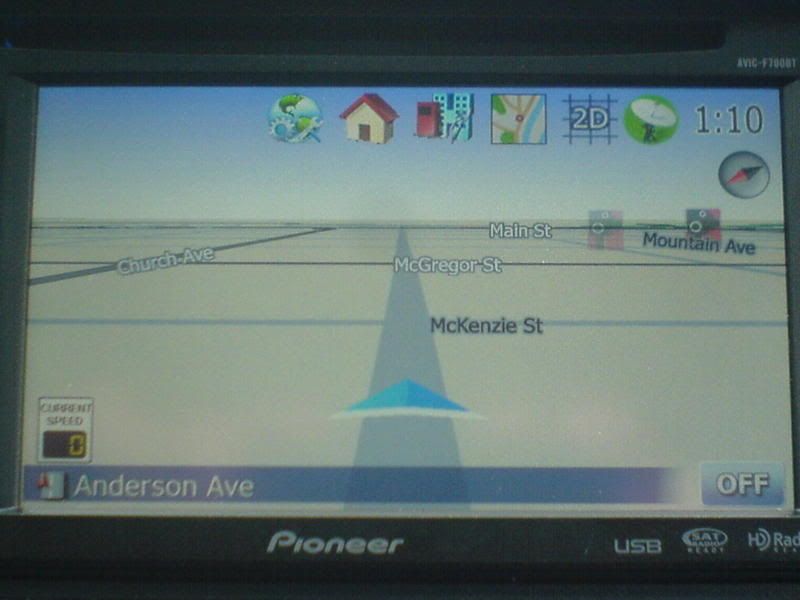
no route
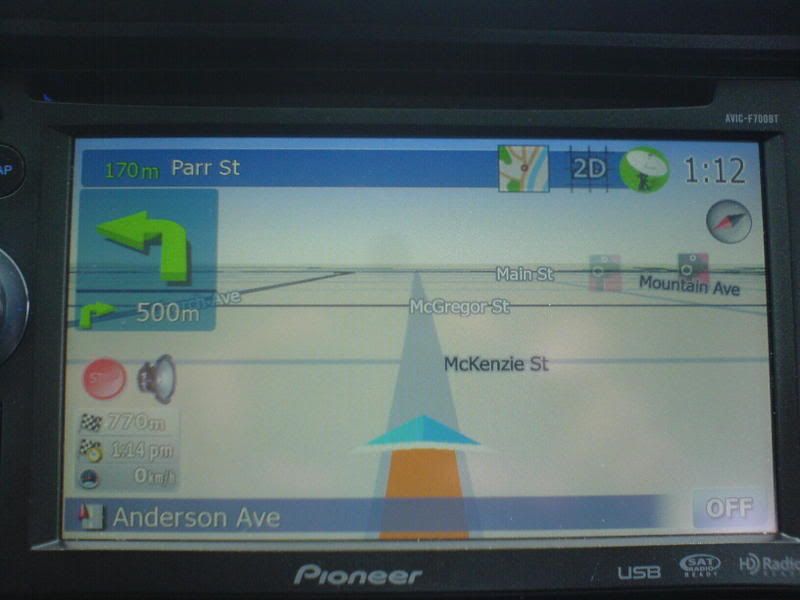
route active
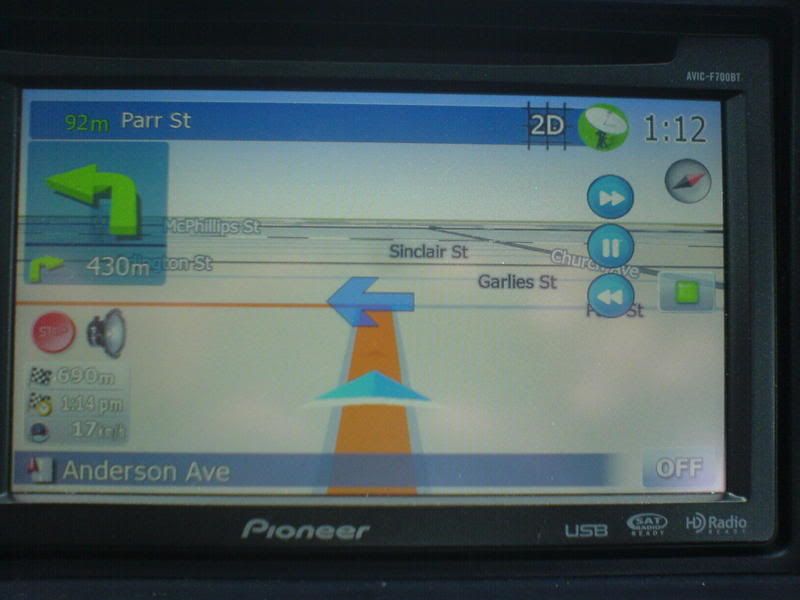
simulate buttons
thank for all the help
Mind posting your data.zip somewhere?
Toxit,
Your modded speed warning/route info box is great, thanks for the details.
I'm now looking at your route simulation mod, but need your buttons:
Pause.bmp#3
Resume.bmp#3
I've had no luck finding them, what folder are they in?
And any chance of some pics of the simulation screen?
Thanks
i rather like that... good job man
ill.die.tryingPostPosted: Fri Mar 06, 2009 8:45 pm Post subject:
here's my data.zip if anyones interested
this crashes me when i try to open my gps... anyone else have this problem?
am i missing something besides just the data.zip like fonts or something?
ill.die.tryingPostPosted: Fri Mar 06, 2009 8:45 pm Post subject:
here's my data.zip if anyones interested
this crashes me when i try to open my gps... anyone else have this problem?
am i missing something besides just the data.zip like fonts or something?
forgot to add the the font for the current speed mod, here it is
http://rapidshare.com/files/206739689/DS-DIGI.TTF.html
add that to your apl2 folder, let me know how it goes, and any comments would be ver ymuch appreciated
why does it do this?
White silhouette around the images I created that are what the original images are.
Any way to fix this? I want these to match the theme on the rest of my system.
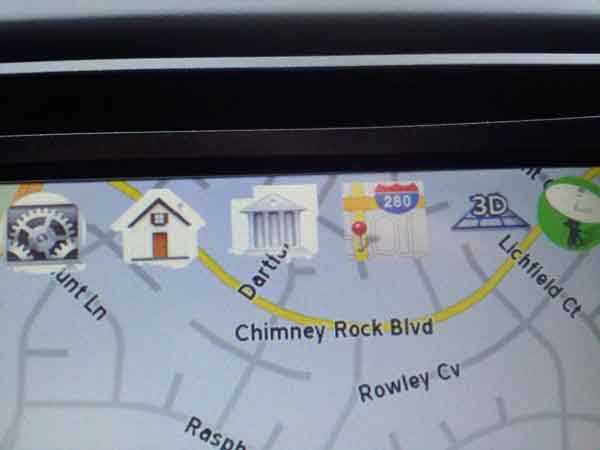
why does it do this?
White silhouette around the images I created that are what the original images are.
Any way to fix this? I want these to match the theme on the rest of my system.
photoshop would fix that
yeah.... it should...
which is what i used to make these images
but it doesn't...
it's like there's a shadow layer or something... that wants to add to or cut off on my replacement images
hey could you do me a favor, can you upload my data.zip and the font to the FTP site, i guy was asking for it but i can't get access to it
yeah.... it should...
which is what i used to make these images
but it doesn't...
it's like there's a shadow layer or something... that wants to add to or cut off on my replacement images
what i would suggest is redo all your images, i'm guessing you used my images and then just copied over the images you wanted, if that's the case you should check channels tab in PS and see if your new image is masked or just the previous image,
you got it, I'll try that out
what i would suggest is redo all your images, i'm guessing you used my images and then just copied over the images you wanted, if that's the case you should check channels tab in PS and see if your new image is masked or just the previous image,
dude good call, I didn't even think of that
OK, so I've installed Toxits' Simulation mod, but when I plan a route and then press Flyover the only button that displays is the green one (which takes me to the Route menu screen, is this what it should do?) and no pause/fast/slow are displayed. Any help folks?
OK, so I've installed Toxits' Simulation mod, but when I plan a route and then press Flyover the only button that displays is the green one (which takes me to the Route menu screen, is this what it should do?) and no pause/fast/slow are displayed. Any help folks?
do you have all those buttons (pause, resume, play etc)?
Yeah, got the buttons but nothing is coming up. I've only loaded Toxits' mods, do I need anything else...........?
Yeah, got the buttons but nothing is coming up. I've only loaded Toxits' mods, do I need anything else...........?
Take a look at his advmenu800_480 file. There's some flyover and simulate stuff in there.
Yeah, got the buttons but nothing is coming up. I've only loaded Toxits' mods, do I need anything else...........?
Take a look at his advmenu800_480 file. There's some flyover and simulate stuff in there.
and more in the route800_480 file
FYI - I'm not using his scripts, just trying to help ya out.
New UI files for speed camera usage.
Image files in COMMON: properly phased speed camera icons for the warning layer. Now, when the camera warning appears on screen, it will
show the real camera type.
speedcams_800_480.ui - changed steps for the camera speed slider to better reflect what is possible in US (thanks to N-S-E-W).
Files in COMMON\UI - work in progress on spoken camera warnings. It seems to finally speak camera types properly, but does not pick correct speed to say... Everyone is welcome to fix 
Spoken warnings require iGO2006 speech files, i.e. from here:
Spoken warnings require iGO2006 speech files, i.e. from here:
Hey Boris, Any chance you have this zip file? I click on the link and it takes you to a russian site that you seem to need to register on. I tried google translate and still couldn't work it out!
Thanks
Matt