raiden how do u get the 08 disk file into img burn cause i just downloaded imgburn, step by step please 
yes im suckin up lol
raiden how do u get the 08 disk file into img burn cause i just downloaded imgburn, step by step please
yes im suckin up lol
1)Download an iso software. I used magic iso. After downloading the 3 gig east file. I unzipped it with winrar and it unzipped into an 8 gig iso. file.
I tried to use nero to burn the .iso but it said it was an unusable disc.
2) downloaded Alcohol 120 (trial).
3) went into Alcohol 120, click on view, recording options and checked option for booking DVD+R(RW) media as DVD-ROM.
4)Click on the image burning wizard and open the .iso file that was unzipped. The one that is nearly 8 gigs.
5) Burned image to DVD+R Dual Layer DVD using Alcohol 120 at the lowest speed possible. (3x)
6) Inserted DVD into my AVIC-D2
Worked Great!
east disk zip is only 3.46 G, sup with that?
is that right?
I must be doing something wrong.....I burned it again with Alcohol 120% and it still gives me the "Please Insert Appropriate Disk" error.
Has anyone had success burning the West disk and having it update the N1?
I'm using a Verbatum DL+R medium. I've tried it on slow speeds and fast speeds. This is getting to be a waste of disks.
Did you check the option for alcohol to book as a dvd-rom?
Did you check the option for alcohol to book as a dvd-rom?
No, was I supposed to? What does that do?
follow my directions on page 7 of this topic. it makes all the difference in the world. just try it. let me know if it works. it should.
The zip is just over 3 gigs. It is correct, extract it and burn it
Is there a free software that will bur this ISO?
Thanks, Jason
I use DVD-Decrypter (http://mrbass.org/dvdrip/)
From the menu choose Mode > ISO > Write
Way easier than Alcohol 120 and its freeware that never expires. And get 7-zip if you want free software that handles zip, rar and many other compression formats. Also freeware and an excellent performer.
DVD-Decrypter can rip DVDs as well as burn them (and also burn .iso images)
That is the program I used to make a duplicate of my Original Avic D3 discs
worked great! thanks a million!
my east 80 file that i opened up in winrar is 7.6 or 9 gigs is that ok??
i've tried 3 times w/ no success...what type of dvd burner are yall using...i'm beginnning to think my aopen drive is a p.o.s.
raiden how do u get the 08 disk file into img burn cause i just downloaded imgburn, step by step pleaseyes im suckin up lol
First you should change the Layer Break Sector. I did that when I burned the 07 disks and I have not changed it. So I'm not sure if it's important to do but it worked for me.
To do this, go into Tools -> Settings
Go to the Write Tab
At the top right, (Layer Break), click on User Specified
Enter 2084960
Click on OK to go back to the main screen.
Unzip the file so you have an .iso
Open ImgBurn
Click Write image file to disc
Click on the icon next to "Please select a file..."
Select your .iso file
Click on the "file to disc" icon at the bottom left of the screen. (Under the Verify option)
There you go!
IMPORTANT:
Make sure that Write speed is maximum 2.4x. For DL, it's the best
I suggest Memorex DVD+R DL Disks
Good Luck!
Just want to say thanks to everyone on here who gave info and made avalible the 08 disk, i have upadated my d3 i used memorex dvd+r dL,
one problem,,, now it won`t let me search PIO????
SUP WITH THAT???
I have the original D1 and downloaded the west coast .rar files and extracted them into a ISO. I keep getting insert appropriate disc error.
I burned it using nero then alcohol 120% with book type (suggested on page 7) with no success. Funny thing is that it does recognized the DVD because it reads the backgrounds pictures from the new DVD but does not update.
I tried using the reset button, but no luck. Anyone have any ideas? I have 3 DL verbatim DVDs left.
Just did my upgrade on my D3, thanks jlong1987.
To kruff10, I was able to do a PIO search, (which I know doesn't help you, but its info anyways...)
To everyone, I remember reading about people who had used the previous WEST disk torrent and saying that after a week or so their units said "inappropriate disk", (or something like that) .... does anyone know why this happened, (and will it happen to us?)
Does anyone know if this West was different then the torrent West disc that was floating around about 1 month ago?
Thanks again.
Just wanted to give a huge thanks!!!
I'm so pleased to finally be able to grab these. currently d/l east disc at around 530kb/sec. 2 hours to go.
also just wanted to confirm. These are the upgrade discs correct? and not the ones that were bundled with new units?
to all of you who have successfully done this...what dvd burner do you have?
i think if i burn the 08 disk to dvd-r DL
I have the original D1 and downloaded the west coast .rar files and extracted them into a ISO. I keep getting insert appropriate disc error.
I burned it using nero then alcohol 120% with book type (suggested on page 7) with no success. Funny thing is that it does recognized the DVD because it reads the backgrounds pictures from the new DVD but does not update.
I tried using the reset button, but no luck. Anyone have any ideas? I have 3 DL verbatim DVDs left.
Maybe you need to roll back to the 60 series?
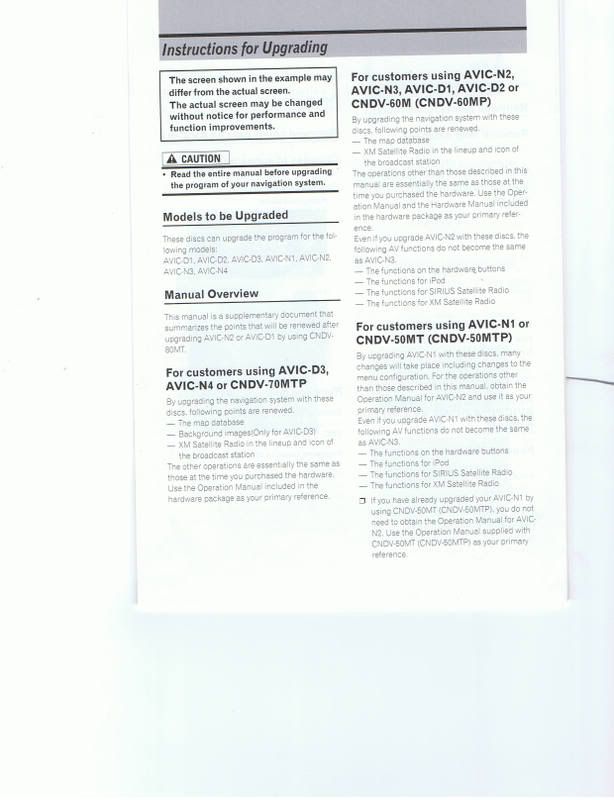
Thank you so much for the upgrade. The only problem I am having is when I have an mp3 disk in I can't bring up the list of songs, it only shows the detail screen, you know the one that shows the background and has the song and artist at the bottom. I upgraded my friends D3 as well and he has the exact same problem. I am going to try and reset the D3 and see what that does.
Anyone else have this problem?
Also, after extracting the file I see some jpegs that I want to try and change, like the gauges and boot screen, I am sure as long as I keep it the same size it will work no problem, I will let you all know if it works.
yes let us know
What unit is this disc for? Is this the newest map disc. I need the new 08 east for my D3. Thanks
What unit is this disc for? Is this the newest map disc. I need the new 08 east for my D3. Thanks
Please take a few seconds to read the forum name, or some posts or look at pioneer website.. You will easily find your answer!!!
Thanks!
I've given up trying after 5 disks...i'm assuming it's my dvd burner but i don't want to go buy a new one...will someone burn and send me a copy?? would greatly appreciate and reimburse for your trouble!