Thanks allot Mav for putting this together. It has saved me time and effort. Basically, I continue to be lazy.
Posted Mar 23, 2009 · 17:26 UTC#376
Thanks allot Mav for putting this together. It has saved me time and effort. Basically, I continue to be lazy.
First of all great job. Maverick !!!
Finally you can work faster with the unit. It works well on the EU version. And the speedometer are in km/h.
I have one question though. I want a little adjustment and i've tried myself but i cant figure it out.
What i want is: a button to put in a new address when a route is allready active. I've tried to use the GPS button to modify, but everything i've tried doesnt work.
I am a salesman and i put in several adresses and use the "via" option and then calculate the optimized route.
Can someone please help me out?
First of all great job. Maverick !!!
Finally you can work faster with the unit. It works well on the EU version. And the speedometer are in km/h.
I have one question though. I want a little adjustment and i've tried myself but i cant figure it out.
What i want is: a button to put in a new address when a route is allready active. I've tried to use the GPS button to modify, but everything i've tried doesnt work.
I am a salesman and i put in several adresses and use the "via" option and then calculate the optimized route.
Can someone please help me out?
Should be fairly simple, you probably need to move the current find address button to somewhere that doesn't cover other things (as it's current location is the same as the mute/unmute button) and then remove the visiblemodel clause so it always shows whether a route is active or not.
Used the data.zip and edited the speed control, and works great! Only thing i have a problem with is when im listening to my iphone the graphic on the bottom left is covering the cancel route button. Other than that, awesome!
Thanks for reply
I am not affraid to try something out as is did. i am not really into the prgramming. But when i see the files it has to be done.
So when i press the sat icon i want to get the adress input screen even when there is a route. I've tried this:
; GPS Status
;
doenst work.
Thanks for reply
I am not affraid to try something out as is did. i am not really into the prgramming. But when i see the files it has to be done.
So when i press the sat icon i want to get the adress input screen even when there is a route. I've tried this:
; GPS Status
;
doenst work.
I'm not sure exactly what you are trying to do but basically what you have done in the code above is stop the gps button showing completely by putting a ; at the start of the line. The address button will never show when there is a route beacuse of this:
visiblemodel="!navigation.has_route"
In order for the address button to always be showing you need to take that part out of the address button line. As I said before you may need to play about with the x and y values to move it to a part of the screen where it doesn't clash with other buttons.
First of all great job. Maverick !!!
Finally you can work faster with the unit. It works well on the EU version. And the speedometer are in km/h.
I have one question though. I want a little adjustment and i've tried myself but i cant figure it out.
What i want is: a button to put in a new address when a route is allready active. I've tried to use the GPS button to modify, but everything i've tried doesnt work.
I am a salesman and i put in several adresses and use the "via" option and then calculate the optimized route.
Can someone please help me out?
Should be fairly simple, you probably need to move the current find address button to somewhere that doesn't cover other things (as it's current location is the same as the mute/unmute button) and then remove the visiblemodel clause so it always shows whether a route is active or not.
It won't be quite as simple as that because the "mute/unmute button" is not a separate button that covers up the "find address button" when a route is active. Rather, it's toggled -- when there's a route, the button is "mute/unmute"; when there's not, the button is "find address". So, if he just moves it, he won't find anything underneath it. Hope that makes some sense.
--Mav
Hi all,
I applied the data.zip for Maverickster's mods in this thread and have experienced the following issues since:
1) Hearing the waring "GPS Signal Loss" in areas that I never had an issue with (basically it is on my 2 mile commute to the train station).
2) The next turn in the green block of the upper left of the map screen is sometimes blank after a route has been entered.
3) Sluggish button response in general.
I had the software bypass done before installing this new data.zip and did not have any issues so I do not think that is the culprit but I wanted to check to see if anyone else had the above issues I mentioned. If it ends up being this data.zip I will restore to my old version but I am hoping that I can keep some or all of it as I really like the enhancements.
Thanks..
Hi Maverickster - just wanted to pass along a big thanks for the mods you put out here - it was exactly what I was looking for, and works great. A clock and Speedo I can read, finally!
I have bookmarked and will look more into the details of what you did, to base any customizations off of for any minor tweaks, and your writeup was excellent. I've been doing a lot of reading over the past week since getting an F90BT, and this was just great.
TERMINATE ROUTE/POI SELECT MOD
Terminate Route Button:
big thanks to maverickster for posting his DATA.ZIP
the map screen and navi functions are much more intuitive with these mods
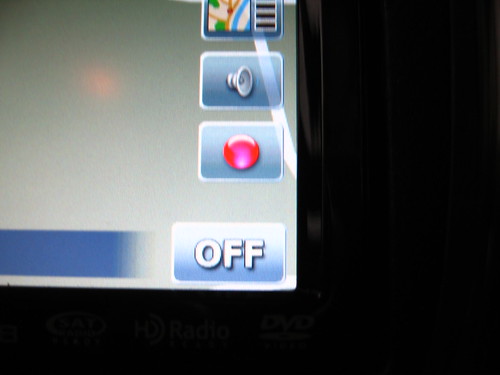
the only issue I've found is that if i have an ipod connected and then go to the map screen, the album artwork covers the POI/cancel route button because it sits right above the source [OFF] button in the lower right corner; if listening to radio or CD it doesn't interfere 
guess I'll have to play around with moving the compass [maybe besides the clock and move the terminate button up to where the compass is now] 
UPDATE on the modification i wanted to do...
I changed the X & Y coordinates for the buttons I wanted to shift and nothing else and they do appear in the place I want but now neither button works
moved the compass to the left of the clock and it still gives the correct heading but isn't clickable
moved the POI/cancel route to where the compass used to be and it isn't clickable either
I would think if I messed up and there was some sort of issue with assigned clickable area for the buttons somewhere in the UI file then the POI button would 'click' to do the compass function and the empty area where the POI button was would still work to cancel the route even with no icon there but that doesn't work either
anyone have any input?
After moving around icons for weeks, I finally settled on a solution to this iPod coverart problem that I like while keeping Mav's mod exactly as he wrote it function-wise. I made the clock font smaller and moved all of the icons up from current positions and that made enough space for the iPod coverart with some space to spare. Best of all the buttons function exactly as they did before the change.
Here are the coordinates I am using:
Clock font size 25, x= 690 y=10, i changed x to compensate for the smaller font, all others are at 720
Compass y=45
Voice Guidance Mute - Address Select y = 100, i moved this button to the top since the map confirmation button can't be moved
2D-3D Button y=155
Delete Route - POI Select y=265
While writing this I remembered that I replaced Mav's compass with a linear one from Keeper's mod, so the image is the same size as the other buttons. Since Mav's compass is slightly smaller, you can probably go with a font as high as 35 by moving the compass down slightly. I tried 30 which worked, 25 just gave me the look I like best. The clock at 12:00 is slightly wider than the buttons. With the coordinates above, the right side of my screen is full from the clock down to the iPod icon and spaced very cleanly as a stock lineup would.
Again, none of the functions have changed, only the location of the button images. So the mod works exactly as Mav drew it up. My first post here, thanks a million Mav for this package. As stated by so many others, it looks and works a million times better than the stock system with this package and some minor graphic changes I made with the information I learned on these boards. My system has not been "stock" since about 2 hours after installation and I have friends who are considering buying this system now after they saw my enhancements.
After moving around icons for weeks, I finally settled on a solution to this iPod coverart problem that I like while keeping Mav's mod exactly as he wrote it.....
thanks for the suggestions
I do like the bigger clock font so I settled on moving the compass to the bottom because I don't care for it much anyway, but switched it to linear compass so it matches better with the other buttons in case I'm not listening to the ipod and it's showing
Glad you guys got it figured out. The "iPod Cover Art Problem" is, frankly, something I never considered since my wife doesn't own one and the AVIC is in her car, but it has come up a few times in this thread. If you go back through this thread, others have found varying solutions to it, but it's always good to see people solve the same problem different ways. Best of luck!
--Mav
I was able to integrate both the SpeedCam mods and Mavs mods... But after trying several times to add the Speedcam mods to Mavs mods I gave up.I ended up using the posted Speedcam Data.zip file that is already completed and then adding Mavs mods individually. It took longer to do this way, as there are several great mods in Mavs DATA.zip... But it worked.
I now have all of Mavs mods AND the speedcam warnings!
Is the speedcam mod the only additional mod you made? if you did other mods too please list additional mods made.
Would you please post your data.zip file with some picks so that I can see what you mod looks like. Also please post any additional files and or instructions that would be needed to successfully complete the mods.
I just got my F7010BT (same as F700BT but with 3 yr. warranty) 4 days ago and have not done any mods yet. Mavs mods seem to have most everything I want except the speed cam stuff, which you have added.
I do like dumpystig's mod to put the info near the middle top of the screen (see pic) and would like the code used for that with good instructions on where to put the code.
Also can some tell me how to add the date code below the clock or maybe to the left of the clock so that I would not need to resize the clock font. The format I want is mm/dd/yyyy (typical for US).
Thanks for any and all for help/info provide.
BIG THANKS to Maverickster for making these great mods available and BorisM for all his fine work, also anyone else I forgot to mention.
Has anyone noticed that you can't hear the speedcam alerts when your music is over 20?
Anyone have any ideas how to turn this up? (*note my alert volume slider is set to all the way up)
Calling BorisM! GTIMatt! Maverickster! ill.die.trying!
Has anyone noticed that you can't hear the speedcam alerts when your music is over 20?Anyone have any ideas how to turn this up? (*note my alert volume slider is set to all the way up)
Calling BorisM! GTIMatt! Maverickster! ill.die.trying!
i've had that one fixed on the new release
Very nice mod Maverickster´s!!!
I´am new here a spent a lot of time reading these topic. I made some changes in the original data.zip placed by Maverickster but one thing that I would like to change and don´t know where to do is, in the current speed/speed limit mod. What I want to do is change the code to just show the current speed. Can some one help me?
thanks
Very nice mod Maverickster´s!!!I´am new here a spent a lot of time reading these topic. I made some changes in the original data.zip placed by Maverickster but one thing that I would like to change and don´t know where to do is, in the current speed/speed limit mod. What I want to do is change the code to just show the current speed. Can some one help me?
thanks
Luiz Andre
Avic - F900BT
Speedcam mod
Maverickster mod
try searching for navigation.current_speed_limit in your nav800_480.ui, that's the first place you should start
Very nice mod Maverickster´s!!!I´am new here a spent a lot of time reading these topic. I made some changes in the original data.zip placed by Maverickster but one thing that I would like to change and don´t know where to do is, in the current speed/speed limit mod. What I want to do is change the code to just show the current speed. Can some one help me?
thanks
Luiz Andre
Avic - F900BT
Speedcam mod
Maverickster mod
try searching for navigation.current_speed_limit in your nav800_480.ui, that's the first place you should start
But what I have to do? The part of the code that I think I have to change is this below, but I don´t know what to change.
;current speed (and speed limit where present) and altitude when not navigating
;
thanks
Very nice mod Maverickster´s!!!I´am new here a spent a lot of time reading these topic. I made some changes in the original data.zip placed by Maverickster but one thing that I would like to change and don´t know where to do is, in the current speed/speed limit mod. What I want to do is change the code to just show the current speed. Can some one help me?
thanks
Luiz Andre
Avic - F900BT
Speedcam mod
Maverickster mod
try searching for navigation.current_speed_limit in your nav800_480.ui, that's the first place you should start
But what I have to do? The part of the code that I think I have to change is this below, but I don´t know what to change.
;current speed (and speed limit where present) and altitude when not navigating
;
thanks
Luiz Andre
Avic - F900BT
Speedcam mod
Maverickster mod
copy and paste the edited code and let me know how it goes
;current speed (and speed limit where present) and altitude when not navigating


  ;
  ;
;
Thank´s!!!
I´ll try and return with a feedback.
Ill thaks!!!
It works ok, but the speed unit does not appear so a change the "/" to "Km/h". I did not test it yet but I think I´ll not have any problem.
Is there much chance this is gonna work with 3.0?
Is there much chance this is gonna work with 3.0?
probably not as it is igo 8.3,