Search Archive

IDT v4.2 on p46, last for 2.0

By ill.die.trying · Mar 12, 2009in Hacks/Mods💬 801 posts👁️ 102,601 views
Page 25 of 33
Posted Jun 14, 2009 · 17:34 UTC#601
Hey, IDT,

I noticed on the previous versions of your mod you had customizable speedcams, correct?

I would love to have the "Custom" slider bar for the adjustable distances and the spoken volume and the "tools" icon with the selectable options I think they were "simple", "when approaching" and over the "speed limit" in this one as well.


Thanx!!!


i might put the distance slider back but like i've said in my previous post no more updates til the the 3 upgrade comes out, i'll look into it again and maybe i'll just help you put it back in, for the spoken volume slider if you haven't noticed yet GTIMATTS slider has an effect on the key beeps, that's why i took it off, AFAIK now the spoken volume is the same as the TTS volume
Posted Jun 14, 2009 · 17:36 UTC#602
hey idt if you don't mind me asking is the red bullseye icon on the map screen to edit speed cams? and which .bmp is it if you remember? i want to replace my cursor_onmap.bmp with your bullseye. will that work?


that bmp is the cursor_onmap .bmp, your better off trying my new mod and see the difference with the previous one

Posted Jun 14, 2009 · 17:39 UTC#603
Thanks for posting your v4 mod. I installed it a couple days ago and works great. Just a couple of questions.

Do you install the voices folder with the 3 files in? if so where?

The icons on the top of the map are faded some times, can they be set to stay solid? If so what file do I have to edit?

Thanks again for the great mod. I like it because it is not cluttered with icons


which voice and files are you talking about? the icons just dims out after a couple of seconds of not being used, if you want to have to stay on always you'll have to edit your navigaemap.ui in common folder and look for this script


and change all the alpha values to 32

Posted Jun 14, 2009 · 19:45 UTC#604

Thanks again IDT

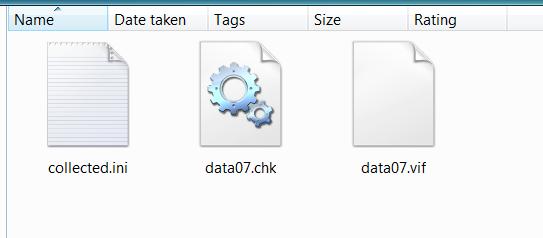
The file voices when unzipping the IDT_v4.zip which contain these 3 files

post-31222-12872757714514_thumb.jpg

Posted Jun 14, 2009 · 20:38 UTC#605
Thanks again IDT

The file voices when unzipping the IDT_v4.zip which contain these 3 files

Voices.jpg


that's just part of the leetlauncher,

Posted Jun 15, 2009 · 04:24 UTC#606

thanks idt i'll give it a try

Posted Jun 15, 2009 · 05:34 UTC#607
thanks idt i'll give it a try

no prob

Posted Jun 15, 2009 · 12:40 UTC#608

I enjoyed 3.8, and looking forward to 4.0

I ma looking for the navigaemap.ui file to keep the icons lit.

I do not see it in the data.zip file (common folder). Am I missing it, or is it somewhere else on the system?


Thanks

Posted Jun 15, 2009 · 15:30 UTC#609
I enjoyed 3.8, and looking forward to 4.0

I ma looking for the navigaemap.ui file to keep the icons lit.

I do not see it in the data.zip file (common folder). Am I missing it, or is it somewhere else on the system?


Thanks


common/ui folder

Posted Jun 15, 2009 · 16:54 UTC#610

Hey, IDT,

I am trying to incorporate a quick launch track recording function to your mod utilizing one I had previously which is an iterration of GTI_Matts.

I replaced this(commented out):

;Time
;

With this:

;****Modified Clock With Recording Function****	
;<> Start


;<>End

And added the script to the very bottom of the Navmap.800_480.ui to call it up:

;<> Start


;<> End


It shows that it is recording yet when I get into the manage track logs there is nothing there.

What am I doing wrong??

Thanx again for the awesome mod!


Bud

Posted Jun 15, 2009 · 17:09 UTC#611

I have modified the parking break setting to 256 so that the system can be used while driving. I have ziped the file up with both winzip and 7zip. No matter which file I use as DATA.ZIP, my system continually reboots. when I reset to the original 4.0, it loaded fine. Can you please make a version where the parking brake is disabled.


Thank you.

Posted Jun 15, 2009 · 17:43 UTC#614
I have modified the parking break setting to 256 so that the system can be used while driving. I have ziped the file up with both winzip and 7zip. No matter which file I use as DATA.ZIP, my system continually reboots. when I reset to the original 4.0, it loaded fine. Can you please make a version where the parking brake is disabled.


Thank you.


that means you're not properly zipping it, the proper way is to highlight the contents of the data folder and then zipping them and not to zip the data folder

Posted Jun 15, 2009 · 17:45 UTC#615
Hey, IDT,

I am trying to incorporate a quick launch track recording function to your mod utilizing one I had previously which is an iterration of GTI_Matts.

I replaced this(commented out):

;Time
;

With this:

;****Modified Clock With Recording Function****	
;<> Start


;<>End

And added the script to the very bottom of the Navmap.800_480.ui to call it up:

;<> Start


;<> End


It shows that it is recording yet when I get into the manage track logs there is nothing there.

What am I doing wrong??

Thanx again for the awesome mod!


Bud


not too familiar with the tack log thing but i'll check it out later

Posted Jun 15, 2009 · 17:48 UTC#616

Thanx!


...:)

Posted Jun 15, 2009 · 18:06 UTC#617
I have modified the parking break setting to 256 so that the system can be used while driving. I have ziped the file up with both winzip and 7zip. No matter which file I use as DATA.ZIP, my system continually reboots. when I reset to the original 4.0, it loaded fine. Can you please make a version where the parking brake is disabled.


Thank you.


that means you're not properly zipping it, the proper way is to highlight the contents of the data folder and then zipping them and not to zip the data folder

OK, I will try and zip it again the way you suggest.

Before I do that, 2 question.

1) Does it matter if I use 7zip or winzip

2) IS t here a setting so speedcams don't load. I don't need them, and I am hoping by not loading them, the system load will be quicker.

Posted Jun 15, 2009 · 18:08 UTC#618
I have modified the parking break setting to 256 so that the system can be used while driving. I have ziped the file up with both winzip and 7zip. No matter which file I use as DATA.ZIP, my system continually reboots. when I reset to the original 4.0, it loaded fine. Can you please make a version where the parking brake is disabled.


Thank you.


that means you're not properly zipping it, the proper way is to highlight the contents of the data folder and then zipping them and not to zip the data folder

OK, I will try and zip it again the way you suggest.

Before I do that, 2 question.

1) Does it matter if I use 7zip or winzip

2) IS t here a setting so speedcams don't load. I don't need them, and I am hoping by not loading them, the system load will be quicker.


1) prefer 7zip

2)don't think disabling the speedcams will have an effect on the boot time

Posted Jun 15, 2009 · 18:22 UTC#619

Thanks for the answers regarding rezipping.

1 last question, in using 7zip, I notice it has multiple formats(I am using 7zip, normal) is that correct?

Thanks, I will re7zip this afternoon, and test it after work.

Posted Jun 15, 2009 · 18:25 UTC#620
Thanks for the answers regarding rezipping.

1 last question, in using 7zip, I notice it has multiple formats(I am using 7zip, normal) is that correct?

Thanks, I will re7zip this afternoon, and test it after work.

just change it to .zip

Posted Jun 15, 2009 · 18:28 UTC#621
not too familiar with the tack log thing but i'll check it out later


Here's what happens:

The track recording function that I added IS working. What I do notice, however, is that when I get into the "Manage Track Logs" screen and stop the recording,..even from there, the track log is immediately deleted. There are no saved track logs. It does this even in the raw, unmodified V4.0.


Is this possibly a bug??

Thanx,

Bud

Posted Jun 15, 2009 · 18:31 UTC#622
not too familiar with the tack log thing but i'll check it out later


Here's what happens:

The track recording function that I added IS working. What I do notice, however, is that when I get into the "Manage Track Logs" screen and stop the recording,..even from there, the track log is immediately deleted. There are no saved track logs. It does this even in the raw, unmodified V4.0.


Is this possibly a bug??

Thanx,

Bud


i'll look at it when i get a chance

Posted Jun 15, 2009 · 19:36 UTC#623

IDT, your newest version is very nice! In my opinion this is the best data zip out. Very well thought out.

Posted Jun 15, 2009 · 20:34 UTC#624

FYI..Sometimes when I try to use the trip computer it does not work. I can re-start the system and it will work. I can shut off the truck for a while. Start back up and again it will either work or not work. The screem shows all of the computer boxes but the displayed info are all zeroes. I can scroll through all three "trips" and they are all the same. Also, when it does work the elevation is defaulted at 0.2mi for both the MIN and the MAX elevations...maybe this is the reason for the altitude "problem"?http://avic411.com/forum/viewtopic.php?f=34&t=24580&p=166951&hilit=tripcomputer+elevation#p166951:


Thanx,

Bud

Posted Jun 15, 2009 · 21:17 UTC#625
IDT, your newest version is very nice! In my opinion this is the best data zip out. Very well thought out.


glad to hear that the efforts i put in doing the mods are appreciated

Page 25 of 33