Search Archive

IDT skin#1 v5.5 03/02/10 9download link to be updated)

By ill.die.trying · Aug 05, 2009in Completed Mods/Themes💬 1,618 posts👁️ 210,687 views
Page 22 of 65
Posted Aug 28, 2009 · 01:16 UTC#526
I added both trip on map and on screen to the "road name picture" so on click I have onmap comp trip and on long click onscreen comp trip


;road name picture


works great IDT


add this at the end of the script, just before the > sign

noreleaseonlongclick

Posted Aug 28, 2009 · 01:20 UTC#527

All this great stuff for the trip computer and I still can't get mine to work.....still !........aaarrrrrghhhhhh :x

Posted Aug 28, 2009 · 01:29 UTC#528

4)add this script to whatever bmp you want to act as your button for your onmap tripcomputer

onrelease='run sc_tripresetrefresh, ui_NSEWtripcomp.show'

5)add this script to whatever bmp you want to act as your button for your tripcomputer screen

onrelease='nextstate ST_TRIPCOMPUTER'


and you're done, let me know how it goes,


I finished adding everything just not sure what icons to use for steps 4 and 5. What icons did you add step 4 and step 5 to in your navigatemap_800_480.ui file? I looked through it but cant find the reference.

Posted Aug 28, 2009 · 01:39 UTC#529
I added both trip on map and on screen to the "road name picture" so on click I have onmap comp trip and on long click onscreen comp trip


;road name picture


works great IDT


add this at the end of the script, just before the > sign

noreleaseonlongclick


Like This:

;road name picture

onrelease='run sc_tripresetrefresh, ui_NSEWtripcomp.show' onlongclick='nextstate ST_TRIPCOMPUTER'noreleaseonlongclick>

Posted Aug 28, 2009 · 01:44 UTC#530
4)add this script to whatever bmp you want to act as your button for your onmap tripcomputer

onrelease='run sc_tripresetrefresh, ui_NSEWtripcomp.show'

5)add this script to whatever bmp you want to act as your button for your tripcomputer screen

onrelease='nextstate ST_TRIPCOMPUTER'


and you're done, let me know how it goes,


I finished adding everything just not sure what icons to use for steps 4 and 5. What icons did you add step 4 and step 5 to in your navigatemap_800_480.ui file? I looked through it but cant find the reference.


4) i'm using the current speedlimit BMP as a button

5) i added an option in the settings menu

Posted Aug 28, 2009 · 01:45 UTC#531
I added both trip on map and on screen to the "road name picture" so on click I have onmap comp trip and on long click onscreen comp trip


;road name picture


works great IDT


add this at the end of the script, just before the > sign

noreleaseonlongclick


Like This:

;road name picture

onrelease='run sc_tripresetrefresh, ui_NSEWtripcomp.show' onlongclick='nextstate ST_TRIPCOMPUTER'noreleaseonlongclick>


just have a space between

Posted Aug 28, 2009 · 01:49 UTC#532

Like This:

;road name picture

onrelease='run sc_tripresetrefresh, ui_NSEWtripcomp.show' onlongclick='nextstate ST_TRIPCOMPUTER'noreleaseonlongclick>


just have a space between


Like This:

onrelease='run sc_tripresetrefresh, ui_NSEWtripcomp.show' onlongclick='nextstate ST_TRIPCOMPUTER' noreleaseonlongclick>

Posted Aug 28, 2009 · 01:58 UTC#533
Like This:

;road name picture

onrelease='run sc_tripresetrefresh, ui_NSEWtripcomp.show' onlongclick='nextstate ST_TRIPCOMPUTER'noreleaseonlongclick>


just have a space between


Like This:

onrelease='run sc_tripresetrefresh, ui_NSEWtripcomp.show' onlongclick='nextstate ST_TRIPCOMPUTER' noreleaseonlongclick>


yes

Posted Aug 28, 2009 · 09:41 UTC#534
Like This:

;road name picture

onrelease='run sc_tripresetrefresh, ui_NSEWtripcomp.show' onlongclick='nextstate ST_TRIPCOMPUTER'noreleaseonlongclick>


just have a space between


Like This:

onrelease='run sc_tripresetrefresh, ui_NSEWtripcomp.show' onlongclick='nextstate ST_TRIPCOMPUTER' noreleaseonlongclick>


yes


it doesnt work with this line on the end , showing an error at startup, works great without it

Posted Aug 28, 2009 · 13:05 UTC#535

sent more $$$......... couple days ago... you get it?

Posted Aug 28, 2009 · 13:17 UTC#536

trip computer didn't work. I think it has to do with the code in CMH's file since he has a shortcut to TMC when you hit the little road sign. That is where I want the trip computer onmap. Attached is the code in the file:

;road name picture


;road name picture, searchmap


;route name and housenumber(next and the third road name)


I want use the road name pic but it is being used for TMC and thus the conflict. I tried to just replace with that code and I get a constant reboot.

Posted Aug 28, 2009 · 13:18 UTC#537

this is what i replaced it with:

;road name picture


;road name picture, searchmap


;route name and housenumber(next and the third road name)


Any ideas?

Posted Aug 28, 2009 · 13:34 UTC#538
sent more $$$......... couple days ago... you get it?


got it bro, thanks for the donation

Posted Aug 28, 2009 · 16:16 UTC#539

you have made this thing a joy to use... I really appreciate it (wont discuss audio on F500BT speedcam...LOL)


I dont understand why pioneer doesnt see such improvements as way increase interest and sales


thanks J for being a member here


sent more $$$......... couple days ago... you get it?


got it bro, thanks for the donation

Posted Aug 28, 2009 · 18:36 UTC#540

I loaded 3.1 yesterday on my F90 & don't have speed cam icons or voice.


I used your mod on 2.0 & it worked flawlessly. Do I have to enable these somewhere?

Posted Aug 28, 2009 · 18:40 UTC#541
I loaded 3.1 yesterday on my F90 & don't have speed cam icons or voice.


I used your mod on 2.0 & it worked flawlessly. Do I have to enable these somewhere?


did you put the speedcam.txt file?

are the warning settings turned on?

Posted Aug 28, 2009 · 18:59 UTC#542

IDT

Did you think about putting clock and date in some kind of window so we can use only one color of front, it will be much easy to read at night mode

Posted Aug 28, 2009 · 22:00 UTC#543

-UPDATE


sadly i would be off for a while as after doing all the testing my unit just decided to stop working, no power, no illumination, nothing, i already checked the fuse and wirings but still no go, after typing this message i'll be heading straight to my dealer and probably won't get my unit back for a good month, i'm totally pissed off right now that this happened,


anyway, here's what's added

----version made specially for EU users

-UK style speedlimit sign

-housenumbers were reversed for EU users

-TMC shortcut

-sys.txt already fixed to reflect the device type and TMC icons

----signpost on/off setting

----fixed scheme button

----history shortcut onlongclick of the address button

----added a ROAD SIGN settings page for speedlimit sign, sign post, turn restriction

----i don't know if you guys noticed that the software bypass was already included since v2 and i just kept forgetting to mention it,

----there's a couple other stuff that i can't remember


instructions:

for newbies READ THE HACKS THREAD FIRST, don't just jump into doing a mod without enough knowledge,


1) first off this is not an auto installer,

2)extract files and transfer all files to a freshly formatted SD card

3)this already has testmode file so no need to add anything else

4)insert SD to unit,

5)boot up unit

***if this is your first time,PLEASE BACK UP YOUR FILES

6) copy DATA.ZIP, SYS.TXT, and DS-DIGI file to igo folder

7) to add a different scheme, add the contents of scheme folder to MYFLASHDISK\APL2\IGO\CONTENT\SCHEME


**IT'S MANDATORY TO DELETE THE SAVE FILES, it's in My Flash Disk\USER\UserData\iGo\save, everything should be deleted except for favourites.dat if you have it


8) once done copying turn off the unit, remove sd card and then turn unit on,


any comments, suggestions are welcome, i need more than one set of eyes to get this thing going


any donations thru paypal are very much appreciated http://[email protected]


here's the lnik ftp://avic:[email protected]/illdietrying/IDT%203.0/


for all your request, i will try and add them to my mod but just be patient as this thing consumes a lot of time,

Posted Aug 28, 2009 · 22:26 UTC#544

That sucks! Hope it turns out to be something insignificant... and again, thanks for all the work you do on this thing. Pioneer could really learn a lot from you, bro!!!

Posted Aug 29, 2009 · 02:47 UTC#545

I did a quick search and found nothing. I wanted to ask, is it possible to put an image in instead of a black screen when the "screen off" button is pushed?

Posted Aug 29, 2009 · 03:33 UTC#546

Mega-bummer, Dude!!


That just sucks! All the best with getting it fixed/repaired/replaced/whatever. I hope the dealer comes through for you, Julius.

Posted Aug 29, 2009 · 11:43 UTC#547
That sucks! Hope it turns out to be something insignificant... and again, thanks for all the work you do on this thing. Pioneer could really learn a lot from you, bro!!!


no prob

Posted Aug 29, 2009 · 11:44 UTC#548
I did a quick search and found nothing. I wanted to ask, is it possible to put an image in instead of a black screen when the "screen off" button is pushed?


not sure, i've tried it before but didn't have any luck, try it again and let us know if it's possible,

Posted Aug 29, 2009 · 11:46 UTC#549
Mega-bummer, Dude!!


That just sucks! All the best with getting it fixed/repaired/replaced/whatever. I hope the dealer comes through for you, Julius.


i just found out that there's a place here in the city that are certified repair shop by pioneer, i'll be bringing it in later, hopefully it wouldn't be that long

Posted Aug 29, 2009 · 12:48 UTC#550

Hello,


Just using it for 3 days, here's my report :

- 1st, this is great improvement from Pioneer's original, much easy to use and to deal with, thanks for that.

then :

- I think it will be very good to have a "current speed" indicator always on in navigation window, just behing the "speed limit", so in one quick look you see what you're really dealing with about speed

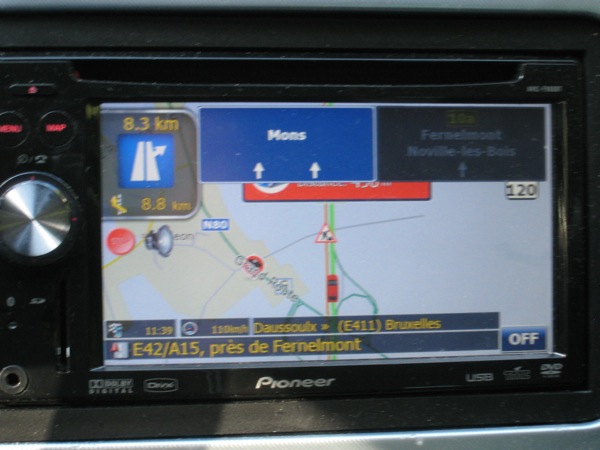
- The letters and numbers in the two windows left down are very small to read (I use "time left to destination" and "current speed" but I prefer "km left to destination if you fix the upper quest :-) Why not the same dimension as in the "direction" window ?? or in bold??
pionee10.jpg

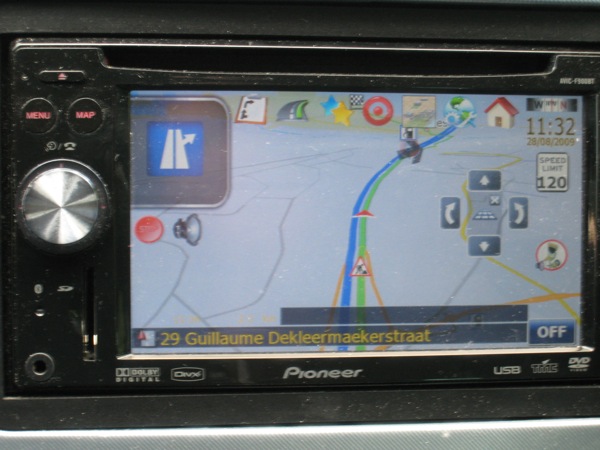
- Sometimes (don't know exactly when it happens), the background of these 2 windows disappear... so it 's impossible to read these informations , I have to restart the unit to have the background back...

pionee11.jpg

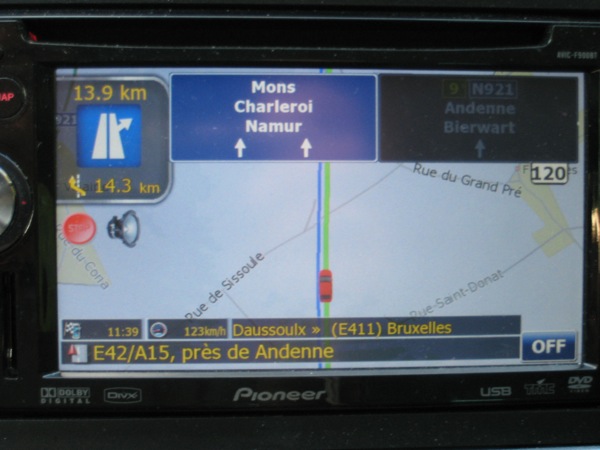
- In navigation mode, the lane indications "overwrite" the speed alerts... And as here in Belgium, we have exits every 3-5 km, with a speed cam just before and after most of the times, so I never see these speed limits indications...

pionee12.jpg

May be the speed limit should be smaller in the left part of the image just behing "stop" and "sound" buttons??

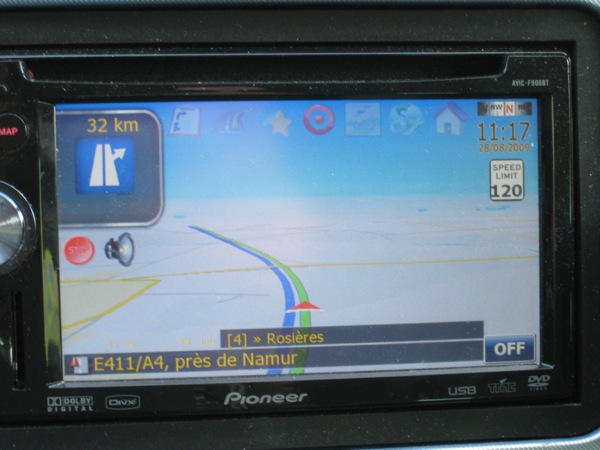
- and last, I cannot record the image position in 3D mode, the horizon line is too down, and if I try to put it alittle bit upper, this position is never reorded and immediately erased when I push any button...

pionee13.jpg


All of these are not so important but will be good improvements to me.

Thanks for our job, it's awesome


Franck

Page 22 of 65