Search Archive

Gurjon skin for AVIC

By BorisM · Aug 20, 2009in Completed Mods/Themes💬 205 posts👁️ 55,073 views
Page 8 of 9
Posted Sep 21, 2009 · 02:25 UTC#176

Ok, I downloaded the file, copied it to iGo without doing anything to what I had downloaded. Nothing happened. I unzipped both folders and copied those files, along with the ini file, to iGo. Nothing changed. What did I do wrong???

Posted Sep 24, 2009 · 07:01 UTC#177

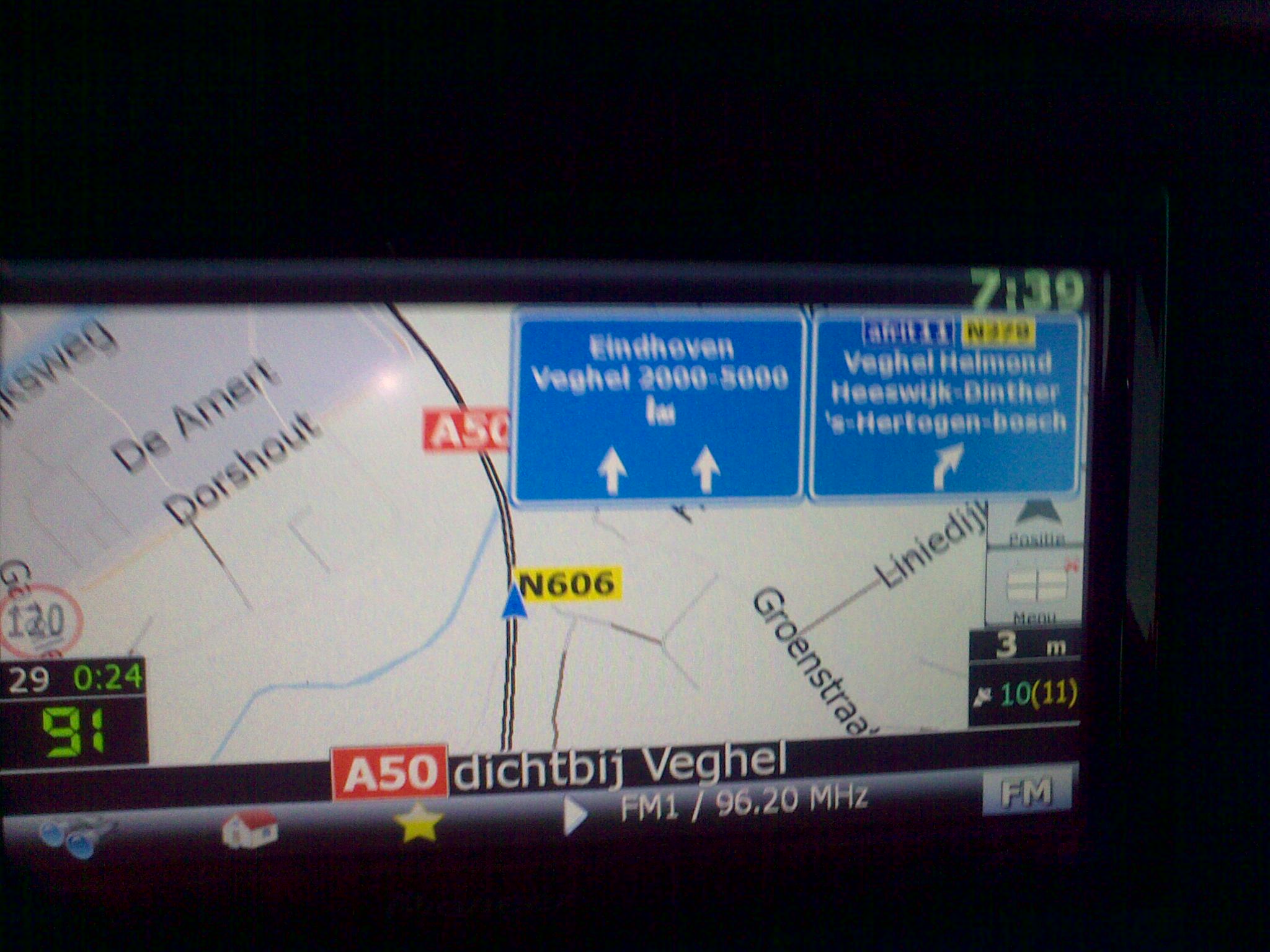
Ok whenever i am on the highway at a turn my system goes to 2d. How do I disable this function it is driving me nuts. See the pic atached.

post-35517-12872759398284_thumb.jpg

Posted Sep 24, 2009 · 23:44 UTC#178

osmenog,

Thank you for your help, - I'll go try it out right now!

infochia

Posted Sep 25, 2009 · 17:42 UTC#179
Ok whenever i am on the highway at a turn my system goes to 2d. How do I disable this function it is driving me nuts. See the pic atached.

22092009004.jpg

It's impossible.....


(joke, of cause) :D


U can 2 disable it from SETTINGS - NAVIGATION (the tag below)

Posted Sep 25, 2009 · 18:15 UTC#180

Could you give me a little more detail on to how to disable it? Thank you verry much.

Posted Sep 25, 2009 · 23:36 UTC#181
Could you give me a little more detail on to how to disable it? Thank you verry much.


See page 10. I think the answer you're looking for is there.

Posted Sep 26, 2009 · 09:03 UTC#182

Hi the Auto 2D before waypoint is not the problem. I already tried that, and that is not fixing it. Any other ideas?

Posted Oct 18, 2009 · 20:52 UTC#183

Just a quick "Thanks" for this mod. After lots of tweeking - I think my GPS is now perfect (at least until the next mod)


Cheers

Posted Oct 19, 2009 · 02:42 UTC#184

In terms of navigation features, personally I feel Gurjon mod is the best . However, I noticed when using the Gurjon mod, my F500BT takes much longer time to lock GPS signal.

Posted Oct 29, 2009 · 20:22 UTC#185

It`s the last version of skin and commonlib.dll from 3.0 version AVIC F900bt.


Igo starts and shows screen automatically when AVIC starts and there is no any warning messages.

gj_skin_pioneer.zip

Posted Oct 29, 2009 · 20:56 UTC#186
It`s the last version of skin and commonlib.dll from 3.0 version AVIC F900bt.


Igo starts and shows screen automatically when AVIC starts and there is no any warning messages.


I loaded only the commonlib.dll into APL on my 500 running hacked v3.0 and - surprise, surprise - it booted up no prob! Just to clarify tho, for me this is what happens >>> Power button :arrow: Splash screen starts :arrow: System startup in progress. Please wait :arrow: Top Menu :arrow: Map button :arrow: Map screen


I'm off for a run shortly, I will see how the unit operates and let you guys know

Posted Oct 29, 2009 · 23:11 UTC#187

So far when starting up now I do not have to press OK to get into the map screen. Its been running fine with replacing that file.

Posted Oct 30, 2009 · 03:16 UTC#188

Only did 20 miles but so far everything seems to be working just fine, I'll see how it goes over the next few days.

Posted Nov 02, 2009 · 21:10 UTC#189

Installed and works,, thank you all a lot, finally a "real IGO" skin,,

I am using gps also on my motorcycle and I am used to Dimka skin,, bigger text,, clearer speedcam info etc etc..


Ive copied the Dimka skin and all of its files and it works exept one thing,, the system startup in progress will not go away ( as is waiting for some confirmation or response within the program),,

Anybody any lead,, imagine that this can be solved,, we can use any skin we would like and pesonalise whatever we like,,


Any help welcome,,


Thanks in advance
Posted Nov 03, 2009 · 17:40 UTC#190

Hi all,,

Deleted everithing in the ... save folder,, IGO loads perfect with Dimka skin,, just "System startup in progress. Pleas wait" stays on top,,


Any ideas how to....,,

Thanks,,

Posted Nov 03, 2009 · 22:29 UTC#191

The skin works perfectly in my F900BT.

Only two questions:

- It would be possible to change the color (yellow) in the numbering of the streets?.

In day mode does not look good.

- How to change the truck by the arrow in 3D?


Kia Magentis V6

Avic F900bt

Posted Nov 05, 2009 · 00:06 UTC#192
The skin works perfectly in my F900BT.

Only two questions:

- It would be possible to change the color (yellow) in the numbering of the streets?.

In day mode does not look good.

- How to change the truck by the arrow in 3D?


Kia Magentis V6

Avic F900bt


For numbers in street name, you need to find the correlating code in gj colors ui and modify it from there.


Truck by arrow? I don't understand the question, but there are some things discussed earlier in this thread regarding choosing a car through settings in sys.txt. I never used that when running the skin. It was either the Batmobile or the arrow for me.

Posted Nov 11, 2009 · 15:59 UTC#193

Just updated to the latest version of this skin and seems to be working fine. I had a couple questions I wanted to see if anyone of the experts here could answer:


1. Where do you set your Home location, as near as I can tell it doesn't appear to have an option in this mod.

2. in a previous post it was mentioned that "-By pressing volume button mutes IGO sounds" I assumed this meant that while navigation was active I could press the "volume center button" and it would mute the voice, however it just appears to start the Voice Command interface which I never use. Am I doing something wrong?

3. While using the map in navigation mode or on startup it occasionally decides to zoom really far out so far out that the entire Dallas City appears which is very annoying, Does anyone know where I can set the default zoom or disable this auto-zooming?

4. This question is probably not related to the mod but has anyone found a way to delete individual points of interest? A lot of restaurants it shows around me are no longer there and I'd like to remove them.

5. While zooming in and out the navigation seems to try and do a animation zoom where it zooms in slowly. Can this be disabled to just refresh at the new zoom levels? It's a neat animation but like most animations they really just slow things down.


Thanks all, great work,


John

Posted Nov 11, 2009 · 16:32 UTC#194
Just updated to the latest version of this skin and seems to be working fine. I had a couple questions I wanted to see if anyone of the experts here could answer:


1. Where do you set your Home location, as near as I can tell it doesn't appear to have an option in this mod.

4. This question is probably not related to the mod but has anyone found a way to delete individual points of interest? A lot of restaurants it shows around me are no longer there and I'd like to remove them.

John


1. - I believe in most iGO skins you just create a favorite named Home and it is assumed to be your home address. That's how it works on PDA version of iGO with GJ skin, at least.


2. - I don't think anyone has ability to edit .POI files, so not possible...

Posted Nov 16, 2009 · 20:03 UTC#195

I have tried to add voices Loquendo in Spanish but don't work

Can anyone help me?


Kia Magentis V6

Avic F900bt

Posted Nov 17, 2009 · 17:56 UTC#196
I have tried to add voices Loquendo in Spanish but don't work

Can anyone help me?


Have same problem,, tried everything, replaced various vesrsions, complete reinstall,, no avail,,

Finally installed "normal" non tts voices and works perfectly,, you can find them on this forum,,

If anybody has succeeded (Spanish TTS) plseadvice us how to,,


Thanks

Posted Nov 17, 2009 · 22:31 UTC#197
I have tried to add voices Loquendo in Spanish but don't work

Can anyone help me?


Have same problem,, tried everything, replaced various vesrsions, complete reinstall,, no avail,,

Finally installed "normal" non tts voices and works perfectly,, you can find them on this forum,,

If anybody has succeeded (Spanish TTS) plseadvice us how to,,


Thanks


Doesn't AVIC's build of iGO use RealSpeak (Nuance) voices, not Loquendo's. It is probably missing DLLs required to use Loquendo ones...

Posted Nov 18, 2009 · 16:56 UTC#198

Hi Boris,,


Thank for the answer,, problem with Spanish is that is seems that there is no Spanish realspeak voice available (have US unit and this comes with weird mexican voice, and this one (and the us voices) work well),, searched on this forum and many others,,


For my units (have 2 F500) no problem,, but I have friends who dont speak a word English,,


If someone can post the realspeak part ("scansoft" directory) from a EW unit,, sure this would have Spanish voice included,, until now didnt find nothing,,


Thanks again,,

Posted Nov 18, 2009 · 17:17 UTC#199
Hi Boris,,


Thank for the answer,, problem with Spanish is that is seems that there is no Spanish realspeak voice available (have US unit and this comes with weird mexican voice, and this one (and the us voices) work well),, searched on this forum and many others,,


For my units (have 2 F500) no problem,, but I have friends who dont speak a word English,,


If someone can post the realspeak part ("scansoft" directory) from a EW unit,, sure this would have Spanish voice included,, until now didnt find nothing,,


Thanks again,,


You're welcome.


Don't have a European unit, but I'm sure somebody here would have it...

Posted Dec 13, 2009 · 06:17 UTC#200

got a quick questions to users using this mod, does the album art still show when using this mod?

Page 8 of 9