Search Archive

Gurjon skin for AVIC

By BorisM · Aug 20, 2009in Completed Mods/Themes💬 205 posts👁️ 55,073 views
Page 6 of 9
Posted Aug 30, 2009 · 02:17 UTC#126
I didn't try the TTS package, but the standard TTS does tell me which side the destination is on. :)


Not sure how or who added it but wanted to say thanks!


Speaking of "you destination is on the LEFT/Right side" should be done thru modification to the command.csv inside the TTS Voice file. I don't think you are using the standard TTS.


Refer: http://avic411.com/forum/viewtopic.php? ... 7&p=182702


Could you post your TTS voice file on the net?


Thanks,


Here's the file. Samantha is the voice I've been using. The commands for arrive at destination on the left/right is near the bottom of the csv file. I highly doubt I'm the only one with it. It may have been in the pack from the upgrade cards.
Voice_TTS-nua-eng-us-f1.zip

Posted Aug 30, 2009 · 14:31 UTC#127

Did any one else notice the home and work buttons on the find menu being reversed? They were on mine.


What I did was change a couple of things in the advmenu800_480 ui and the start_800_480 ui. If yours is reversed, try this in each file. Find this section:

;--gurjon - Added Home and Work button


You can either change the text of each button or do as I did and reverse these two parts:

onrelease='run d_HomeWork_OnRelease 0' enabledmodel="[email protected]"


I preferred to keep the home button on the left, but changing the text name serves the same purpose.


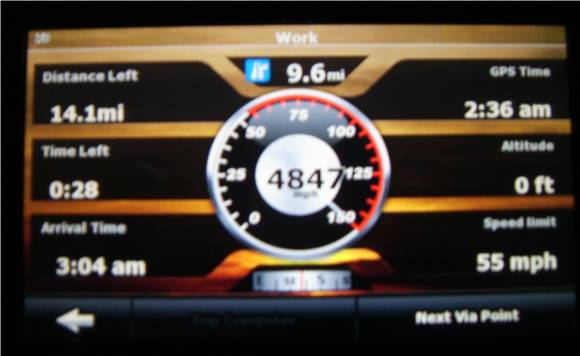
This reminds me of Yuri's skin in a way. The more you search and explore the files you discover new things. Try this for instance, press and hold the speed limit bmp, it'll bring you to the screen below.

post-24694-1287275882623_thumb.jpg

Posted Aug 30, 2009 · 14:52 UTC#128

I have done that to.


Today i install the skin from scratch incl. the remove of the system.ini in the save dir. still no luck with the master volume.

The only thing i saw was that the "device type" in the sys.txt was 746UC and i'am having an (F900BT v3.02) 746EW.

Will this solve my problem with the master volume?


Regards,


Navigarie.


I got only two problems left.

1. It won't save my voice volume.

2. it won't save my smartzoom setting


For the rest it is perfect.


Did you try to do as osmenog suggested: (do not forget 2 deleting system.ini from save directory (D:\My Flash disk\User\UserData\iGo\save) because it can contain some old informations...

Posted Aug 30, 2009 · 14:56 UTC#129
BORIS or anyone


So far I am enjoying the new skin, however I find the font for reading the street names to be a bit too small. Is there a way to bold it or perhaps nudge it up a couple sizes, I find myself having to lean in to read the streets a bit more than I like.


This isn't really a "problem" just an oddity I thought I would report. Normally during startup my splash screen (pioneer default) shows up until it loads the TOP MENU, but about 50% of the time, I will see the PIONEER splash screen for a few seconds and then it goes black, the system still loads the TOP MENU normally, but it appears that perhaps the 2nd splash screen isn't showing up all the time. As I said not really a problem just thought I'd mention it.


You could always use the line below in your sys.txt. it will put the street names in a bubble like the screen below. it makes it easier to read.


[3d_config]

disable_roadsign_navigation_mode=0


It will look like normal when you start up igo. after you get a GPS signal or simulate a route it will put the street names in bubbles.


avic_gurjon.jpg


Specter - I really like the balloon street signs but I had to go back. The reason being is that on the interstate none of the adjoining street names appear or the streets you're about to pass. If there is an interchange that shows. If you or anyone else knows how to get the street names to show on the interstate let me know what I need to change to get it working.

Thanks in advance.

Posted Aug 30, 2009 · 14:57 UTC#130
I have done that to.


Today i install the skin from scratch incl. the remove of the system.ini in the save dir. still no luck with the master volume.

The only thing i saw was that the "device type" in the sys.txt was 746UC and i'am having an (F900BT v3.02) 746EW.

Will this solve my problem with the master volume?


Regards,


Navigarie.


I got only two problems left.

1. It won't save my voice volume.

2. it won't save my smartzoom setting


For the rest it is perfect.


Did you try to do as osmenog suggested: (do not forget 2 deleting system.ini from save directory (D:\My Flash disk\User\UserData\iGo\save) because it can contain some old informations...


Most likely.

Posted Aug 30, 2009 · 17:29 UTC#131

navigarie wrote:

I have done that to.


Today i install the skin from scratch incl. the remove of the system.ini in the save dir. still no luck with the master volume.

The only thing i saw was that the "device type" in the sys.txt was 746UC and i'am having an (F900BT v3.02) 746EW.

Will this solve my problem with the master volume?


Regards,


Navigarie.


rwijnhov wrote:

I got only two problems left.

1. It won't save my voice volume.

2. it won't save my smartzoom setting


For the rest it is perfect.


Did you try to do as osmenog suggested: (do not forget 2 deleting system.ini from save directory (D:\My Flash disk\User\UserData\iGo\save) because it can contain some old informations...


I have changed my sys.txt (746UC to 746EW) and removed the system.ini from the save dir.

still no luck.


In testmode everything will work fine when i start the F900BT (V3.02eu) normal the volume is full ??? :cry::oops::shock::?


I saw this in the sys.txt from the gurjon skin wich is not in the standard version:


[modules]

IEXTERNAL_BACKGROUND_PLAYBACK_MANAGER="PIONEER_EXTERNAL_BACKGROUND_PLAYBACK_MANAGER"

IOSVOLUME_MANAGER="PIONEER_OSVOLUME_MANAGER"

IBACKLIGHT_DRIVER="NULL_BACKLIGHT_DRIVER"


I have commented these lines out but still no luck.


Idea's ????

Posted Aug 31, 2009 · 02:34 UTC#132
I didn't try the TTS package, but the standard TTS does tell me which side the destination is on. :)


Not sure how or who added it but wanted to say thanks!


Speaking of "you destination is on the LEFT/Right side" should be done thru modification to the command.csv inside the TTS Voice file. I don't think you are using the standard TTS.


Refer: viewtopic.php?f=34&t=25147&p=182702


Could you post your TTS voice file on the net?


Thanks,


Here's the file. Samantha is the voice I've been using. The commands for arrive at destination on the left/right is near the bottom of the csv file. I highly doubt I'm the only one with it. It may have been in the pack from the upgrade cards.


Thanks for the Voice file. I briefly check the command.csv file, I see the "Destination on Left/Right" is added. Will test it out tomorrow.

Posted Aug 31, 2009 · 10:26 UTC#133

Hi,


I fixed it. after deleting the sound settings in the sys.txt i am able to change the settings and they are saved to.

Posted Aug 31, 2009 · 12:07 UTC#134

Stange that does'nt work for me ???

Posted Aug 31, 2009 · 20:37 UTC#135

Has anyone fiqure out how to save the setting, smartzoom, voice volume, and how do you save your home setting when navigating.

Posted Aug 31, 2009 · 21:58 UTC#136
Has anyone fiqure out how to save the setting, smartzoom, voice volume, and how do you save your home setting when navigating.


It saved all that on mine. It took lots of tinkering to get a suitable setting for the zoon and tilt. I even went into the data zip and adjusted how much it zooms out when the sign boards appeared. It drove me nuts that it zoom out so far then zoom in after the boards went off.


I wonder if the volume thing has anything to do with the units that wired in or the indash units with all the audio tuners pre-installed.

Posted Aug 31, 2009 · 22:05 UTC#137

Does any one know how I can get a weekly meteo file without tethering a cell phone to unit? I don't have an internet package on my cell so no use tethering for me.


Regarding external applications, who has some, what type of apps and how do they work with the Avic?

Posted Aug 31, 2009 · 22:59 UTC#138
Does any one know how I can get a weekly meteo file without tethering a cell phone to unit? I don't have an internet package on my cell so no use tethering for me.


Regarding external applications, who has some, what type of apps and how do they work with the Avic?


http://www.mioskins.org/viewtopic.php?f=50&t=14952 <- there's a weather doiwnloader for it. Hope you read French :)

Posted Sep 01, 2009 · 04:14 UTC#139
Does any one know how I can get a weekly meteo file without tethering a cell phone to unit? I don't have an internet package on my cell so no use tethering for me.


Regarding external applications, who has some, what type of apps and how do they work with the Avic?


http://www.mioskins.org/viewtopic.php?f=50&t=14952 <- there's a weather doiwnloader for it. Hope you read French :)


http://translate.google.com/translate_t ... y_state0=#


;)

Posted Sep 01, 2009 · 04:28 UTC#140

How do you change the truck that is the icon in the 3D map? I tried futzing with the car setting and nothing seems to change it. I just want a good old fashioned arrow.

Posted Sep 01, 2009 · 12:46 UTC#141

Help !!!


Tested the hole weekend and reinstall. the several times still no luck with the os_volume !!!!!


What happend is when i change the master volume to 0 and i exit the software, on that moment as i look in the system.ini the value "os_volume=0" which is good !!!!!!.


when i restart the software and let it start completely after that i look in the system.ini and without any chance in the software the value is "os_volume=255" GGGGGrrrrrrrrrrrrrrrr.


Can somebody explain this to me because i like the skin but this drives me crazy.


Regards,


Navigarie

Posted Sep 01, 2009 · 21:14 UTC#142

I just modified the latest GJ skin 6.9.3p800x480 to work with Lexa package, for those who are interested, please download the skin here.


http://www.4shared.com/account/file/129 ... 0x480.html


Assume you already have Boris' GJ package installed, you will only need to copy the 6.9.3 zip file to the skin folder and update your sys.txt to pointing to the 6.9.3 file.


Credit goes to Gurjon team, Boris, and Lexa.


Enjoy!

Posted Sep 01, 2009 · 22:27 UTC#143
I modified the latest GJ skin 6.9.3p800x480 to work with Boris's package, for those who are interested, please download the skin here.


http://www.4shared.com/account/file/127 ... 0x480.html


Assume you already have Boris' GJ package installed, you will only need to copy the 6.9.3 zip file to the skin folder and update your sys.txt to pointing to the 6.9.3 file.


Credit goes to Gurjon team, Boris, and Lexa.


Enjoy!


Actually it's all Lexa's. I just posted it :)

Posted Sep 02, 2009 · 02:23 UTC#144
Does any one know how I can get a weekly meteo file without tethering a cell phone to unit? I don't have an internet package on my cell so no use tethering for me.


Regarding external applications, who has some, what type of apps and how do they work with the Avic?


http://www.mioskins.org/viewtopic.php?f=50&t=14952 <- there's a weather doiwnloader for it. Hope you read French :)


Thanks for the info Boris. I was checking that site out over the weekend and registered with weather.com. I couldn't find the link to download the converter that the French guy made. I'm guessing you need to register to download the file. Thank goodness for Google translate of I would have been totally lost. Some of the translated phases are a hoot.


Thanks Lexa for the work you've done to get this to work on the Avic and especially for sharing.

Posted Sep 02, 2009 · 07:28 UTC#145

Whenever i am on the highway and i got near an exit i get the signpost. But then also my map turns to 2d en after ther exit it goes to 3d again. How do ik stop the map from going to 2d whenever i am near an exit?

Posted Sep 04, 2009 · 18:06 UTC#146
Whenever i am on the highway and i got near an exit i get the signpost. But then also my map turns to 2d en after ther exit it goes to 3d again. How do ik stop the map from going to 2d whenever i am near an exit?


I don't have the problem. You can try test it with my data.zip see if same problem exists for you.

http://www.4shared.com/account/file/127 ... /data.html

Posted Sep 06, 2009 · 06:57 UTC#147
Whenever i am on the highway and i got near an exit i get the signpost. But then also my map turns to 2d en after ther exit it goes to 3d again. How do ik stop the map from going to 2d whenever i am near an exit?
I was just playing around with all of the settings (there's LOTS), and came upon that somewhere.


i.e., there's a setting somewhere that says "switch to 2D when approaching waypoint", with adjustments available. Don't ask me where that was - I saw so many screens, I have no idea where.

Posted Sep 06, 2009 · 15:46 UTC#148
Whenever i am on the highway and i got near an exit i get the signpost. But then also my map turns to 2d en after ther exit it goes to 3d again. How do ik stop the map from going to 2d whenever i am near an exit?
I was just playing around with all of the settings (there's LOTS), and came upon that somewhere.


i.e., there's a setting somewhere that says "switch to 2D when approaching waypoint", with adjustments available. Don't ask me where that was - I saw so many screens, I have no idea where.


The settings are in navigation menu> settings> map screen> waypoints and destination, then press the right arrow one time to get to Auto 2D before waypoint.

Posted Sep 07, 2009 · 03:21 UTC#149

I've found the SMART ZOOM adjustment page (damned if I know what exactly I'd be adjusting with it, mind you), but does anyone know how to turn OFF SmartZoom?

Posted Sep 07, 2009 · 12:34 UTC#150

How can we change the truck image to the standard triangle in this skin?

Page 6 of 9