Search Archive

Abb's NAV Mod V4.0 'All-in-One' -- Oct 24th '10

By abb1 · Oct 24, 2010in Completed Mods/Themes💬 376 posts👁️ 72,998 views
Page 7 of 16
Posted Nov 16, 2010 · 18:01 UTC#151

Ok, this was the first time I have modded my unit. GREAT JOB! Most of these features should have been here to begin with.

I do need some help however. I had it working great but started playing with the menus. After reading about the NAVTEQ maps I decided to see what they looked liked and choose then from the menu. I get a can't find maps error and the F90bt starts the boot loop. I went back in and deleted the user data but this didn't seem to help. Any ideas?


Secondly and I'm sure this has been beat up but after spending hours reading and searching last night, i couldn't find anything recent. IS the bluetooth on the F90BT what it is? I mean is there no way to upgrade the software in order to stream music. I remember when these things first came out the discussion here was that the hardware was not compatible.


I was not able to add the last two folders Schemes and new GFX because of space. From what I'm reading I just need to delete some maps to make space. Correct?

Thanks for the help.

Bob


Regarding maps.Have actually got any maps in the Navteq folder?These dont come with the mod and you have to put them there.


Navteq maps can be found here http://www.gpsunderground.com/forums/showthread.php?t=10198

Posted Nov 16, 2010 · 18:59 UTC#152

scratchnbell,

That is what I have to do to get it working smoothly, reduced the 'My Flash Disk' folder to about 1.7GB. I had 1.93GB and It was giving me a lot of problem

when I tried to access some features, such ascars icons and sizes, gps was non-functional, I could not even get testmode to work. What I did was add Abb's 4.0 mod

to FX3.1, removed some state maps to get 'My Flash Disk' down to about 1.65GB, save it to sd with the rest of FX3.1 modded firmware and reflash the system using the

instructions from http://avic411.com/index.php?showtopic=27807

Posted Nov 16, 2010 · 19:33 UTC#153

Anyone know how to change the map back so that I can get out of the reboot loop?


I don't want to reload everything again.

Ovalball, what maps do I want to download and then where do I put them? There were several there to download under the Navteq section.

\

Thanks Martillo, I'll see if I can make that happen if I have to do the whole reload. The only thing I wasn't able to put in was the new GFX and schemes folders.


Bob

Posted Nov 16, 2010 · 19:34 UTC#154

scratchnbell,

That is what I have to do to get it working smoothly, reduced the 'My Flash Disk' folder to about 1.7GB. I had 1.93GB and It was giving me a lot of problem

when I tried to access some features, such ascars icons and sizes, gps was non-functional, I could not even get testmode to work. What I did was add Abb's 4.0 mod

to FX3.1, removed some state maps to get 'My Flash Disk' down to about 1.65GB, save it to sd with the rest of FX3.1 modded firmware and reflash the system using the

instructions from http://avic411.com/index.php?showtopic=27807

I **think** you can re address the code in sys.txt to get it to run from the SD card.

Maybe something like this:


From this:

[switchmap]
changer="\My Flash Disk\APL2\iGo\Extension\MapChanger\MapChanger.exe"
1=",map_ta,\My Flash Disk\APL2\iGo,,"
2=",map_nt,\My Flash Disk\APL2\iGo,,"


To This:

[switchmap]
changer="\My Flash Disk\APL2\iGo\Extension\MapChanger\MapChanger.exe"
1=",map_ta,\My Flash Disk\APL2\iGo,,"
2=",map_nt,\Storage Card\APL2\iGo,,"


Then just create a folder on your SD that is "APL2/iGo" and put the maps in that folder.

Try it..

Bud

Posted Nov 17, 2010 · 05:57 UTC#155

Thanks 69sixpackbee.

I will try it out.

Posted Nov 17, 2010 · 12:55 UTC#156

My only concern with running the maps from SD card is that the transfer rates are so slow. However, according to others that have tried this, it seams to be ok. Still, I would opt to remove unused maps and POI's

Posted Nov 17, 2010 · 13:11 UTC#157

Anyone know how to change the map back so that I can get out of the reboot loop?


I don't want to reload everything again.

Ovalball, what maps do I want to download and then where do I put them? There were several there to download under the Navteq section.

\

Thanks Martillo, I'll see if I can make that happen if I have to do the whole reload. The only thing I wasn't able to put in was the new GFX and schemes folders.


Bob


Just get the maps which you need,ie where you live or where you will travel to.Then put them in your map_nt folder.

Posted Nov 18, 2010 · 06:08 UTC#158

"8. Touching the speed limit sign when up will allow you to add a speedcam in the current GPS location."


What if there is no "Speed Limit" sign?


Also, I know for a fact that if I am traveling and come across a speedcam that I need to edit (they ALL are default at 66MPH...error in the .txt file I guess) and I tap the icon that comes up on the screen and edit it manually it will not correct. But, if I go into the route plan mode screen and do it from there it will edit fine.

Any ideas?

Thanx,

Bud

Posted Nov 18, 2010 · 08:44 UTC#159

"8. Touching the speed limit sign when up will allow you to add a speedcam in the current GPS location."


What if there is no "Speed Limit" sign?


Also, I know for a fact that if I am traveling and come across a speedcam that I need to edit (they ALL are default at 66MPH...error in the .txt file I guess) and I tap the icon that comes up on the screen and edit it manually it will not correct. But, if I go into the route plan mode screen and do it from there it will edit fine.

Any ideas?

Thanx,

Bud

That was for the UK version, apparently there are speed limit signs everywhere there. In my next update I have an icon in the route menu that will add a camera. Just click menu/route, and the button is there. I was going to add it by long pressing the time, but I am a little cautous about putting the button on the main screen as it is too easy to add one by mistake

Edited Nov 18, 2010 by abb1
Posted Nov 19, 2010 · 17:46 UTC#160

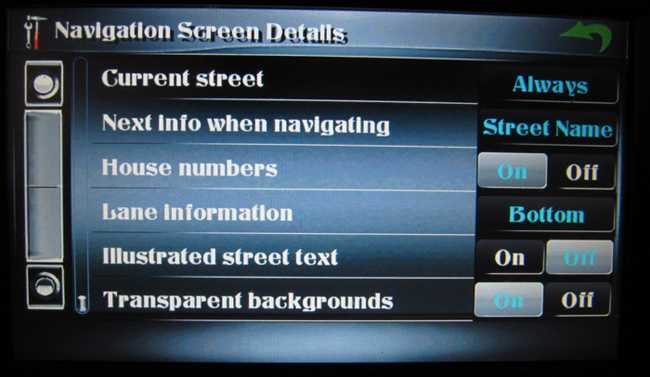
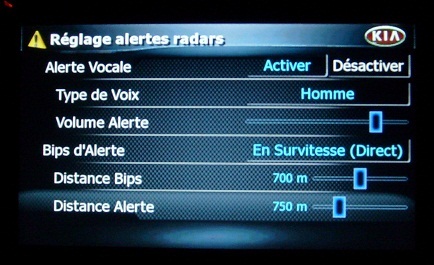
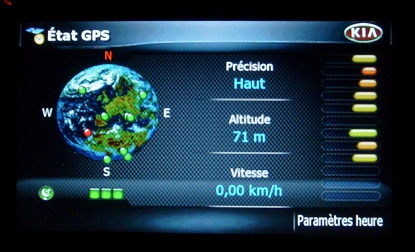
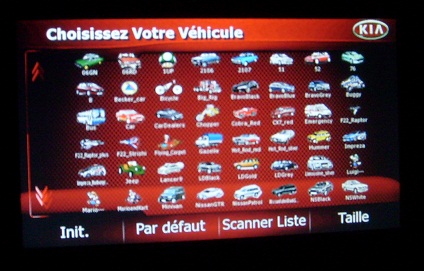
hello


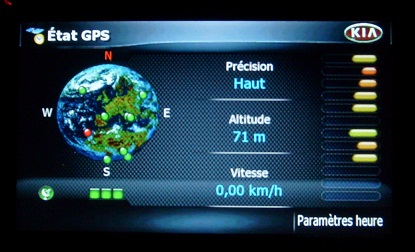
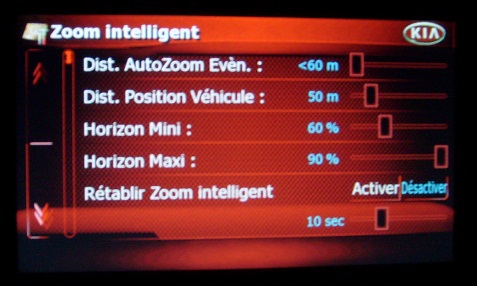
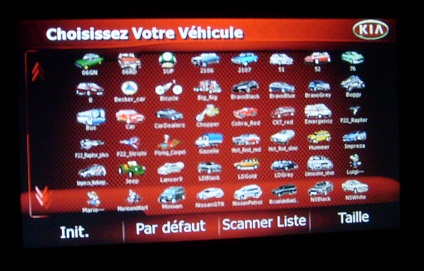
That think you of my work on the transparency of buttons and mapmonde europe:


Small contribution in your work

post-43568-070027100 1290188602_thumb.jpg

post-43568-082858900 1290188618_thumb.jpg

post-43568-041785100 1290188649_thumb.jpg

post-43568-097706400 1290188667_thumb.jpg

post-43568-043921500 1290188737_thumb.jpg

post-43568-082621000 1290189087_thumb.jpg

post-43568-033223200 1290189136_thumb.jpg

Attached Files (7)
003.JPG
003.JPG
009.JPG
009.JPG
13c1.jpg
13c1.jpg
012.JPG
012.JPG
008.JPG
008.JPG
008 (2).JPG
008 (2).JPG
011.JPG
011.JPG
Edited Nov 19, 2010 by motte
Posted Nov 20, 2010 · 00:46 UTC#161

hello


That think you of my work on the transparency of buttons and mapmonde europe:


Small contribution in your work

Looks good, I like the red

Posted Nov 20, 2010 · 03:21 UTC#162

hello


That think you of my work on the transparency of buttons and mapmonde europe:


Small contribution in your work


Very nice works, indeed!

Posted Nov 20, 2010 · 12:40 UTC#163

Thank you for your compliments

Posted Nov 23, 2010 · 02:01 UTC#164

When I receive a phone call through my Blackberry with Bluetooth turned on, the system hangs and I must reset the system, no buttons are functioning. Does anyone know what I can do to fix this, everything else works perfect.


Thanks

Posted Nov 23, 2010 · 22:22 UTC#165

When I receive a phone call through my Blackberry with Bluetooth turned on, the system hangs and I must reset the system, no buttons are functioning. Does anyone know what I can do to fix this, everything else works perfect.


Thanks

Hmmmm, this has never happened to me, however, I use an iphone, but that should make no difference. You can try reinstalling everything and delete your igo folder in your user data. that should solve it.

Posted Nov 24, 2010 · 21:40 UTC#166

Hi Abb,


I tried exactly what you said and it still hangs, let me better explain.

I am driving listening to my XM Radio, I receive a phone call and it automatically switches to GPS with Phone option on bottom right corner. I answer the phone from that button. When I hang up from the call, all buttons don't work. GPS keeps tracking my route but NO music and I can't use any buttons as none of them work. I must turn off car or press reset button.


Any idea what else I can try?


Thanks

Guy

Posted Nov 24, 2010 · 22:52 UTC#167

Hi Abb,


I tried exactly what you said and it still hangs, let me better explain.

I am driving listening to my XM Radio, I receive a phone call and it automatically switches to GPS with Phone option on bottom right corner. I answer the phone from that button. When I hang up from the call, all buttons don't work. GPS keeps tracking my route but NO music and I can't use any buttons as none of them work. I must turn off car or press reset button.


Any idea what else I can try?


Thanks

Guy

Use the Navi to manage your calls. It's the Parrot POS operating system that gives you the s**ts. I have the same problem with mine. I just use the navi for the calls and I hang up with the navi.

Good Luck

Bud

Posted Nov 25, 2010 · 00:57 UTC#168

Use the Navi to manage your calls. It's the Parrot POS operating system that gives you the s**ts. I have the same problem with mine. I just use the navi for the calls and I hang up with the navi.

Good Luck

Bud


Not exactly sure what you mean, I setup my system to auto answer after 3 seconds and it still hangs after hanging up. All works well if I call someone but if someone calls me it hangs up after the call is completed.

Need more info please.

Thanks

Guy

Posted Nov 25, 2010 · 02:21 UTC#169

Not exactly sure what you mean, I setup my system to auto answer after 3 seconds and it still hangs after hanging up. All works well if I call someone but if someone calls me it hangs up after the call is completed.

Need more info please.

Thanks

Guy


I would suggest try another mod to see if the problem is still there. This is another way to troubleshoot to see if your problem is related to the software or hardware.

Posted Nov 25, 2010 · 02:56 UTC#170

CHROME II

Let me know what you think! Need input! keep in mind that these pictures do not do it just as the camera lighting has a tough time photographing the chrome bars, so those line that you see in there are not there, instead, it all looks chrome.


NEW / OLD

cr2-1.jpgAV1.jpg


NEW / OLD

cr2-2.jpgAV2.jpg


NEW / OLD

cr2-3.jpgAV3.jpg


cr2-4.jpg


cr2-5.jpg


cr2-6.jpg

Edited Nov 25, 2010 by abb1
Posted Nov 25, 2010 · 04:18 UTC#171

like it!!

Posted Nov 25, 2010 · 12:22 UTC#172

Brilliant Abb.Then again I wouldn't expect anything less :smile:

Posted Nov 25, 2010 · 14:28 UTC#173

Well done! I especially like the background, it give me a 3D feel.


Also the top and bottom bars are better now.


Will this be part of the image.res update?


Thanks Abb. :cool:

Posted Nov 25, 2010 · 16:26 UTC#174

More Pics :)


cr2-7.jpg


cr2-8.jpg


cr2-9.jpg


cr2-10.jpg


cr2-11.jpg

Posted Nov 25, 2010 · 16:32 UTC#175

Will this be part of the image.res update?

Thanks Abb. :cool:

No, this will be part of the next 'all-in-one' update. So far over 250 images have been changed and revised in the image.res section alone. The Nav section will have its menus changed as well as the splitnav, speedometer changes with integrated features and built-in tripcomputer.

Edited Nov 25, 2010 by abb1
Page 7 of 16