come on man. your not really suggesting that tape is as good as connectors, are you?
I used eletrical tape for both my grounding, and it's fine.
come on man. your not really suggesting that tape is as good as connectors, are you?
I used eletrical tape for both my grounding, and it's fine.
i installed my D3, btooth BT-200 and ipod adapter this weekend. works great with bypass.
May 07 build mfg date.
Thanks for the info. One more thing. The vss connection was not done with my setup. If it was, wouldn't that affect the bypass, being that the unit would register that the vehicle is in motion. Sorry if this was already covered.
once bypassed properly the unit will not care if the vss is hooked up. Hence it being a bypass. Yes that has been covered.
the voice command no longer mutes my music to announce a turn.
Cant you do that by just turning off "voice guidance" but keeping the volume of it up?
i have VSS connected on my bypass. alll connections are soldered and grounded to the vehicle chassis ground in the factory harness.
everything works great. i get no parking break warnings.
thanks website.
so any hacks for the D3 backgrounds? the sticky on the hack page is for D1 and D2.
I have a few questions for the group. I installed my D3 personally with a little professional guidance. I also installed a kicker 200W amp, 8GA amp kit, Infinity 6.5 door speakers, and a 10.2 inch dvd monitor on the roof. One problem I've incountered is that I am getting engine noise in the speakers through the radio. I've checked the wires, tried a different RCA cable, changed my ground, changed fuses, and I'm still getting the sound. I hooked up a portable DVD player to through the audio outputs to my amp and the sound is great with out any background noise. Any suggestions before I return the Pioneer Navigation?
Next, I did not connect the parking brake wire, the VSS, or the mute to anything when I first hooked it up because I was under the impression if I just hooked my parking brake wire up to a hot 12V wire it would trick it into thinking the brake was engaged. I guess I was wrong. So I want to make sure I have this correct. Hook up the green parking brake wire and the yellow mute wire from the radio harness to the ground provided in the manufacture harness and the system should be bypassed. The VSS wire is not necessary and I shouldn't have to do anything with the actual parking brake, just the wire from the harness? Any help would be appreciated. This has really been frustrating over the last few days and I was thinking of returning the navigation system for a regular CD player.
Can anyone explain to me what the function of the pin just above the mute pin is?
I understand the procedure but I would really want to know why this fix works by knowing the function of the pin.
The parking-brake signal grounding makes sense - no explanation needed!
My reason for implementing the fix is not so much of movies... I hope this will make it possible to enter destinations while on the move!
I have not yet received the unit and dont know the version/date of the unit at this point in time. I will post once fix is implemented including information about the unit.
Regards,
Peter
I just want to double check, this is the same for the D2 correct? I have been reading, and it seems to be, but I just want to confirm, my D2 should be here any day, and I want to make sure.
Thanks guys!!
The parking brake wire and the mute wire should be grounded to perform the bypass. But, you must move the mute wire to the empty cavity above it. Pictures are in the begining of this tread.
This "secret" pin reads 5V when the unit is powered on. You are pulling this pin to 0V when you move the mute wire to this pin and gound it. This puts the unit in a bypassed mode and stops it from checking the GPS, VSS, and internal gyros for movement, but still maintains all functions.
Hey guys, i recently also got this unit. Question is, i did the bypass, i can watch DVD's while driving and use my Navigation while driving also. Only thing is, my screen wont show the IPOD video's i'm playing. The sound and everything works, but then the screen is empty. Can you guys please help out? Do i need to upload those vids to my ipod with a special codec?\
Thanks a million
Joey
You need to go to your video settings and change the TV OUT setting to ON.
Another "it works" to add here. Just finished installing my D3 on a 1999 Toyota Landcruiser. Wired up the VSS properly, grounded the unit itself to a screw to the stereo brackets (verified grounded), and hooked the illumination wire, mute and parking brake all to the harness ground. Yes, I know I could have grounded all of those together to one spot, but it was surprisingly convenient to do what I did. No illumination wire was part of the harness and I don't know where I might pick up the right signal, but I still may work on finding a spot to hook it up in the future.
Bluetooth module arrives in a couple days so I'll be adding that!
Just installed last night in a 98 Honda Accord Coupe. Not working - I will double check all connections tonight and update, but as it stands, I'm pretty confident that everything is connected correctly.
Manufacture Date: June 2007
Is there a firmware patch or downgrade?
Or is there a different method for newer units?
It is working!!
When I pulled the unit, the yellow mute wire was not clipped into the harness. It must of popped or yanked out of the harness when I originally installed the unit.
Reseated the mute wire installed Sirius and iPod -
Parking break warning gone - DVD, NAV, and AUX video are now all functional while in motion.
Thanks AVIC 411 users!
The AVIC-D3 has been installed (plus the Bluetooth and USB interfaces)... when Pioneer can ship the iPod cable I will have my iPod 80GB installed in the Brodit active cradle as well.
The DVD bypass works well for the April unit.
Voice command for navigation is somewhat late and Bluetooth audio will not work! The USB is ok - but I did expect a better user interface for this $4000 system!
I still need to find a CAN-BUS interface with analog output for speed and reverse signals... anyone?
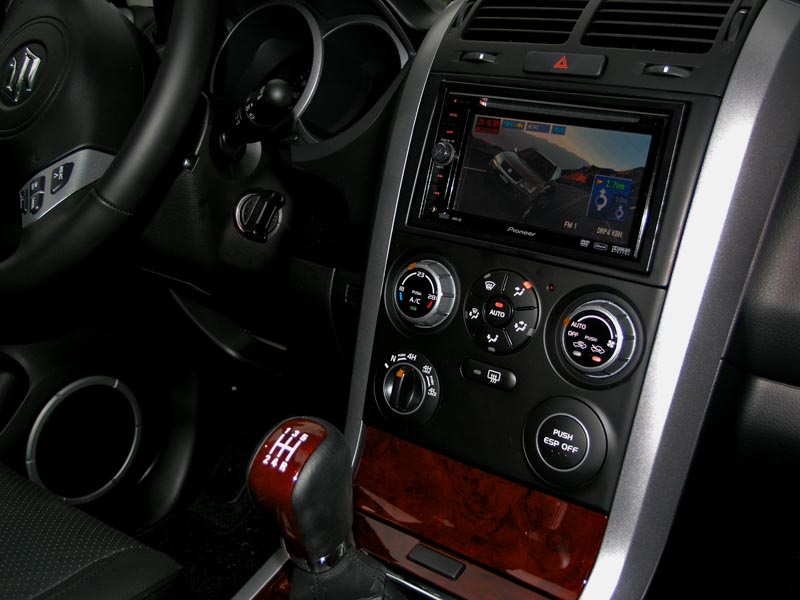
Hey everyone! Just signed up to say thanks to whoever posted this DIY.
At first I had some issues with it disabling video going over 15m/20k/h and I found out I had a bad connection for the mute wire. This worked on model built May/07.
Thanks agian.
Just got finished performing a bypass on my AVIC D3. Model was made in March 07. Very easy to do.....i hooked the mute wire and the emergency brake wire to a on/off switch. very cool
works perfectly with my June 07
i just tried the bypass on my 06 rsx-s and was wondering if i did the bypass correctly it the parking brake indicator on the dash should illuminated?
i just tried the bypass on my 06 rsx-s and was wondering if i did the bypass correctly it the parking brake indicator on the dash should illuminated?
No that means you grounded the parking brake wire in your car. You're supposed to ground the parking brake wire coming out of the AVIC, as well at the mute wire that was relocated.
And for furture reference, don't put the same post in multiple threads.
right. the parking brake is the light green wire correct? if so than that goes straight from the back of the unit to somewhere under the steering column. is the parking brake wire a different color in some vehicles?
Did you not install this yourself, and now you're trying to do the bypass? If so, whoever installed it for you probably hooked up the parking brake wire to the one in your car.
What you have to do is :
1) Disconnect the parking brake wire from where it is tapped into your vehicle.
2) Move the mute wire to the correct location in the harness.
3) Ground both of them.
yeah i had it installed at best buy. Thanks for your help. Ill go give that a try.
juust wanted to throw a shout out to steve310 for helpin me out. the bypass worked. thanks man