La 22.10.2018 la 14:16, javed akhtar a spus:Vedeți acest videoclip
Mulțumesc pentru videoclipul respectiv, dar nu am această opțiune în meniul navi.

La 22.10.2018 la 14:16, javed akhtar a spus:Vedeți acest videoclip
Mulțumesc pentru videoclipul respectiv, dar nu am această opțiune în meniul navi.
18 hours ago, Dan45 said:Mulțumesc pentru videoclipul respectiv, dar nu am această opțiune în meniul navi.
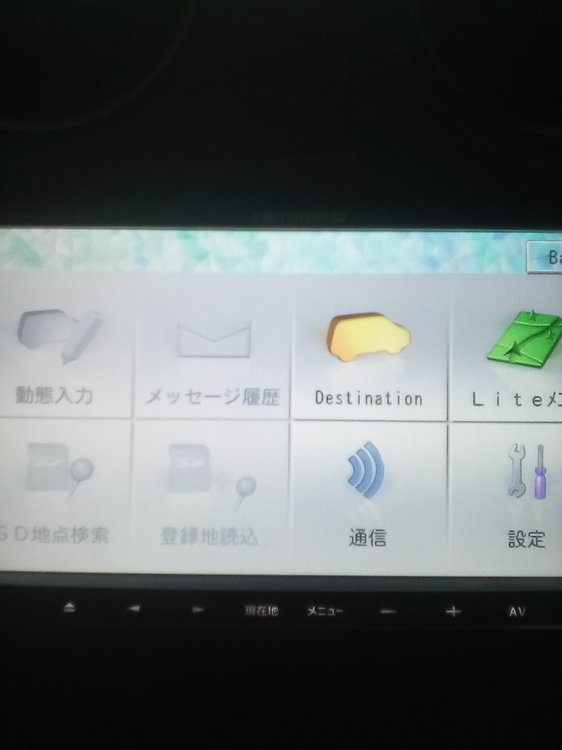
rename the downloaded PF090JPJPN.LNG AND PF110JPJPN.LNG files to PF090JPENG.LNG AND PF110JPENG.LNG. For safety backup these two files from prg0 and prg1 folders. Put the renamed files to prg0 and prg1 folders and see the magic!
On 10/21/2018 at 1:34 AM, javed akhtar said:Best of luck.
Done it. pretty easy.
Now I would like to know what program do I use to open the language file? I would like to try to translate it into Mongolian.
Ty
so any luck with the gps ?? for avic-mrzxxx???
On 24.10.2018 at 8:38 AM, javed akhtar said:rename the downloaded PF090JPJPN.LNG AND PF110JPJPN.LNG files to PF090JPENG.LNG AND PF110JPENG.LNG. For safety backup these two files from prg0 and prg1 folders. Put the renamed files to prg0 and prg1 folders and see the magic!
Hi if I rename I can't paste there because have there PF090JPENG.LNG and PF110JPENG.LNG.What i can do ,to delete that and after to copy my files?
help please, AVIC - MRZ099
Still no luck, cant do anything
On 10/25/2018 at 3:57 PM, Zoloo said:Done it. pretty easy.
Now I would like to know what program do I use to open the language file? I would like to try to translate it into Mongolian.
Ty
See the first few posts by DZO.
16 hours ago, Dan45 said:Hi if I rename I can't paste there because have there PF090JPENG.LNG and PF110JPENG.LNG.What i can do ,to delete that and after to copy my files?
First backup the original files then delete then paste.
8 hours ago, javed akhtar said:First backup the original files then delete then paste.
So, look at the original LANGDATA folder in PRG 0 (PRG 1 is the same) tell me what I need to delete.


On 10/29/2018 at 6:38 PM, Dan45 said:So, look at the original LANGDATA folder in PRG 0 (PRG 1 is the same) tell me what I need to delete.
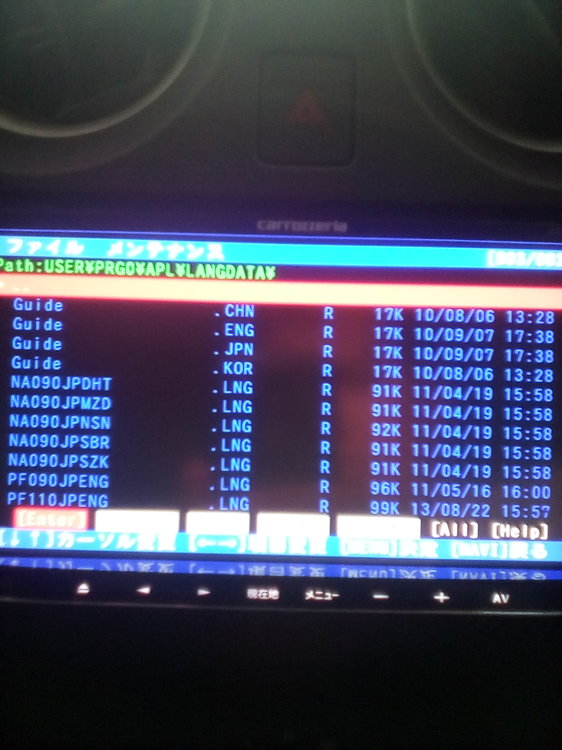
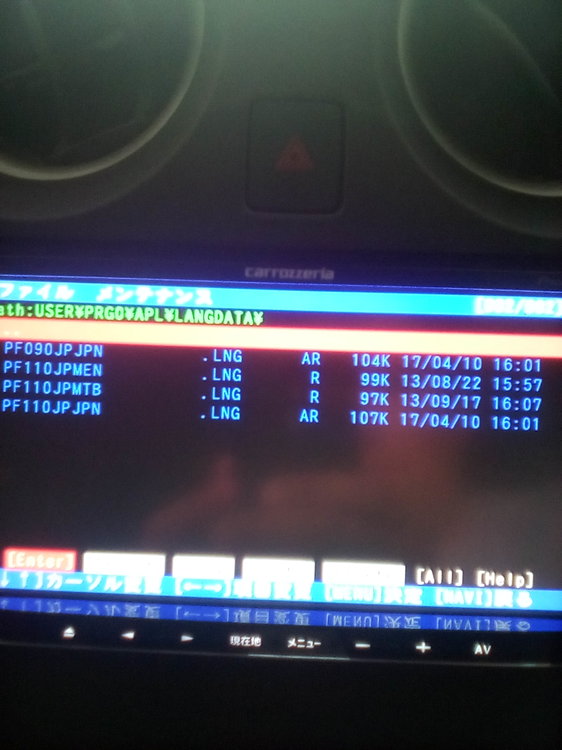
Rename the downloaded PF090JPJPN.LNG AND PF110JPJPN.LNG files to PF090JPENG.LNG AND PF110JPENG.LNG. For safety backup these two files from prg0 and prg1 folders. Select the two files (PF090JPENG.LNG AND PF110JPENG.LNG), delete and Paste the renamed files to prg0 and prg1 folders and see the magic!
Acum o oră, javed akhtar a spus:Redenumiți fișierele descărcate PF090JPJPN.LNG ȘI PF110JPJPN.LNG la PF090JPENG.LNG ȘI PF110JPENG.LNG. Pentru siguranța copierii acestor două fișiere din dosarele prg0 și prg1. Selectați cele două fișiere (PF090JPENG.LNG ȘI PF110JPENG.LNG), ștergeți și lipiți fișierele redenumite în directoarele prg0 și prg1 și vedeți magia!
If I understand correctly what I need to delete are PF090JPENG.LNG and PF110JPENG.LNG files and replaced with those downloaded by me. My question is what do in this case with PF090JPJPN and PF110JPJPN that are in PRG 0 and PRG 1, remain there unchanged?
16 hours ago, Dan45 said:If I understand correctly what I need to delete are PF090JPENG.LNG and PF110JPENG.LNG files and replaced with those downloaded by me. My question is what do in this case with PF090JPJPN and PF110JPJPN that are in PRG 0 and PRG 1, remain there unchanged?
You have already changed the two jpn files so you do not need to change them.
6 minutes ago, javed akhtar said:da, în acest stadiu nu le schimbați.
Thanks now the language has changed.
10 minutes ago, Dan45 said:Thanks now the language has changed.
no problem, you are welcome.
Hello!
Does not play video AVIC MRZ02
Bought a R34 with an AVIC-MRZ90 and it shows a splash screen when powered on then just goes into black screen, buttons still have pink lights tho... What to do? I kinda want this thing to work...
Hi, I was wondering if you have files for me to change my avic mrz09 from jap to english?
Good day! need a User folder from avic-mrz99. Folders that are on the forum are not suitable freezes on the screen saver.
Hello Buddy! I've seen you post and help few people with their nav systems. Could you possibly help me too? I use a Avic-Mrz05 and I tried to change it from Japanese to English but I accidentally deleted both my PF090JPJPN.LNG and PF90JPENG.LNG from both the PRG0 and PRG1 files. My texts are all gone and I cannot fix it. I'm pretty much freaking out as I dont have a backup of those files. Can you please help me by providing me step by step guide and the required files to fix my issue.
I know I am asking for a lot but please help me with this.
Thanks in Advance.
Here are the files.
Javed Thanks a lot for the files but what do I do from here? I'm not very familiar with how these nav systems work, could you please give me a breakdown of what I need to do?
I need some help. My mrz07 isn't going to English even though I did what you guys said
On 11/17/2018 at 3:56 PM, Suhrid said:Javed Thanks a lot for the files but what do I do from here? I'm not very familiar with how these nav systems work, could you please give me a breakdown of what I need to do?
download the files. put the files on the SD card. insert the card in your DVD player. Copy these files to your prg0 and prg1 folder.
2 minutes ago, javed akhtar said:download the files. put the files on the SD card. insert the card in your DVD player. Copy these files to your prg0 and prg1 folder.
Will I get the japanese lang and texts back? Or English? Because I tried copying PF090JPENG.LNG and PF090JPJPN.LNG on both PRG folders. Nothing happened. Do I need to delete any files before pasting these files?
Dear Javed,
I accidentally deleted some files on my USER folder when I was trying to convert the language from japanese to english.
Now my car radio screen is just blank, May you kindly send me the original USER folder backup, if you have it please.
PLEASE HELP ME, PLEASE!
Many friends have already put the files in earlier pages, you can download and use them. See the previous pages for more details.
Regards,
14 minutes ago, Suhrid said:Will I get the japanese lang and texts back? Or English? Because I tried copying PF090JPENG.LNG and PF090JPJPN.LNG on both PRG folders. Nothing happened. Do I need to delete any files before pasting these files?
yes you need to delete the old files first, only then you can paste the new files. After pasting check the dates to confirm if the files are actually new.

