Search Archive

Bypass instructions for the Z1

By Jamesdat · Mar 31, 2006in Hacks/Mods💬 427 posts👁️ 155,139 views
Page 10 of 18
Posted May 02, 2006 · 19:08 UTC#226
ducatiboy said:
I figure $20 for these (including shipping)? Just a gut feeling, with wires and soldering and parts and all, it didn't sound too out of line. Of course you can get a PAC TR7 for $35ish and program it yourself (and it has way more features). But mine should be way smaller. :)


That sounds extremely reasonable, I get TR7's for $25 shipped, and yours does the headlight trick too, so thats $50 in TR7's. $20 is a bargain.
Posted May 02, 2006 · 23:45 UTC#227
ducatiboy ,
I'm interested as well. I just bought a TR7 but seems a little complicated for me. I'll PM you.
Posted May 03, 2006 · 01:14 UTC#228
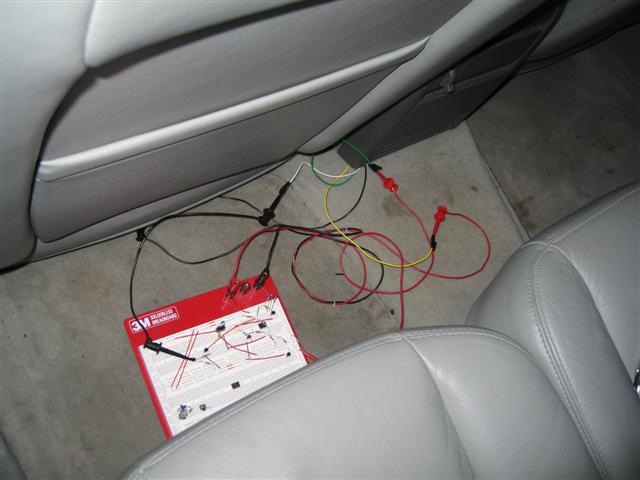
Ok guys (and gals), not to get you depressed, but I installed my setup tonight and it's not working. But I'm convinced it's my timing. I bypassed my setup and just connected 12V to the ILL line after 4 seconds and removed it after about a second or so and it bypassed everything perfectly. My circuit is programed only to have a 500ms on time, that's not working. I'll lengthen the on time tomorrow morning and post the results (I didn't take home my programmer). I'll get it. The circuit works, I just have to nail down the timing.

If you want to see what it all looks like:
Attached Files (2)
IMG_0128.JPG
IMG_0128.JPG
IMG_0127.JPG
IMG_0127.JPG
Posted May 03, 2006 · 14:03 UTC#229
Ok, just an update, turns out I was wrong about the illumination coming out of the car, I figured it was 12V or 0, turns out it's a 100Hz to 300Hz signal (at least out of mine). I just have to adjust my code to work with a signal instead of a voltage level. No biggie. Should just be a software change. But the way my circuit worked, I didn't anticiapte any "adjustable" dimming on the Z1. I think it's just lights off, lights on. 2 seperate states.

Has anyone noticed changes in the Z1 based on your dimmer settings? I don't think it does dimmer settings, but more of a "lights are on so put on the dim setting" or "lights are off, daytime mode". I can't see any multiple "dim settings" based off the dimmer knob. Anyone else notice this or something else?
Posted May 03, 2006 · 19:14 UTC#230
massive newbie: how do i know if my parking break wire is grounded? When i start up, there is a message saying that it is incorrectly connected....
Posted May 03, 2006 · 19:27 UTC#231
Anonymous said:
massive newbie: how do i know if my parking break wire is grounded? When i start up, there is a message saying that it is incorrectly connected....


Most likely it is, you usually get that message when it's grounded and you are watching a DVD and sitting, and then you start moving and the nav portion of your Z1 sees that you are moving yet your parking brake is on (wire grounded). Then you get that anoying warning every time you turn the car on.

Go into the settings (menu on front panel) and then settings and then hardware I believe and connection. And there will be a line showing you the status of the parking brake line.

Maybe you or your installer thought that it would be the easy bypass and just grounded it when installing the radio. That's what I did. Doesn't work, hence why I made a little circuit to do the bypass the correct way.
Posted May 03, 2006 · 20:54 UTC#232
thanks ducatiboy.......

well, i tried the 1 light on/off method upon the "start up screen" and it did not work....sure enuf, the DVD cut out about 10mph. I have a 2005 Ford F150 ...so if anyone has any input on what can be done or what i can do right, i would love some feedback.

as noted in the post prior, my parking brake wire is grounded....
Posted May 03, 2006 · 21:18 UTC#233
I haven't noticed any change in the light output from the AVIC when changing the dimmer setting, I think its daylight or dark...
Posted May 03, 2006 · 21:21 UTC#234
Anonymous said:
thanks ducatiboy.......

well, i tried the 1 light on/off method upon the "start up screen" and it did not work....sure enuf, the DVD cut out about 10mph. I have a 2005 Ford F150 ...so if anyone has any input on what can be done or what i can do right, i would love some feedback.

as noted in the post prior, my parking brake wire is grounded....


I would go behind the Z1 and disconnect the parking brake wire from constant ground. Leave it float if you must, or hook it to the parking brake line or put a switch in there just incase some day you need to activate it, but you normally want that to float. Then reset the Z1, and you won't see the "hey your parking brake is not connected correctly" message. Then the lights on and off (during the "Starting up Pioneer Navigation" screen not the Pioneed graphic boot screen) and it shoudl work. No more nagging.
Posted May 03, 2006 · 21:24 UTC#235
03Vic-HPP said:
I haven't noticed any change in the light output from the AVIC when changing the dimmer setting, I think its daylight or dark...


I agree, which makes my code much simpler. I'm doing on or off, like switching a light switch. Which does work. But the light signal coming out of my ILL wire is a 0-12V signal which varies it's duty cycle to adjust the brightness of the things in the car. My circuit just outputs "high" or "low" with on or off. As long as the Avic only has those 2 settings, I think this will make for a more "universal" circuit.
Posted May 03, 2006 · 21:28 UTC#236
Yeah, the factory ford radio did change brightness with the dimmer control so it probably does vary on the wire but no need for that on the Z1. By the way, my parking break lead is grounded, and it the light trick still works fine.
Posted May 03, 2006 · 21:36 UTC#237
Excellent work Ducati! Been reading this forum for a week with suspense..... :D
Posted May 03, 2006 · 22:03 UTC#238
ok...so I just registered. I am the guest with the F150.

If i tried the 1 light click method and it didnt work.....could it be my illum. wire connected incorrectly??
Posted May 03, 2006 · 22:05 UTC#239
oops..forgot to log in... = /
Posted May 03, 2006 · 22:14 UTC#240
I'll be installing mine this weekend. But unfortunately won't have the bluetooth unit or the Sirius brain by then so I'll have to take it back out to install that stuff when it arrives. But at least I can see if the light flicker works. It's going in my 97 F150.
Posted May 03, 2006 · 22:29 UTC#241
southcountry...if your Ford is like my ford, and u have autoheadlights, even if you have the lights turned off and then turn them on it will not apply power to the dimmer wire when its daylight out (The sensor for the auto lights is apparently still in the circuit. I.E. it lets u turn on the headlights but it wont apply power to the radio dimmer, to get it to work when its light out you have to start out with the light switch off and the ignition off, cover the sensor on the dash, start the car, turn the lights on and off once u see the bootup message then you can uncover the sensor....takes a bit of work lol
Posted May 03, 2006 · 22:37 UTC#242
For those of you who can't get the light trick to work.....I had the same problem with my Trailblazer. When I installed the Z1, I attached the illumination wire from the Z1 to the Illumination wire from the car. After about 3 days, I found out through the "connection status" option, "illumination" was always showing "off". I went aback into the dask and hooked up the dimmer wire from the car to the illumination wire from the Z1. I went back to "connection staus" and found "illumination" is always on. If my foglights are on and I turn the dimmer light switch all the way down, it goes to off. So.......long story short. When I turn on my car, I have to turn on the fog lights and turn on and off the dimmer switch while it boots.

Hopefully this clears up problems I had that others are having now. :D
Posted May 03, 2006 · 22:38 UTC#243
i'll try it. I'll repost...

next thing you know, we'll have to clap twice, do a handstand and touch our nose upon "starting up Pioneer Navigation..."
Posted May 04, 2006 · 00:36 UTC#244
ok..so i tried covering the light sensor on my F150 and did both the single and triple light switch method. Still doesnt work....

help?
Posted May 04, 2006 · 00:49 UTC#245
southcounty said:
ok..so i tried covering the light sensor on my F150 and did both the single and triple light switch method. Still doesnt work....

help?


I would try turning on the truck, let it fully come up, go to the main menu, settings, hardware and then connection. Cover your sensor and turn on and off the lights, make sure when you do the Illumination sections goes from low to high when you turn on your lights, and then back to low when you turn them off. Once you have verified that that connection is working and doing what you think its doing (illuminaiton high and then low) then it's just a matter of timing, just before the "Starting pioneer nav" message, turn on the lights and keep them on for about a second and turn them off just before the pioneer boot screen is on. And when I say turn on and off the lights, I mean make sure the Illumination sense is going high and low like you think it is. There might be a weird thing with that wire with that vehicle.

Or you just need a circuit like I built. :)
Posted May 04, 2006 · 01:25 UTC#246
when your light are on at night does the map change to the dark "ground" and night sky? If not you don't have the dimmer wire connected/connected correctly.
Posted May 04, 2006 · 01:35 UTC#247
ya...the sky doesnt change when i turn my lights on....
Posted May 04, 2006 · 01:37 UTC#248
and my connection status says OFF next to illumination as well
Posted May 04, 2006 · 01:38 UTC#249
Anonymous said:
thanks ducatiboy.......

well, i tried the 1 light on/off method upon the "start up screen" and it did not work....sure enuf, the DVD cut out about 10mph. I have a 2005 Ford F150 ...so if anyone has any input on what can be done or what i can do right, i would love some feedback.

as noted in the post prior, my parking brake wire is grounded....


I have a 2006 Mark LT ( same as F 150 w/bling) eBrake grounded,flash 3 times at startup Works every time.
Posted May 04, 2006 · 01:40 UTC#250
southcounty said:
and my connection status says OFF next to illumination as well


Sounds like that wire is not hooked up. At least you can stop killing yourself trying to turn your headlights on and off.
Page 10 of 18