Search Archive

Bypass instructions for the Z1

By Jamesdat · Mar 31, 2006in Hacks/Mods💬 427 posts👁️ 155,139 views
Page 11 of 18
Posted May 04, 2006 · 01:43 UTC#251
what color is that wire....how do i connect it? remember...massive newbie here. haha

so i am assuming once i get that wire connected right, i can try the light switching again..?

thanks so much for helping with my axiousness here guys....
Posted May 04, 2006 · 02:04 UTC#252
southcounty said:
what color is that wire....how do i connect it? remember...massive newbie here. haha

so i am assuming once i get that wire connected right, i can try the light switching again..?

thanks so much for helping with my axiousness here guys....


I don't know exactly what color you on the truck's wiring harness, but it's orange coming out of the Z1.

Here is what installer.com has for your truck
http://www.installer-data.com/aacars/ca ... carid=2092

Did you (or your installer) use a wiring harness to hook to the Z1? If so, I'll bet that wire is on that wiring harness. I would bet it's orange on that as well. But you should check the pinout if it came with instructions.
Posted May 04, 2006 · 02:19 UTC#253
thanks...i'll ask the installer. As soon as its connected...i'll try the flashing method. if i still for whatever reason cant get it to work...then i'll get your circuit
Posted May 04, 2006 · 06:19 UTC#254
I'm thinking about buying a Z1 but I live overseas and I know the nav wont work here. My question is, if the nav is not operational, what functions will I lose? Will I still be able to use the bluetooth option to make and recieve calls from the unit? Is there another unit out there similar to the Z1 that has bluetooth and does not come with the nav option?
Posted May 04, 2006 · 17:19 UTC#255
Did a websearch for Bpz1s.kwi and it's nowhere to be found...

Is this legit?

Can someone share this file?
Posted May 04, 2006 · 19:45 UTC#256
southcounty said:
thanks...i'll ask the installer. As soon as its connected...i'll try the flashing method. if i still for whatever reason cant get it to work...then i'll get your circuit


You might also check to make sure the Day/Night in the menu is set to automatic.
Posted May 04, 2006 · 19:54 UTC#257
kroberts said:
Did a websearch for Bpz1s.kwi and it's nowhere to be found...

Is this legit?

Can someone share this file?


I think that was a hoax.
Posted May 05, 2006 · 03:22 UTC#260
So I have been watching this thread for about a week with hope and skepticism. I had my Z1 installed today, and the first thing I did when leaving the installers parking lot was flash my lights to see if this hack actually works. It worked on the first try! I want to thank everyone for their contributions, and especially Jason for creating the place for all of us AVIC enthusiasts to share notes. Special thanks to the Pioneer software engineer that thought enough about us little people to make it this easy; and to the Pioneer product manager that put this funtionality into the product requirements. Believe me folks, this is not a bug -- it was designed into the product.

My install was a 2006 Ford Expedition and included. Steeringwheel interface works great with this unit -- haven't had a chance to play with the bluetooth yet.

AVIC Z1
Bluetooth Adapter ND-BT1
Sirius SIR-PNR1
Ipod CD-IB100ii
Backup Camera ND-BC1
Steering wheel interface SWI-PS
Clarion 15" LCD OHM153
Posted May 05, 2006 · 03:31 UTC#261
jsiegerm said:
So I have been watching this thread for about a week with hope and skepticism. I had my Z1 installed today, and the first thing I did when leaving the installers parking lot was flash my lights to see if this hack actually works. It worked on the first try! I want to thank everyone for their contributions, and especially Jason for creating the place for all of us AVIC enthusiasts to share notes. Special thanks to the Pioneer software engineer that thought enough about us little people to make it this easy; and to the Pioneer product manager that put this funtionality into the product requirements. Believe me folks, this is not a bug -- it was designed into the product.

My install was a 2006 Ford Expedition and included. Steeringwheel interface works great with this unit -- haven't had a chance to play with the bluetooth yet.

AVIC Z1
Bluetooth Adapter ND-BT1
Sirius SIR-PNR1
Ipod CD-IB100ii
Backup Camera ND-BC1
Steering wheel interface SWI-PS
Clarion 15" LCD OHM153


I don't doubt that this was intentional but personally I think this was put in for testing and somehow slipped through the cracks on the production line...but thats a complete guess.
Posted May 05, 2006 · 04:13 UTC#262
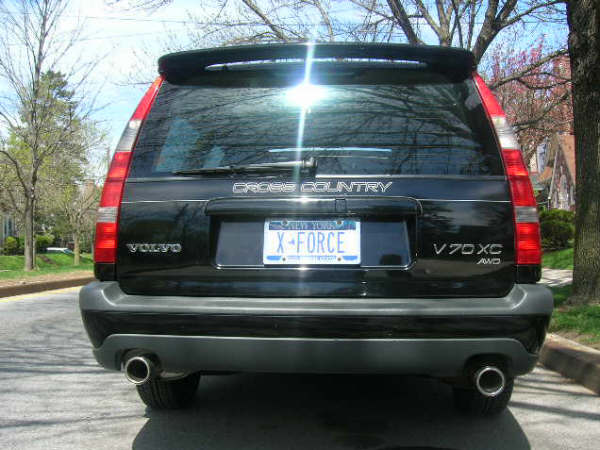
I have a 2000 volvo v70xc cross country double din I measured the opening and its 4 and 3/4 inch tall, would the avic z1 fit in my car, and would I have to cut my factory wires for the install ?

Second I read the smart idea on how to bypass the dvd by flashing the headlight, but I have aftermarket hid headlights and they say frequant flashing of the lights will damage the the ballast for the light.

If I'm going to get the avic z1 is there any other way around this ? I read a post on this subject of flashing the parking light, but does that pulse work to bypass it. I don't want to spend all that money and than than be disapointed if something doresn't work the way I wanted. Would appreciate any help you guys could offer
Attached Files (2)
SSCN0679.JPG
SSCN0679.JPG
adrains volvo2.jpg
adrains volvo2.jpg
Posted May 05, 2006 · 04:19 UTC#263
Tyrant11429 said:
I have a 2000 volvo v70xc cross country double din I measured the opening and its 4 and 3/4 inch tall, would the avic z1 fit in my car, and would I have to cut my factory wires for the install ?

Second I read the smart idea on how to bypass the dvd by flashing the headlight, but I have aftermarket hid headlights and they say frequant flashing of the lights will damage the the ballast for the light.

If I'm going to get the avic z1 is there any other way around this ? I read a post on this subject of flashing the parking light, but does that pulse work to bypass it. I don't want to spend all that money and than than be disapointed if something doresn't work the way I wanted. Would appreciate any help you guys could offer


If it's double din it should fit, you can check crutchfield.com for verification, but FYI they said it wouldn't fit my car when it did, so don't take it as 100% accurate. The main thing is the depth of the deck, this deck is 7" deep. A few people have had to shave the sides of the opening on their dash slightly to make it fit but nothing major that I've heard.

Most people can find wiring harnesses for their cars so they don't have to cut the factory wires, you just plug into the existing harness. Check places like installer.com or crutchfield. It should be something like this:
http://www.tune-town.com/wire/1998-02_V ... 709220.htm

As for light flashing, generally the dimmer wire to the head unit is controlled by the parking lights, not the headlights, so you should be fine. But if it's a variable voltage dimmer wire or non 12v dimmer wire you may need some special components.
Posted May 05, 2006 · 11:10 UTC#264
edrock200 said:

As for light flashing, generally the dimmer wire to the head unit is controlled by the parking lights, not the headlights, so you should be fine. But if it's a variable voltage dimmer wire or non 12v dimmer wire you may need some special components.

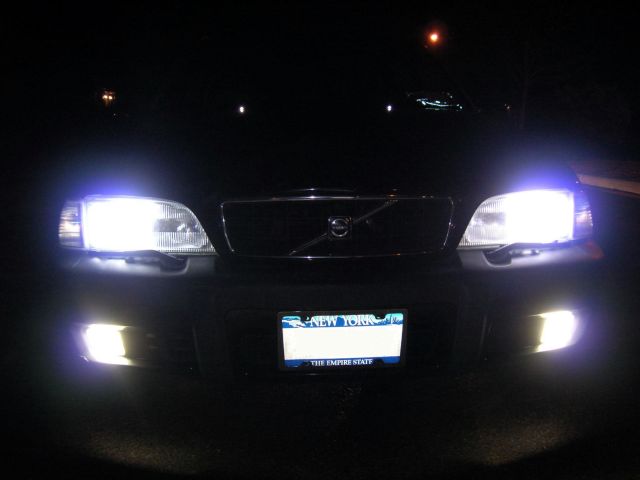
Yes, if turning on your parking lights turn on the lights on the inerrior buttons and dims the lights in the dash it should work. And yes you don't want to be flashing your HID's is not the best idea. You can do it a couple times to make sure it works and you like the way it is when it's bypassed. You can most likely get by with the flashing of the parking lights only.

As for the variable voltage dimmer, most cars these days use a changing duty cycle on a 12V to 0 for dimming the interior lights. I don't think they use a variable voltage too much any more. But it's Volvo so who knows? They are always doing something different.

Try the parking lights flashing. If that doesn't work try the headlights, don't do it every day for the next 10 years, but a few times won't hurt them. And if you like it you can install a flasher circuit.
http://www.avic411.com/forum/viewtopic.php?t=166
Posted May 06, 2006 · 00:21 UTC#265
Hi guys

I am having problems with the headlight flashing hack too, I have read everypost on this thread trying to get it to work but it won't.

This is what I am doing.

Get in car, close door, hand brake off, start up car.
When the loading pioneer text comes up I turn my car lights (Mustang GT 05) on and then back to off in the space of about 2 seconds and then wait for the pioneer to load up.

But it still tells me it can't be used in motion etc etc, and it displays no dvd picture because of the parking brake being off.

What am I doing wrong?

When installing I tapped off the brake switch and watch the voltage go up and off when I put the brake on and off, I take it this was the right cable to tap from? On the hardware config menu it shows the brake on/off when I test it so I figure its correct?

Help please

Thank you

Stu
Posted May 06, 2006 · 00:53 UTC#266
Did you read my post about covering the autolamp sensor?
Posted May 06, 2006 · 02:13 UTC#267
03Vic-HPP said:
Did you read my post about covering the autolamp sensor?


Yah, go to the hardware config menu where you saw the parking brake say "on" and "off". When you switch the headlights, do you see "illumination" go high and low? If not, and it's all low, try 03Vic's cover the autolamp sensor. Then flip that switch. You want to make sure that the illumination goes high and low... or turn on the nav, put it in driver view and watch it go from blue sky to night sky. Once you see that a swtich and the connection is working. Turn off the car, turn it on, wait 3 seconds, on for 1 second, off for 1 second.

Most likely the head unit is not seeing the illumination turn on and off (either not hooked up correctly or cause of what 03Vic came up with, the dimmer doesn't do the inner lights if it's light out).
Posted May 06, 2006 · 04:01 UTC#268
It`s works .........confirmed :lol:
Posted May 06, 2006 · 04:04 UTC#269
Thanks guys it really works at first I did`nt belive then went out-side and tryed it what do you know :lol:
Posted May 06, 2006 · 05:53 UTC#270
Just an FYI for those who asked how long this trick works. Drove about 600 miles today to canada in one 5 hour leg and one 4 hour. The bypass worked the entire way, dvd video, navi, etc fully functional.
Posted May 06, 2006 · 12:23 UTC#271
edrock200 said:
Just an FYI for those who asked how long this trick works. Drove about 600 miles today to canada in one 5 hour leg and one 4 hour. The bypass worked the entire way, dvd video, navi, etc fully functional.


SWEET!
Posted May 06, 2006 · 12:56 UTC#272
Hi guys

As far as the illumination goes when installing my Z1 I used the Orange/White dimmer wire from my Mustang harness and connected it ot the Orange/White wire on my Z1 harness. Was this not correct?

Thank you

Stu
Posted May 06, 2006 · 13:00 UTC#273
Yes, thats correct.
Posted May 06, 2006 · 13:00 UTC#274
outatime said:
As far as the illumination goes when installing my Z1 I used the Orange/White dimmer wire from my Mustang harness and connected it ot the Orange/White wire on my Z1 harness. Was this not correct?


Yes, I believe that is correct. Can you turn on and off your headlights and watch the "driver view" in the nav system go from blue sky to night time sky (even in bright daylight)? Can you go to the hardware - connection screen and look at the illumination line. Can you turn the lights on and off and see that entry on that screen change from low to high and back to low?

If it never goes high, 03Vic is probably right, your car might realize it's daylight out and is letting you turn on your headlights, but not "dimming" your interior lights (cause it's daylight) so you might need to "fake it out" by covering the light sensor. I don't have any first hand knowledge about this, this is his idea. I have no idea where a mustang light sensor would be, most likely in the dash. Last mustang I owned was an 87 GT, so it's been a while :)
Posted May 06, 2006 · 15:53 UTC#275
Hello, thank you for the replies.

OK just went out and tested it, the Illiumiation says 'OFF' and I tried the headlights and it didn't change the drivers view at all!

I know for sure the 2 cables are connected ok because I soldered them together!

Any ideas?

Thank you again

Stu
Page 11 of 18