Search Archive

Bypass instructions for the Z1

By Jamesdat · Mar 31, 2006in Hacks/Mods💬 427 posts👁️ 155,139 views
Page 14 of 18
Posted May 10, 2006 · 22:12 UTC#326
it works!!!! whoo hoo......ugh!!

finally.....
Posted May 11, 2006 · 02:08 UTC#327
ducatiboy said:
edrock200 said:
This weekend I will be rewiring some stuff in my car and I will disconnect the pbrake wire and let it float. I'll report back on the results and whether or not it gives the pbrake warning message when it's not connected. I can't imagine it will since its the same as leaving your parking brake off.


I believe that once you see that parking brake warning, you will see it forever untill you reset your unit.


I cut the line and let it float. As far as I can tell it's working fine with no issues and no warning. I really can't understand how it would ever know it's not connected unless it realizes after a certain amount of time that the parking brake was never set, however I never set my brake and it's never warned me. I just installed my BT unit too, more on that in another thread.
Posted May 11, 2006 · 03:48 UTC#328
So, lemme get this straight...

If your parking brake IS connected and you use it (that is, the PARKING BRAKE - as I have a 6 speed), do you need to RELEASE the parking brake BEFORE starting the car (and flashing the lights) for the bypass to work, or leave the parking brake SET (ie: grounded) and start the car, do the flashy-thing, then release the parking brake to drive.

This is getting confusing now...

Rick
Posted May 11, 2006 · 11:30 UTC#329
SickRick said:
So, lemme get this straight...

If your parking brake IS connected and you use it (that is, the PARKING BRAKE - as I have a 6 speed), do you need to RELEASE the parking brake BEFORE starting the car (and flashing the lights) for the bypass to work, or leave the parking brake SET (ie: grounded) and start the car, do the flashy-thing, then release the parking brake to drive.

This is getting confusing now...

Rick


Sorry, it's something I didn't realize till yesterday either.

If your parking brake IS connected you need to release the parking brake before turning on your car. If your parking brake is set (ie grounded) and you start the car, the flashing thing WILL NOT WORK. You have to release the parking brake before flashing the lights. I have heard reports that once it's flashie-thinged if you use your parking brake later in your trip you could deactivate the cool flashie-thing.

So the best thing to do if you plan on doing the flashie-thing trick, leave the parking brake disconnected. Or connect it to a toggle switch or something.
Posted May 11, 2006 · 16:56 UTC#330
Well we ran out of time this weekend to install it so by saturday it should be in. Had to remove all the RCA's and reran with the Stinger Video cables and RCA's. Had to run other video cables for the rest of the tv's. Installed the Sirius PNR2, and ran the sirisu & gsp antenna's. Then ran into a problem with the factory radio power wire is grounding out somewhere. Everything worked fine when I removed the old IconTV IDR5100 setup and 7" fold out screen a few months ago. So I'm just going to run a new 8-10 gauge power wire to run the deck and 6 screens. Hook the ignition power up to a switch so I can run the system without the key in. Need to grind out some more of the dash to fit the unit in, then grind the dash radio bezel piece so it fits the unit. And then probably have to use duramix on it to fill in some other gaps and have the piece repainted. So it will be in, just not looking pretty.
Posted May 11, 2006 · 18:25 UTC#331
ducatiboy said:


Sorry, it's something I didn't realize till yesterday either.

If your parking brake IS connected you need to release the parking brake before turning on your car. If your parking brake is set (ie grounded) and you start the car, the flashing thing WILL NOT WORK. You have to release the parking brake before flashing the lights. I have heard reports that once it's flashie-thinged if you use your parking brake later in your trip you could deactivate the cool flashie-thing.

So the best thing to do if you plan on doing the flashie-thing trick, leave the parking brake disconnected. Or connect it to a toggle switch or something.


This is NOT what I have seen. I have my parking brake grounded all the time and the car gives me the warning if I don't do the bypass. However, the bypass works consistantly with one flash during the Starting Pioneer Navigation.... screen. And the unit then shows the parking brake as disconnected although it is still grounded.

Matt
Posted May 11, 2006 · 18:54 UTC#332
Anonymous said:
ducatiboy said:


Sorry, it's something I didn't realize till yesterday either.

If your parking brake IS connected you need to release the parking brake before turning on your car. If your parking brake is set (ie grounded) and you start the car, the flashing thing WILL NOT WORK. You have to release the parking brake before flashing the lights. I have heard reports that once it's flashie-thinged if you use your parking brake later in your trip you could deactivate the cool flashie-thing.

So the best thing to do if you plan on doing the flashie-thing trick, leave the parking brake disconnected. Or connect it to a toggle switch or something.


This is NOT what I have seen. I have my parking brake grounded all the time and the car gives me the warning if I don't do the bypass. However, the bypass works consistantly with one flash during the Starting Pioneer Navigation.... screen. And the unit then shows the parking brake as disconnected although it is still grounded.

Matt

This is kind of what I was thinking cause a few people have told me about this. I don't want to hack my car apart to test this but I think I have a handle on this. It might add some confusion so only read this if you really want to know what is happening.


1. If you hard wired the parking brake to ground all the time. And if you start seeing the warning saying your parking brake line is not connected correctly, then if you flash your lights (even thought the parking brake is grounded) it WILL work. I guess after the Z1 figures out that the parking brake is not connected correctly it doesn't look at it again and then doesn't care if it's grounded or not.

2. If your parking brake is NOT hard wired to ground (either floating or connected correctly to the parking brake like the manual says) and you DO NOT get the "your parking brake is not connected properly" message. If you have the parking brake grounded when you start the car (because the parking brake is on), the headlight flashing WILL NOT work. You need that line floating or NOT grounded for the headlight flashing to work.


So basically there are 2 ways of doing this. I would recommned either not connecting the parking brake to ground, or connect it to the parking brake correctly and don't use the parking brake, or connect it to a toggle switch and flip it if you ever need it (which you probably won't).

If the unit already determined that your parking brake line is not connected correctly, then it doesn't matter what it's connected to. If it thinks your parking brake IS connected correctly, you can NOT have it grounded when you flash your lights or it won't work.

This is the operation of this unit as I have seen it, if anyone sees something different feel free to post what you see, but I think I have this nailed down.
Posted May 12, 2006 · 04:41 UTC#333
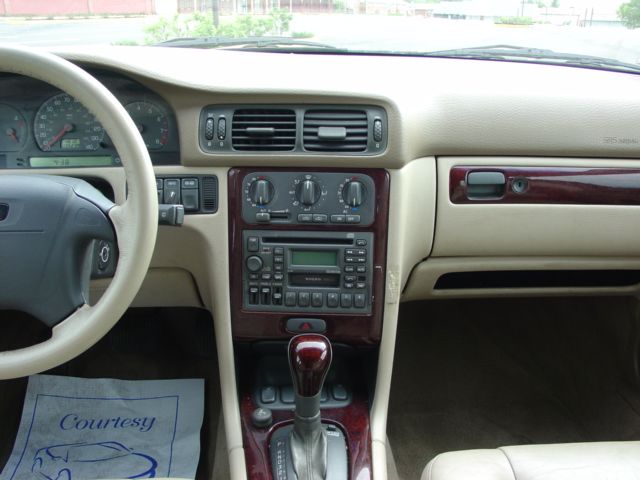
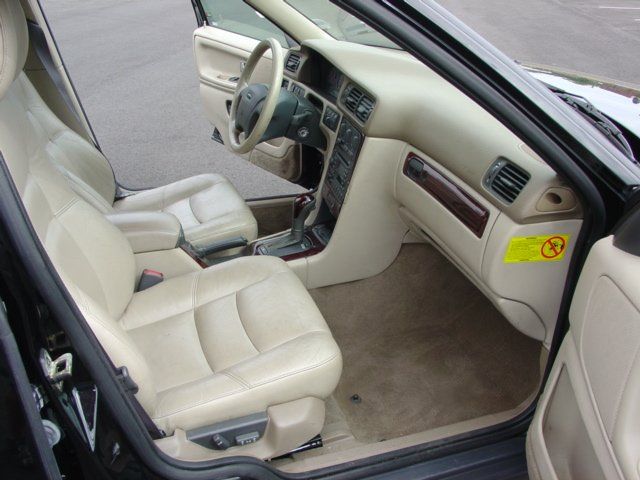
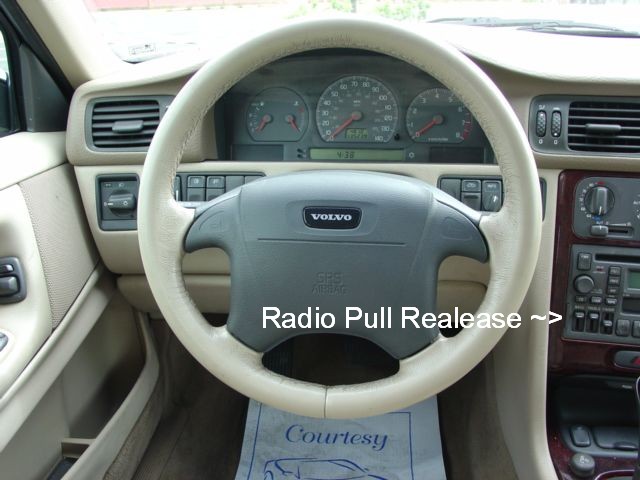
Hey guys I have a pic of my radio, I went to chinatown yesterday to see the avic z1 and if I could get it cheap those guys were trying to play games with me with the pricing so I left, I did get to see the unit and I measure how tall the avic z1 is and was exactly 4 inches and I measured my facotry radio and its 4 3/4 inches the width I didn't measure o the avic z1 cause I was busy talking with the guy. Am still thinking if it'll work maybe a little smaller and have a gap around it, what do you guys think?
sorry the pic isn't as good as I wanted it to come out.
Attached Files (3)
volvo 15.jpg
volvo 15.jpg
volvo 16.jpg
volvo 16.jpg
volvo 17.jpg
volvo 17.jpg
Posted May 12, 2006 · 04:45 UTC#334
Looks like theres plenty of room to me.
Posted May 12, 2006 · 11:37 UTC#335
I agree, it looks like there is plenty of room, I couldn't find a wiring harness or radio mounting kit, so you might need to get creative. But unless that thing is only 4 inches deep, I would think you could get it in there somehow.
Posted May 12, 2006 · 19:45 UTC#336
I believe the inside depth of the radio is 7-8 inches and a little more slack for the wiring so possibly 9. The things I'm worried about for the install is the width and the rails on the side for it slide in I dont know if the avic z1 has that.
Posted May 13, 2006 · 01:22 UTC#337
so all i have to do is make sure my parking brake isnt on when i turn on the car and flash my lights 3 times before the unit starts up and then ill be able to use dvd while driving
when i do this will i be able to still use navigation
and is there anything i can do to be able to use nav controles while the car is driving
Posted May 13, 2006 · 01:32 UTC#338
doron said:
so all i have to do is make sure my parking brake isnt on when i turn on the car and flash my lights 3 times before the unit starts up and then ill be able to use dvd while driving
when i do this will i be able to still use navigation
and is there anything i can do to be able to use nav controles while the car is driving


You don't need 3 times (you only need one), but if you don't have the timing down right a couple times wouldn't hurt (I believe it's turn on car, wait 3 seconds, lights on for 1.25 seconds, off for 2... ish... or if you feel better as soon as you start the car, start flashing, it should hit it). Yes leave the parking brake off, flash the lights and nothing is locked out.
Posted May 13, 2006 · 03:24 UTC#339
Simplest way is start your car, wait for that line of text that says Staring Pioneer ........ (on top on the screen). As soon as that comes on, flash once.... does not matter how fast you turn the light off, or off at all. But if you wait till the blue Pioneer graphics screens shows up, that is too late
Posted May 15, 2006 · 16:17 UTC#340
Got the unit installed in my 97 F150. There is an orange (dimmer) wire on the factory adaptor harness, but no illumination wire. I had to run a wire over to the headlight switch and tap into the white/red wire. I left the parking break floating (my truck is a stick). I didn't get the bypass module yet. But I did try the 1 flick of the parking lights and it does work. I love this thing. I haven't used the nav yet. Just put it on map mode while I was driving around and it is dead on to where I'm at. Like if I come up to an intersection or something, the arrow is right there where I am at. Now I just need to read the book a few times while messing with the unit to get everything figured out. I'm contemplating on getting a Z1 for my daily driver as well now.

I gotta get the trim bezel in it cause there's a slight gap. Also waiting on some other interior parts back from the paint shop. So that will happen this weekend and I'll get some pics.

ducatiboy,
Thanks for all your help and knowledgeable posts.
Posted May 15, 2006 · 21:13 UTC#341
The dimmer wire would have worked for you as well.
Posted May 15, 2006 · 21:16 UTC#342
03Vic-HPP,
Thanks for your posts as well. I though I saw in this thread that the dimmer wouldn't work or someithing, and that you needed the parking light one. Eh, Oh well it works.
Posted May 15, 2006 · 21:19 UTC#343
Thats what counts! I used the dimmer wire and it works as well...I love this thing lol!
Posted May 19, 2006 · 01:38 UTC#344
Just ahd my Z1 installed yesterday.....hooked iy up exactly as the manula says and the light trick WORKS!
Posted May 21, 2006 · 18:36 UTC#345
Does this mean you have to cut into the wires per manual specifications, or can you still use a wire harness kit?
Posted May 21, 2006 · 20:39 UTC#346
mallomm said:
Does this mean you have to cut into the wires per manual specifications, or can you still use a wire harness kit?


No, you can just use a harness. I did.
Posted May 22, 2006 · 13:35 UTC#347
My installer seems to think all he needs to do is disconnect the speed sensor to get full functionality. Does this work?
Posted May 22, 2006 · 14:25 UTC#348
Anonymous said:
My installer seems to think all he needs to do is disconnect the speed sensor to get full functionality. Does this work?


No, there is a guy on this forum too who is selling the relay switches on ebay to disconnect the speed sensor and ground the parking brake, and he was going to add disconnecting the gps antenna too. This does not work. He has been asking my opinion on this and I told him also that I do not believe this is a reliable method.

Now I have only tested my personal unit (on the bench and in a vehicle). But I'm going out on a limb and assume that so far all pioneer avic-z1's are all the same (barring any failures or broken ones). Mine Z1 works great, and is fully functional. Just disconnecting the speed sensor does NOT work on mine and I would assume all other Z1 head units are the same (there is only one version of these out that as far as I know).

You might be able to use the relays or disconnecting external inputs to work for a little while, but mine still saw through this. Which means that it's internal accelerometers are also looking for this and there is no way to bypass this thing just by disconnecting external wires and have it reliable.
Posted May 22, 2006 · 17:15 UTC#349
Ok he is adding the switch. So from what I read even if he does it this way where i can switch the speed sense on and off, I would just need to do the light switch on off and I should be good to go, correct?
Posted May 22, 2006 · 19:29 UTC#350
Anonymous said:
Ok he is adding the switch. So from what I read even if he does it this way where i can switch the speed sense on and off, I would just need to do the light switch on off and I should be good to go, correct?


If you do have a switch put in for the VSS, it's not going to do anything one way or the other, actually you might confuse the unit since it learns how fast it's going and auto calibrates via that line while you are driving, so by switching it on and off while driving when the unit is first installed, means you could be forcing your nav unit more out of whack.

If you just do the headlight thing, don't worry about anything else.
Page 14 of 18