look in ui/800-400 folder for the file car3d.bmb that is the file I modifyed to change the f150
Posted Nov 18, 2008 · 01:34 UTC#76
look in ui/800-400 folder for the file car3d.bmb that is the file I modifyed to change the f150
if you are trying to just change the image, do what the post above talks about, if your trying to revert back. I'm not sure what to do, but i'd start by deleting the folowing text out of sys.txt, and removing your car3d.bmp image.
I'm actually looking to do the same thing, as I don't really like my own arrow anymore, so I'll be working to figure this out aswell.
So I looked at the file differnces from you file to Boris' files to see if I could add the US speedcam warnings, and I am lost beyond belief. I hate to ask, but it is over my head, anyway someone could post a DATA.zip with the extra files that include the quick launch and compass (love it, great work by the way!!!) Much thanks in advance if you could help me out!!!
I have been able to add boris's mods and I will post my data zip in a bit. I am working on a cool housing number display and I want to iron that out first so I only have to post once.
And I have got kind of sick of my truck so I changed it back to the arrow until I decide what I want to do with it, so that should make most of you happy.
lol keeper i cant wait for your next update 
house numbers would look Great hopefully it dont Clutter up the Screen too much.
I have been able to add boris's mods and I will post my data zip in a bit. I am working on a cool housing number display and I want to iron that out first so I only have to post once.
And I have got kind of sick of my truck so I changed it back to the arrow until I decide what I want to do with it, so that should make most of you happy.
Hi keeper22, i am very curious what your result is. Any idea when you gonna post the data.zip?
Can't wait...
Thanks in advance.
I will post in a little bit but this is what the address numbers will look like

I will post in a little bit but this is what the address numbers will look like
Neat!
I will post in a little bit but this is what the address numbers will look like
Love it!
I will post in a little bit but this is what the address numbers will look like
Building up the tension. with the screen shots, keeper?. Look likes pioneer.
No joke, keeper.., i am very excited about your release. Can't wait to install it. I hope it works on my european unit.
Building up the tension.
hahaha not building up the tension, I am just having a little trouble displaying it the way I want, and the boss is getting a little suspicious that I am running out to my truck every 5 minutes....weird!
Building up the tension.
hahaha not building up the tension, I am just having a little trouble displaying it the way I want, and the boss is getting a little suspicious that I am running out to my truck every 5 minutes....weird!
Hey boss, I uh....am having car problems....gotta go check it out.....be right back in about 5.....oh this? it's an Sd card don't worry about that...
Alright the site is back up...pheeew
So here is the house numbers mod.
I set it up so the graphics only show when the housing number information is available, for instance when you are on the highway you will not see anything. And I have no control over the housing numbers themselves, if the data is wrong it is because it is wrong on the map.
So you have two options here you can have it so the house numbers by default are on display or so that you need to touch a spot on the screen to display the housing numbers. I made the grapics very small but still clear so I like it to be on by default but again I leave that up to you.
So here we go on the code. All the code will be added to navigatemap_800_480.ui any damage you do to you unit is your respossibility, I am not accountable if you brick the thing so BACK IT UP!!!
Find the first layer.
and add the following directly below the closing layer tag.
now you decide if you want it to be displayed by default or if you want to push a button to display the housing information. I am going to show you how to show it by default first.
add the following code to the first layer ( )
;house numbers display
that code cotains the graphics and the housing number text.
now go back to the layer you created, remember it is called ui_HouseNumbers and paste the following code
;house numbers hidden button
now add the three .bmps in the attached zip to DATA.zip\ui_pioneer\800_480\ and you are done.
When you touch the housing number graphics the graphics will disappear. To make it reappear you will touch right above the bottom bar and bellow the 3d arrow (where the house icon was). There is an invisible button there. Might take you a bit to get used to it but I thought it would be better to add an invisible button then another dash lined button on the screen like the quick nav one.

now for the second option, if you want it to not display the housing information by default and would rather hit a button to display it.
Find the first layer.
and add the following directly below the closing layer tag.
add the following code to the first layer ( )
;house numbers hidden button
that code cotains the hidden button
now go back to the layer you created, remember it is called ui_HouseNumbers and paste the following code
;house numbers display
now add the three .bmps in the attached zip to DATA.zip\ui_pioneer\800_480\ and you are done.
Look great keeper! Could you post your data.zip please?
Yes please
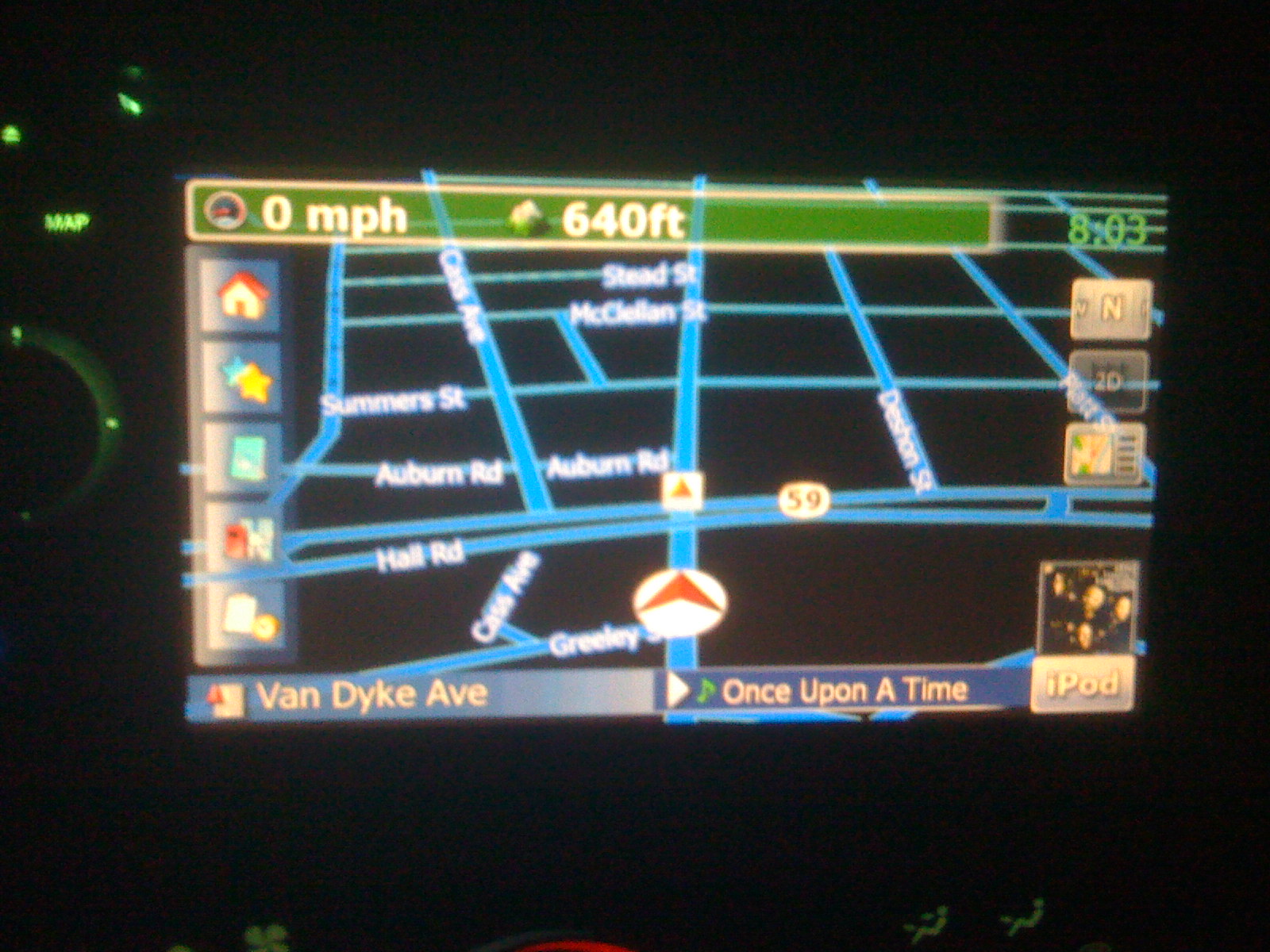
I have been working on modifying keeper's data.zip to my liking. What do you guys think? I've restored most of the fonts and sizes so the menus are not affected and polished most of the background images.
I am am almost done with the road sign "look". Does anyone know where the bmp is for the lane assist arrows? I'm talking about the ones that pop up on a highway that show you what lane to be in on a multi lane highway.
Comments/help is appreciated!
~Jason

I believe the lane arrows are ui_pioneer/800_480/lane_vsimp_sel.bmp and lane_vsimpdir.bmp
Looking pretty good on the graphics, are the pictures you posted the way it looks all the time or just at night?
ps could you make the images a little smaller
Keeper, thanks a bunch...I will keep my eyes peeled for the DATA.ZIP, you rock!
Thanks for the comments.
The images look nearly the same during the day, but are a bit lighter/more transparent due to the ligher map background.
I did adjust the alpha layer transparency nearly all the way down.
As for the lane arrows, I sent you a PM. I am looking for the ones that only show when you are on a multi-lane road that splits. Its usually 2-5 arrows all pointing up and one is highlighted.
I will downsize future pics. Sorry about that.
Thanks again for the help.
hello guys,
thanks for the great work. Could someone be so kind to post his data.zip file? I am so curious...cant wait to look at it.
Thanks in advance!
I already did...