Search Archive

New Unit Theme by GUGA - Version 2.0

By ggarcez · Feb 16, 2009in Hacks/Mods💬 186 posts👁️ 37,899 views
Page 3 of 8
Posted Mar 26, 2009 · 03:38 UTC#51
I'm trying to change my AV2 button. I made all the edits, changed the file to a .res file and loaded it. Everthing works but my AV2 button does not show. I included my Image.res file. Any suggestions? Thanks for the help.


Bryvale,


You need to save the file as 16bit Hicolor BMP (windows format) not 24bit True Color.....Try saving this way, should work.


GUGA


GUGA,

I changed the Image to windows format but I am still having the same issue. Any other suggestions? I appreciate your help!!


Are you sure you are zipping the image.res the right way?


Make a test...take the original image.res unzip it, DON'T change any image, zip it back, copy the newly zipped image.res to the unit and see if it works fine.


Let me know how it turns out.


GUGA

Posted Mar 26, 2009 · 14:03 UTC#52

I've been having trouble getting your theme to work. I'm sure it's something on my part. :???: With this new generic image download do I have to do anything specific to get it to work. I know it has to go to the APL in my flash drive but besides that anything i should do?

Posted Mar 26, 2009 · 15:00 UTC#53
I've been having trouble getting your theme to work. I'm sure it's something on my part. :???: With this new generic image download do I have to do anything specific to get it to work. I know it has to go to the APL in my flash drive but besides that anything i should do?


You need to follow the instructions in the first post, to copy the it to the unit you need to go into testmode.


GUGA

Posted Mar 26, 2009 · 15:16 UTC#54
I've been having trouble getting your theme to work. I'm sure it's something on my part. :???: With this new generic image download do I have to do anything specific to get it to work. I know it has to go to the APL in my flash drive but besides that anything i should do?


You need to follow the instructions in the first post, to copy the it to the unit you need to go into testmode.


GUGA

I know how to get in to test mode. I have GTImatt data zip mod on my unit. (By the way is really nice).I just can't get the theme to work. I haven't tryed the new generic theme but the first one was giving me a hard time. I'll try the new one to see if it works for me. I unzipped the Generic_image and saved the image.res file to my sd card.

Posted Mar 26, 2009 · 15:25 UTC#55
I've been having trouble getting your theme to work. I'm sure it's something on my part. :???: With this new generic image download do I have to do anything specific to get it to work. I know it has to go to the APL in my flash drive but besides that anything i should do?


You need to follow the instructions in the first post, to copy the it to the unit you need to go into testmode.


GUGA

I know how to get in to test mode. I have GTImatt data zip mod on my unit. (By the way is really nice).I just can't get the theme to work. I haven't tryed the new generic theme but the first one was giving me a hard time. I'll try the new one to see if it works for me. I unzipped the Generic_image and saved the image.res file to my sd card.


if you can do it with the new generic theme then you can do it with any theme....Try the new one, if you can't do it let me know...


GUGA

Posted Mar 26, 2009 · 15:31 UTC#56

Thanx. I'm sure it's something i'm not doing or forgetting to do. I'll try today and let you know.

Posted Mar 26, 2009 · 17:58 UTC#57

Just tryed it and it's working :D .

Posted Mar 26, 2009 · 21:38 UTC#58

Bryvale,


You need to save the file as 16bit Hicolor BMP (windows format) not 24bit True Color.....Try saving this way, should work.


GUGA


GUGA,

I changed the Image to windows format but I am still having the same issue. Any other suggestions? I appreciate your help!!


Are you sure you are zipping the image.res the right way?


Make a test...take the original image.res unzip it, DON'T change any image, zip it back, copy the newly zipped image.res to the unit and see if it works fine.


Let me know how it turns out.


GUGA


GUGA,

The image.res file is working. I tested as you suggested and everything works but my AV2 images that I changed. Here are the images I'm having trouble with. Thanks again for your ongoing help.

Posted Mar 27, 2009 · 18:02 UTC#59

Bryvale,


Try this images, I changed the resolution to 96, the only difference between the original images and yours was this...


GUGA

Posted Mar 28, 2009 · 00:09 UTC#60

The generic one is working great for me, Thanks

Posted Mar 28, 2009 · 02:22 UTC#61

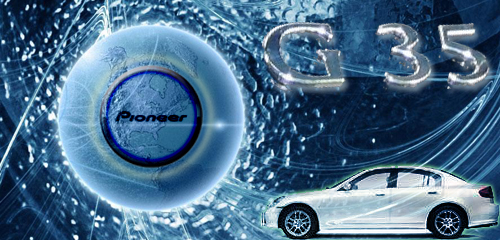
For any other G35 owners.


G35.jpg

Posted Mar 28, 2009 · 13:59 UTC#62

GUGA,

The new image worked! thanks for your help

bryvale

Posted Mar 30, 2009 · 22:55 UTC#63

This looks good. WIll have to give it a try. If anyone wants to do a 09 mustang pic I would be happy to try it:)

Posted Mar 31, 2009 · 07:47 UTC#64

Thanks for this theme...

I changed the icon to my car, a suzuki swift aerow


746_32K_MN-640_32b_normal.jpg

Posted Apr 03, 2009 · 04:15 UTC#65

Someone want to make one with an 2005 GTI, cause the new body aint as good.

Posted Apr 03, 2009 · 15:52 UTC#67

I'm designing a new destination icon with my car, and I'd like to change the iPhone to a blackberry. (No offense, iPhone owners) Can I get some clarification on how to stick the new destination icon into my exiting mod? Also, which files do I need to edit to change the contacts picture? Guga... is that something you'd have to upload (like the map icon?) I don't want to overwrite image.res with just one icon and not have the contacts and/or AV menu anymore because I only changed the destination icon.


I can't open image.res... so I don't know what the contents are. Is *.res a supported graphics extension?


In other words, if image.res contains all three main icons, I don't want to overwrite it with just the icons that I made... I don't want a red X where my contacts and/or AV icons should be. Can someone tell me how to make my own files and create a new image.res?


If anyone needs a 350Z icon or a blackberry storm, PM me, and I'll send it if/when I finish it.


Thanks!

Posted Apr 03, 2009 · 18:14 UTC#68

Can anyone help me find a higher-res photo of a blue 350Z roadster to use?


Also... how do I add the reflection?


Thanks!

Posted Apr 06, 2009 · 22:54 UTC#69

I also am having trouble with reflection. Got the image from Ford site.

Posted Apr 06, 2009 · 23:07 UTC#70

i'm not sure if anyone cares, but the car reflections you guys have aren't what it would really look like


that reflection method doesn't really work for 3d images


as far as cars go, the only one who got it right was the guy who made the hummer one

Posted Apr 16, 2009 · 15:44 UTC#71
Guys,


After a long time trying to get used of those poor quality icons from pioneer I decided to create a complete theme for the functions I most use in the system.


I changed the main menu screen, the audio/video screen, ipod controls (music and video), fm display, and a lot of other... Thanks ImBasketCase with the image transparency problem.


Feel free to download and change it anyway you like....just download the Image.res, unzip and copy it to your APL directory


Civic in destination icon - http://rapidshare.com/files/198582803/Image.res.zip


Generic Destination icon - http://rapidshare.com/files/213484623/Image_generic.zip


Hope you enjoy


GUGA

-Test Edit


I was wondering if you knew how to change the sirius interface since you were able to do it with the ipod interface?

Posted Apr 16, 2009 · 17:40 UTC#72
Guys,


After a long time trying to get used of those poor quality icons from pioneer I decided to create a complete theme for the functions I most use in the system.


I changed the main menu screen, the audio/video screen, ipod controls (music and video), fm display, and a lot of other... Thanks ImBasketCase with the image transparency problem.


Feel free to download and change it anyway you like....just download the Image.res, unzip and copy it to your APL directory


Civic in destination icon - http://rapidshare.com/files/198582803/Image.res.zip


Generic Destination icon - http://rapidshare.com/files/213484623/Image_generic.zip


Hope you enjoy


GUGA

-Test Edit


I was wondering if you knew how to change the sirius interface since you were able to do it with the ipod interface?


Hi,


I don't have sirius here in Brazil, so it won't be possible to change it because I don't have how to test it.


GUGA

Posted Apr 16, 2009 · 18:33 UTC#73

this is the file in the unit that i found regarding sirius display. Is there anyway to adjust this? I have no idea about coding.

Posted Apr 16, 2009 · 19:02 UTC#74
this is the file in the unit that i found regarding sirius display. Is there anyway to adjust this? I have no idea about coding.

These are the bnpd files, they control buttons positions and behaviour, never tried to edit them. The images for the sirius must be in the same image.res file but, as I told you I don't have sirius so, I don't know wich are the images that need to be edited.


GUGA

Page 3 of 8