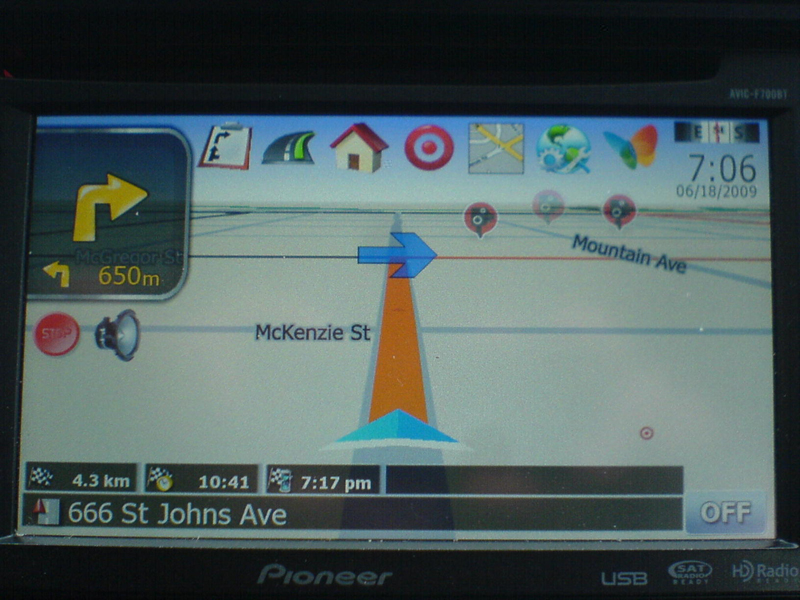
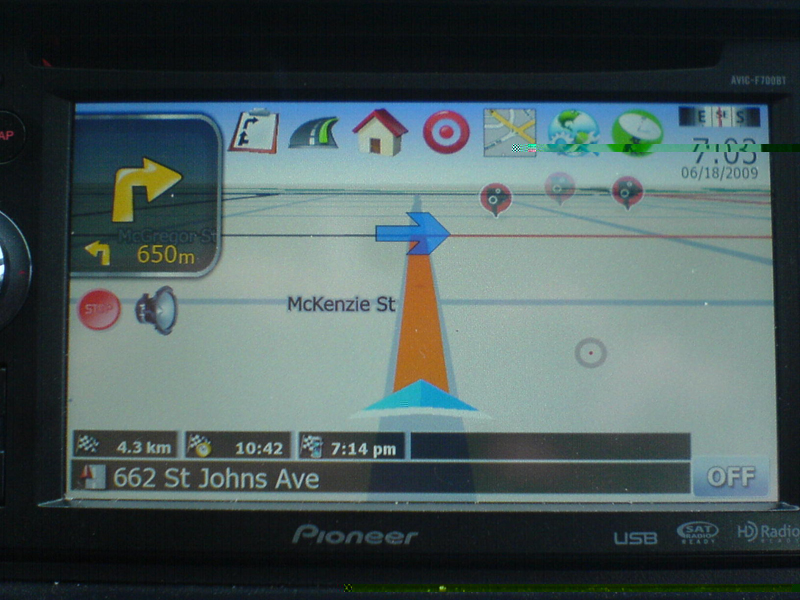
Just something i noticed and was wondering if theres something i could do to fix it. When in route the 3 info bars are not transparent like the street name bars. Is it possible to make them the same transparency? I'm anal and just noticed it.
IDT v4.2 on p46, last for 2.0
Just something i noticed and was wondering if theres something i could do to fix it. When in route the 3 info bars are not transparent like the street name bars. Is it possible to make them the same transparency? I'm anal and just noticed it.
the reason why it's not as transparent as the strret name bar is because there's another bmp under it, i took the shortcut when i first started doing mods for easier x and y values and totally forgot about it, it'll be a part of the next update as
well
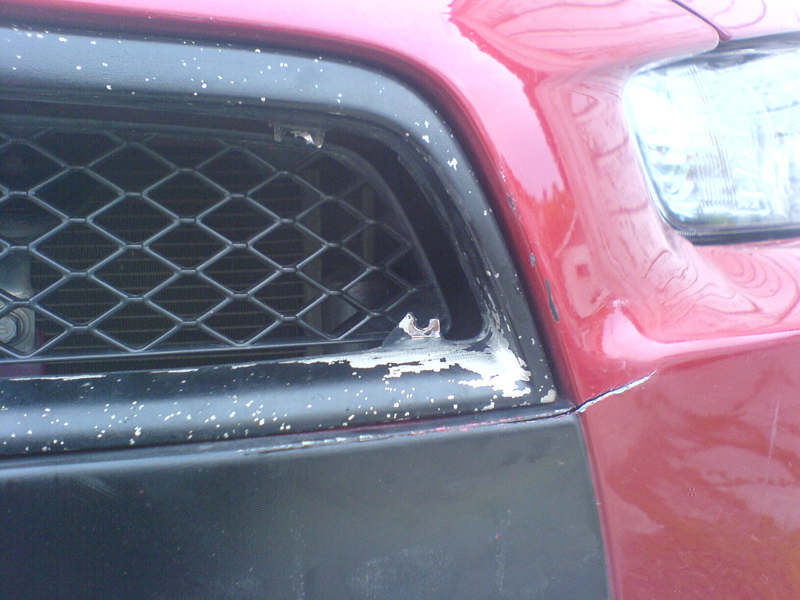
v4.2 will be out tonight, this will be the last update til i get my car back, just got an accident on my way to work, the damage wasn't that bad, bumper was cracked same thing as the right headlights, i'll be bringing it to the adjuster tomorrow and won't have it back til they fix it, damn, now i have to pay for my deductible, i hate this shit, arghhh,
anyways, i'll have the v4.2 ready before i bting it to the adjuster,
Can you give me file to do the speed change on the avic-f90bt
I love this mod! Thanks, IDT!! I just thought I'd share a couple of my additions with you guys in case anyone was interested.
First, I changed the font on the Blank Screen clock display. I thought it looked a little out of proportion in regular ds-digi so I got a copy of ds-digi bold and pasted to my igo folder, then simply added a "b" to the font name in the navigatemap_800_480.ui:
Change: Time on blank screen
To: Time on blank screen
This looks way more in proportion to me.
Next, I was kind of missing a history icon on the map screen so I made the clock into a history button instead of a clock settings button. So,in the navigatemap_800_480.ui:
Change: ;Time
To: ;Time
BTW, these two mods also change the clock color from white to yellow which matches my car color scheme and the mod scheme better, IMHO. Just leave font color alone if desired.
I'm current working on a set of transparent AV buttons for the bottom of the map screen that look great with this mod. I'll keep you guys posted
And lastly, a question for IDT. How difficult would it be to make the "current speed" icon turn into a "current altitude" icon when pressed. This would be a great mod but it's a little out of my league.
Thanks,
ds-digi bold font attached.
And lastly, a question for IDT. How difficult would it be to make the "current speed" icon turn into a "current altitude" icon when pressed. This would be a great mod but it's a little out of my league.
Thanks,
it won't be that hard, it's just a matter of creating a script that would hide the speed icon when pressed and adding a button on your navigatemap_800_480.ui that would start hidden and would only show up when the speed icon is pressed,
you know what, this is mod, i think i'll try it
Can you give me file to do the speed change on the avic-f90bt
what speed change?
I'm not going to bed till this update come out. Lol what time do u think you will be done?
almost done
what's added,
-added a quick itenerary button
-pressing the next arrow will say next command instead of bringing out route info screen
two version are out, one for non-MSN users and one for MSN users
instructions:
for newbies READ THE HACKS THREAD FIRST, don't just jump into doing a mod without enough knowledge,
1) first off this is not an auto installer, this is leetlauncher v2 that i use to install my mods
2)extract files and transfer all files to a freshly formatted SD card
3)this already has testmode file so no need to add anything else
4)insert SD to unit,
5)boot up unit
6)click testmode
***if this is your first time,PLEASE BACK UP YOUR FILES
7)all the files are in files to be added folder
8)copy DATA.ZIP, SYS.TXT, and DS-DIGI file to igo folder
9 )optional, copy EZRIDER to igo folder and copy license to content folder
10)optional sound files, copy files inside sound folder and paste to myflashdisk/data/sound
**I RECOMMEND DELETING THE SAVE FILES, it's in My Flash Disk\USER\UserData\iGo\save, everything should be deleted except for favourites.dat if you have it
11)once done click down on control knob and then click the pioneer logo,
12) wait for it to boot and your done, DO NOT REMOVE THE SD AFTER, IF YOU WANT TO REMOVE THE SD CARD TURN OFF THE IGNITION BEFORE DOING SO
here's the link
ftp://avic:[email protected]/illdietrying
non-MSN
MSN
and my screwed bumper
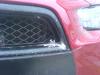
Nice! Sorry about your bumper. That just sucks
yeah, pretty pissed off cause i'm kinda tight right now, oh well, this will be the last update til that thing gets fixed, i hope it doesn't take that for those guys to fix it,
Sorry for your accident.
I found out why my system keeps rebooting with your mod. It doesnt like when I 7zip the file after I change the parking brake line in the ini file to256(0r 128).
Sorry for your accident.I found out why my system keeps rebooting with your mod. It doesnt like when I 7zip the file after I change the parking brake line in the ini file to256(0r 128).
hhhmmm, that's weird
Sorry for your accident.I found out why my system keeps rebooting with your mod. It doesnt like when I 7zip the file after I change the parking brake line in the ini file to256(0r 128).
hhhmmm, that's weird
Life is wierd
Sorry for your accident.I found out why my system keeps rebooting with your mod. It doesnt like when I 7zip the file after I change the parking brake line in the ini file to256(0r 128).
hhhmmm, that's weird
Life is wierd
Most likely, though, it's something with the way you zip it back up after modifying pioneer.ini. Open up the file and check that everything is still in correct subfolders...
IDT why did you switch from the adjustable spoken alert volume to a non-adjustable one? Is it b/c it never really worked properly? The v2.9 I had installed was always sporadic and at 3/4 volume was sometimes barely audible and other times would scare me to death.
My v4.2 always loads into 2D, how do you toggle to 3D?
As always....thanks for the hard work, the avic is basically useless (imho) without the work done by you and the other. I only use it mainly for the speed camera alerts in Calgary, as we have 45 red light AND speed through green cameras.
Found the 3d toggle, but noticed the audible alert is a terrible computer sound and defaults to 'off' every time the HU is powered on/off. Voice alert only works when audible alert is on and then they both tell you (in a VERY annoying way) that their is a speed camera.
IDT why did you switch from the adjustable spoken alert volume to a non-adjustable one? Is it b/c it never really worked properly? The v2.9 I had installed was always sporadic and at 3/4 volume was sometimes barely audible and other times would scare me to death.
My v4.2 always loads into 2D, how do you toggle to 3D?
As always....thanks for the hard work, the avic is basically useless (imho) without the work done by you and the other. I only use it mainly for the speed camera alerts in Calgary, as we have 45 red light AND speed through green cameras.
the thing with the spoken alert volume is that it is linked to the key beeps, so everytime you turn it up or down the key beeps will react the same way,
im not sure why your's boots up in 2D
Found the 3d toggle, but noticed the audible alert is a terrible computer sound and defaults to 'off' every time the HU is powered on/off. Voice alert only works when audible alert is on and then they both tell you (in a VERY annoying way) that their is a speed camera.
i don't know if you noticed but there is now a spoken warning on/off selection in the warnings setting,
IDT, it doesn't boot up in 2D, I was mistaken. With the key beep thing, can I turn the key beep slider up loud, but actually have the key beeps turned off and still here a loud spoken alert?
I'll try tomorrow and if it works I'll be excited! thanks for the quick response.
HI IDT, thanks for the 4.2 update. I really like it.
I was wondering if you could help me with this:
Im going on vacation in Germany, but it is not allowed over there to have speedcams on your navigation. Can you create, or point me in the right direction, to make a 'panic' button like on this Igo Blog - http://artwork-igo8.blogspot.com/2008/10/gurjon-skin-371-and-400b.html ?
Would really appreciate this..
HI IDT, thanks for the 4.2 update. I really like it.
I was wondering if you could help me with this:
Im going on vacation in Germany, but it is not allowed over there to have speedcams on your navigation. Can you create, or point me in the right direction, to make a 'panic' button like on this Igo Blog - http://artwork-igo8.blogspot.com/2008/10/gurjon-skin-371-and-400b.html ?
Would really appreciate this..
what exactly does the panic button do?
this should physically delete the speedcams from my navigation..
These speedcams are forbidden in some countries.
what exactly does the panic button do?
this should physically delete the speedcams from my navigation..
These speedcams are forbidden in some countries.
i'll take a look at it,