Search Archive

Diaftia's Hybrid mods V2.3 - UPDATED: 01/14/10

By diaftia · Dec 01, 2009in Completed Mods/Themes💬 1,194 posts👁️ 195,795 views
Page 18 of 48
Posted Jan 15, 2010 · 07:35 UTC#426

New version up...


Speedcameras now display in smaller format when signpost is up so there is no overlapping on the freeway. clicking the signpost removes the signpost as usual and restores the speedcam to their original format.

FINALLY fixed the problem where supressing a speedcam type would still have the distance to speedcam appear on the map.

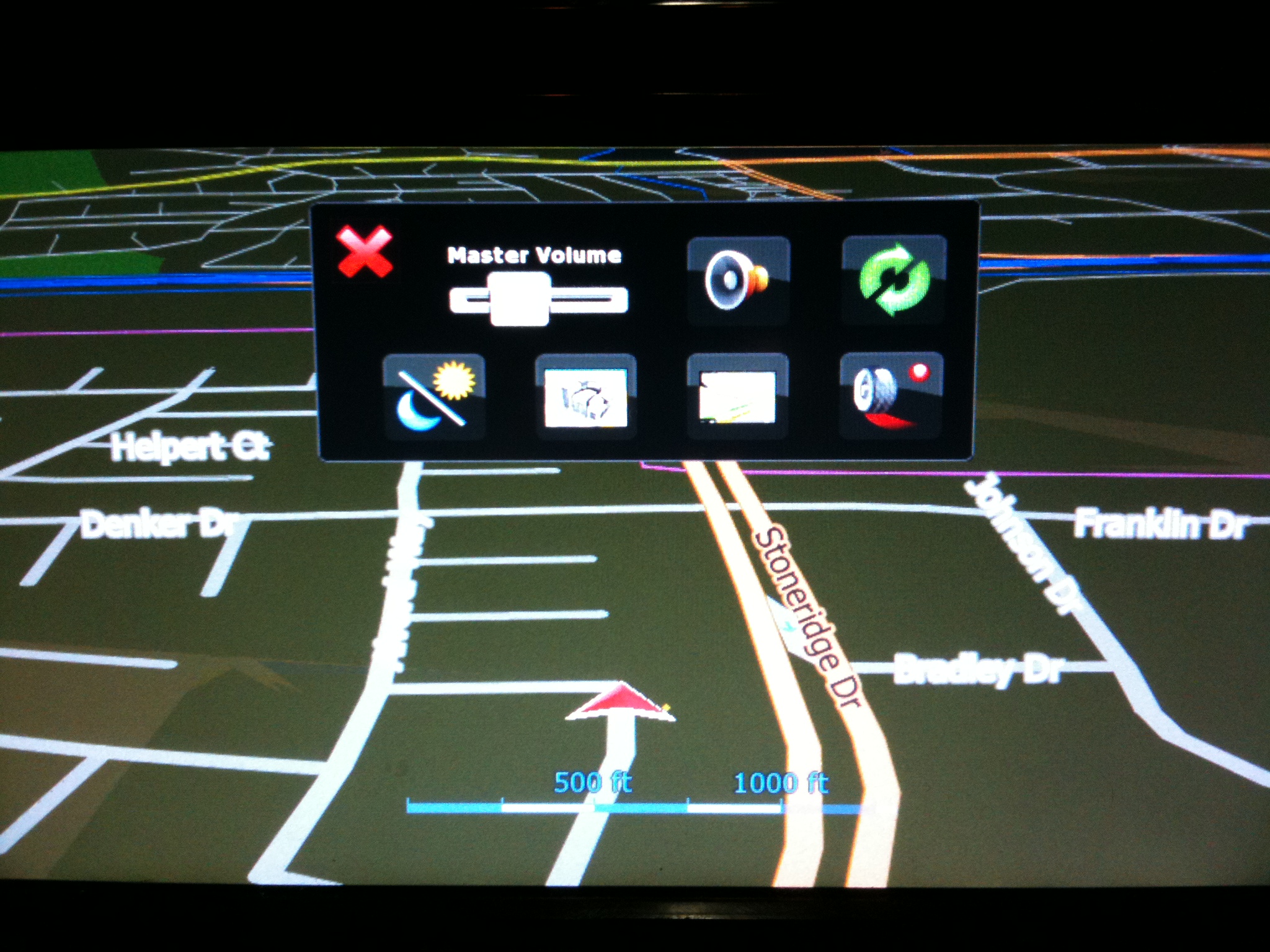
Added a quickmenu for some system and route settings. Activate on long press of quickmenu button.

Changes, updates and bug fixes to the split screen.

TMC button created for EU users (Merten3000 needs to update)

Multipoi icon fix


post-26802-12872760946007_thumb.jpg

post-26802-1287276095101_thumb.jpg

Posted Jan 15, 2010 · 11:22 UTC#427
Hi,


I am using the EU version of the mod and I am very pleased with it but... (there is always a "but", isn't it :wink: ). "Forbidden directions" are giving the wrong icons, "forbidden to turn right" instead of "forbidden to turn left" and the reverse, however I would rather like the signs for "allowed directions", white arrows on blue rectangular fields, instead of the "forbidding signs" with six situations: "turn left", "turn right", "turn left or right", "straight on or turn left", "straight on or turn right", "straight on".


And another more practical question: Is it possible to show POI's (with the exception of the speedcamera's, they do) on the map, like parking places, fuel stations etc.?


Thanks,


Hugo


Hmmmm.... for the first part I have been working with Merten3000 on this stuff. I dont have an EU model so its hard for me to see this stuff. Let me see if he is aware of anything. Actually, can you answer me this? Do these only show when you go into the signs displayed on map and select Turn Restrictions to on?


As far as POI's go you can certainly turn on POI icons. They are all branded too and not generic. Go into settings then hit the manage button at the bottom. From there it will look the way you are accustomed to.


Alex,


I have noticed the same thing. Essentially when I was at stop light where I could only turn right on a one way street, it shows the turn restriction the other way, essentially telling me that I am only allowed to turn left.

This only happens when turn Restrictions are set to on in the "signs displayed" option.


This is on a US version, running the 01/07 mod version.


Not a big deal for me, I just turned to option off.


Thanks for all the hard work you put in, can't wait to try the 1/14 version.


P.S: Donation sent :-)

Posted Jan 15, 2010 · 11:35 UTC#428

Looks great, can't wait for Merten to upload EU version.


I have been using other mods so far, but will give it a try, especially for the clean look.


Have you ever thought about the Caller ID Window blocking the system while on a call? With the expertise you have now on the system, do you thing we can get rid of it? Or preferably make it disapear after one minute on a call?


This is really the only "feature" of the system that still drives me nuts and I know from other European Forums there are a lot of poeple who feel the same.


Again, looks like great work, donation will be on its way once tested

Jörg

Posted Jan 15, 2010 · 13:19 UTC#429

Nice Alex, always improving on an excellent mod. I just have a question, what exactly are the changes inb the split screen map? That and the quick menu would be the key aspects for me to go to this because the speedcam data is irrelevant to me, as I live in Ontario and speedcams are non existent here by law, so the speedcam data does not relate to me :)

Posted Jan 15, 2010 · 13:57 UTC#430

Could you tell me if it is possible to use this mod on my F710BT? I ask since it is not lists at the top of the sys.txt file?


Also i'm in the uk, but we use miles... should i download the EU version and just look into changing the setting over to miles from km in the avic settings or is it something you need to do in the mod?

Posted Jan 15, 2010 · 15:20 UTC#431
Hi,


I am using the EU version of the mod and I am very pleased with it but... (there is always a "but", isn't it :wink: ). "Forbidden directions" are giving the wrong icons, "forbidden to turn right" instead of "forbidden to turn left" and the reverse, however I would rather like the signs for "allowed directions", white arrows on blue rectangular fields, instead of the "forbidding signs" with six situations: "turn left", "turn right", "turn left or right", "straight on or turn left", "straight on or turn right", "straight on".
 

And another more practical question: Is it possible to show POI's (with the exception of the speedcamera's, they do) on the map, like parking places, fuel stations etc.?


Thanks,


Hugo


Hmmmm.... for the first part I have been working with Merten3000 on this stuff. I dont have an EU model so its hard for me to see this stuff. Let me see if he is aware of anything. Actually, can you answer me this? Do these only show when you go into the signs displayed on map and select Turn Restrictions to on?


As far as POI's go you can certainly turn on POI icons. They are all branded too and not generic. Go into settings then hit the manage button at the bottom. From there it will look the way you are accustomed to.


Alex,


I have noticed the same thing. Essentially when I was at stop light where I could only turn right on a one way street, it shows the turn restriction the other way, essentially telling me that I am only allowed to turn left.

This only happens when turn Restrictions are set to on in the "signs displayed" option.


This is on a US version, running the 01/07 mod version.


Not a big deal for me, I just turned to option off.


Thanks for all the hard work you put in, can't wait to try the 1/14 version.


P.S: Donation sent :-)


This is a known bug in the igo software version 8.3 and nothing I can do anything about until they patch it. The problem is that the igo software is polling for this at the wrong time. It's the reason I have that feature off by default. That problem is going to happen in everyones mods. Sorry there is not too much I can do about that one. Just turn it back off for now until igo update us (or pioneer releases 4.0), which it looks like you did.


Thanks the Donation Hugo! Helps keep me going. ;)


Alex

Posted Jan 15, 2010 · 15:32 UTC#432
Looks great, can't wait for Merten to upload EU version.


I have been using other mods so far, but will give it a try, especially for the clean look.


Have you ever thought about the Caller ID Window blocking the system while on a call? With the expertise you have now on the system, do you thing we can get rid of it? Or preferably make it disapear after one minute on a call?


This is really the only "feature" of the system that still drives me nuts and I know from other European Forums there are a lot of poeple who feel the same.


Again, looks like great work, donation will be on its way once tested

Jörg


Ugh, trust me I would love to change this. This is under Pioneers control as well. This comes from the Pioneer exe's. I watched some of vblue42's videos of the new x series and it appears that they have fixed this annoyance. They have also made it so the map is still clickable. I HOPE that they pass this down to us in a future update.


Alex

Posted Jan 15, 2010 · 17:52 UTC#433
Nice Alex, always improving on an excellent mod. I just have a question, what exactly are the changes inb the split screen map? That and the quick menu would be the key aspects for me to go to this because the speedcam data is irrelevant to me, as I live in Ontario and speedcams are non existent here by law, so the speedcam data does not relate to me :)


I removed the city because it didn't update the way it was supposed to. Only updated when the menu was clicked. Also made it so that the default position of the meter was different because when you started a route you could partially see it until a turn came up. Also removed the speedcam when not in route. Speedcam's dont really work with the not in route visiblemodel so it never came up when not in route. Only the distance to speedcam did. I *think* thats it other than some small alignment things. You can use windiff to see the difference in the files.

Posted Jan 15, 2010 · 17:56 UTC#434

What are the Chances of this. The new X920bt software downloaded and put on the X910Bt. or some sort of Diaftia's mod to make any F or X series look like the new decks

Posted Jan 15, 2010 · 17:59 UTC#435
Could you tell me if it is possible to use this mod on my F710BT? I ask since it is not lists at the top of the sys.txt file?


Also i'm in the uk, but we use miles... should i download the EU version and just look into changing the setting over to miles from km in the avic settings or is it something you need to do in the mod?


It *shouldn't* be a problem. They are running the same version of Igo. Just make a backup before you change any files. If all else fails you can roll back the changes. But I think you should be fine. I have heard there are even some x-series guys running my mods.


If you use the EU version you will get the blue signpost signs as well as the EU speed signs. You can see the list of things that Merten added. Both versions will support KM though. Just go into the regional settings and tell it to use KM.

Posted Jan 15, 2010 · 18:03 UTC#436
What are the Chances of this. The new X920bt software downloaded and put on the X910Bt. or some sort of Diaftia's mod to make any F or X series look like the new decks


Now this I dont know about yet. I am not even sure what version of the iGo software you guys are running. I need to get my hands on one of those data.zip's from your guys units. But from what I have read the testmode stuff doesn't work which means something is different even at the windows level. I will try to keep a lookout but if you could let me know when access has been gotten to the data.zip that would be great.

Posted Jan 15, 2010 · 22:00 UTC#437

I just installed the latest update to your mod that i am running on my x910bt but i have been having one problem. with all 3 updates so far. when ever i set a destination then when i almost get there i click on the del route icon. (usually on the red speedo screen) it gives me a warning about some thing "are you sure you wanna delete route" i hit OK then the system just reboots. i dono if it does it on the other screens or what

Posted Jan 15, 2010 · 23:21 UTC#438
I just installed the latest update to your mod that i am running on my x910bt but i have been having one problem. with all 3 updates so far. when ever i set a destination then when i almost get there i click on the del route icon. (usually on the red speedo screen) it gives me a warning about some thing "are you sure you wanna delete route" i hit OK then the system just reboots. i dono if it does it on the other screens or what


Hmmm, I wonder if this is because you are on an X series. Can you delete all of your save files, including the favorites.dat for me, and try it again? Also can you check that this happens from both the main nav screen and the route menu?


Thanks,


Alex

Posted Jan 16, 2010 · 00:58 UTC#439
What are the Chances of this. The new X920bt software downloaded and put on the X910Bt. or some sort of Diaftia's mod to make any F or X series look like the new decks

I dont think that the X920 software is compatible as I do not think that this is running on Win CE. If it does not run on WinCE, then there will be no way of going into testmode and modding it. I could be wrong and I hope that I am, but that is what I was reading into.

Posted Jan 16, 2010 · 04:24 UTC#440

I have a suggestion.


Is there any way to split the screen into nav map and music play list?

So we can view the route and choose which song to play at the same time.

Posted Jan 16, 2010 · 04:59 UTC#441
I have a suggestion.


Is there any way to split the screen into nav map and music play list?

So we can view the route and choose which song to play at the same time.

that's such a good idea,

Posted Jan 16, 2010 · 08:00 UTC#442
I have a suggestion.


Is there any way to split the screen into nav map and music play list?

So we can view the route and choose which song to play at the same time.


That is a great idea. I wish I could. Unfortunately that combines pioneer functionality with iGo functionality and that just isn't possible. There are very few thing that you can integrate between the two. I think the Bluetooth icon is about the extent of it.

Posted Jan 16, 2010 · 17:55 UTC#443


Its in one of the config files for the lane info I believe. I am not sure I get what you are saying though. Do you think that this pic reflects what you are saying? The right sign (Stoneridge) is the exit it wants me to take and I have to say its definitely "popping" more than the other one as the highlighted choice. You don't think so?


Your picture captures the situation pretty well. And indeed, in the dark, the 'lighter' sign DEFINITELY pops. It's under daylight driving that instead of 'popping' it seems to 'grey out' while the darker signs are more readable. Honestly, it might be more of an issue with my setup letting too much outside light in...


Thank you again for your work btw. This mod collection is by far my favorite!

Posted Jan 16, 2010 · 18:37 UTC#444
Yeah I have 4 default schemes in mine that were modded only to support multiroute. Try just running those 4 and if that doesn't work find a fresh 3.0 backup to go to.


Alex, i did the 3.0 backup like you advised and it worked. i get the sky. Yeah... but...


i cant access gps or system settings now to make adjustments. i cant set home address or any of that. is this something i did wrong?

Posted Jan 16, 2010 · 18:57 UTC#445

system settings as well as gps settings have a locked icon over them

Posted Jan 16, 2010 · 19:49 UTC#446

got it, don't know what i did but they work. Hoyah.....

Posted Jan 16, 2010 · 22:40 UTC#447

Hi Alex,


Your mods have been working great on my F90BT for about a week now and I would like to PayPay you something for the mods -- it's a big improvement over the standard nav interface. What email address should I send to through PayPal?

Thanks

Ray

Posted Jan 17, 2010 · 04:29 UTC#448

Alex, i finally got everything working. it is beautiful. never have i seen so many try so hard to improve a product for no other reason than to benefit others. can you imagine if the whole world worked that way?? You guys are the greatest.


I have some questions i want to go over with anybody willing to discuss them but i want to do them one at a time so it is easier. i'll start with the one that i think i am least likely to be able to solve because it may be outside of the realm of the this forum.


can you add septate eq buttons to the top of the screen above artist, playlists, etc... so i don't have to toggle all the way through each eq setting to get to the custom settings? i have playlists that contain both hip hop and hard rock and they sound better with different eq settings.


it would be nice if i could toggle between powerful and custom 1 or 2 without going thru flat, vocal,etc.....

Posted Jan 17, 2010 · 04:41 UTC#449

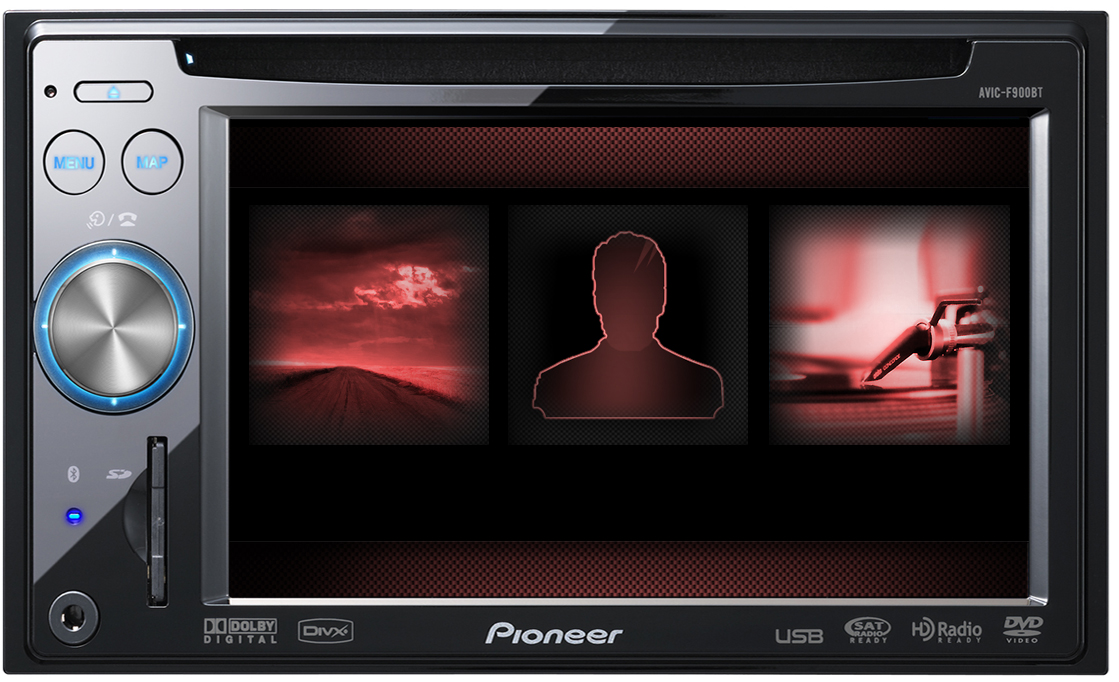
2nd qustion is how do i get the tools needed to do my own themes n schemes? i love mayhems red screen but i would like to add a different image for the contacts like abb1 did. i tried setting up a emulator on windows se7en but no luck with it. is there a beginners course to help get to the next level?

post-30542-12872760966998_thumb.jpg

post-30542-12872760968809_thumb.jpg

Posted Jan 17, 2010 · 08:02 UTC#450

I have a question about the speedcam.

Is the speedcam included Toronto, Canada?

And where do you get the speedcam location in .txt, most of the speedcam file I have download are in .kml or .csv format, and I do not know how to convert to .txt format.


Also, I see there are two file which are "Red_Light_Camera_us.txt" and "Speed_Trap.txt" put in the same folder, so our unit can combine two files and display it?


Thanks

Page 18 of 48