diaftia,I found a bug on digital dial screen. When the distance to next turn is less than km, the text overlaps or displays outside of the box. I will take a picture when I get home.
That would be great. I will get it in before the next release.
diaftia,I found a bug on digital dial screen. When the distance to next turn is less than km, the text overlaps or displays outside of the box. I will take a picture when I get home.
That would be great. I will get it in before the next release.
Diaftia, maybe I'm explaining it wrong and I only noticed it today. I was on a straight route I95 and the map swiched to 2D mode on me. There were no turns or exits I was making. But your explaination makes sense. I could of been beong re-routed due to traffic. Geez I will try again on the way home and see what happens. Thanks again for the fast response.
Ozmangrant,
What probably happened is that you have the smart zoom turned on and set to zoom at 2.0 miles. BTW this is a feature that I really like.
If your route segment is longer than 2 miles the screen will zoom out and give you an overview and it does it with North up. As you get under 2 miles the screen should zoom in and revert to the mode that you were using before.
I believe if you turn off the smart zoom then this will not happen. Alex will correct me if I am wrong.
Hope this helps.
Mark
diaftia,I found a bug on digital dial screen. When the distance to next turn is less than km, the text overlaps or displays outside of the box. I will take a picture when I get home.
That would be great. I will get it in before the next release.
No picture needed. I see the problem. 
Ozmangrant,
What probably happened is that you have the smart zoom turned on and set to zoom at 2.0 miles. BTW this is a feature that I really like.
If your route segment is longer than 2 miles the screen will zoom out and give you an overview and it does it with North up. As you get under 2 miles the screen should zoom in and revert to the mode that you were using before.
I believe if you turn off the smart zoom then this will not happen. Alex will correct me if I am wrong.
Hope this helps.
Mark
Yes and no... you are mentioning two features here actually.
Smartzoom is when navigating it will zoom in on a turn when it comes up. As you approach a turn the map will not change orientation or anything but zoom in so you can see the turn better. Once the turn passes it will zoom out to the level you had it at previously. All of these tilt, zoom and distance to zoom in and out are configurable with the wrench that is next to the setting. BTW putting the tilt bars full right will give you sky in 3D mode.
Overview mode is when the map changes orientation to 2D mode when you are not within any turns based on the settings. By default the setting is 2 mile zoom out if the turn is over 2 miles away. What this says is that if I am on a freeway, for example, and my exit to get off the freeway is more than 2 miles away, the map will switch to 2DN mode to give you a large view of the route from a 2 mile elevation. Once the next turn comes within 2 miles it will switch you back to the map mode and elevation setting you had previously. This setting is also configurable via the wrench setting so you can change the distance to next turn as well as the elevation to which it zooms out to.
One thing to note is that when in overview mode, if you would like to exit overview mode you can simply enter another state. Going back to the main map will exit overview mode. For example, if the map is in overview mode and you want to exit out you can touch the YOUR SPEED sign to enter the speedometer screen. Exiting out of that will take you back to the standard elevation. You should not be locked into the overview mode.
Hope this helps...
Alex
Hey thanks guys I will give it a shot and let you know. I guess I may need a manual for your mod  Since this is the 1st time I've really driven with the mod I'll have to take notes and pay attaion to what's on and what's not. thanks again.
Hey thanks guys I will give it a shot and let you know. I guess I may need a manual for your mod
It does a lot but I have tried to make it as intuitive as possible. Some things are hard to understand though if you have never used them. You will see though its really easy to get the hang of. If you have any input I am always open to hear it and possibly get it into the mods.
Thanks for clearing it up Alex. The overview was what I meant to be talking about. Just got my terms mixed up. Thanks for clearing that up.
ATB
M
"I did delete the save files. I notice that when i go into the GPS time settings menu it has" EDT North America/New York" by default for some reason.
The reason why I don't think its related to my mods is because when you are in testmode, at the windows CE level, the unit will still sync time with the GPS satellites. Can you try hitting the reset and eject buttons on the AVIC itself for 5 seconds and see if the clears it up?"
Diaftia, I tried resetting the unit using the eject and reset button it didn't fix the time problem. I did notice that when i have the map screen up it DOES have the correct time, but when I'm on an audio screen(FM, AM, IPOD,ETC.) it's an hour ahead of the actual time! How is this possible? Anyway, should I restore the backup file and start from scratch?
"I did delete the save files. I notice that when i go into the GPS time settings menu it has" EDT North America/New York" by default for some reason.
The reason why I don't think its related to my mods is because when you are in testmode, at the windows CE level, the unit will still sync time with the GPS satellites. Can you try hitting the reset and eject buttons on the AVIC itself for 5 seconds and see if the clears it up?"
Diaftia, I tried resetting the unit using the eject and reset button it didn't fix the time problem. I did notice that when i have the map screen up it DOES have the correct time, but when I'm on an audio screen(FM, AM, IPOD,ETC.) it's an hour ahead of the actual time! How is this possible? Anyway, should I restore the backup file and start from scratch?
Uh... you got me man! That is very strange. I would have thought it would have been off everywhere.
Did you just do an update to 3.0? When did the problem start? I would do one of two things; restore to 2.0 and do the upgrade again if you just did it or start a thread in the problems/troubleshooting forum and see if anyone knows of a fix.
"I did delete the save files. I notice that when i go into the GPS time settings menu it has" EDT North America/New York" by default for some reason.
The reason why I don't think its related to my mods is because when you are in testmode, at the windows CE level, the unit will still sync time with the GPS satellites. Can you try hitting the reset and eject buttons on the AVIC itself for 5 seconds and see if the clears it up?"
Have you thought about you're having a default setting of longitude and latitude in your sys.txt??
Set it to default_latitude="0.0" and default_longitude="0.0" (or search your home in google earth  ) and this should be the solution!
Thanks for the donation Neil! Looks like it came in last night. Many thanks!
As far as changing the map orientation you do that by touching the compass. I do that since it's a little bigger than the traditional button.
As far as deletingthe save files goes; you should not need to delete them as long as you did it when you installed. Just changing and image should be fine since no code has changed.
Let me know how it goes and thanks for the feedback.
Alex
Sorry I was not clear...but what I found is that I loss the compass and it was in 2 d because somehow I loss 3 d. I believe that is why it would only give me north up. I had deleted the saved files once again and it worked fine. go figure....
Let me ask you what file can I find the day and night car (arrow) in 3D?
I have noticed that once I finally edited the picture properly, it works great but only in 2D not 3D which I can only get in the split screen. How can I get 2D on the main map. I know it most likely something simple but I can't figure it out. Thanks for your help.
"I did delete the save files. I notice that when i go into the GPS time settings menu it has" EDT North America/New York" by default for some reason.
The reason why I don't think its related to my mods is because when you are in testmode, at the windows CE level, the unit will still sync time with the GPS satellites. Can you try hitting the reset and eject buttons on the AVIC itself for 5 seconds and see if the clears it up?"
Have you thought about you're having a default setting of longitude and latitude in your sys.txt??
Set it to default_latitude="0.0" and default_longitude="0.0" (or search your home in google earth
Why would that effect one person though? On top of that he said that its fine in the nav and not when listening to the radio.
"I did delete the save files. I notice that when i go into the GPS time settings menu it has" EDT North America/New York" by default for some reason.
The reason why I don't think its related to my mods is because when you are in testmode, at the windows CE level, the unit will still sync time with the GPS satellites. Can you try hitting the reset and eject buttons on the AVIC itself for 5 seconds and see if the clears it up?"
Diaftia, I tried resetting the unit using the eject and reset button it didn't fix the time problem. I did notice that when i have the map screen up it DOES have the correct time, but when I'm on an audio screen(FM, AM, IPOD,ETC.) it's an hour ahead of the actual time! How is this possible? Anyway, should I restore the backup file and start from scratch?
Uh... you got me man! That is very strange. I would have thought it would have been off everywhere.
Did you just do an update to 3.0? When did the problem start? I would do one of two things; restore to 2.0 and do the upgrade again if you just did it or start a thread in the problems/troubleshooting forum and see if anyone knows of a fix.
I updated to 3.xx a few months ago without any problems. It started as soon as I installed your v2.2 mod. Although I do think it's a fluke thing limited to my situation(i had your previous mod installed before this one and it worked great). Does the time that is displayed in multiple screens(map,ipod,fm,etc) all linked from one source?
Thanks for the donation Neil! Looks like it came in last night. Many thanks!
As far as changing the map orientation you do that by touching the compass. I do that since it's a little bigger than the traditional button.
As far as deletingthe save files goes; you should not need to delete them as long as you did it when you installed. Just changing and image should be fine since no code has changed.
Let me know how it goes and thanks for the feedback.
Alex
Sorry I was not clear...but what I found is that I loss the compass and it was in 2 d because somehow I loss 3 d. I believe that is why it would only give me north up. I had deleted the saved files once again and it worked fine. go figure....
Let me ask you what file can I find the day and night car (arrow) in 3D?
I have noticed that once I finally edited the picture properly, it works great but only in 2D not 3D which I can only get in the split screen. How can I get 2D on the main map. I know it most likely something simple but I can't figure it out. Thanks for your help.
I think that is a little mode involved and you need to use an mdl file. I would start by checking this post/thread:
viewtopic.php?f=34&t=17490&hilit=replace+arrow&start=45#p116696
To change the map direction touch the compass.
I updated to 3.xx a few months ago without any problems. It started as soon as I installed your v2.2 mod. Although I do think it's a fluke thing limited to my situation(i had your previous mod installed before this one and it worked great). Does the time that is displayed in multiple screens(map,ipod,fm,etc) all linked from one source?
They all poll from the system via the same textmodel:
textmodel_time="gps.current_time" formatmodel="local.short_timeformat"
What I dont get is that you are saying it works fine in the navigation software and not in the cd/radio/sat etc. My mods don't touch that at all. Its impossible for them to. I would say that means its definitely an OS level thing. On top of that you would think they are all using the same source. Just odd.
Some things I would try would be to boot into testmode and see if the time syncs up properly in CE itself. If all else fails double click on the clock in test mode and see if it gets set to your timezone there. If not try changing it there and see if it saves.
Regarding the times not matching the IGO screens as opposed to the AV (win ce) screens, try booting in safe mode, go to control panel and change the time zone there. See what happens. I seem to recall something similar about a year ago with other users.
Regarding the times not matching the IGO screens as opposed to the AV (win ce) screens, try booting in safe mode, go to control panel and change the time zone there. See what happens. I seem to recall something similar about a year ago with other users.
Just a note that I've got the same behavior, and I already tried setting the OS timezone through a different process (this is w/ Diaftia's 10/10 release). I used a mod I made to Diaftia's Settings->Navi Settings->Run menu to launch Explorer without needing to boot into test mode. Brought up the Date/Time control panel, there was no time zone selected (drop-down was blank) and the time was an hour ahead of what it should be. Fixed the timezone to Pacific time which automatically set the clock correctly in the taskbar and in the APL\ apps (AV.exe, etc) when I hit Apply. I have to manually select my timezone in iGo already (I've got the "Oregon means you're in Mountain Time!" bug) so not sure if there's something in the startup flow of the data.zip or not.
Regarding the times not matching the IGO screens as opposed to the AV (win ce) screens, try booting in safe mode, go to control panel and change the time zone there. See what happens. I seem to recall something similar about a year ago with other users.
Yep, tried that already through a different process (this is w/ Diaftia's 10/10 release). I used a mod I made to Diaftia's Settings->Navi Settings->Run menu to launch Explorer without needing to boot into test mode. Brought up the Date/Time control panel, there was no time zone selected (drop-down was blank) and the time was an hour ahead of what it should be. Fixed the timezone to Pacific time which automatically set the clock correctly in the taskbar and in the APL\ apps (AV.exe, etc) when I hit Apply. I have to manually select my timezone in iGo already (I've got the "Oregon means you're in Mountain Time!" bug) so not sure if there's something in the startup flow of the data.zip or not.
Not hi-jack this thread, but did you try adding this to sys.txt:
[timezone]
sync_os_timezone=0
reset_os_timezone=0
This will be my last post in this thread regarding this. Sorry Alex
Thanks for the kind words man. I appreciate it. I am always willing to help out whenever possible.
When you say you don't get clouds, do you mean as in the picture I posted a few posts above? I think I know what you are talking about. You can do 1 of 2 things. Either go into the smart zoom settings and adjust the tilt parameters to the far right, or turn off smart zoom and touch the screen to bring up the 3d controls. Tilt the setting to where you like it. With smartzoom off it will save it where you leave it. I personally like smartzoom so i would just adjust the sliders to the far right.
yes, if i pan up i get a sky image ,i guess,
there is a 1" strip of grey at top of screen but i don't get the image of the sky, the blue, the moon or sun anything like that. sounds like i am panning wrong.
When you say you don't get clouds, do you mean as in the picture I posted a few posts above? I think I know what you are talking about. You can do 1 of 2 things. Either go into the smart zoom settings and adjust the tilt parameters to the far right, or turn off smart zoom and touch the screen to bring up the 3d controls. Tilt the setting to where you like it. With smartzoom off it will save it where you leave it. I personally like smartzoom so i would just adjust the sliders to the far right.
this is the image i get, what i mean by no sky is that there is no blue or clouds like in your pic, i just get grey, like an overcast day.
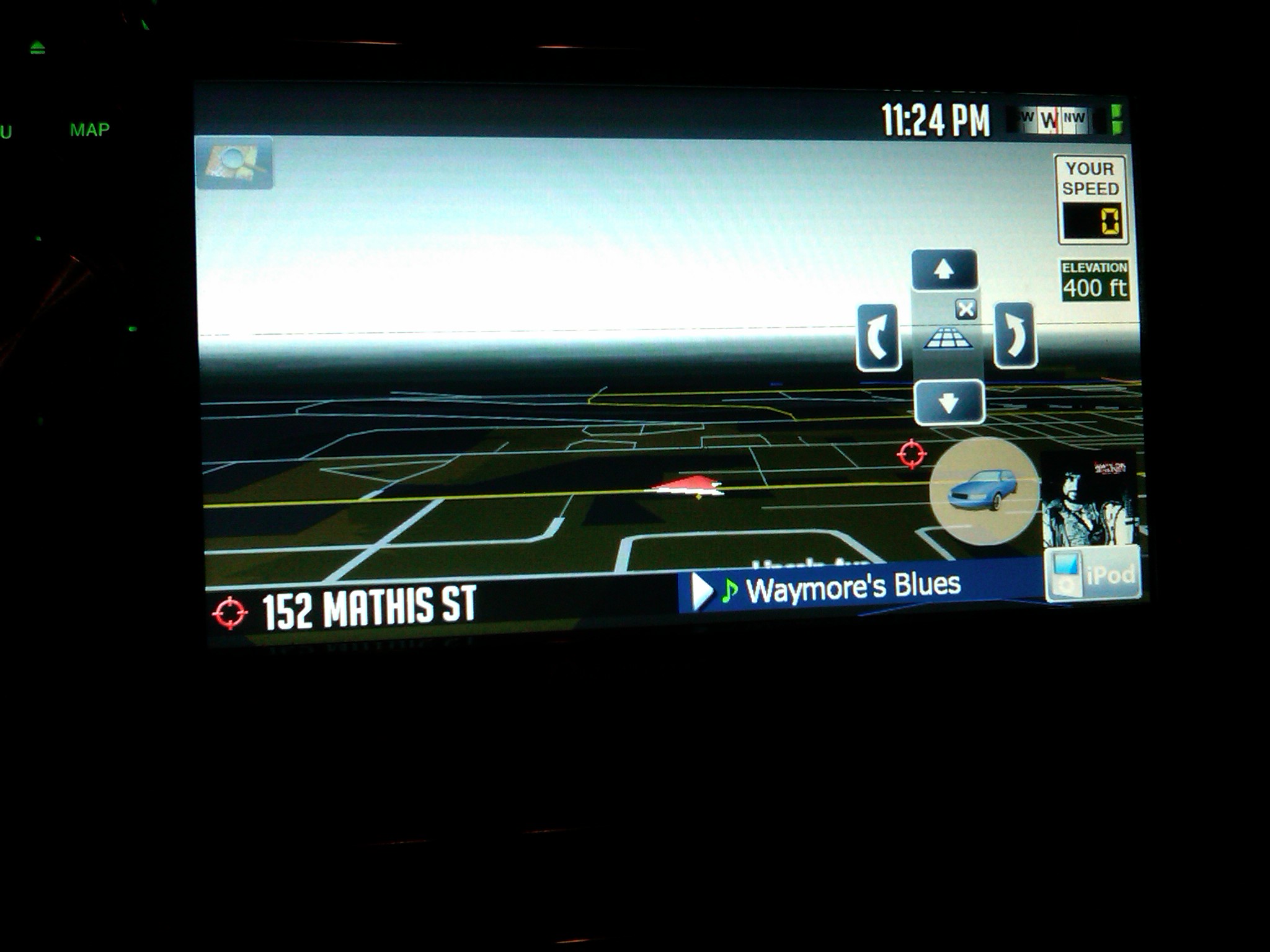
Not hi-jack this thread, but did you try adding this to sys.txt:
[timezone]
sync_os_timezone=0
reset_os_timezone=0
This will be my last post in this thread regarding this. Sorry Alex
Not yet, but in Alex's defense: I just put the F90BT on my desk back to stock versions (data.zip, sys.txt, etc) and deleted all user save data. Rebooted, and the AV.exe clock went an hour ahead even with my timezone set manually in iGo's (didn't do this w/ 2.006). Looks like it's a bug w/ the way iGo 8.3 sets the date/timezone when it gets a GPS lock to me... Especially since I can go do this:
/me points finger at NavNGo and Pioneer.
Can someone tell me if there is a button, when in route to put in a next address???
So you can put in multiple addresses and make an optimal route?
Thx
Thanks for the kind words man. I appreciate it. I am always willing to help out whenever possible.
When you say you don't get clouds, do you mean as in the picture I posted a few posts above? I think I know what you are talking about. You can do 1 of 2 things. Either go into the smart zoom settings and adjust the tilt parameters to the far right, or turn off smart zoom and touch the screen to bring up the 3d controls. Tilt the setting to where you like it. With smartzoom off it will save it where you leave it. I personally like smartzoom so i would just adjust the sliders to the far right.
yes, if i pan up i get a sky image ,i guess,
there is a 1" strip of grey at top of screen but i don't get the image of the sky, the blue, the moon or sun anything like that. sounds like i am panning wrong.
Hmmm that is odd. Did you delete the save files when installing my mods? Actually looking back at your screen shot I can gurantee that you didn't. The current street is missing at the top. That is a standard problem that happens when the save files are not deleted. Check the instructions for the location of the save files and delete them all.
Regarding the times not matching the IGO screens as opposed to the AV (win ce) screens, try booting in safe mode, go to control panel and change the time zone there. See what happens. I seem to recall something similar about a year ago with other users.
Yep, tried that already through a different process (this is w/ Diaftia's 10/10 release). I used a mod I made to Diaftia's Settings->Navi Settings->Run menu to launch Explorer without needing to boot into test mode. Brought up the Date/Time control panel, there was no time zone selected (drop-down was blank) and the time was an hour ahead of what it should be. Fixed the timezone to Pacific time which automatically set the clock correctly in the taskbar and in the APL\ apps (AV.exe, etc) when I hit Apply. I have to manually select my timezone in iGo already (I've got the "Oregon means you're in Mountain Time!" bug) so not sure if there's something in the startup flow of the data.zip or not.
Not hi-jack this thread, but did you try adding this to sys.txt:
[timezone]
sync_os_timezone=0
reset_os_timezone=0
This will be my last post in this thread regarding this. Sorry Alex
It's all good man as long as a resolution is found. Only drawback is that someone searching is going to have a hard time finding it buried in my 27+ page thread. 