Thank you so much Pionara! I just updated my AVIC-Z110BT, but I don't see the AppRadio anywhere.
Posted Sep 24, 2013 · 03:08 UTC#551
Thank you so much Pionara! I just updated my AVIC-Z110BT, but I don't see the AppRadio anywhere.
Brilliant! Upgrade was *flawless*, now running version 4.00! Thanks pionara.
I've already bypassed and upgraded, but is there anything else I can do to my Z110BT? Sorry for the newbie question, but I just looked on the web at the Z150BH and the nav interface looks incredible! Will there EVER be a way to get that software onto the Z110BT or is that surely out of the question?
Anyone know if the update can use a USB stick or you HAVE to use an SD card to update?
Anyone know if the update can use a USB stick or you HAVE to use an SD card to update?
SD only
I have looked all over and I can not find a link that works to download the 2012 US/CAN update.
I have a X930bt Ver 3.0000 and I want to upgrade so my Samsung S3 will work better with it. I have even tried to buy the upgrade from NAVTEQ but they no longer offer it.
Please if anyone has the files or has a good link to download the software let me know. I am pulling my hair out here, lol
I have looked all over and I can not find a link that works to download the 2012 US/CAN update.
I have a X930bt Ver 3.0000 and I want to upgrade so my Samsung S3 will work better with it. I have even tried to buy the upgrade from NAVTEQ but they no longer offer it.
Please if anyone has the files or has a good link to download the software let me know. I am pulling my hair out here, lol
Looked all over? The answer is on the first post of this thread. Follow the instructions here: http://avic411.com/index.php?/topic/35230-2012-uscan-maps-cnsd-310fmuc-upgrade-updated-to-supereasymethod-beta/page-21?&do=findComment&comment=259388
guys i need help please. i forgot my password coz i replaced my battery and i did the condi hack. now i'm getting "error, installer files not found. is sd inside the device?" i dont know what else to do. help please. thank you.
any help? please. i'm one desperate person. i will buy you a beer if you can figure out what my problem is. i have x930 btw.
any help? please. i'm one desperate person. i will buy you a beer if you can figure out what my problem is. i have x930 btw.
http://avic411.com/index.php?/topic/32929-x930bt-password-recovery/
Make SURE (VERY sure) that you use Condi's HackMode v1.4, not v2.21. Stay away from 2.21.
http://avic411.com/index.php?/topic/32929-x930bt-password-recovery/
Make SURE (VERY sure) that you use Condi's HackMode v1.4, not v2.21. Stay away from 2.21.
what if i did use 2.21? i think thats what i used. what do i do now?
UPDATE: I have found a super easy method to install. No testmode, no hacked dlls, etc.
1. get the update and put it on an SD card (like below) so that the SD card has Cardinfo.cif, Update, Firmware folders at the top (root) level of the sd card.
2. replace the file on sd card: \Update\VERINFO.DAT with this one:
3. if you have Z110, Z120, or X920 (not needed for Z130 or X930): Replace the Cardinfo.cif on the SD card with this one that is inside this zip:
4. insert SD card into unit (make sure you have good power to your vehicle - running, battery charger, etc)... it should ask to upgrade and reboot... no password needed. Will take about 30 mins. After it has completed update it will restart and go through initial settings like voice, etc. It should reboot and you should see 2012 splash screen. After the unit reboots, it may ask you if you want to update again but choose NO (provided update went ok and you have 2012 splash screen which means it updated.)
5. update your bluetooth firmware (to 3.24) in the bluetooth settings menu
please report your success on this thread. If you have problems, make sure you note your current model and version.
update: IAmSuperBleeder posted a nice step-by-step with photos: #301
- applies to x930bt, x920, z110, z120, or z130 US/CAN models. This is for CNSD-310FM/UC- UC means US/Can.
No EU updates or other regions yet. The procedure should be the same for F10,20,30 and F920, F930 as soon as there is a Euro version available.For Euro (EU5) update here: http://avic411.com/i...eu-2012-update/
update: torrent of the full update image posted here: #204
after upgrade:
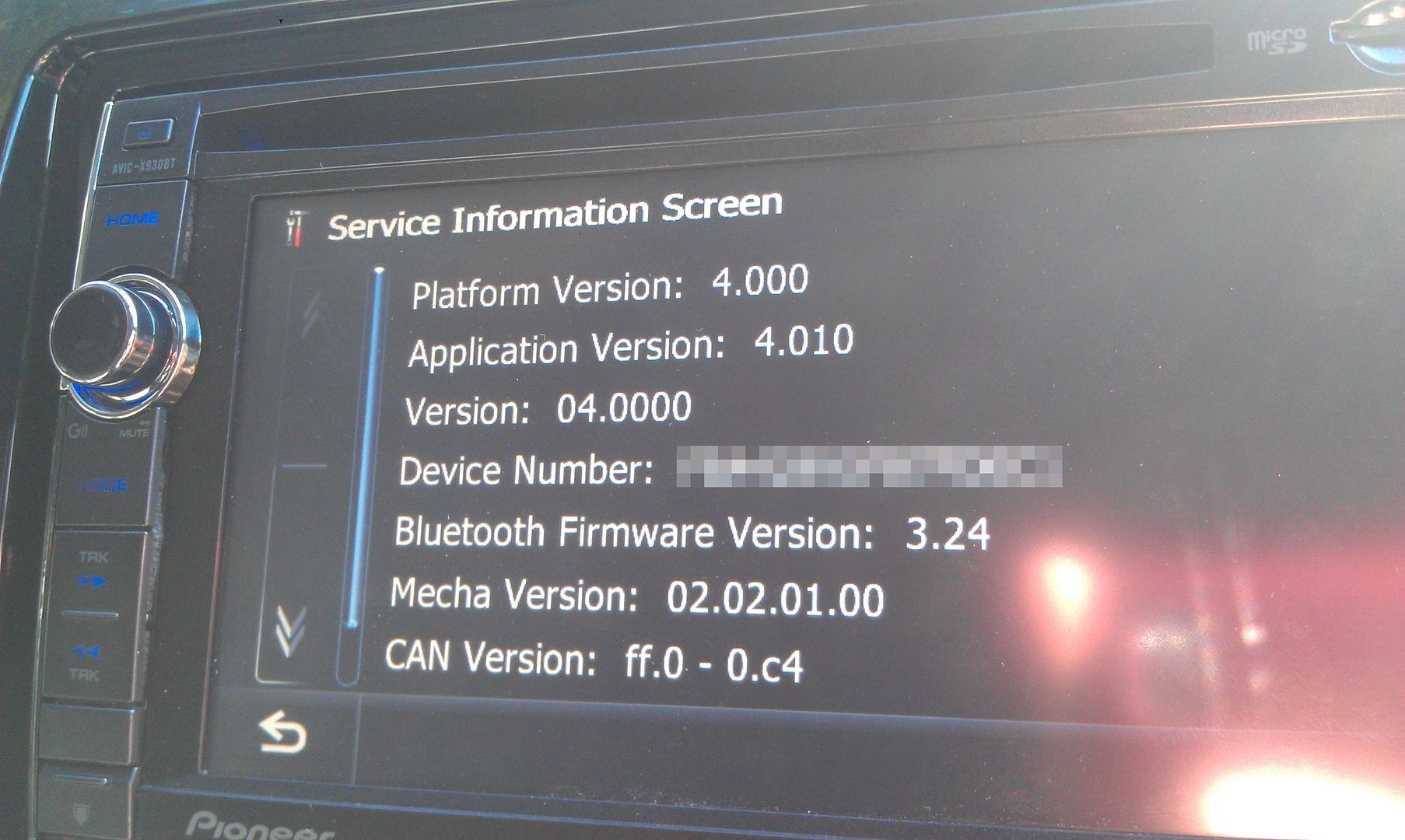
service information screen. hold top left for detailed info:
Platform version: 4.000
Application version: 4.010
Version: 4.000
.....
Bluetooth firmware version: 3.24
if you like the new version/maps, please do yourself a favor and go pay for it.
Note: it is up to you to legally obtain the update files. I have provided an alternate method of installation that does not require a password for those folks with legally obtained software.
UPDATE: I have found a super easy method to install. No testmode, no hacked dlls, etc.
1. get the update and put it on an SD card (like below) so that the SD card has Cardinfo.cif, Update, Firmware folders at the top (root) level of the sd card.
2. replace the file on sd card: \Update\VERINFO.DAT with this one:
3. if you have Z110, Z120, or X920 (not needed for Z130 or X930): Replace the Cardinfo.cif on the SD card with this one that is inside this zip:
4. insert SD card into unit (make sure you have good power to your vehicle - running, battery charger, etc)... it should ask to upgrade and reboot... no password needed. Will take about 30 mins. After it has completed update it will restart and go through initial settings like voice, etc. It should reboot and you should see 2012 splash screen. After the unit reboots, it may ask you if you want to update again but choose NO (provided update went ok and you have 2012 splash screen which means it updated.)
5. update your bluetooth firmware (to 3.24) in the bluetooth settings menu
please report your success on this thread. If you have problems, make sure you note your current model and version.
update: IAmSuperBleeder posted a nice step-by-step with photos: #301
- applies to x930bt, x920, z110, z120, or z130 US/CAN models. This is for CNSD-310FM/UC- UC means US/Can.
No EU updates or other regions yet. The procedure should be the same for F10,20,30 and F920, F930 as soon as there is a Euro version available.For Euro (EU5) update here: http://avic411.com/i...eu-2012-update/
update: torrent of the full update image posted here: #204
after upgrade:
service information screen. hold top left for detailed info:
Platform version: 4.000
Application version: 4.010
Version: 4.000
.....
Bluetooth firmware version: 3.24
if you like the new version/maps, please do yourself a favor and go pay for it.
Note: it is up to you to legally obtain the update files. I have provided an alternate method of installation that does not require a password for those folks with legally obtained software.
yo can you help me?
So what happens when you fire up your unit?
what if i did use 2.21? i think thats what i used. what do i do now?
v2.21 is known to screw up units bad. It did screw up mine and I fixed it by removing the file PRG.FLG in the USER directory.
BTW, slow down on the forums. If you ask something, don't expect a reply 30 minutes later. Be patient.
So what happens when you fire up your unit?
it just says "error. installer files not found. is the sd inside the device?"
with the same splash screen that i installed before. i can still get to testmode.
v2.21 is known to screw up units bad. It did screw up mine and I fixed it by removing the file PRG.FLG in the USER directory.
BTW, slow down on the forums. If you ask something, don't expect a reply 30 minutes later. Be patient.
v2.21 is known to screw up units bad. It did screw up mine and I fixed it by removing the file PRG.FLG in the USER directory.
BTW, slow down on the forums. If you ask something, don't expect a reply 30 minutes later. Be patient.
sorry about that. i just checked under USER directory and i dont see PRG.FLG.
If you don't have the PRG.FLG file, create a text file, rename it PRG.FLG and copy it there.
If you don't have the PRG.FLG file, create a text file, rename it PRG.FLG and copy it there.
If you don't have the PRG.FLG file, create a text file, rename it PRG.FLG and copy it there.
still didnt work sir. this is what i did..
right clicked on desktop, create a text document, save as PRG.FLG then copy to my microsd. put it inside the avic and turned on the car. went to sd card, copy PRG.FLG file and paste to USER directory. turned off the car, took out the microsd. turned on the car and still on that screen.
i fixed my radio guys. big thanks to @rgarjr
i appreciate all your help brother
Hi!
In the download there is no FIRMWARE and Update folder to put on the SD card. I assume I create the FIRMWARE and Update folders on the SD card and unzip all the files in the 2012 upgrade zip to the Update folder, but what to I put in the FIRMWARE folder?
Forgive my newbie question, I appreciate any help.
Thanks!!!
Pioneer X930BT
have anyone updated to the 5.1 version for this after doing the update.
worked for me, i seen yesterday that there is an update for it agaian small file on pioneers website wonder if i can also update that since i have the 4.0 on it now.
now trying to do this help would be great
http://avic411.com/index.php?/topic/37956-x920bt-update-from-40-to-51/
Hi!
In the download there is no FIRMWARE and Update folder to put on the SD card. I assume I create the FIRMWARE and Update folders on the SD card and unzip all the files in the 2012 upgrade zip to the Update folder, but what to I put in the FIRMWARE folder?
Forgive my newbie question, I appreciate any help.
Thanks!!!
Pioneer X930BT
You realize it is a compressed file? Once you uncompress it you should see the folders you need to copy to the SD - as described in post #1.
looks like sheka's google docs link is dead.. it's time for somebody to post a torrent...
http://avic411.com/index.php?/topic/37956-x920bt-update-from-40-to-51/
have you done this yet?
Just did it on my X930BT without a single hiccup
Downloaded the update via torrent and unzipped it's contents into a folder. Downloaded the updated VERINFO.DAT file and put it in the \Update directory of the unzipped files, replacing the previous file in the folder. Then placed the 3 files on the SD car; FIRMWARE folder, Update folder, and CARDINFO.cif
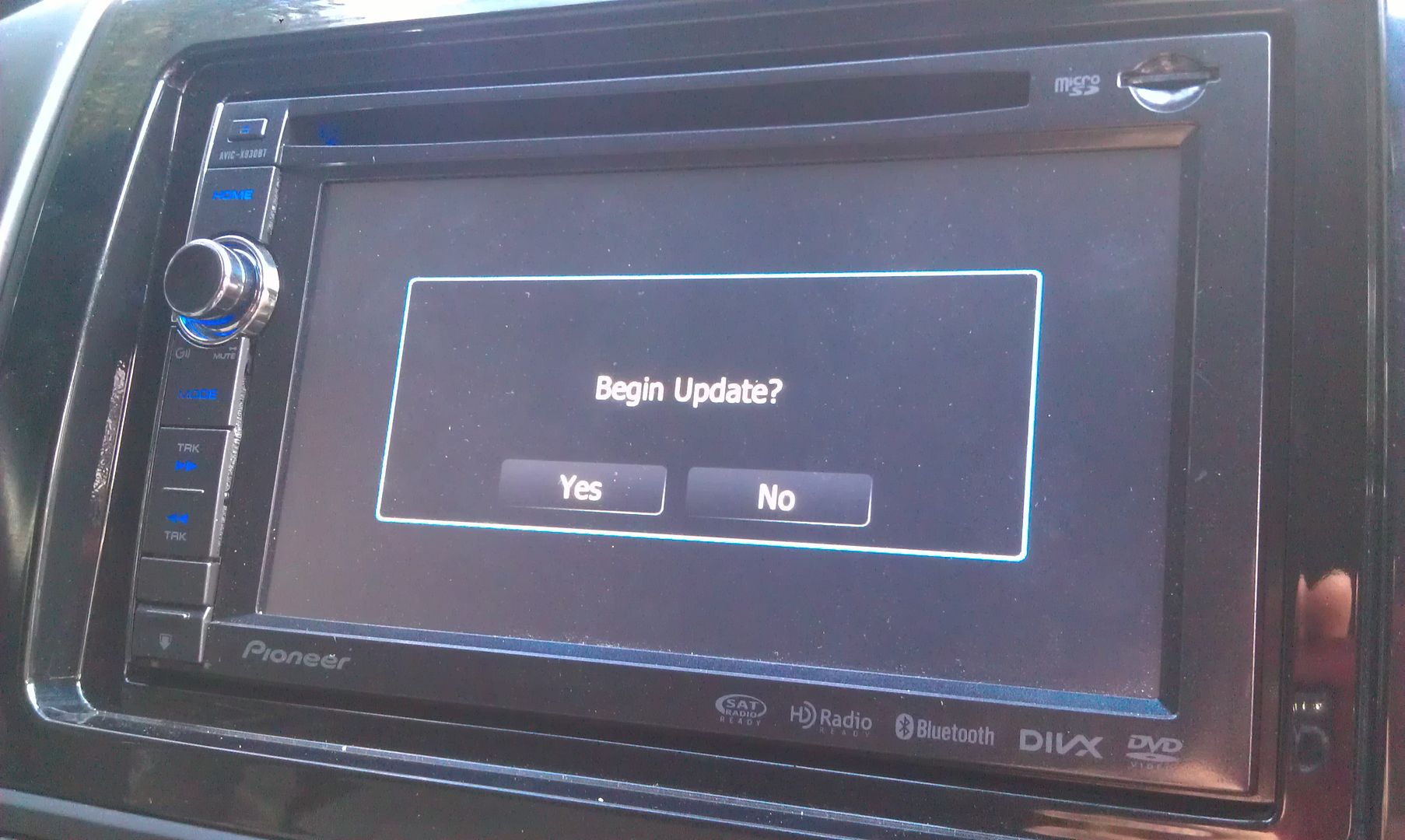
Powered the unit up, popped in the SD card, and within about 5 seconds it picked it up and asked to start the update.
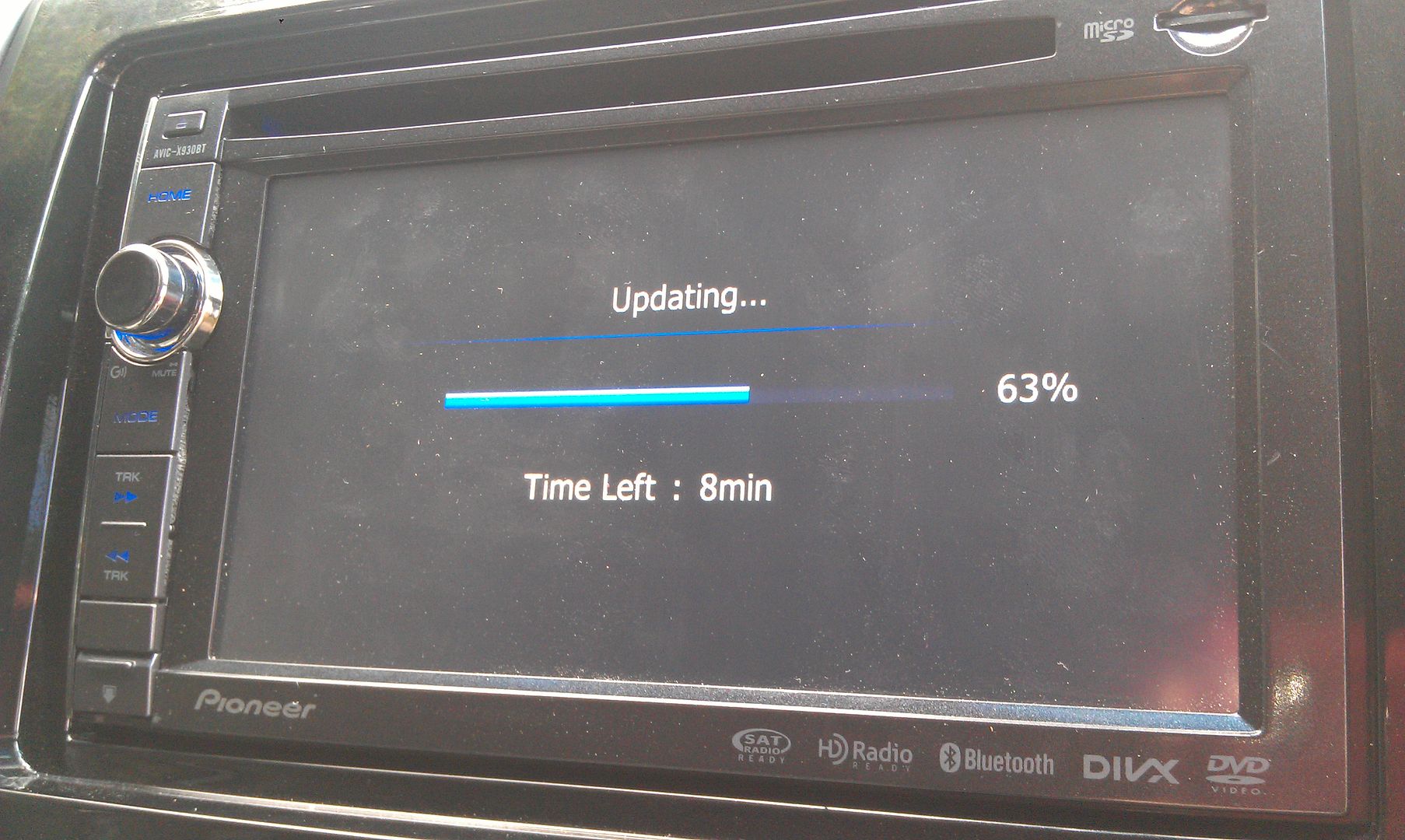
That update process took about 20 minutes
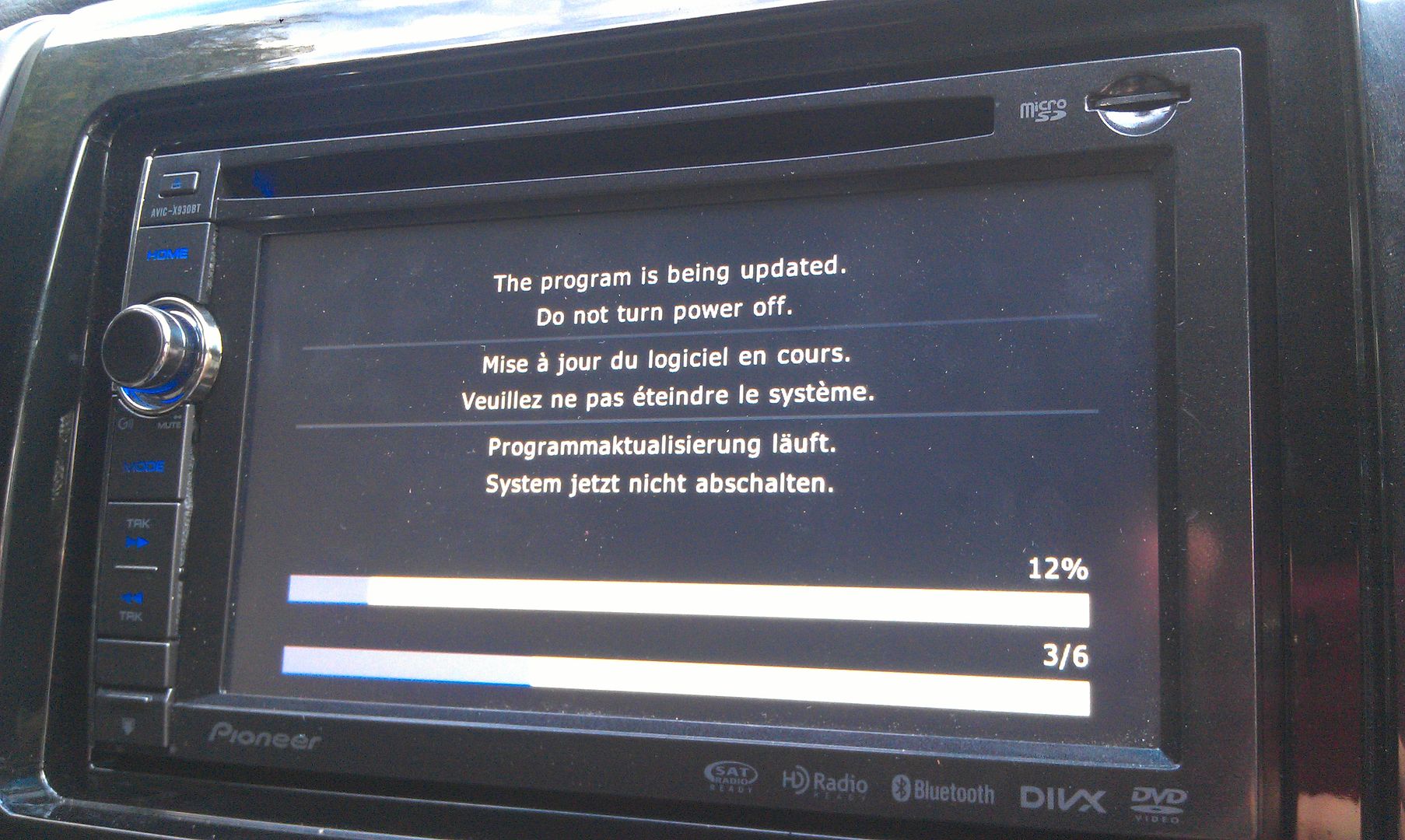
Once that's done the unit reboots and finishes updating
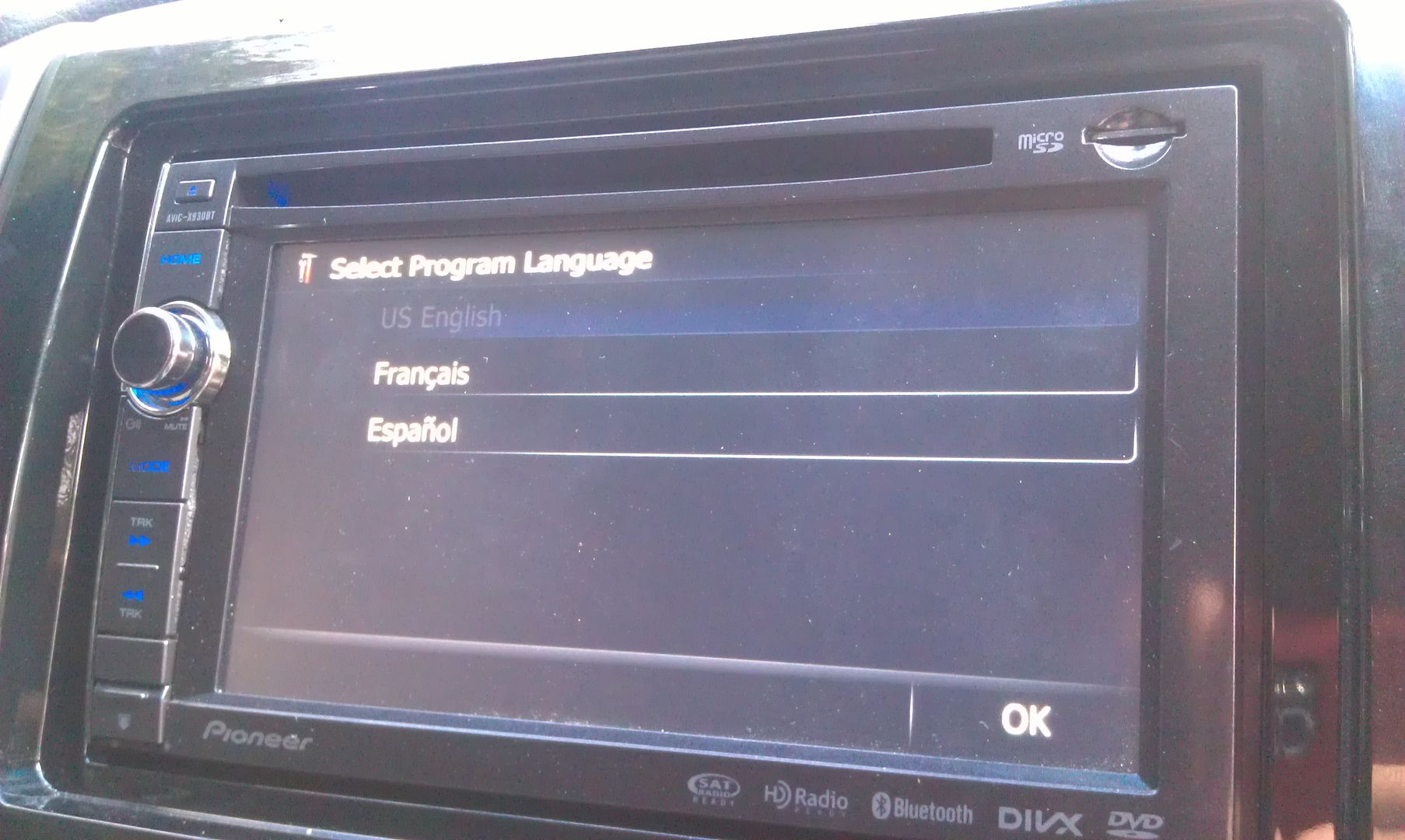
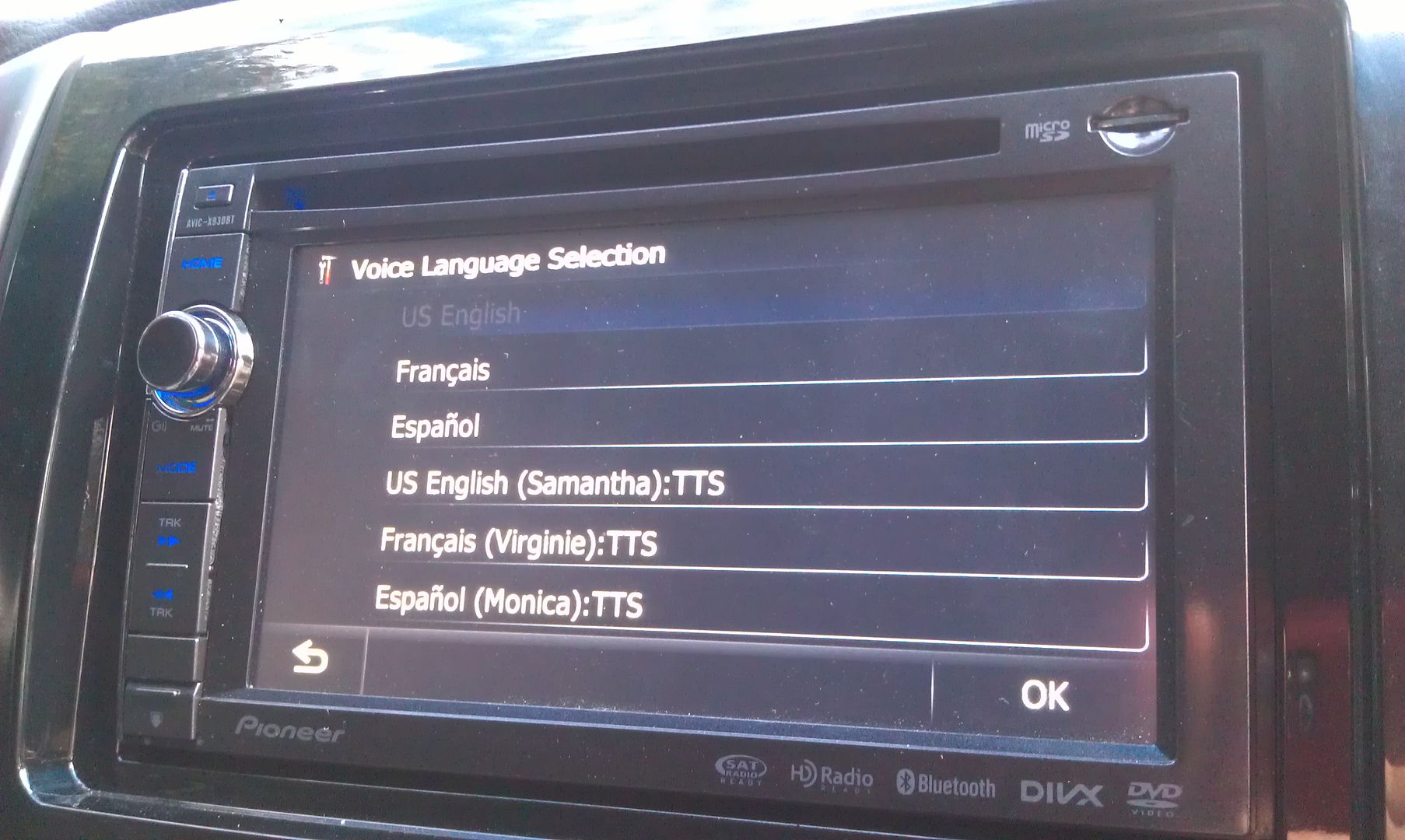
After that, you're greeted with language setup options
Once that's done, the update is complete!
By the way, if you're using a custom start up splash screen (as I am), you will not see any 2012 Pioneer splash screen for confirmation, because you're custom one is still going to show, so don't freak out when that doesn't show up upon the unit rebooting, lol.
After you go through the language setup, it's going to ask to do the update again. If you don't want to sit there for another 20 minutes, hit no...
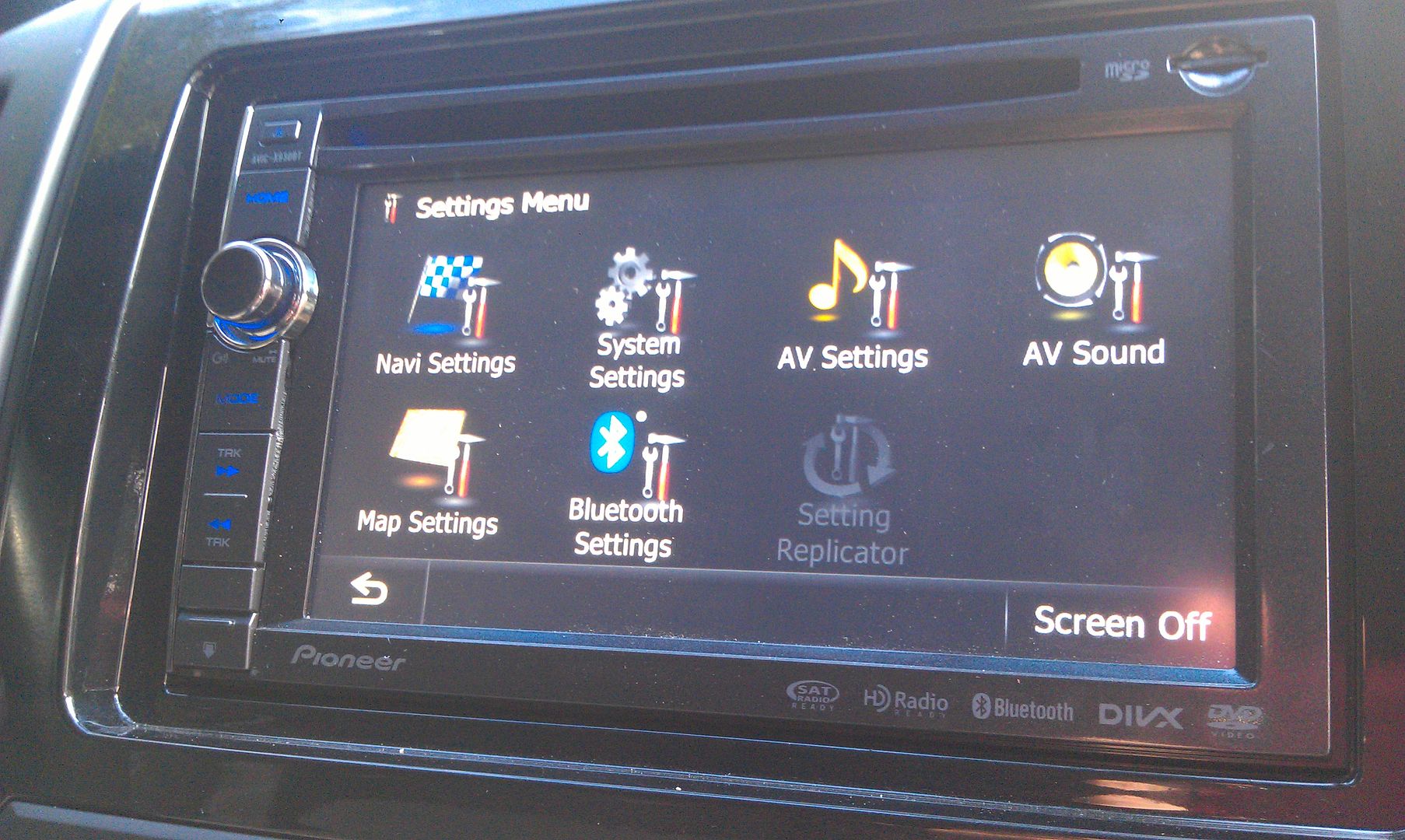
To update the bluetooth firmware, go into your settings menu
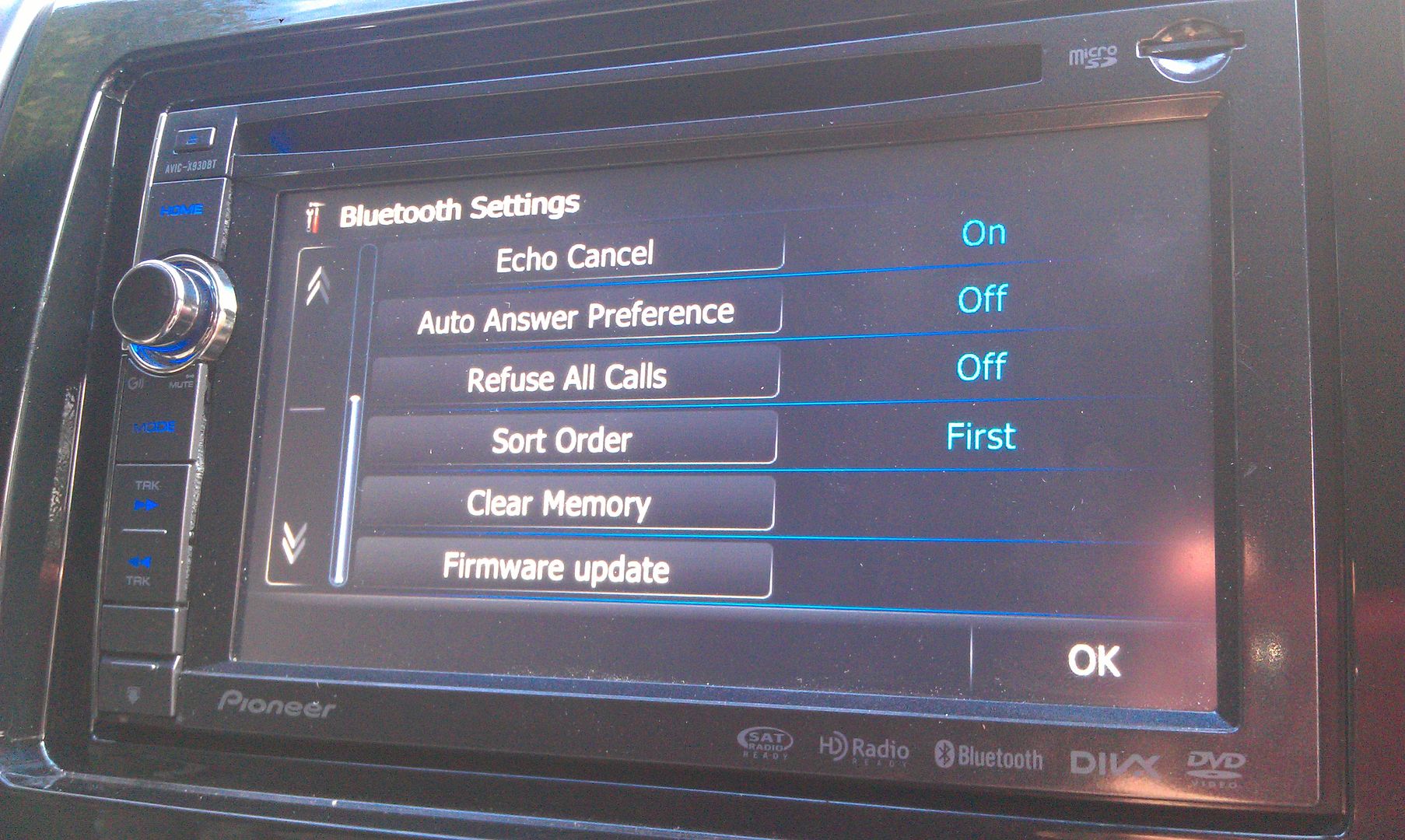
Go into the bluetooth settings menu, and scroll to the bottom where you'll find the firmware update option
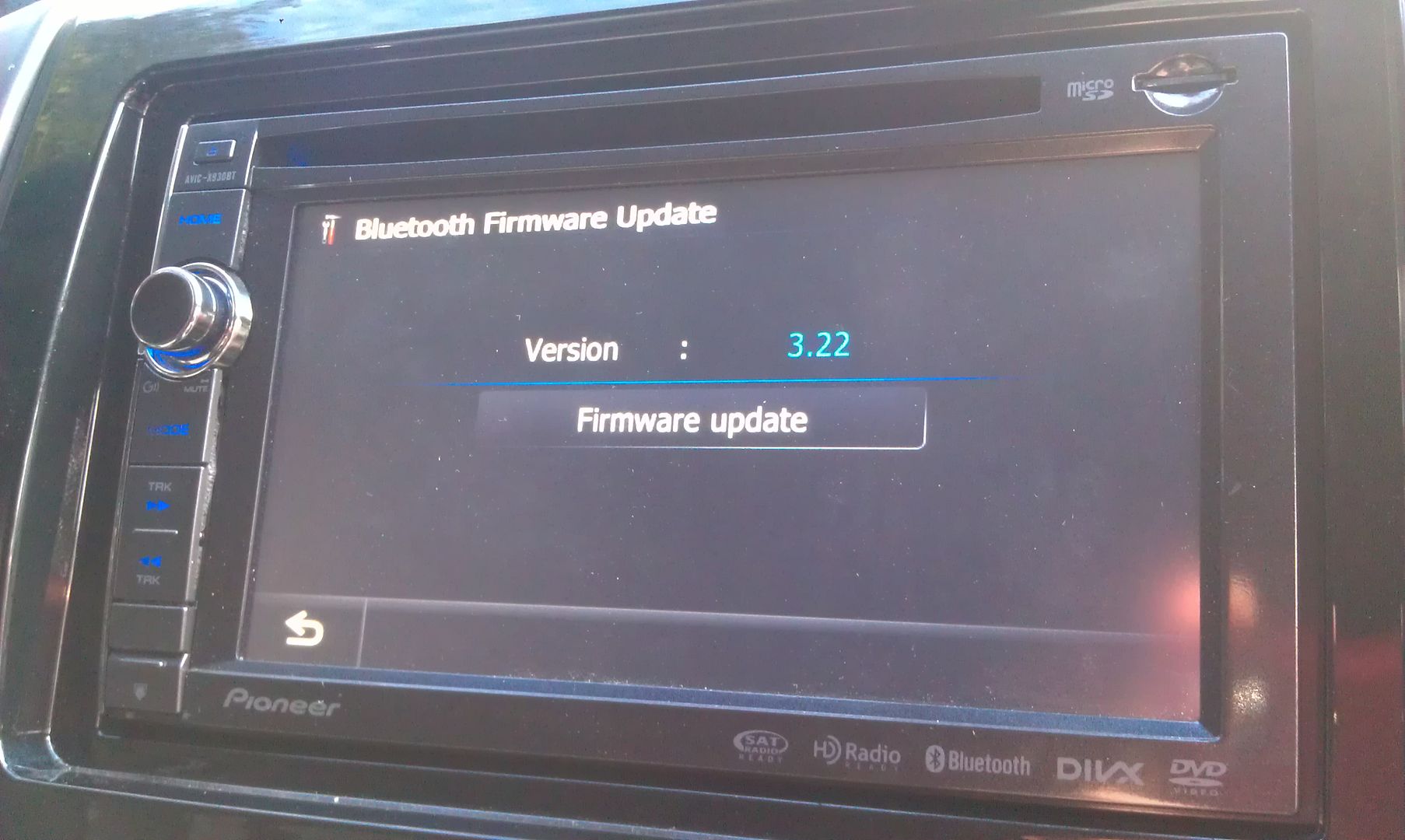
Press it and it'll show you your current firmware and under that will be the option to update it
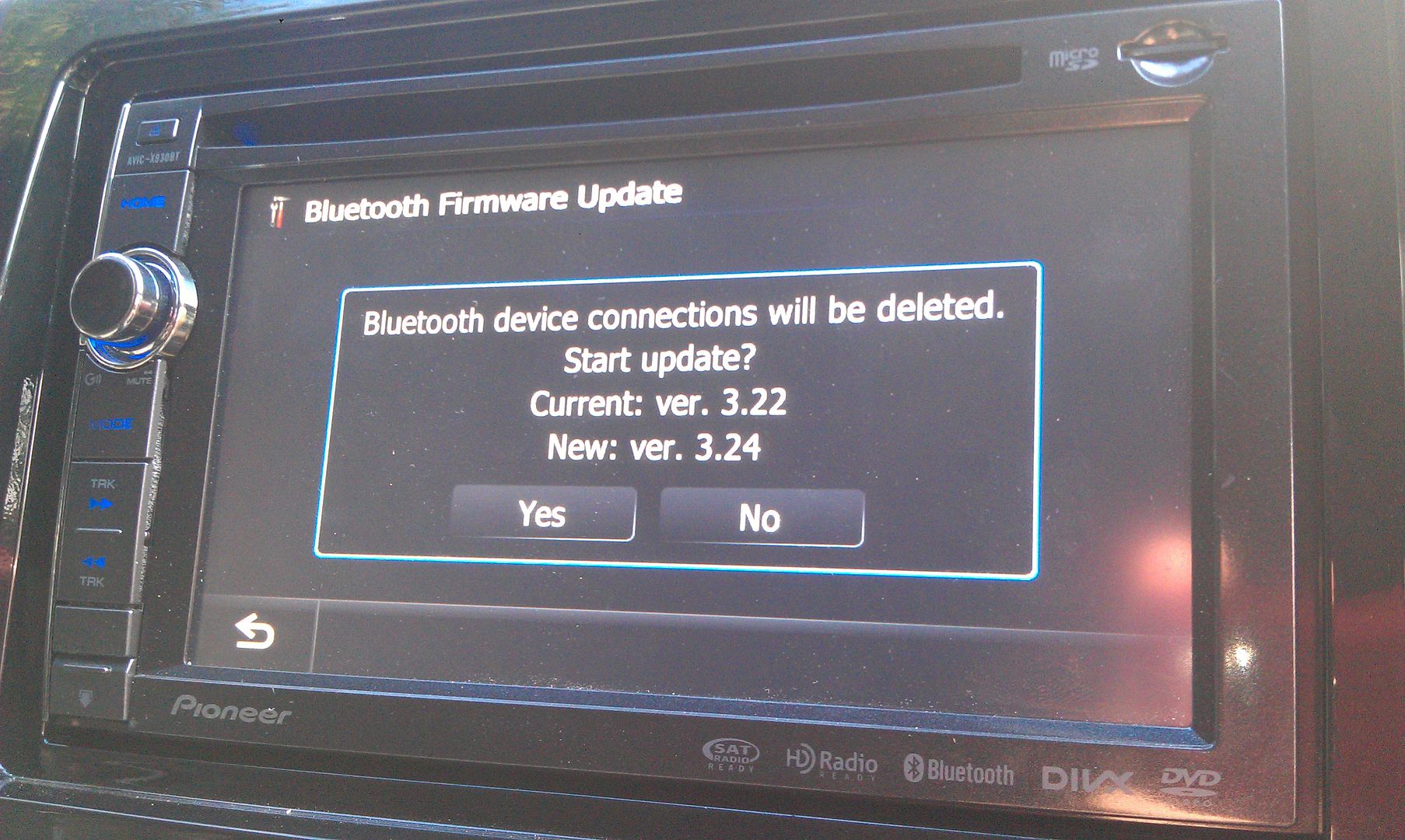
Once that's pressed, you're prompted with one more confirmation of the update showing you version info of what you're currently running and what's going to be installed
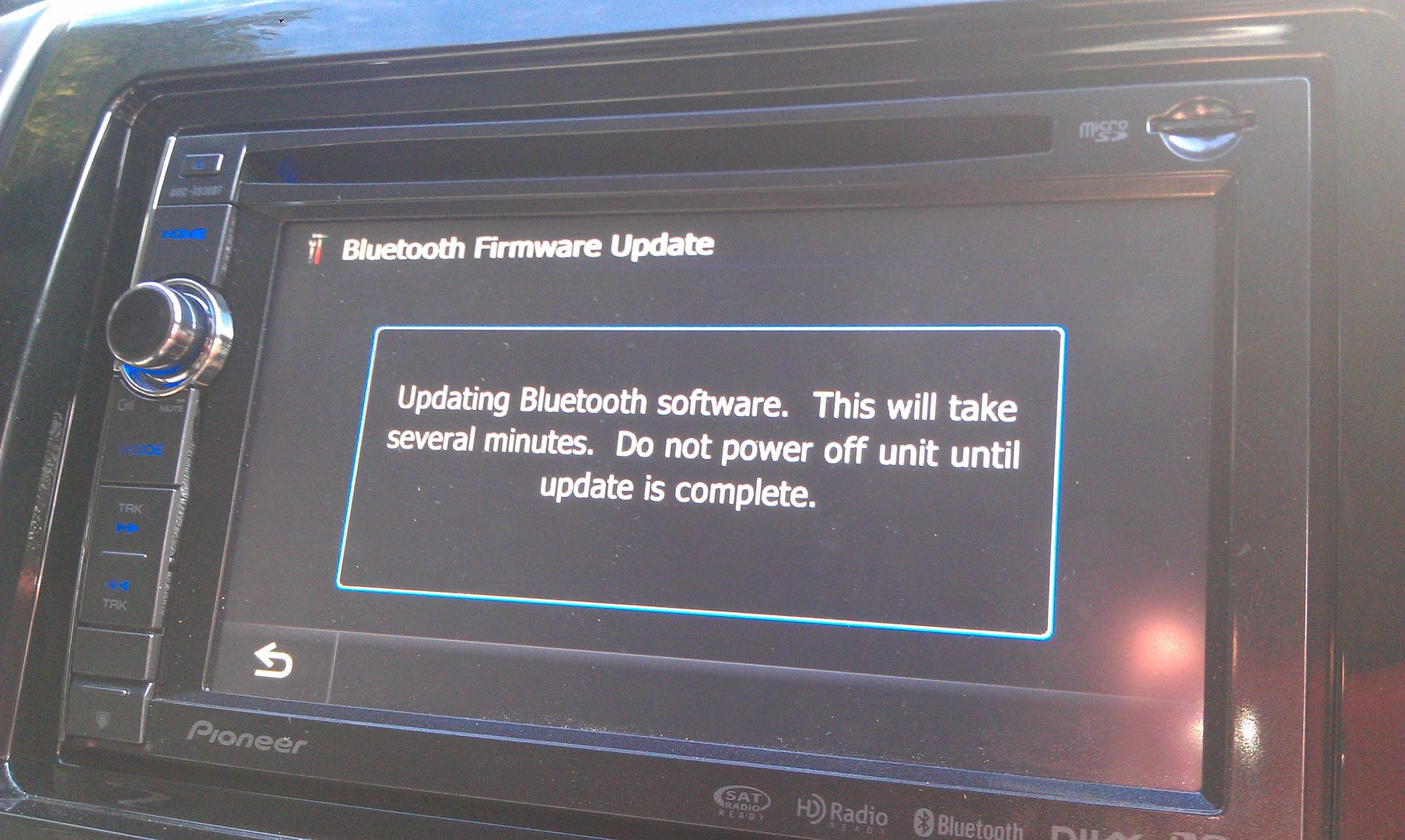
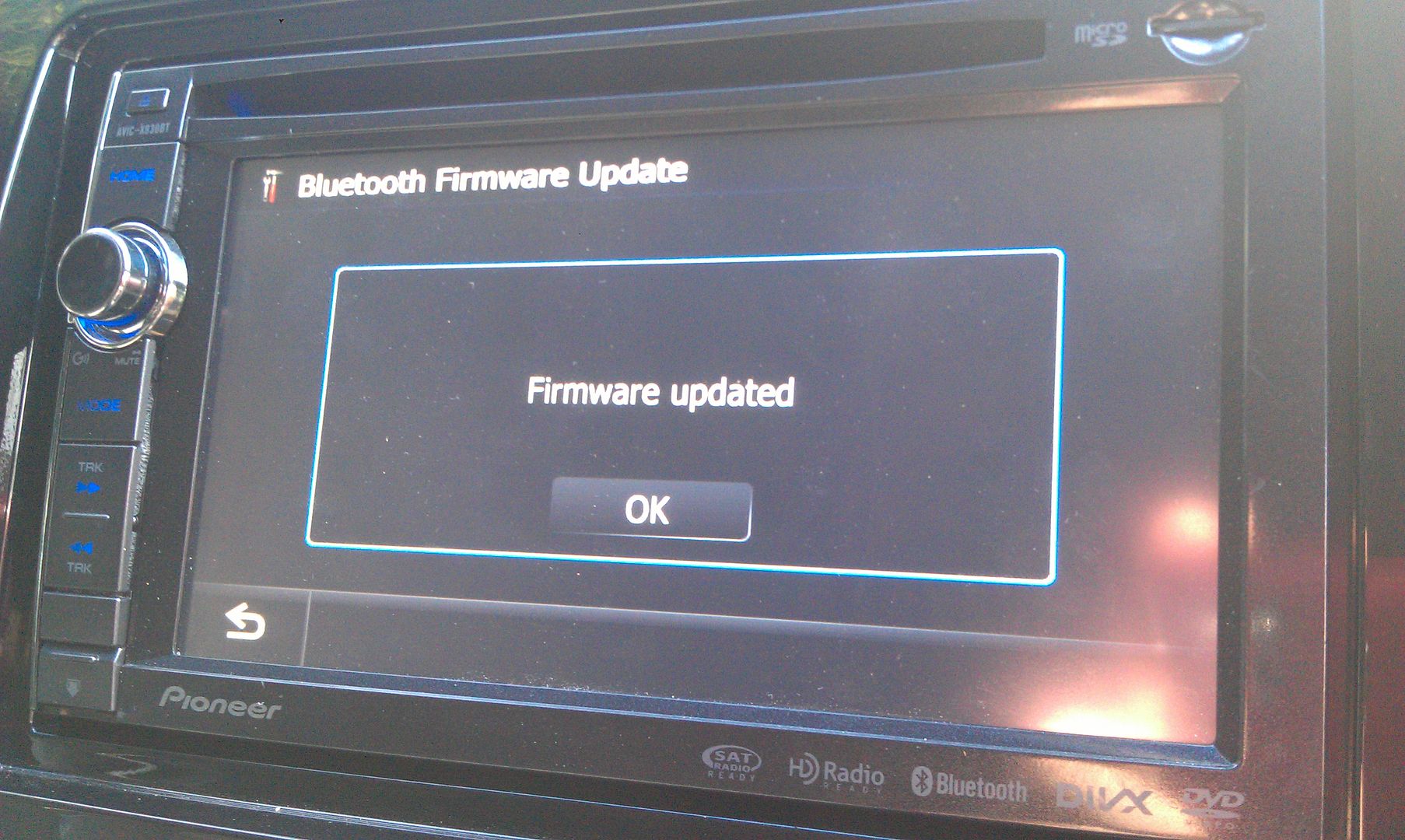
Hit yes and wait for it to update; takes about 3 or 4 minutes to complete
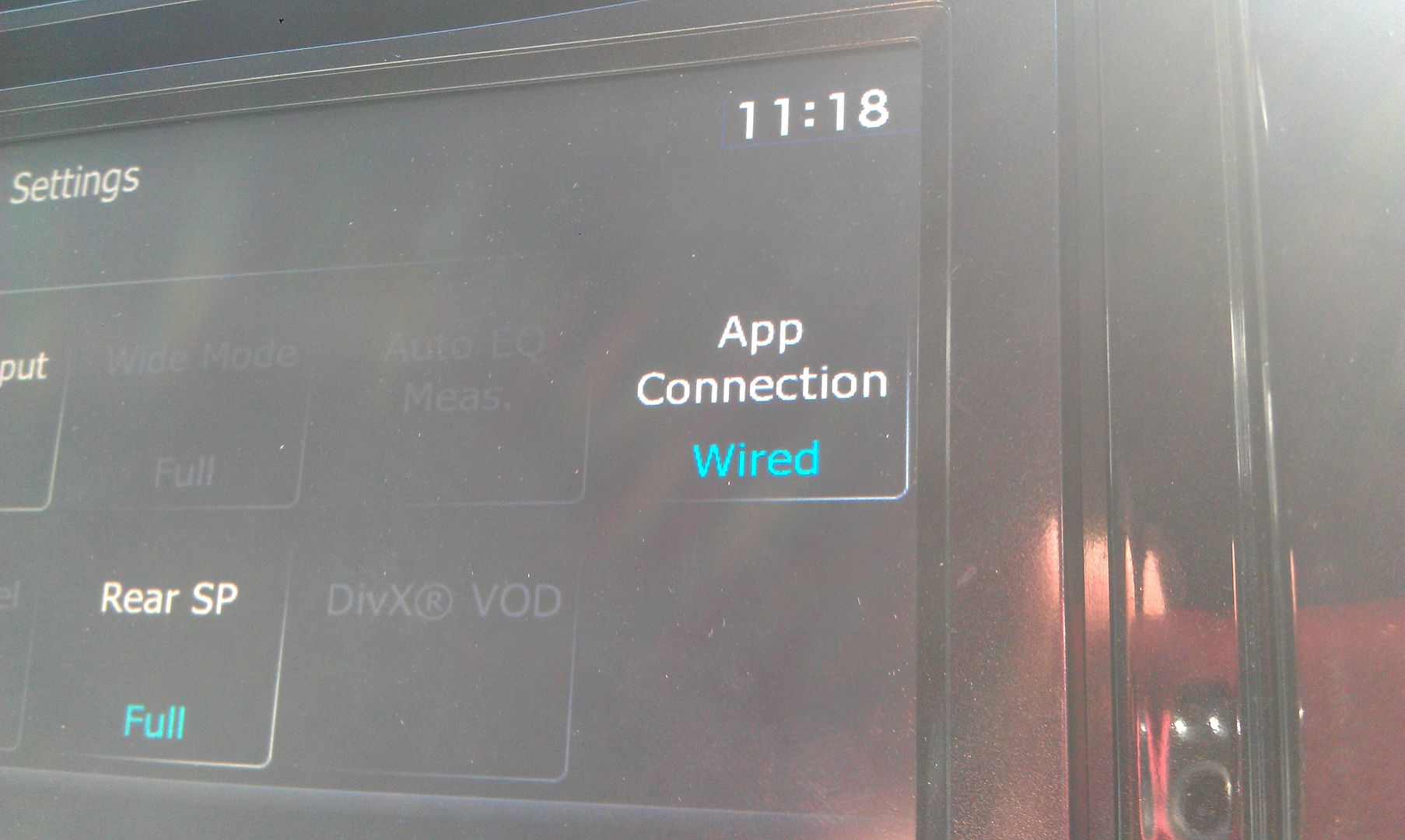
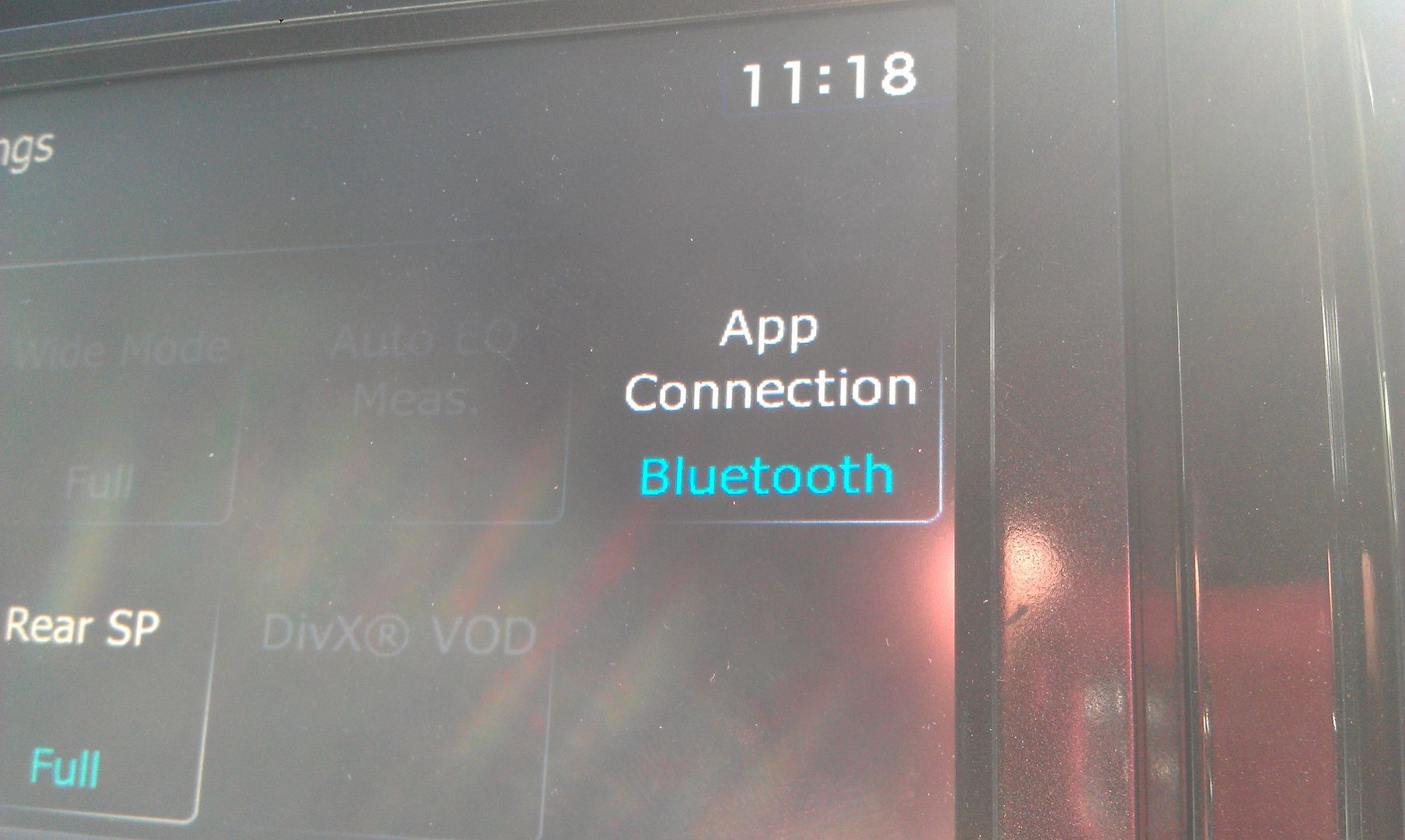
Once that's done, you'll have the new app connection option for bluetooth or wired connection
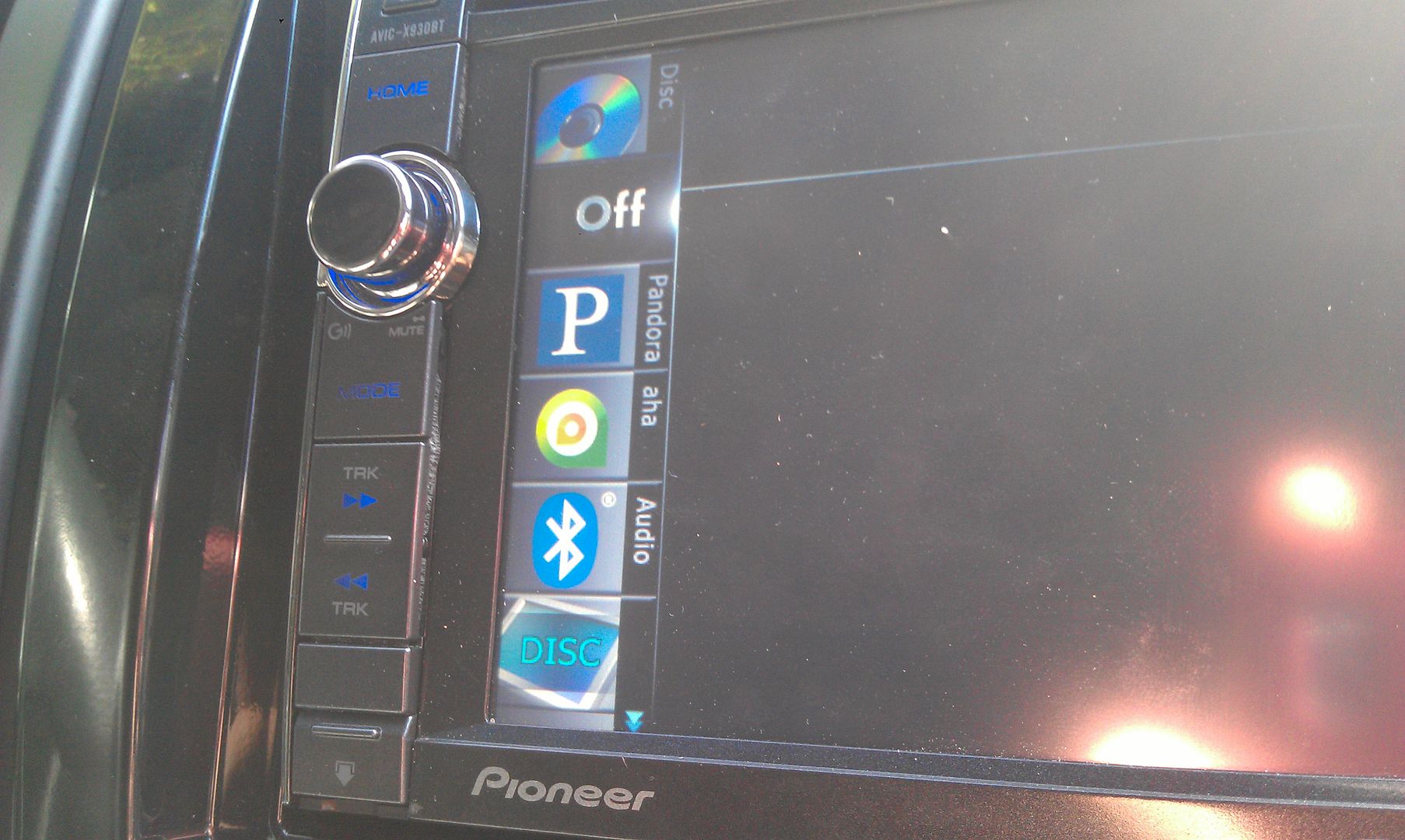
Pair to your Android phone (which you will have to do over again since you updated the bluetooth firmware which erased any stored phones) and you'll get a new list of options in you sources!
And for final proof of the successful update
Thanks for all the info and help everyone has given; this forum rocks!
Awesome work.... Thanks. Step by step with pics really helped. 
You realize it is a compressed file? Once you uncompress it you should see the folders you need to copy to the SD - as described in post #1.
Thank you for responding RonS!
I did unzip all the files to a temporary folder. However, there are no folders in zip file but there is a file named CARDINFO.cif another named updater.plf but i don't see a file or folder named FIRMWARE? I downloaded the file twice just in case the first download was missing files.
Any help is appreciated. Thanks!