The text in the engineering menu does not change! In my MRZ 05 there is no Bluetooth!
Posted Feb 06, 2018 · 07:27 UTC#451
The text in the engineering menu does not change! In my MRZ 05 there is no Bluetooth!
On 1/22/2018 at 9:48 AM, Dampil said:Hi! Please tell me how to reset the password when you turn on MRZ99
If your car is toyota then upload a picture of password screen.
2 hours ago, Rick Keisi said:The text in the engineering menu does not change! In my MRZ 05 there is no Bluetooth!
The text in the engineering menu does not change because we only change the lng file which not affect the engineering menu. bluetooth is not standard, it is sold separately. So some cars come with bluetooth, some not. you can check if the bluetooth is physically there?
15 hours ago, CarrozzeriaMRZ05 said:MRZ05
I have problem with time as there is no display. I have done the same thing with the video posted but end up with gps problem.
I have problem with bluetooth. Does mrz05 has a built in bluetooth?
I have problem with image. Automatic updater corrects the language but not the image..
Please help..
Here is the pictures of screen..
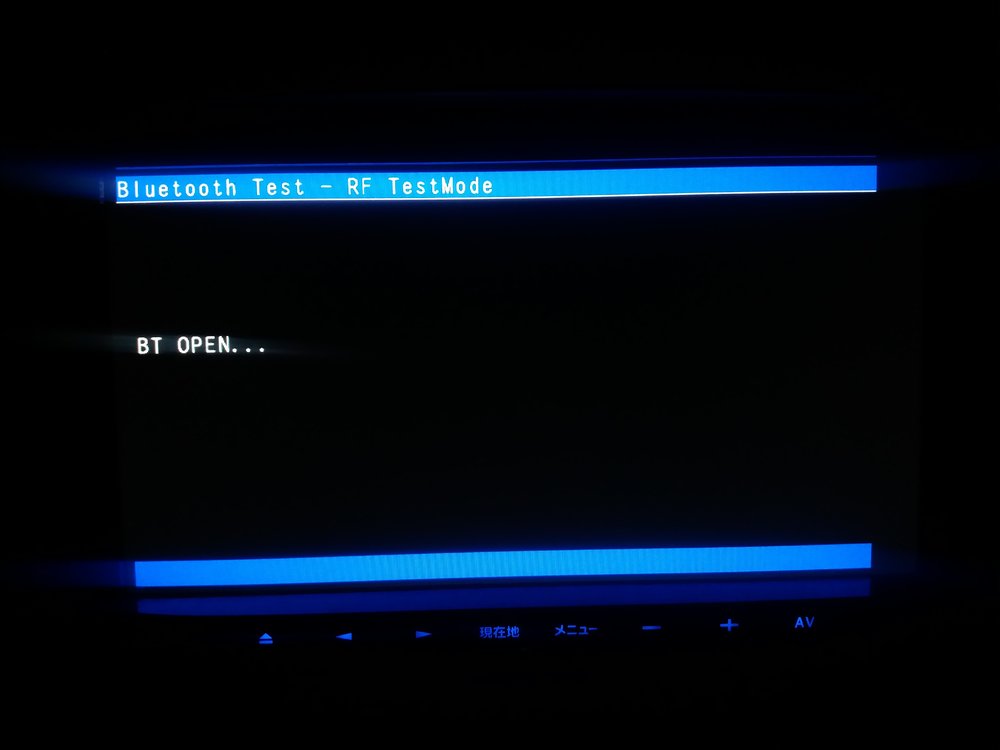
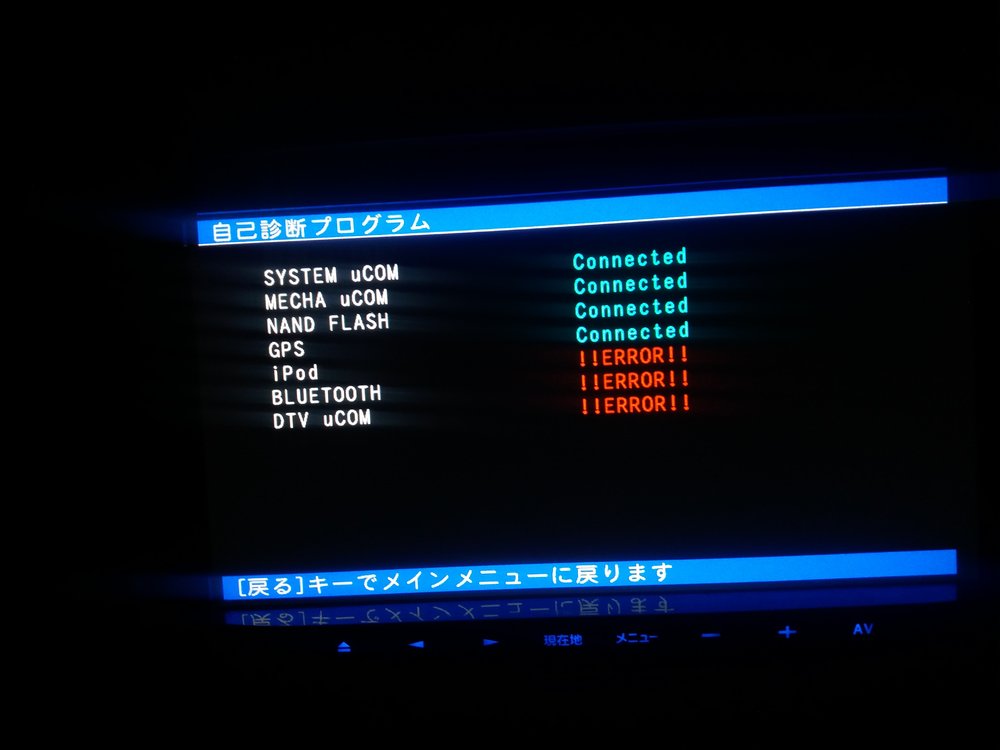
bluetooth, DTV and IPOD are not standard, they are sold separately. So some cars come with bluetooth, some not. you can check if the bluetooth is physically there?
I can not check from behind because i dont know how to remove it. At AV screen there is no bluetooth sign. I have a cable from behind for usb.. Do connecting bluetooth dongle to USB port allow me use phone calls through radio?
Any help about setting time on mrz05?

14 hours ago, CarrozzeriaMRZ05 said:I can not check from behind because i dont know how to remove it. At AV screen there is no bluetooth sign. I have a cable from behind for usb.. Do connecting bluetooth dongle to USB port allow me use phone calls through radio?
Any help about setting time on mrz05?
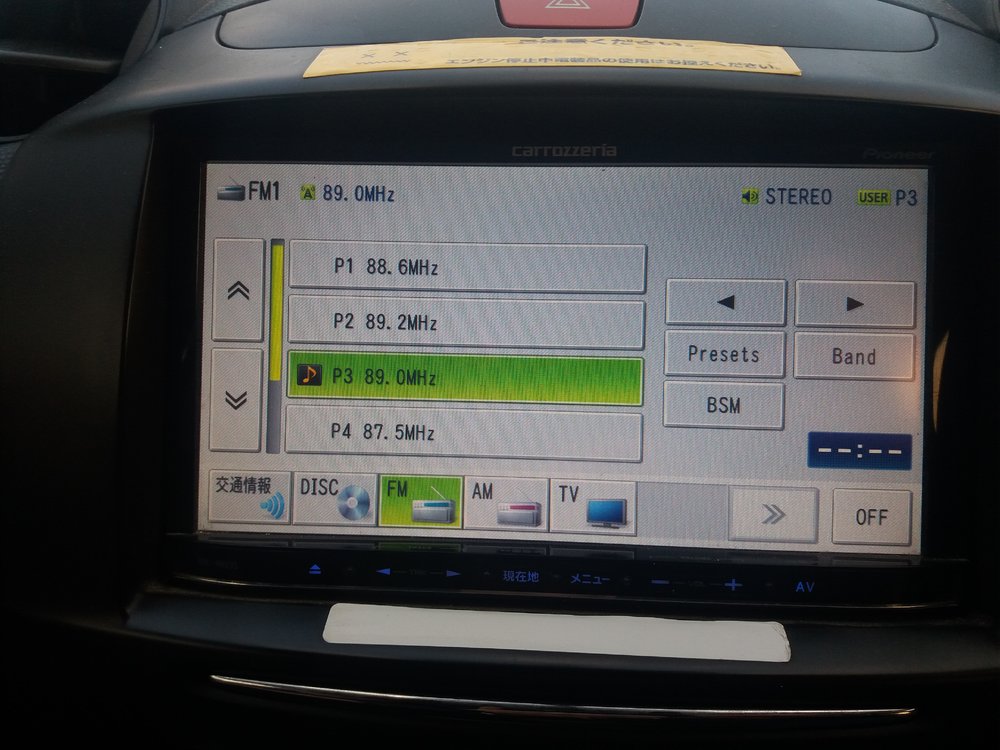
Mr Ilnur has managed to change time. you can see his posts on page 26. there is also a video from which you can get help. Some others have installed IGO which corrects time but maps do not work, you can try the two methods and report your experience so that others can benefit.
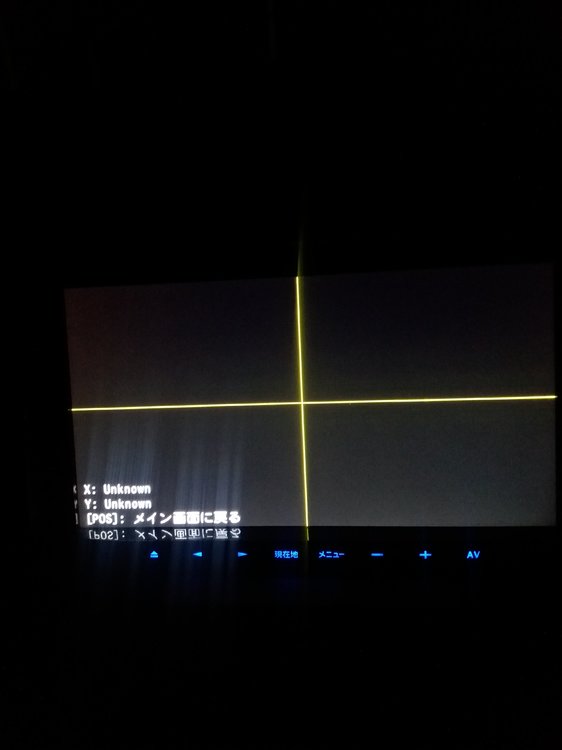
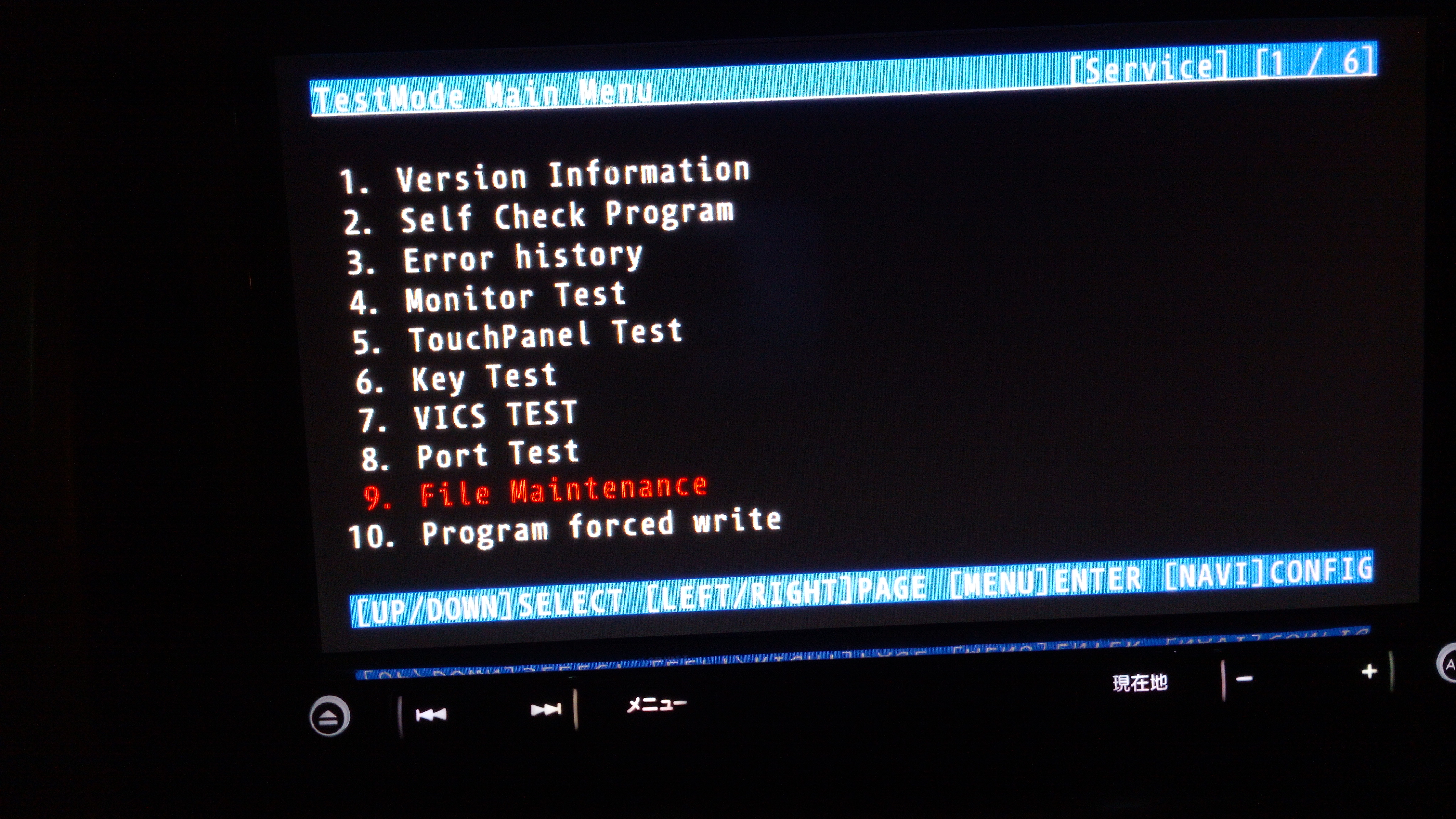
Thanks for reply. I followed Ilnurs video but the menu that he enters in test mode shows like this.. so i can not set the time.. it does not show wrong time as well..

I investigated and find out that technician did not connect GPS antenna at all.
Meaning no time correction and no map correction.
Thanks for help..
Another experience... Image.img file is not just an image file.. I croped an image to 480 x 272 and converted it to .img format. From test menu I put it in PRG0/APL/MENU.. As a result i get black background and all of the buttons are gone.. I revert back.. So do not try...
Any knowledge to make proper image.img??
12 hours ago, CarrozzeriaMRZ05 said:Another experience... Image.img file is not just an image file.. I croped an image to 480 x 272 and converted it to .img format. From test menu I put it in PRG0/APL/MENU.. As a result i get black background and all of the buttons are gone.. I revert back.. So do not try...
Any knowledge to make proper image.img??
If you want to change image, read page 2 to 5 very carefully. Here DZO has changed the image successfully. Some information is also given there on how to do this. You will have to do some hard work to implement your image, but do it and also guide others so that all can benefit from it.
On 04.11.2017 at 3:01 PM, dzo said:
Hey.
I bought a car and there the radio in Japanese Pioneer carrozzeria AVIC-RZ05 read your correspondence with people, tried to repeat but failed I can not copy files there is no such function and did not find USER and PF090JPJPN.LNG
Found similar:
9. File Maintenance / NAND / NX293 / PRG0, PRG1 / APL / Resource / LANGDATA /
Help please translate into English


Hello Sir, my MRZ09 is stuck on a bootloop, I don't know how and why, suddenly it froze and when restart, I find bootloop, almost 6 months ago, every time device is on I get the start screen, then after 2 seconds it restarts. What can be done in your opinion? I posted about this issue but so far no one has been able to help, only 2-3 people replied, but no help as such. Can you help me please?
HI
Any way of changing from Japanese to English on AVIC HRZ 099?
On 1/5/2018 at 7:23 AM, saleha said:thank you javed . but as per my limited understanding from post 411 it is evident that procedure is not successful for MRZ-099 . could any one confirm if they tried it on MRZ-099 and managed to change language successfully
highly obliged to your replies and support
thanks
I have used it successfully with the MRZ099. Just use the most recent updater.
On 11/2/2016 at 7:45 PM, dzo said:I've translated the Japanese language strings for the MRZ99 to English.
I figured out the format of the LNG file, dumped the Japanese, translated all the strings using google translate, then rebuilt the file.
Some of the English is not perfect but it makes the system much more usable.
I've tested it with APP firmware version 3.070200 (installed with platform version 3.000600), other versions may not work.
If the old language file is 93627 bytes long then this will almost certainly work.
To install this, unzip the attachment mrz99english.zip and put the PF090JPJPN.LNG file on an sd card. (130905 bytes, md5sum is cb3f9cb76330704cc171e2b0acb9f6ad)
Get into testmode by holding the NAVI button (left button with Japanese writing on it) and pressing right..left..right..left..right..left and then release NAVI.
Go to the last entry on the first page (File Maintenance in Japanese) and press MENU (right button with Japanese writing on it)
This opens the file manager which is in English and fairly obvious.
Make a backup of /USER as described elsewhere on avic411.com
Look in /USER to see if there is a file named PRG.FLG
if there is, then the system uses /USER/PRG1, otherwise it uses /USER/PRG0
You can check the file versions by looking at /USER/PRGx/PF090APL.HTM (where x is 0 or 1 depending on PRG.FLG)
go to /USER/PRGx/APL/LANGDATA/
delete PF090JPJPN.LNG
go to /SD, copy the new PF090JPJPN.LNG and paste it into LANGDATA where the old one was.
Switch off the power and when it restarts, it should be in English....
This worked for me but obviously is not 100% safe, be very careful in the file manager.
Update: There's now an installer that also changes the background and most of the important images with japanese text.
Find it here:
dzo,
I sent you a message INBOX.
I want to apply you solution to another model - MRZ04
Hi,
I bought new teyp and its japanese language. can i change it to english ? I read forum some but I couldnt find directly my model. its Avic-mrz009. is possible to change it to english.
please help me.
On 12/25/2017 at 2:00 AM, CameronR said:I managed to start testmode with my MRZ009 with button presses. Bad News! None of this MRZ099 stuff works at ALL! The MRZ009 uses a different file structure and thus dzo's script will not work on these units. The testmode that is enabled by the front button pressing also has limited functionality - no cut and paste. However, you can examine the file structure, and thus see that the methods in this thread will not work.
To get to this test mode in MRZ009, do the following:
1. Press and hold the NAVI button (right button with Japanese characters).
2. Press AV then V.adjust (left button with Japanese characters), repeat two more times (do step 2 three times).
3. Release the NAVI button and the unit reboots to test mode.
You will find no language files, only Guide.JPN file in folders in: NAND\NX154\PRG0\APL\Resource\LANGDATA\ and in its' counterpart folder in PRG1.
I looked around all folders and never found the *.LNG files, but if you can't copy and paste, then it's of no use anyways.
cheers,
Cam
Hi Cam,
Did you find any soultion ?
do u have a custom firmware for AVIC-RZ03 to english
On 2/11/2016 at 11:45 PM, dzo said:I've translated the Japanese language strings for the MRZ99 to English.
I figured out the format of the LNG file, dumped the Japanese, translated all the strings using google translate, then rebuilt the file.
Some of the English is not perfect but it makes the system much more usable.
I've tested it with APP firmware version 3.070200 (installed with platform version 3.000600), other versions may not work.
If the old language file is 93627 bytes long then this will almost certainly work.
To install this, unzip the attachment mrz99english.zip and put the PF090JPJPN.LNG file on an sd card. (130905 bytes, md5sum is cb3f9cb76330704cc171e2b0acb9f6ad)
Get into testmode by holding the NAVI button (left button with Japanese writing on it) and pressing right..left..right..left..right..left and then release NAVI.
Go to the last entry on the first page (File Maintenance in Japanese) and press MENU (right button with Japanese writing on it)
This opens the file manager which is in English and fairly obvious.
Make a backup of /USER as described elsewhere on avic411.com
Look in /USER to see if there is a file named PRG.FLG
if there is, then the system uses /USER/PRG1, otherwise it uses /USER/PRG0
You can check the file versions by looking at /USER/PRGx/PF090APL.HTM (where x is 0 or 1 depending on PRG.FLG)
go to /USER/PRGx/APL/LANGDATA/
delete PF090JPJPN.LNG
go to /SD, copy the new PF090JPJPN.LNG and paste it into LANGDATA where the old one was.
Switch off the power and when it restarts, it should be in English....
This worked for me but obviously is not 100% safe, be very careful in the file manager.
Update: There's now an installer that also changes the background and most of the important images with japanese text.
Find it here:
Hi will this also work on an avic mrzo5? Thanks for your help
Hi !
any help for avic-mrz009 for english ?
Hey everyone! I have an AVIC-MRZ99 Carozzeria unit, I am not a very tech savvy guy. Can anyone please help what to do ? I need to change the language to English.
As far as i've read on the posts above by DZO and everyone I just need to download a file to a USB stick or an SD and just plug it in usb or card slot right ?
Can you please help me in this ? As in which files to download and copy to the SD card or usb stick and what to do next ?
Also let me know if your ipod functions work, Mine came with a cable with an adapter for iphone 4 whereas I use an iphone 6s and also when I plug the new lightning cable the song starts playing on phone rather than the player on the car.
Looking forward to your help.
Thanks
Shakawat
Help! My screen has been stuck like this even though I can hear audio. Tried with the installer after changing the script to SD instead of USB. Not working and is on a continous reboot loop!

Help please with the firmware file of English AVIC-RZ03.
On 3/11/2016 at 12:45 PM, dzo said:I've translated the Japanese language strings for the MRZ99 to English.
I figured out the format of the LNG file, dumped the Japanese, translated all the strings using google translate, then rebuilt the file.
Some of the English is not perfect but it makes the system much more usable.
I've tested it with APP firmware version 3.070200 (installed with platform version 3.000600), other versions may not work.
If the old language file is 93627 bytes long then this will almost certainly work.
To install this, unzip the attachment mrz99english.zip and put the PF090JPJPN.LNG file on an sd card. (130905 bytes, md5sum is cb3f9cb76330704cc171e2b0acb9f6ad)
Get into testmode by holding the NAVI button (left button with Japanese writing on it) and pressing right..left..right..left..right..left and then release NAVI.
Go to the last entry on the first page (File Maintenance in Japanese) and press MENU (right button with Japanese writing on it)
This opens the file manager which is in English and fairly obvious.
Make a backup of /USER as described elsewhere on avic411.com
Look in /USER to see if there is a file named PRG.FLG
if there is, then the system uses /USER/PRG1, otherwise it uses /USER/PRG0
You can check the file versions by looking at /USER/PRGx/PF090APL.HTM (where x is 0 or 1 depending on PRG.FLG)
go to /USER/PRGx/APL/LANGDATA/
delete PF090JPJPN.LNG
go to /SD, copy the new PF090JPJPN.LNG and paste it into LANGDATA where the old one was.
Switch off the power and when it restarts, it should be in English....
This worked for me but obviously is not 100% safe, be very careful in the file manager.
Update: There's now an installer that also changes the background and most of the important images with japanese text.
Find it here:
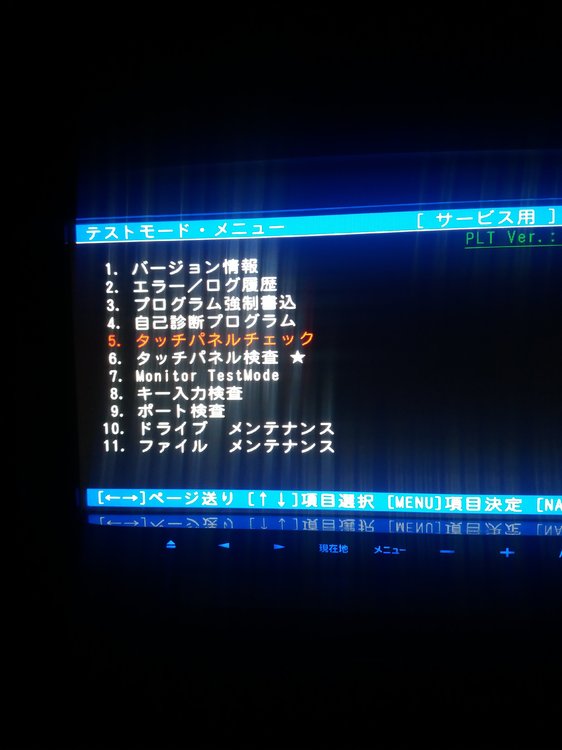
Hi..I have a AVIC-MRZ05 trying to see firstly if the language change you described above for MRZ99 will work for mine. I have got to testmode but am not sure how to back up USER file..could not find reference on here how to do this. next question is I looked in USER and seem to have both PRG0 and PRG1..(I attach some photo's. I also see from other posts that pasting new file may be an issue....If you could help with step by step process on what I need to do that would be great. I have copied the zip file you have link to on SD card already..(though did not seem to show on screen when I put it is SD slot...my be when I am in testmode it will be seen..but not sure how to retrieve it from SD card and paste it on system....If anyone has done this on AVIC-MRZO5 it would be great to know it can be done and step by step process. many thanks


On 3/6/2018 at 3:40 PM, Shakawat said:Hey everyone! I have an AVIC-MRZ99 Carozzeria unit, I am not a very tech savvy guy. Can anyone please help what to do ? I need to change the language to English.
As far as i've read on the posts above by DZO and everyone I just need to download a file to a USB stick or an SD and just plug it in usb or card slot right ?
Can you please help me in this ? As in which files to download and copy to the SD card or usb stick and what to do next ?
Also let me know if your ipod functions work, Mine came with a cable with an adapter for iphone 4 whereas I use an iphone 6s and also when I plug the new lightning cable the song starts playing on phone rather than the player on the car.
Looking forward to your help.
Thanks
Shakawat
You can change language by first reading the thread carefully. If it becomes hard for you to remember the procedure, make notes in your own language. When you are confident on your understanding, start by making backup and then replace the files.
On 3/6/2018 at 9:25 PM, sekuloco said:Help! My screen has been stuck like this even though I can hear audio. Tried with the installer after changing the script to SD instead of USB. Not working and is on a continous reboot loop!
After first reboot, remove the sd card and every thing will be normal.


