Search Archive

Bypass instructions for the Z1

By Jamesdat · Mar 31, 2006in Hacks/Mods💬 427 posts👁️ 155,139 views
Page 5 of 18
Posted Apr 26, 2006 · 19:35 UTC#101
Actually the post the vanished from the12volt.com made sense.

The writer said that everytime he "remote started" his car, the video would be bypassed.

He figured that the only thing that the Z1 and his remote start had in common was the parking lights.

He tried to manually do it and it worked. The internet, and word of mouth and wouldn't you know it, the greatest discovery to us since the wheel, LOL!!
Posted Apr 26, 2006 · 19:36 UTC#102
htrdlnc said:


I finally found it on the 12volt.com and a few hours later the post "vanished". Screw that forum and their legal obligations.
Since then I have found different variations leading up to the flash parking lights once during "starting Pioneer navigation" screen.

yea what is up with the 12volt forum, what ever happened to freedom of speech? Guess those darn canadians got issues. They block every bypass topic, yet they have the CVA 1000 bypass as a Stickey topic, who cares about a 10 year old system anyway.

so i guess the best way is to:

not connect the e brake at all
flash the lights once on the "pioneer loading" screen(wont hurt to do it more than once)
press ok to the stupid nav warning
drive and watch dvds and use the nav as it should be.
Posted Apr 26, 2006 · 19:37 UTC#103
I would put the e-brake wire on a switch. You don't want to bury it, in case you need it.
Posted Apr 26, 2006 · 19:39 UTC#104
Seriously, I was ecstactic yesterday when I found this thread. Couldn't wait to leave work and go home to try it out for myself.

Lets not forget to thank those who contributed to this great thread and Jason for creating this awesome site. :wink:
Posted Apr 26, 2006 · 19:40 UTC#105
htrdlnc said:
I would put the e-brake wire on a switch. You don't want to bury it, in case you need it.


why would it ever be needed, just curiuos? i dont see any reason other than if a cop wanted to see it functioning properly.
Posted Apr 26, 2006 · 19:41 UTC#106
jdpdata said:
Seriously, I was ecstactic yesterday when I found this thread. Couldn't wait to leave work and go home to try it out for myself.

Lets not forget to thank those who contributed to this great thread and Jason for creating this awesome site. :wink:


Thanks Man!
I never imagined that the site would grow this big!
Posted Apr 26, 2006 · 19:42 UTC#107
Anonymous said:
htrdlnc said:
I would put the e-brake wire on a switch. You don't want to bury it, in case you need it.


why would it ever be needed, just curiuos? i dont see any reason other than if a cop wanted to see it functioning properly.


Because the one time you forget, or "miss" you won't be able to use the nav at all.
Posted Apr 26, 2006 · 19:46 UTC#108
Anonymous said:
Anonymous said:
htrdlnc said:
I would put the e-brake wire on a switch. You don't want to bury it, in case you need it.


why would it ever be needed, just curiuos? i dont see any reason other than if a cop wanted to see it functioning properly.


Because the one time you forget, or "miss" you won't be able to use the nav at all.


oh got ya, i was planning on usign a tr7 anway so hopefully i wont run into that problem. thanks, and thanks Jason for making a cool site, should change it around to include all types of audio like the 12volt forum, then ill never go back to that one for good.
Posted Apr 26, 2006 · 21:44 UTC#109
Has anyone discovered a hack to update the nav data, improve nav? Once you get past the pretty screen and the unavailability of options during motion you realize the the nav itself blows. I know, I tried to depend on it.
Posted Apr 26, 2006 · 21:56 UTC#110
I don't really think you need to hack the Z1 to update it. If Pioneer is nice, they'll let you download an update, burn it to CD-R, and update the Z1. They already confirm that they'll update the GraceNote CDDB this way in the future.

Hey, I notice you and another guy (both with Porsche) are having the same speedo issue. Perhaps your car is not compatible with the Z1? Hence you're having horrible routing results. Have you contact Pioneer to see if this is the case?

I know some members on BMW forum had to do major dashboard cutting just to fit the Z1.
Posted Apr 26, 2006 · 23:12 UTC#111
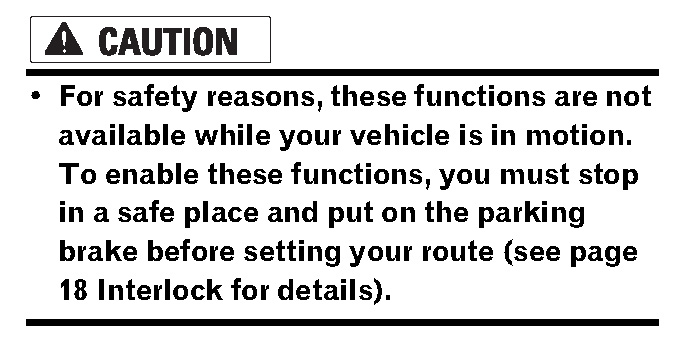
I suppose this warning does not apply to a selected few AVIC-Z1 owners... :D
Attached Files (1)
warning_Page_047.jpg
Posted Apr 26, 2006 · 23:31 UTC#112
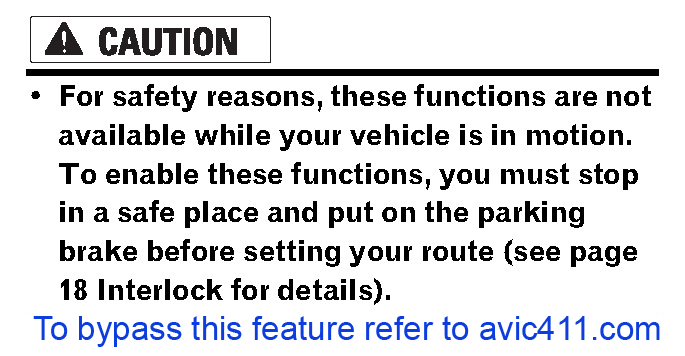
ok, I have to much free time...I'll quit now, and go watch a DVD in my car. :oops:
Attached Files (1)
warning_Page_047 copy.png
Posted Apr 27, 2006 · 00:28 UTC#113
Obviously I am aware a nav update won't require a hack. Just seems everyone is spending a lot of energy hacking for functionality and decisions that should be the owners. Not to mention even when the dvd is running it is second rate at best compared to other units on the market.

Yeah, I did note that another Porsche owner had speedo problems. But that aside as an *additional* problem and burden we bear, doesn't have anything to do with the exceptionally poor routing these NAV units provide. I mean, the reason you buy a nav unit is for nav, right? That it is a crippled crummy nav just adds to the insult.

I did contact Pioneer with all my problems and comments. Thank you for contacting Pioneer Electronics, Inc.
I am sorry to hear the problems you have experienced with the AVIC-Z1.
I will forward your comments to the product planning division. I am sure your
comments will be looked at closely and considered for future product changes.


Thank You,

Rocky
Customer Service Representative

Justs adds to my irritation, no customer service.

By the way, in addition to everything else the door rattles when you incline it while driving for good visibility.


jdpdata said:
I don't really think you need to hack the Z1 to update it. If Pioneer is nice, they'll let you download an update, burn it to CD-R, and update the Z1. They already confirm that they'll update the GraceNote CDDB this way in the future.

Hey, I notice you and another guy (both with Porsche) are having the same speedo issue. Perhaps your car is not compatible with the Z1? Hence you're having horrible routing results. Have you contact Pioneer to see if this is the case?

I know some members on BMW forum had to do major dashboard cutting just to fit the Z1.
Posted Apr 27, 2006 · 00:34 UTC#114
jdpdata said:
ok, I have to much free time...I'll quit now, and go watch a DVD in my car. :oops:


Thats great! Haha! :lol:
Posted Apr 27, 2006 · 00:47 UTC#115
Has anyone actually kept the E brake connected properly and still been able to do the light flash and have the bypass work???? I just tried it, and it was just like I started it the usual way without flashing the lights. I tried it 3 times, and yes I have been able to do it with the wire grounded. I reconnected the brake wire to ground and it works fine. I'd rather have it hooked up right AND do the bypass when I want to.
Posted Apr 27, 2006 · 01:02 UTC#116
KBryan said:
Has anyone actually kept the E brake connected properly and still been able to do the light flash and have the bypass work???? I just tried it, and it was just like I started it the usual way without flashing the lights. I tried it 3 times, and yes I have been able to do it with the wire grounded. I reconnected the brake wire to ground and it works fine. I'd rather have it hooked up right AND do the bypass when I want to.


It has been confirmed that with speedo wire and ebrake properly connected the light flash trick still works, it appears those that are having trouble are just getting the timing wrong.
Posted Apr 27, 2006 · 01:03 UTC#117
MChance000 said:
Obviously I am aware a nav update won't require a hack. Just seems everyone is spending a lot of energy hacking for functionality and decisions that should be the owners. Not to mention even when the dvd is running it is second rate at best compared to other units on the market.


So far I've heard you complain a lot about the NAV but with no specifics. Whats wrong with the NAV?
Posted Apr 27, 2006 · 01:58 UTC#118
I don't see whats the big deal about this bypass thing, the last thing I need is for me to be to be driving enjoying a good sandwhich and one of you car navi driving movie watchers not watching the road hit my car and the knock my sandwhich out of my hand and car and wreck everything, sheesh. :x :x :x :x
Posted Apr 27, 2006 · 02:02 UTC#119
Well it's not just the DVD, it's unlock a slew of useful NAVI functions for me. All kiddin' aside, you guys should be really careful out there driving while watching DVD's. I had some close call today... :twisted:
Posted Apr 27, 2006 · 02:33 UTC#120
My timing must suck, I still cant get it to work...
Posted Apr 27, 2006 · 02:51 UTC#121
Well, I have detailed the problems profusely in a number of post in this forum and others. For example, I 95 connects cocoa, fl and daytona beach. You would think that would be the fastest route. some how the z1 thinks US 1 is the best route, even though it drops to 35 mph through titusville and on and on. In Jacksonville it took me on a 20 minute trip through downtown when a proper route was just across the way and 5 minutes. I could go on and on....but why repeat what I have written before. Go to the problems/troubleshooting section and check it out.


edrock200 said:
MChance000 said:
Obviously I am aware a nav update won't require a hack. Just seems everyone is spending a lot of energy hacking for functionality and decisions that should be the owners. Not to mention even when the dvd is running it is second rate at best compared to other units on the market.


So far I've heard you complain a lot about the NAV but with no specifics. Whats wrong with the NAV?
Posted Apr 27, 2006 · 02:58 UTC#122
You guys that are not getting this bypass to work:

1. Are you turning the light on and then off at the startup?

2.. Or are you guys flashing the hi-beam?

The first method is what you want to do. At first I thought pulsing mean flashing the hi-beam-which is incorrect. Also check that your illuminimation wire is hook up correctly.
Posted Apr 27, 2006 · 03:05 UTC#123
Something else to keep in mind for those who can't get the trick to work...does your car have daytime running lights or auto lights? With the daytime running lights or auto lights, do your parking lights come on? Did you tie your light wire to parking lights or headlights?

If you tied to headlights or your parking lights come on with the car (ie autolights) then turning your headlights off and on won't do you any good. Try disabling your auto headlights and try again.
Posted Apr 27, 2006 · 06:29 UTC#124
I have a 2006 chevy silverado 2500HD. the unit bypasses with the park wire grounded all the time and lights switched three times prior to the music playing.

For those who have auto headlamps, a switch has to be installed to make the unit bypass at night. The chevy headlamps comes on with ignition whenever its night and the unit has to see open, pos, open, pos, open, pos. If it sees positive first, the unit does not bypass. The switch would have to be used to kill the positive upon start. I will post results within a day or so.

For those who plan on using the pac part, will the pac part stay open so that the illumination function still works? Its not like the alpine where they have set inputs in the brain for the park brake and foot brake. This illumination has to serve both purposes.
Posted Apr 27, 2006 · 10:23 UTC#125
I can get it to work, but only if I ground the PB wire. Note....I do NOT have the speed sensor wire connected. It works fine without it and my N1, D1 also worked fine so far as the nav goes, so I left it disconnected. Is this the reason I can't get it to work with the PB wire connected properly??????
Page 5 of 18